
BitTopup Logohow to top-up in bittopup
ค้นหา
วิธีเติมเงิน Uber & Uber Eats Gift Card (ES)

Uber & Uber Eats Gift Card (ES)

Excellent
Trustpilot
SPAINSPAIN
Instant Deliveryจัดส่งทันที
Safe & Secure paymentชำระเงินปลอดภัยและมั่นใจได้

Recharge your ride and food balance instantly in Spain with BitTopup gift codes.

เลือกมูลค่า

Uber & Uber Eats 25 ES

฿ 882.20

ยอดรวม · x1

Uber & Uber Eats Gift Card (ES) คู่มือการเติมเงิน

Uber & Uber Eats Gift Card ES Top Up and Redemption Guide

Managing your daily transport and food delivery in Spain is simple when you use digital vouchers. An Uber & Uber Eats Gift Card ES top up converts directly into Uber Cash, creating a pre-funded wallet balance across both the Uber ride-hailing app and the Uber Eats food delivery platform.

Digital vouchers give you full control over your transport and dining budget without linking a personal credit card or bank account directly to your trip profile. Whether you need a quick ride across Madrid or want to order dinner in Barcelona, a gift code is the most direct way to fund your daily services.


Step-by-Step Guide: How to Redeem Uber Gift Codes in Spain

When you buy a digital code on BitTopup, you receive a unique alphanumeric voucher. You do not need to share your account credentials or password to use it. Follow these steps to apply your voucher code directly within either mobile application.

Redeeming in the Uber Rides App

  1. Open the Uber app on your iOS or Android device.
  2. Tap the Account icon located in the bottom-right corner of the home screen.
  3. Select Wallet (or Payment depending on your app version).
  4. Scroll down to the Vouchers / Gift Cards section and tap Add Voucher code or Gift Card.
  5. Carefully type or paste your digital gift code.
  6. Tap Add to credit the funds directly to your Uber Cash balance.

Redeeming in the Uber Eats App

  1. Open the Uber Eats app on your phone.
  2. Tap the Account tab in the bottom menu.
  3. Tap Wallet.
  4. Select Add Funds or choose Gift Card.
  5. Enter your 16-character digital code.
  6. Confirm by tapping Save or Add.

How to recharge Uber & Uber Eats Gift Card (ES)

Once added, your updated balance shows immediately under your Uber Cash total in both apps.


Spain (ES) Region and EUR Currency Restrictions

Gift cards are strictly bound by geography and currency rules. An Uber gift card Spain EUR code works exclusively with accounts configured for Spain and using the Euro currency.

Essential Compatibility Rules

  • Country Lock: You can only redeem this voucher if your Uber account's default country is Spain.
  • Currency Lock: The balance converts to EUR. You cannot spend EUR gift card credit in countries that operate under GBP, USD, or other regional currencies.
  • Cross-Border Limitations: If you travel outside Spain, your EUR Uber Cash balance remains saved in your wallet, but it will not be selectable as an active payment method in foreign currencies.
FeatureDetails for Spain (ES) Code
Eligible RegionSpain (ES) Accounts
Supported CurrencyEuro (€ / EUR)
Usable AppsUber (Rides) & Uber Eats (Food Delivery)
Stored LocationUber Cash Account Balance
Account Sharing RequiredNo (Direct voucher redemption)
Reloadable CardNo (Add new codes to increase balance)

Using Your Uber Cash Balance for Rides and Food Delivery

Uber operates a unified payment architecture. Once your gift voucher is applied, your funds appear as Uber Cash, which is accessible across both services.

How to Apply Uber Cash at Checkout

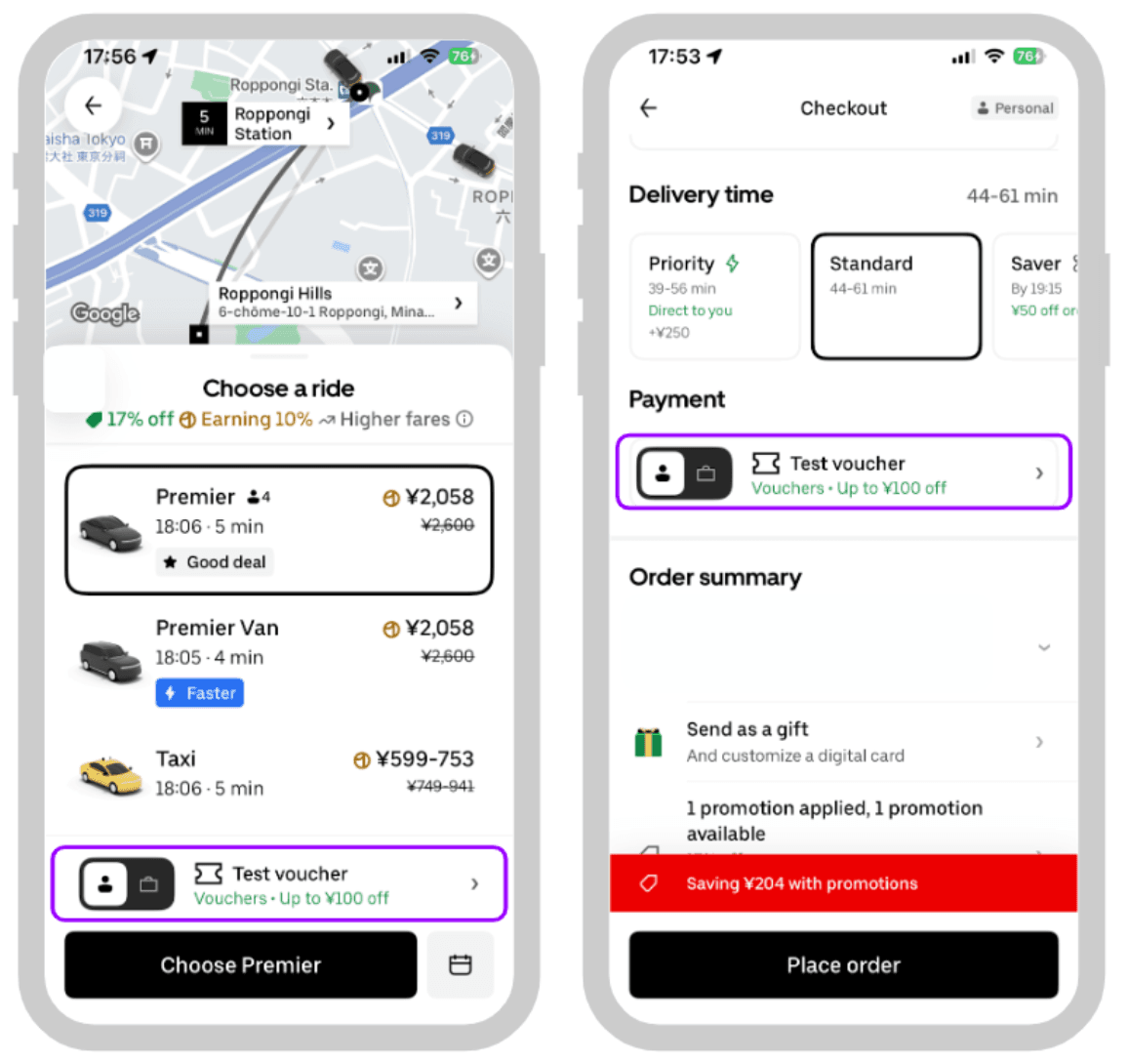
  1. Ride Bookings: Set your destination in the Uber app. Before tapping Confirm Ride, tap your payment method icon at the bottom of the screen. Ensure the toggle for Uber Cash is turned ON. If your balance covers the full trip, no secondary card is charged. If the trip costs more than your balance, the app splits the remaining amount to your backup payment method.
  2. Uber Eats Orders: Build your food basket from your favorite restaurant. Head to checkout and check the payment summary. Make sure Uber Cash is selected as the primary payment method before placing the order.

Uber Account Wallet Limits and Adding Multiple Vouchers

Many users ask: how do I recharge an Uber Eats gift card?

Physical and digital gift cards themselves cannot be directly topped up like a prepaid debit card. Instead, to perform an Uber & Uber Eats Gift Card ES recharge, you simply purchase a new digital code and redeem it into your existing Uber account. Each new code stacks on top of your current Uber Cash balance.

Wallet Rules to Keep in Mind

  • Maximum Balance Caps: Uber imposes maximum limits on total stored Uber Cash (typically up to €1,000 depending on regional account security tier).
  • Stacking: You can redeem multiple vouchers back-to-back to build your balance.
  • No Expiration on Stored Balance: Once applied to your Uber Cash wallet, your funds remain available until you spend them on rides or meals.

Troubleshooting Common Uber & Uber Eats Code Redemption Issues

If you experience an error while applying your code, check these standard troubleshooting steps:

  • Formatting and Extra Spaces: Ensure no accidental spaces were copied before or after the code. Paste the code into a plain text note first if necessary.
  • Character Confusion: Check for easily confused letters and numbers, such as zero (0) vs. letter (O), or one (1) vs. uppercase (I).
  • Region Mismatch Error: If the app says "This code is not valid in your country," verify that your account location and payment country are set to Spain in your account settings.
  • App Version Updates: Outdated mobile applications can fail to communicate with Uber's payment server. Update your Uber and Uber Eats apps to the latest version in Google Play Store or Apple App Store.
  • Toggle Not Active: If you have funds in Uber Cash but the trip charges your credit card, ensure the Uber Cash toggle is turned on on the ride confirmation screen before requesting the vehicle.

Why Choose BitTopup for Uber Gift Cards

BitTopup provides a direct, secure way to buy Uber Eats gift card Spain online orders without hassle.

  • Safe Digital Delivery: Your code is generated securely and sent directly to your order dashboard and email. You never have to share your Uber password or grant account access to anyone.
  • Clear Payment Options: Choose from a wide selection of payment methods at checkout. Live rates, currency selections, and order totals are displayed clearly on the live checkout screen before you confirm.
  • Reliable Support: If you ever need help with voucher delivery or account verification, customer support is available to assist you.

Frequently Asked Questions

Are Uber Eats and Uber gift cards the same thing?

Yes. Both vouchers credit funds to your unified Uber Cash balance. Once redeemed, you can spend the balance on Uber rides, Uber Green, Uber Comfort, or food orders through Uber Eats.

Can you add money directly to an Uber gift card after purchase?

No. Gift cards are single-use vouchers. To add more funds to your account, buy a new gift code and enter it into the Wallet section of your Uber or Uber Eats app.

How do I redeem my Uber & Uber Eats gift card in Spain?

Open the Uber or Uber Eats app, go to Account > Wallet > Add Voucher code / Gift Card, enter your code, and confirm. The funds will appear instantly in your Uber Cash.

Can I use an Uber Spain (ES) gift card in another country?

No. Uber gift cards purchased for Spain are locked to the Euro (EUR) currency and can only be used on accounts registered in Spain for trips or orders within Spain.

Does Uber charge more when paying with gift cards or Uber Cash?

No. Uber charges the exact same trip and menu prices regardless of whether you pay with Uber Cash, a credit card, or a debit card.

What should I do if my Uber gift code fails to redeem?

Check for typing errors, confirm your app is updated to the latest release, and verify that your account region is set to Spain. If the issue persists, reach out to BitTopup support with your order number for assistance.

Uber & Uber Eats Gift Card (ES) ข่าวสารแนะนำ

สินค้าแนะนำ

Uber & Uber Eats Gift Card (ES) คำถามที่พบบ่อยเกี่ยวกับการเติมเงิน

ใช้เวลานานเท่าใดกว่าที่คำสั่งซื้อจะเสร็จสมบูรณ์?
โดยปกติแล้ว คำสั่งซื้อจะเสร็จสมบูรณ์ภายในไม่กี่นาที หากมีความล่าช้าใดๆ โปรดติดต่อฝ่ายสนับสนุนลูกค้าของเรา
BitTopup คืออะไร?
BitTopup คือแพลตฟอร์มออนไลน์สำหรับเติมเกมและบริการต่าง ๆ ได้อย่างรวดเร็วและปลอดภัย
เวลาทำการของฝ่ายบริการลูกค้า?
ฝ่ายบริการลูกค้าของ BitTopup พร้อมให้บริการตลอด 24 ชั่วโมงทุกวัน
ฉันจำเป็นต้องแชร์รหัสผ่านบัญชี Uber & Uber Eats Gift Card (ES) หรือไม่?
ไม่จำเป็น การเติมเงินโดยตรงใช้เพียง Player ID/UID ของคุณเท่านั้น ห้ามแชร์รหัสผ่านของคุณกับใครเด็ดขาด
Uber & Uber Eats Gift Card (ES) รองรับภูมิภาคใดบ้าง?
สินค้านี้รองรับบัญชีภูมิภาค SPAIN โปรดตรวจสอบภูมิภาคบัญชีของคุณก่อนทำการสั่งซื้อ
ฉันสามารถชำระเงินด้วยคริปโตได้หรือไม่?
ได้ เรายอมรับ Bitcoin, ETH, USDT และคริปโตเคอร์เรนซียอดนิยมอื่นๆ พร้อมการยืนยันทันที
หากเติมเงินแล้วไม่เข้าต้องทำอย่างไร?
ติดต่อฝ่ายสนับสนุนลูกค้าตลอด 24 ชั่วโมงทุกวันพร้อมแจ้งหมายเลขคำสั่งซื้อของคุณ แล้วเราจะส่งรหัสให้ใหม่หรือคืนเงินให้ทันที

Uber & Uber Eats Gift Card (ES) รีวิวจากลูกค้าเกี่ยวกับการเติมเงิน

รีวิวทั้งหมด: 750

คะแนนเฉลี่ย

how to top-up in bittopup

4.3

customer avatar
Di2026/09/27
ซื้อง่ายมาก แค่คลิกแล้วจ่ายเงิน ชอบที่มีตัวเลือก QR code ทำให้ไม่ต้องผูกบัญชีธนาคาร
customer avatar
Wali2026/09/28
โปรแกรมนี้เชื่อถือได้และทำธุรกรรมได้รวดเร็ว เป็นโปรแกรมที่ดีที่สุดเลย
customer avatar
Amirul Coenej2026/09/28
ทุกอย่างราบรื่นมากและเติมเงินเสร็จภายในไม่กี่วินาที รวดเร็วและง่ายดายสุดๆ!
customer avatar
Bilal Lakhal2026/09/30
ชอบมาก เร็วมาก
customer avatar
Kaylee Flores2026/09/29
ไว้ใจได้มากสำหรับบัตรของขวัญ Steam! ปกติฉันจะกลัวโดนโกงจากเว็บพวกนี้ แต่รหัสใช้งานได้สมบูรณ์แบบเลย แนะนำเลย 10/10
customer avatar
A almutairi2026/09/27
บริการดีมากครับ
customer avatar
Philippe Eugène2026/09/30
BitTopup เป็นเว็บเติมเงินที่ดีที่สุด เป็นที่หนึ่งเลย
customer avatar
Natalia2026/09/26
ไม่ได้คาดคิดเลยว่าจะใช้งานได้ดีขนาดนี้ ฉันใช้ส่งของขวัญ welkins ให้ผู้เล่นคนอื่นแล้วชอบผลลัพธ์มาก ฝ่ายบริการลูกค้าก็รวดเร็วด้วย หากคุณต้องการส่งของขวัญให้ใคร แพลตฟอร์มนี้ยอดเยี่ยมมากค่ะ
customer avatar
Adolfo Davila2026/09/28
ชอบมากเลยค่ะ เป็นช่องทางเติมเงินเข้าแอปที่ปลอดภัย ไม่มีขั้นตอนยุ่งยากหรือล่าช้า และมั่นใจได้เลยว่าจะไม่โดนโกง
customer avatar
Dalem Blox2026/09/29
สินค้าหมดแต่ระบบยังปล่อยให้ฉันซื้อได้โดยไม่มีการแจ้งเตือน ตอนนี้ต้องรอเงินคืนเป็นชั่วโมงหรืออาจจะหลายวันเลย
customer avatar
Luna Lee2026/09/27
เติมเงิน Identity V และ Blood Strike ได้ไม่มีปัญหาเลย ให้แค่ 4 ดาวเพราะหน้าชำระเงินขัดข้องไปครั้งหนึ่ง แต่ฝ่ายสนับสนุนแก้ไขให้เร็วมากๆ ราคาดีและมีเกมให้เลือกเยอะมาก!
customer avatar
Zhou Lian Jie2026/09/27
เคยมีปัญหากับออเดอร์นึง แต่ได้รับการแก้ไขในเวลาไม่ถึง 10 นาที ฝ่ายสนับสนุนลูกค้าดีเยี่ยมมาก (เติมเกม Genshin Impact)
customer avatar
Александр Макаренко2026/09/28
ช่องทางการชำระเงินที่ดีที่สุด ขอบคุณนักพัฒนาครับ
customer avatar
Binelle2026/09/29
แอปที่ยอดเยี่ยมมาก ฉันขอแนะนำเลย
customer avatar
Adam Wilson2026/09/28
การเติมเงิน Poppo Live เป็นไปอย่างราบรื่น ได้รับเหรียญภายในไม่กี่นาที จะกลับมาใช้บริการอีกแน่นอน!
customer avatar
Mira Joseph2026/09/29
ดีมากเลย ถูกกว่าที่เคยใช้ก่อนหน้านี้ แถมยังเร็วด้วย
customer avatar
Octavine Bouka2026/09/29
พอใจกับแอปนี้มากสำหรับการเติมเหรียญ Poppo ราคาน่าสนใจมากและรู้สึกปลอดภัยตอนที่ซื้อ แนะนำให้ทุกคนเลย ขอบคุณมาก
customer avatar
Muksal Mina2026/09/30
น่าเชื่อถือ
customer avatar
Scott Smith2026/09/26
ฉันใช้เว็บนี้มาสองสามสัปดาห์แล้วและแฮปปี้มาก พวกเขาติดต่อมาเพื่อยืนยันรายละเอียดในออเดอร์ของฉันด้วย ติดต่อง่าย แถมเจ้าหน้าที่ฝ่ายสนับสนุนก็ใจดีและช่วยเหลือดีมาก
customer avatar
Rachel Taft2026/09/26
การเติมเงิน Bigo Diamonds รวดเร็วสุดๆ ไม่มีปัญหาอะไรเลย และฉันได้รับตรงตามที่ต้องการเป๊ะ
Uber & Uber Eats Gift Card (ES) รีวิวทั้งหมด

ทำไมต้องเลือกเรา?

ธุรกรรมปลอดภัย 100%

ทุกการเติมเงินได้รับการปกป้องด้วยระบบรักษาความปลอดภัยในการชำระเงินที่เข้ารหัสตามมาตรฐานอุตสาหกรรม ซึ่งจะรักษาข้อมูลส่วนตัวและข้อมูลการชำระเงินของคุณไว้เป็นความลับอย่างสมบูรณ์ ช้อปได้อย่างมั่นใจ ปลอดภัย 100% ทุกครั้ง

บริการลูกค้าตลอด 24 ชั่วโมงทุกวัน

ทีมสนับสนุนที่เป็นมิตรของเราพร้อมให้บริการตลอด 24 ชั่วโมงเพื่อช่วยเหลือคุณทั้งก่อน ระหว่าง และหลังการซื้อ รับความช่วยเหลือที่รวดเร็วและเชื่อถือได้ทุกเมื่อที่คุณต้องการ ไม่ว่าจะเป็นกลางวันหรือกลางคืน

รับประกันคืนเงินเต็มจำนวน

เพลิดเพลินกับราคาที่คุ้มค่าที่สุดพร้อมการจัดส่งที่รวดเร็วและเชื่อถือได้ หากคำสั่งซื้อของคุณไม่ได้รับการจัดส่งหรือไม่สามารถใช้งานได้ เรารับประกันการคืนเงิน 100% เงินของคุณจะได้รับการคุ้มครองเสมอ

ช่องทางการชำระเงินที่รองรับ

PM_PIX - ช่วยเหลือด้านการชำระเงิน | BitTopupWG_PIX - ช่วยเหลือด้านการชำระเงิน | BitTopupPMKakaoPay - ช่วยเหลือด้านการชำระเงิน | BitTopupPMTNG - ช่วยเหลือด้านการชำระเงิน | BitTopupWG_TNG - ช่วยเหลือด้านการชำระเงิน | BitTopupPMGCASH - ช่วยเหลือด้านการชำระเงิน | BitTopupPM_WALLET_NAVERPAY - ช่วยเหลือด้านการชำระเงิน | BitTopupPM_WALLET_PMPROMPTPAY - ช่วยเหลือด้านการชำระเงิน | BitTopupAlipay HK - ช่วยเหลือด้านการชำระเงิน | BitTopupDANA - ช่วยเหลือด้านการชำระเงิน | BitTopupAM_SBP - ช่วยเหลือด้านการชำระเงิน | BitTopupPM_OXXO - ช่วยเหลือด้านการชำระเงิน | BitTopupOVO - ช่วยเหลือด้านการชำระเงิน | BitTopupPMToss - ช่วยเหลือด้านการชำระเงิน | BitTopupWG_PAY_NOW - ช่วยเหลือด้านการชำระเงิน | BitTopupWG_BLIK - ช่วยเหลือด้านการชำระเงิน | BitTopupPM_CARD_SA - ช่วยเหลือด้านการชำระเงิน | BitTopupWG_PAYU - ช่วยเหลือด้านการชำระเงิน | BitTopupPM_WALLET_JKOPAY - ช่วยเหลือด้านการชำระเงิน | BitTopupWG_STCPAY - ช่วยเหลือด้านการชำระเงิน | BitTopupPM_WALLET_SAMSUNGPAY - ช่วยเหลือด้านการชำระเงิน | BitTopupPM_7_ELEVEN - ช่วยเหลือด้านการชำระเงิน | BitTopupPM_WALLET_WECHATPAYHK - ช่วยเหลือด้านการชำระเงิน | BitTopupPM_NET_BANKING_FPX - ช่วยเหลือด้านการชำระเงิน | BitTopupPM_WALLET_QRIS - ช่วยเหลือด้านการชำระเงิน | BitTopupAM_CARD_KZ - ช่วยเหลือด้านการชำระเงิน | BitTopupAM_CARD_BY - ช่วยเหลือด้านการชำระเงิน | BitTopupWG_SADAD - ช่วยเหลือด้านการชำระเงิน | BitTopupWG_MADA - ช่วยเหลือด้านการชำระเงิน | BitTopupAM_TBANK - ช่วยเหลือด้านการชำระเงิน | BitTopupAM_SBERPAY - ช่วยเหลือด้านการชำระเงิน | BitTopupPM_REALTIME_PAYMENT - ช่วยเหลือด้านการชำระเงิน | BitTopupPM_WALLET_GASH - ช่วยเหลือด้านการชำระเงิน | BitTopupPM_OKMART - ช่วยเหลือด้านการชำระเงิน | BitTopupPM_HILIFE - ช่วยเหลือด้านการชำระเงิน | BitTopupPM_FAMILYMART - ช่วยเหลือด้านการชำระเงิน | BitTopupPM_CARD_SA_CD - ช่วยเหลือด้านการชำระเงิน | BitTopupAM_CARD - ช่วยเหลือด้านการชำระเงิน | BitTopupPM_CARD_EU - ช่วยเหลือด้านการชำระเงิน | BitTopupPM_CARD_KNET - ช่วยเหลือด้านการชำระเงิน | BitTopupBIN_DO_PAY_ME - ช่วยเหลือด้านการชำระเงิน | BitTopupPM_CARD_JP - ช่วยเหลือด้านการชำระเงิน | BitTopupBIN_DO_OCTOPUS - ช่วยเหลือด้านการชำระเงิน | BitTopupPM_CARD_US - ช่วยเหลือด้านการชำระเงิน | BitTopupPM_CARD - ช่วยเหลือด้านการชำระเงิน | BitTopupPM_WALLET_SHOPEEPAY - ช่วยเหลือด้านการชำระเงิน | BitTopupPM_WALLET_PAOTANGPAY - ช่วยเหลือด้านการชำระเงิน | BitTopupPM_WALLET_LINEPAY - ช่วยเหลือด้านการชำระเงิน | BitTopupPM_WALLET_TRUEMONEY - ช่วยเหลือด้านการชำระเงิน | BitTopupD_LOCAL_MX_IO - ช่วยเหลือด้านการชำระเงิน | BitTopupD_LOCAL_MX_BQ - ช่วยเหลือด้านการชำระเงิน | BitTopupD_LOCAL_MX_SE - ช่วยเหลือด้านการชำระเงิน | BitTopupD_LOCAL_MX_SM - ช่วยเหลือด้านการชำระเงิน | BitTopupD_LOCAL_MX_BV - ช่วยเหลือด้านการชำระเงิน | BitTopupD_LOCAL_PK_HB - ช่วยเหลือด้านการชำระเงิน | BitTopupD_LOCAL_PK_JK - ช่วยเหลือด้านการชำระเงิน | BitTopupD_LOCAL_PK_ES - ช่วยเหลือด้านการชำระเงิน | BitTopupD_LOCAL_PK_IO - ช่วยเหลือด้านการชำระเงิน | BitTopupPMPayco - ช่วยเหลือด้านการชำระเงิน | BitTopupGOPAY - ช่วยเหลือด้านการชำระเงิน | BitTopupPMPAYMAYA - ช่วยเหลือด้านการชำระเงิน | BitTopupPMGRABPAYPH - ช่วยเหลือด้านการชำระเงิน | BitTopupPMGRABPAYMY - ช่วยเหลือด้านการชำระเงิน | BitTopupPMBOOST - ช่วยเหลือด้านการชำระเงิน | BitTopupWG_PAYTM - ช่วยเหลือด้านการชำระเงิน | BitTopupPM_BANK_TRANSFER_PSE - ช่วยเหลือด้านการชำระเงิน | BitTopupPM_BANK_TRANSFER_EFECTY - ช่วยเหลือด้านการชำระเงิน | BitTopupWG_BPI - ช่วยเหลือด้านการชำระเงิน | BitTopupWG_GCASH - ช่วยเหลือด้านการชำระเงิน | BitTopupWG_BANCOMAT_PAY - ช่วยเหลือด้านการชำระเงิน | BitTopupWG_iDEAL - ช่วยเหลือด้านการชำระเงิน | BitTopupWG_BANCONTACT - ช่วยเหลือด้านการชำระเงิน | BitTopupPM_CARD_APPLE_US - ช่วยเหลือด้านการชำระเงิน | BitTopupPM_APPLEPAY - ช่วยเหลือด้านการชำระเงิน | BitTopupD_LOCAL_PH_PM - ช่วยเหลือด้านการชำระเงิน | BitTopupD_LOCAL_PH_GY - ช่วยเหลือด้านการชำระเงิน | BitTopupWG_BHIM - ช่วยเหลือด้านการชำระเงิน | BitTopupPM_WALLET_STCPAY - ช่วยเหลือด้านการชำระเงิน | BitTopupPM_GOOGLEPAY_US - ช่วยเหลือด้านการชำระเงิน | BitTopupPM_GOOGLEPAY - ช่วยเหลือด้านการชำระเงิน | BitTopupD_LOCAL_TH_TK - ช่วยเหลือด้านการชำระเงิน | BitTopupGATE_IO_PAY - ช่วยเหลือด้านการชำระเงิน | BitTopupBINANCE_PAY - ช่วยเหลือด้านการชำระเงิน | BitTopupWG_PHONE_PE - ช่วยเหลือด้านการชำระเงิน | BitTopupPAY_LOCO_ESumLifeET - ช่วยเหลือด้านการชำระเงิน | BitTopupPAY_LOCO_ESumFamilyMart - ช่วยเหลือด้านการชำระเงิน | BitTopupPAY_LOCO_ESum711 - ช่วยเหลือด้านการชำระเงิน | BitTopupBIT_WALLET - ช่วยเหลือด้านการชำระเงิน | BitTopup

10 Years Trusted Game & Live Streaming Top-Up Platform

Since 2016 | 5,000,000+ Users Worldwide

KAMAGEN LIMITED

Registration No. 76888246

Room 1508, 15/F, Grand Plaza Office Tower II, 625 Nathan Road, Mong Kok, Kowloon, Hong Kong

BUSINESS COOPERATION: ibittopup@gmail.com

© 2016-2026 BitTopup. All Rights Reserved.

Trusted & Verified by

ScamAdviser review of BitTopupGridinsoft review of BitTopupTrustpilot review of BitTopup
customer service