


Uber & Uber Eats Gift Card ES Top Up and Redemption Guide
Managing your daily transport and food delivery in Spain is simple when you use digital vouchers. An Uber & Uber Eats Gift Card ES top up converts directly into Uber Cash, creating a pre-funded wallet balance across both the Uber ride-hailing app and the Uber Eats food delivery platform.
Digital vouchers give you full control over your transport and dining budget without linking a personal credit card or bank account directly to your trip profile. Whether you need a quick ride across Madrid or want to order dinner in Barcelona, a gift code is the most direct way to fund your daily services.
Step-by-Step Guide: How to Redeem Uber Gift Codes in Spain
When you buy a digital code on BitTopup, you receive a unique alphanumeric voucher. You do not need to share your account credentials or password to use it. Follow these steps to apply your voucher code directly within either mobile application.
Redeeming in the Uber Rides App
- Open the Uber app on your iOS or Android device.
- Tap the Account icon located in the bottom-right corner of the home screen.
- Select Wallet (or Payment depending on your app version).
- Scroll down to the Vouchers / Gift Cards section and tap Add Voucher code or Gift Card.
- Carefully type or paste your digital gift code.
- Tap Add to credit the funds directly to your Uber Cash balance.
Redeeming in the Uber Eats App
- Open the Uber Eats app on your phone.
- Tap the Account tab in the bottom menu.
- Tap Wallet.
- Select Add Funds or choose Gift Card.
- Enter your 16-character digital code.
- Confirm by tapping Save or Add.
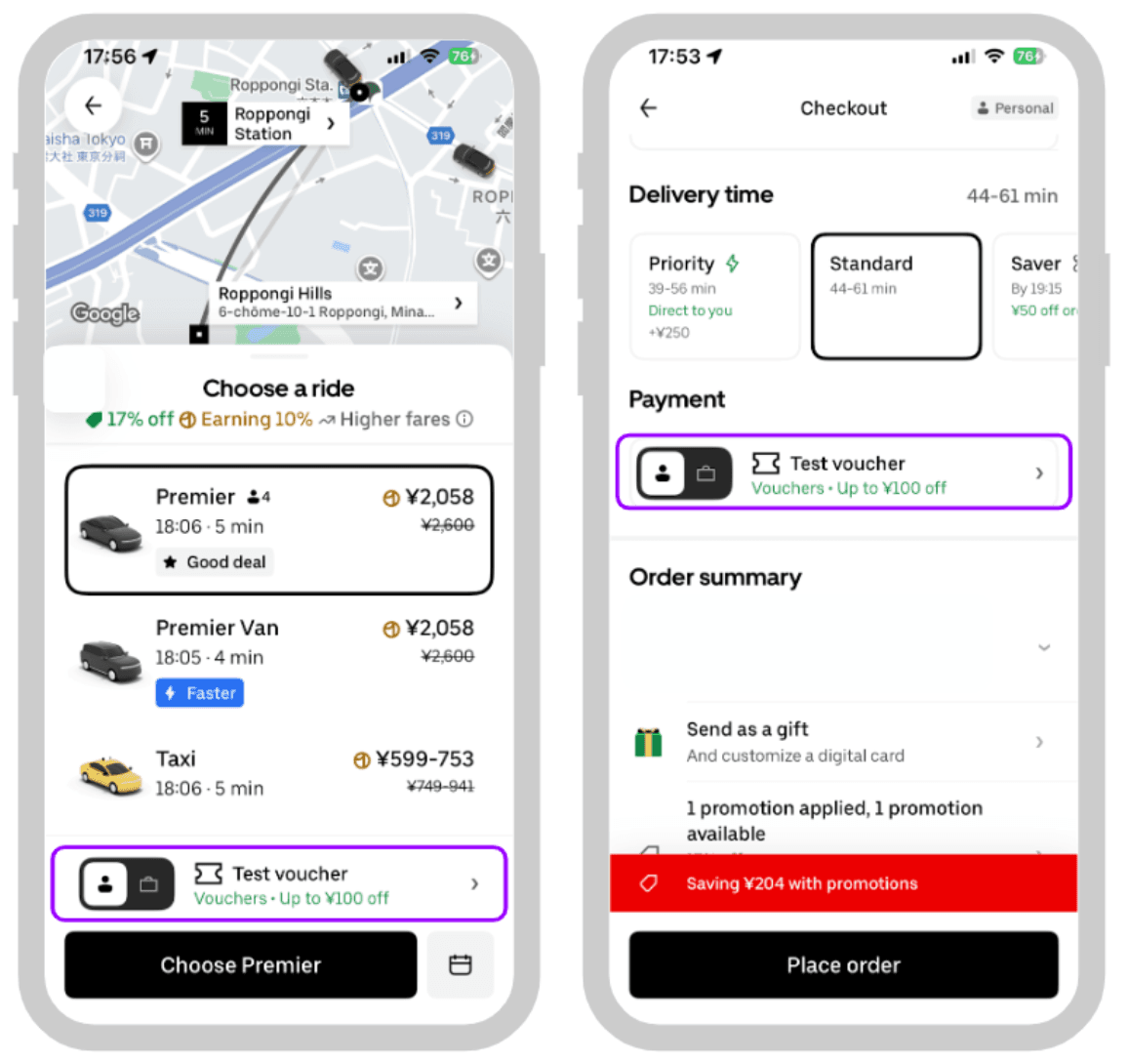
Once added, your updated balance shows immediately under your Uber Cash total in both apps.
Spain (ES) Region and EUR Currency Restrictions
Gift cards are strictly bound by geography and currency rules. An Uber gift card Spain EUR code works exclusively with accounts configured for Spain and using the Euro currency.
Essential Compatibility Rules
- Country Lock: You can only redeem this voucher if your Uber account's default country is Spain.
- Currency Lock: The balance converts to EUR. You cannot spend EUR gift card credit in countries that operate under GBP, USD, or other regional currencies.
- Cross-Border Limitations: If you travel outside Spain, your EUR Uber Cash balance remains saved in your wallet, but it will not be selectable as an active payment method in foreign currencies.
| Feature | Details for Spain (ES) Code |
|---|---|
| Eligible Region | Spain (ES) Accounts |
| Supported Currency | Euro (€ / EUR) |
| Usable Apps | Uber (Rides) & Uber Eats (Food Delivery) |
| Stored Location | Uber Cash Account Balance |
| Account Sharing Required | No (Direct voucher redemption) |
| Reloadable Card | No (Add new codes to increase balance) |
Using Your Uber Cash Balance for Rides and Food Delivery
Uber operates a unified payment architecture. Once your gift voucher is applied, your funds appear as Uber Cash, which is accessible across both services.
How to Apply Uber Cash at Checkout
- Ride Bookings: Set your destination in the Uber app. Before tapping Confirm Ride, tap your payment method icon at the bottom of the screen. Ensure the toggle for Uber Cash is turned ON. If your balance covers the full trip, no secondary card is charged. If the trip costs more than your balance, the app splits the remaining amount to your backup payment method.
- Uber Eats Orders: Build your food basket from your favorite restaurant. Head to checkout and check the payment summary. Make sure Uber Cash is selected as the primary payment method before placing the order.
Uber Account Wallet Limits and Adding Multiple Vouchers
Many users ask: how do I recharge an Uber Eats gift card?
Physical and digital gift cards themselves cannot be directly topped up like a prepaid debit card. Instead, to perform an Uber & Uber Eats Gift Card ES recharge, you simply purchase a new digital code and redeem it into your existing Uber account. Each new code stacks on top of your current Uber Cash balance.
Wallet Rules to Keep in Mind
- Maximum Balance Caps: Uber imposes maximum limits on total stored Uber Cash (typically up to €1,000 depending on regional account security tier).
- Stacking: You can redeem multiple vouchers back-to-back to build your balance.
- No Expiration on Stored Balance: Once applied to your Uber Cash wallet, your funds remain available until you spend them on rides or meals.
Troubleshooting Common Uber & Uber Eats Code Redemption Issues
If you experience an error while applying your code, check these standard troubleshooting steps:
- Formatting and Extra Spaces: Ensure no accidental spaces were copied before or after the code. Paste the code into a plain text note first if necessary.
- Character Confusion: Check for easily confused letters and numbers, such as zero (0) vs. letter (O), or one (1) vs. uppercase (I).
- Region Mismatch Error: If the app says "This code is not valid in your country," verify that your account location and payment country are set to Spain in your account settings.
- App Version Updates: Outdated mobile applications can fail to communicate with Uber's payment server. Update your Uber and Uber Eats apps to the latest version in Google Play Store or Apple App Store.
- Toggle Not Active: If you have funds in Uber Cash but the trip charges your credit card, ensure the Uber Cash toggle is turned on on the ride confirmation screen before requesting the vehicle.
Why Choose BitTopup for Uber Gift Cards
BitTopup provides a direct, secure way to buy Uber Eats gift card Spain online orders without hassle.
- Safe Digital Delivery: Your code is generated securely and sent directly to your order dashboard and email. You never have to share your Uber password or grant account access to anyone.
- Clear Payment Options: Choose from a wide selection of payment methods at checkout. Live rates, currency selections, and order totals are displayed clearly on the live checkout screen before you confirm.
- Reliable Support: If you ever need help with voucher delivery or account verification, customer support is available to assist you.
Frequently Asked Questions
Are Uber Eats and Uber gift cards the same thing?
Yes. Both vouchers credit funds to your unified Uber Cash balance. Once redeemed, you can spend the balance on Uber rides, Uber Green, Uber Comfort, or food orders through Uber Eats.
Can you add money directly to an Uber gift card after purchase?
No. Gift cards are single-use vouchers. To add more funds to your account, buy a new gift code and enter it into the Wallet section of your Uber or Uber Eats app.
How do I redeem my Uber & Uber Eats gift card in Spain?
Open the Uber or Uber Eats app, go to Account > Wallet > Add Voucher code / Gift Card, enter your code, and confirm. The funds will appear instantly in your Uber Cash.
Can I use an Uber Spain (ES) gift card in another country?
No. Uber gift cards purchased for Spain are locked to the Euro (EUR) currency and can only be used on accounts registered in Spain for trips or orders within Spain.
Does Uber charge more when paying with gift cards or Uber Cash?
No. Uber charges the exact same trip and menu prices regardless of whether you pay with Uber Cash, a credit card, or a debit card.
What should I do if my Uber gift code fails to redeem?
Check for typing errors, confirm your app is updated to the latest release, and verify that your account region is set to Spain. If the issue persists, reach out to BitTopup support with your order number for assistance.