



Primark e-Gift Card UK Top Up: Fast Digital Codes for High Street Shopping
A Primark e-Gift Card UK voucher is the quickest way to shop for fashion, homeware, beauty products, and essentials across Primark stores in the United Kingdom. Whether you are budgeting your personal wardrobe refresh, gifting a friend, or managing family clothing allowances, digital vouchers provide an easy, cashless checkout experience at the till.
When you buy a digital card through BitTopup, you receive a direct 19-digit voucher number and a security PIN delivered instantly to your screen and email inbox. You can present this barcode straight from your smartphone or print it out to redeem at any participating physical store in England, Scotland, Wales, and Northern Ireland.
How to Recharge and Buy Primark UK e-Gift Cards Online
Purchasing a new digital voucher code takes only a few simple steps:
- Select Your Voucher Value: Choose your preferred British Pound (GBP) denomination from the available options on the BitTopup product page.
- Enter Recipient Details: Provide the email address where you want the digital gift card code and redemption receipt sent.
- Proceed to Checkout: Check the live checkout page for your final total and select your preferred secure payment method.
- Receive Your Digital Code: Once payment confirms, your 19-digit gift card number, 4-digit PIN, and scannable barcode will appear instantly in your BitTopup user dashboard and arrive via confirmation email.
Step-by-Step Guide to Redeeming Primark e-Gift Cards in UK Stores
Primark e-gift cards operate as digital payment vouchers for physical high street purchases. Follow these steps to complete your purchase at the checkout counter:
- Access Your Voucher: Open the delivery email or log in to your BitTopup account on your smartphone to display the digital barcode.
- Present at the Till: When the cashier finishes scanning your items, let them know you are paying with an e-gift card before tapping any card terminals.
- Scan the Barcode: Hold your phone screen under the checkout optical scanner. Ensure your screen brightness is set to high.
- Provide the PIN if Requested: If the till prompts for authorization, provide the 4-digit security PIN printed alongside your barcode.
- Split Payments & Multiple Cards: If your purchase total exceeds the card balance, you can pay the remainder using cash, debit card, credit card, or another Primark gift card. You can combine multiple e-gift cards in a single transaction.
How to Locate Your Primark e-Gift Card Code and PIN
To redeem your voucher smoothly in-store or check your balance, you need your unique 19-digit card number and 4-digit PIN.
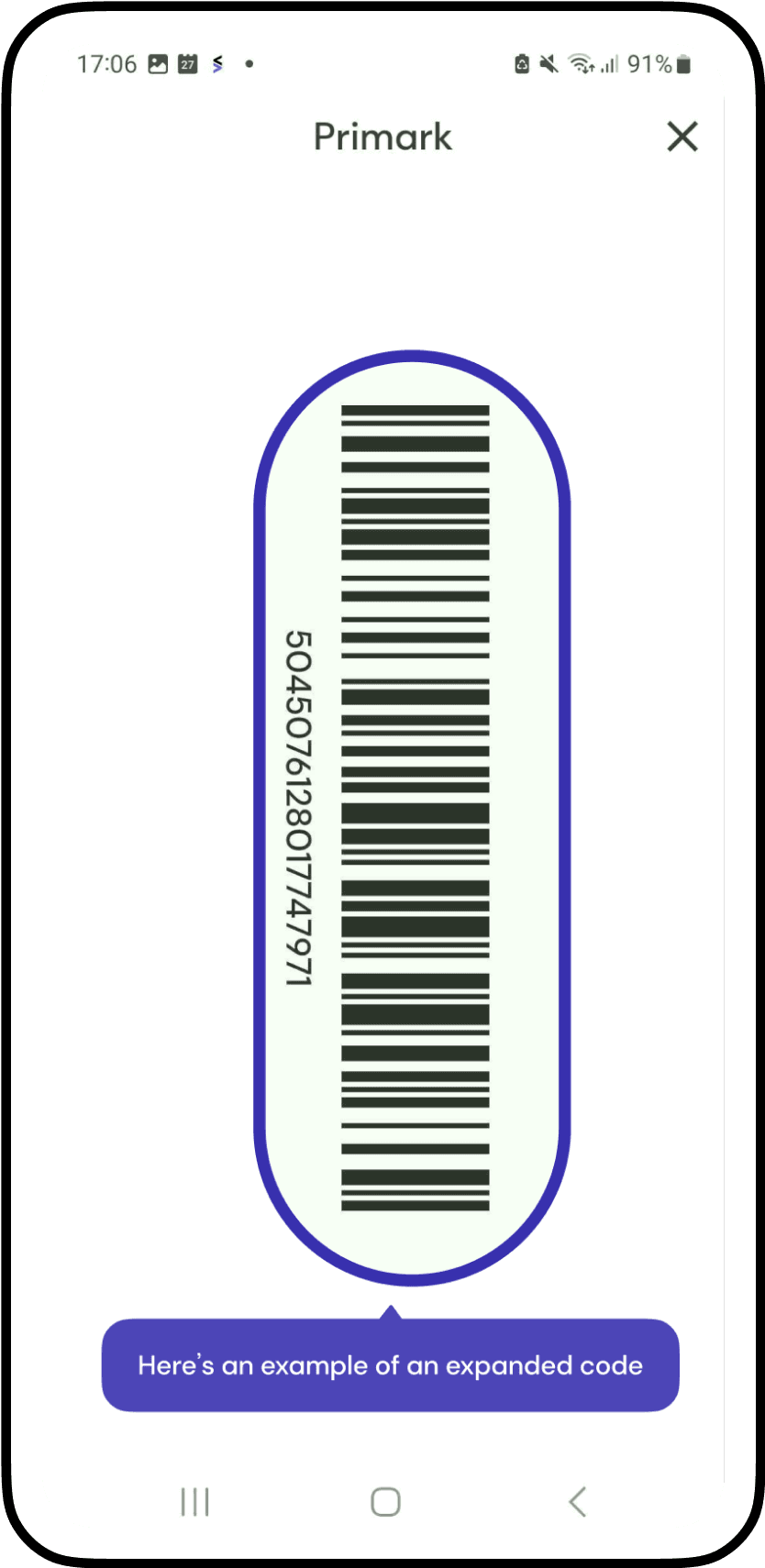
- In Your Email: Look for the transaction confirmation email sent by BitTopup. The 19-digit voucher string and PIN are displayed prominently in the central voucher panel.
- In Your BitTopup Account: Go to your order history, click on your Primark order, and view the digital card details directly on screen.
Can Primark e-Gift Cards Be Used Online or Only In-Store?
Primark UK gift cards are designed for in-store transactions at physical retail locations throughout the United Kingdom.
- In-Store Shopping: Accepted at all Primark retail stores across the UK. Cashiers scan the digital barcode directly from your phone screen or a printed paper copy.
- Online Website Orders: Primark's main website functions as a catalog and Click + Collect portal in select regions. Gift cards and e-gift cards cannot currently be processed through the standard online website checkout. If using Click + Collect services, payments are typically finalized under local store collection policies—check with your local branch for till-based gift card processing during collection.
Primark UK Gift Card Specifications and Terms
| Feature | Details |
|---|---|
| Region / Currency | United Kingdom (GBP - £) |
| Redemption Method | In-store mobile barcode scan or printed paper voucher |
| Validity Period | 24 consecutive months from last purchase, top up, or balance inquiry |
| Split Payment Support | Yes (combine with cash, credit/debit card, or other gift cards) |
| Delivery Method | Instant digital delivery via email and account dashboard |
| PIN Required | Yes (4-digit security PIN included with digital code) |
Primark UK Gift Card Expiration, Validity, and Balance Checking
Validity Period
Primark UK e-gift cards remain valid for 24 consecutive months from the date of activation or the date of the last financial transaction (spending funds or checking balance). Any remaining balance after 24 months of total inactivity will expire in accordance with Primark standard voucher terms.
How to Check Your Remaining Balance
- Online Balance Checker: Visit the official Primark UK website and locate the gift card balance checker tool. Enter your 19-digit card number and 4-digit security PIN to view your remaining funds.
- In-Store Balance Inquiry: Any Primark cashier can scan your barcode at the till to display your current available funds without requiring an immediate purchase.
- Receipt Summary: Every time you use your e-gift card at a store till, the printed paper receipt displays your updated remaining card balance at the bottom.
Safe Purchasing on BitTopup with No Password Required
BitTopup guarantees a secure, hassle-free checkout experience for all digital vouchers:
- Zero Account Sharing: We never request your Primark personal passwords, login credentials, or private account details. You receive a standalone, bearer-redeemable digital code.
- Encrypted Checkout: All financial data passes through secure, encrypted payment gateways.
- Instant Fulfillment: Automated dispatch delivers your digital voucher directly to your dashboard within moments of payment confirmation.
- Live 24/7 Support: Our customer service team is available around the clock to assist with code retrieval, payment confirmation, or order questions.
Troubleshooting Code Scanning and Gift Card PIN Issues
If you encounter any difficulty while scanning your digital card at the till, follow these quick troubleshooting tips:
- Low Screen Brightness: Optical till scanners cannot read barcodes on dim or tinted screens. Increase your mobile screen brightness to maximum and disable dark-mode overlays on the barcode image.
- Cracked Screen Glare: If physical phone screen damage prevents the laser scanner from reading the barcode, ask the cashier to type the 19-digit number manually into the till keyboard.
- Missing PIN: Ensure you are entering the 4-digit security PIN generated with your order. If the email displays formatting errors on your mobile mail client, view the order directly within your BitTopup dashboard.
- Currency Mismatch: UK Primark e-gift cards are issued in GBP and can only be scanned at stores located within the United Kingdom. They will not scan in European branches using Euros or US stores using USD.
Frequently Asked Questions
Can you top up an existing Primark e-gift card?
Digital e-gift cards purchased online are fixed-denomination codes and cannot have additional funds reloaded directly onto the exact same digital code. To add more spending power, simply purchase a new digital gift card code on BitTopup and present both barcodes at the checkout till.
How do you use a Primark e-gift card in UK stores?
Present the barcode on your mobile device or bring a printed copy to the checkout. The cashier scans the barcode at the register to deduct your items from the card balance. If prompted, provide the 4-digit PIN printed on your digital receipt.
Can you pay online with a Primark gift card?
Primark UK digital gift cards are designed for in-store purchases at physical high street branches. They are not accepted for direct online website checkout delivery orders.
How can I check the balance of my Primark e-gift card?
You can check your balance online using the official Primark UK gift card checker page by entering your 19-digit code and 4-digit PIN. You can also ask any cashier in a Primark store to scan the code, or look at the bottom of your latest printed in-store purchase receipt.
Do Primark UK e-gift cards expire?
Yes. Primark UK e-gift cards expire 24 consecutive months after the date of the last financial transaction. Making a purchase or conducting an official balance check resets the validity period.
Can a UK Primark e-gift card be used outside the UK?
No. Primark e-gift cards issued for the UK are denominated in British Pounds (GBP) and can only be redeemed at participating Primark branches within the United Kingdom (England, Scotland, Wales, and Northern Ireland). They cannot be redeemed in the Republic of Ireland, mainland Europe, or the United States.