




Uber Gift Card (BR) Top Up and How Uber Cash Works
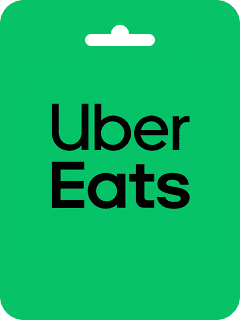
An Uber Gift Card (BR) is a prepaid digital voucher denominated in Brazilian Real (BRL). When you redeem this card, the full face value transfers directly to your account's Uber Cash balance. This digital balance gives you immediate purchasing power across both the standard Uber ridesharing app and the Uber Eats delivery platform throughout Brazil.
Using a digital gift card gives you complete control over your travel and dining expenses without tying your primary credit card or bank details directly to the app. Uber Cash acts as an instant payment method that gets deducted automatically during ride requests or food delivery checkouts.
| Feature | Specification |
|---|---|
| Region Lock | Brazil (BR) Accounts Only |
| Currency | Brazilian Real (BRL) |
| Applicable Apps | Uber (Rides) & Uber Eats (Delivery) |
| Delivery Method | Digital Alphanumeric Code |
| Expiration Policy | No expiration date or maintenance fees |
| Account Requirement | Valid Uber account set to Brazil |
How to Recharge and Buy Uber Gift Card (BR) on BitTopup
Purchasing a voucher code on BitTopup is fast, direct, and secure. Follow these steps to complete your purchase:
- Choose Your Denomination: Select the desired BRL value on the product selection menu.
- Confirm Quantity: Choose how many digital codes you wish to purchase.
- Proceed to Checkout: Review your order summary. Live pricing and available payment channels are displayed directly on the checkout screen.
- Finalize Payment: Complete the transaction using your preferred payment method.
- Retrieve Your Code: Your alphanumeric digital redemption code will be generated instantly and stored inside your BitTopup order center for immediate access.
How to Locate and Redeem Your Uber Voucher Code
Uber does not assign public player IDs or game UIDs. Instead, digital codes are tied to your personal Uber account via the digital redemption code received upon purchase.
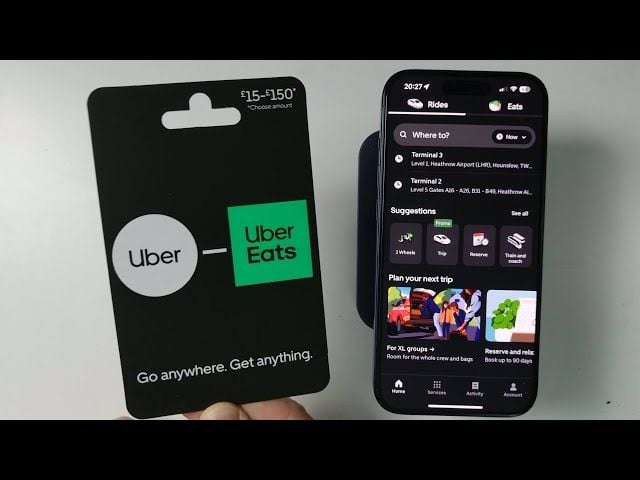
To prepare for redemption:* Access your BitTopup order history and copy your 16-digit or alphanumeric redemption code.* Ensure your mobile device has the latest version of either the Uber or Uber Eats application installed.* Log in using your registered mobile phone number or email address.
Step-by-Step Redemption Guide for Uber and Uber Eats Apps
You can apply your voucher code through either the Uber ride app or the Uber Eats app. The balance syncs automatically across both platforms under the same account login.
Redeeming via the Uber Rides App
- Open the Uber app on your iOS or Android device.
- Tap the Account tab located in the bottom-right corner of the screen.
- Select Wallet (or Payment depending on your app version).
- Scroll down to the Gift Card section and tap Add Gift Card Code.
- Enter or paste your digital voucher code carefully without spaces.
- Tap Save or Add. Your BRL balance will update instantly in your Uber Cash balance.
Redeeming via the Uber Eats App
- Open the Uber Eats app.
- Tap Account on the bottom navigation bar.
- Select Wallet.
- Tap Add Payment Method and choose Gift Card.
- Input your digital gift card code and confirm.
- The BRL funds will show immediately in your available balance for food orders.
Regional Restrictions: Using BRL Gift Cards in Brazil
Uber gift cards are strictly locked to the currency and country in which they are issued. A Brazil (BR) card cannot be applied to an account configured with a different home country or non-BRL currency.
- Local Account Lock: The account claiming the code must have its country settings set to Brazil.
- Currency Lock: Rides requested or food orders placed using this balance must be priced in Brazilian Real (BRL).
- International Travel: If you travel outside Brazil, your BRL Uber Cash balance remains saved on your account, but it cannot be used to pay for trips or food deliveries in other countries with foreign currencies.
Important Limitations: Family Profiles, Scheduled Rides, and Balance Caps
Before using your balance, keep these operational rules in mind:* Family Profiles & Business Profiles: Uber Cash loaded from gift cards cannot be shared across Family Profiles or assigned as the central payment method for managed Business profiles.* Scheduled Rides: Certain advance ride reservations require an active secondary backup payment method (such as a valid credit or debit card) on file, even if your Uber Cash covers the anticipated fare.* Order Splits: If a ride fare or food delivery order exceeds your current Uber Cash balance, the app automatically charges the remaining difference to your default backup payment method.* Balance Caps: Accounts have maximum holding limits set by local anti-fraud regulations. Ensure your balance remains below the maximum threshold before claiming multiple high-value codes.
Why Choose BitTopup for Uber Gift Card BR Recharge
- Safe Delivery: You never have to share your Uber password or grant account access. You receive a digital code to redeem yourself.
- Instant Order Fulfillment: Your voucher code appears in your account dashboard immediately after payment verification.
- Clear Checkout Details: All transaction fees, exchange rates, and denomination costs are clearly outlined on the live checkout page before you pay.
- Dedicated Support: BitTopup customer support is available 24/7 to help resolve order or redemption inquiries.
Troubleshooting Common Uber Gift Card Redemption Errors
"Invalid Code" or "Code Not Found"
- Ensure you did not mix up easily confused characters, such as the number
0and letterO, or the number1and uppercaseI. - Remove any extra blank spaces at the beginning or end of the code string.
"Currency or Country Mismatch"
- Check your Uber account settings. Your profile location and account currency must be set to Brazil (BRL). The card will not load if your profile is set to the US, EU, or any other international territory.
"Code Has Already Been Redeemed"
- Refresh your Wallet tab. In many cases, the funds are already credited to your Uber Cash balance from an earlier attempt. Check your transaction history in the app to confirm.
Backup Payment Method Prompts
- If the app asks for a credit card before requesting a ride despite having sufficient Uber Cash, add a card to your profile to satisfy security verification. Your Uber Cash will still be prioritized as the primary payment method.
Frequently Asked Questions
Can you reload an Uber gift card?
No, individual gift card codes cannot be reloaded. Once the face value of a code is redeemed to your Uber Cash balance, that specific voucher code becomes inactive. To add more funds to your account, purchase a new Uber Gift Card (BR) on BitTopup and apply the new code.
How do I add money onto my Uber account using a gift card code?
Open the Uber or Uber Eats app, go to Account, select Wallet, tap Add Gift Card Code, type in your 16-digit voucher PIN, and press Add. The value is added immediately to your Uber Cash.
Can I transfer my Uber gift card balance to another account?
No. Once a digital code is redeemed into an Uber account, that Uber Cash balance is non-transferable and cannot be moved to another user or withdrawn as physical cash.
Can I use a Brazil (BR) Uber gift card outside Brazil?
No. Uber Gift Cards purchased for the Brazil region are denominated in BRL and can only be used for rides and orders within Brazilian borders.
How do I recharge an Uber Eats account with a gift card?
Because Uber and Uber Eats share the same account infrastructure, adding a gift card code in either the Uber or Uber Eats app under the Wallet section automatically makes the funds available for food and grocery delivery orders.
Do Uber gift cards charge maintenance fees or expire?
Uber Gift Cards (BR) do not have expiration dates, nor do they incur monthly maintenance or dormancy fees. Your redeemed funds remain in your Uber Cash balance until you spend them.