




AstroPay UK Top Up: What Is AstroPay and How It Works in 2026
AstroPay is a digital payment solution and virtual wallet that allows users across the United Kingdom to shop online, pay on partner merchant platforms, and manage funds without sharing sensitive banking details. In 2026, UK users utilize AstroPay both as a virtual prepaid card and as a mobile wallet funded in British Pound Sterling (GBP).
When you buy an AstroPay UK top up from BitTopup, you receive a digital prepaid voucher containing a 16-digit card number, an expiration date, and a security code (CVV). You can use this digital code directly at supported online checkouts or deposit it directly into your AstroPay mobile app to increase your GBP balance.
AstroPay UK Voucher Specifications
| Feature | UK Account / Voucher Details |
|---|---|
| Default Currency | British Pound Sterling (GBP) |
| Region Compatibility | United Kingdom accounts only (+44 mobile prefix) |
| Delivery Format | Digital code (16-digit Number, Expiry, CVV) |
| Direct Merchant Checkout | Supported on all AstroPay-accepted sites |
| Wallet App Deposit | Supported via the official AstroPay iOS/Android app |
| Account Security | No user password or banking login required |
UK Regional Requirements and Address Verification Guidelines
AstroPay enforces strict regional controls to comply with UK financial regulations. Before purchasing an AstroPay UK digital voucher, ensure your profile meets regional standards:
- Registered UK Phone Number: Your AstroPay account must be registered with a valid United Kingdom country code (+44).
- Residential Address: Your account profile must reflect a legitimate UK residential address.
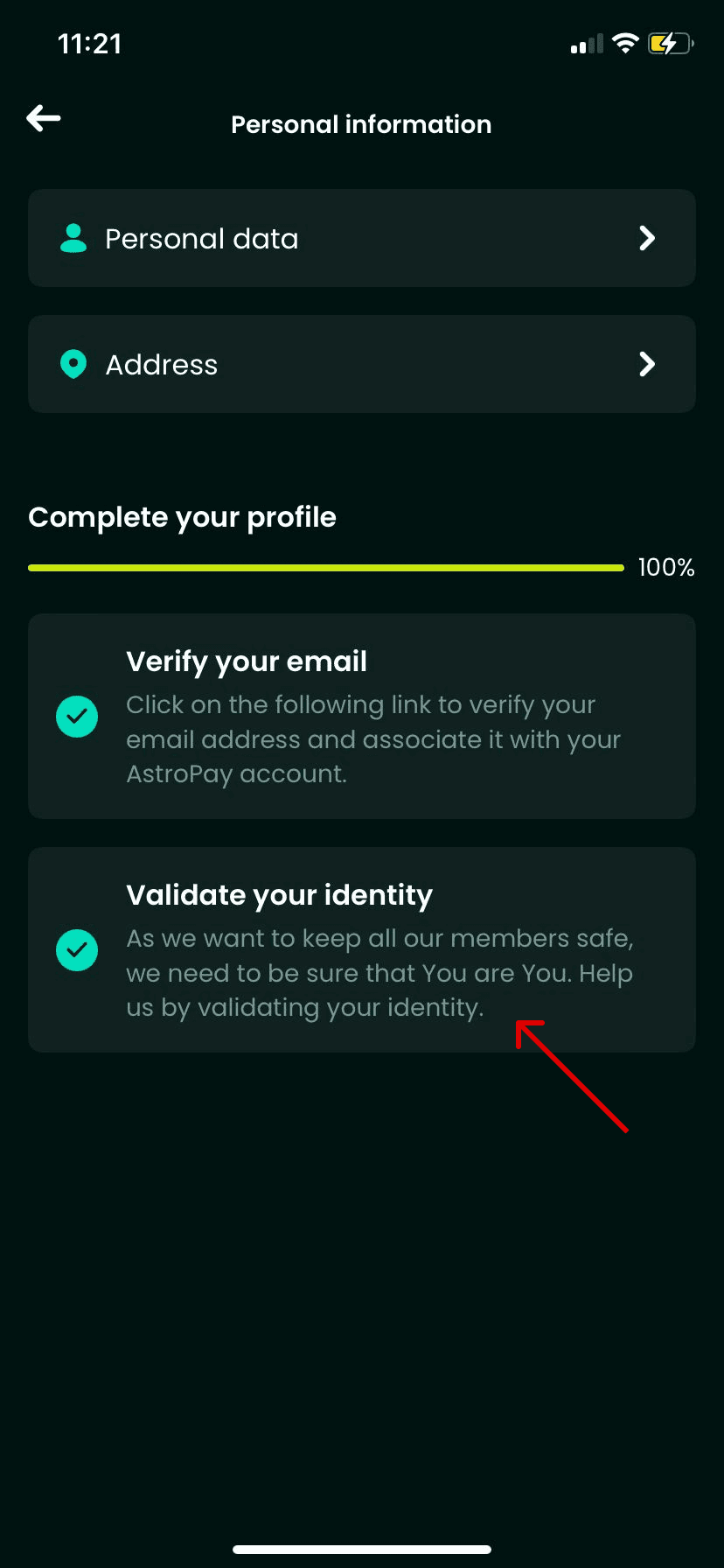
- Identity Verification (KYC): To hold larger wallet balances or withdraw funds, AstroPay requires standard UK identity verification (such as a UK passport, driving licence, and proof of address).
- Currency Matching: AstroPay UK vouchers are issued in GBP. If your account was opened in a different country under another currency (such as USD or EUR), a UK voucher code will result in a regional mismatch error upon activation.
How to Find Your AstroPay Account Details and Phone Identifier
Unlike gaming platforms that rely on numeric User IDs, AstroPay identifies your account primarily through your registered UK mobile number. When managing your balance or redeeming vouchers in the mobile app, follow these steps to verify your account identifier:
- Open the AstroPay app on your mobile device.
- Tap the Profile or Account icon in the navigation bar.
- Check your registered mobile phone number (+44) and ensure your verification status is active.
- Confirm that your primary wallet currency displays GBP.
Step-by-Step Guide: How to Recharge AstroPay UK Wallet
To complete an AstroPay UK recharge via BitTopup, follow this simple process:
- Select Denomination: Choose the AstroPay GBP voucher amount that fits your purchase needs.
- Check Region: Ensure you have an active UK AstroPay account or intend to spend the voucher on a merchant accepting UK GBP vouchers.
- Proceed to Checkout: Review your order details and payment methods on BitTopup's live checkout screen.
- Receive Your Code: Once payment is processed, your 16-digit card number, expiry date, and CVV will be generated immediately in your order dashboard.
- Add to Wallet: Open the AstroPay app, select Add Funds or Cards, enter the 16-digit voucher details, and your GBP wallet balance will update instantly.
How to Redeem Your AstroPay Voucher on Merchant Websites
You do not always need to deposit the voucher into your AstroPay app. You can use the digital code directly at partner online merchants:
- Go to the cashier or checkout page of your chosen online store or gaming service.
- Select AstroPay or AstroPay Card as your payment method.
- Enter the 16-digit voucher number provided by BitTopup.
- Enter the expiration date (MM/YY) and the 3-digit CVV code.
- Confirm the transaction. The merchant will deduct the payment amount instantly from your voucher value.
Supported Payment Options for AstroPay UK Recharge on BitTopup
BitTopup provides access to multiple secure payment methods so you can buy AstroPay UK vouchers smoothly. All available payment gateways, exchange rates, and any associated processing fees are displayed transparently on the live checkout page before you confirm your order.
- Credit and Debit Cards: Major domestic and international bank cards.
- Digital Wallets and Online Banking: Fast local and international payment methods.
- Cryptocurrency Options: Multiple decentralized payment assets for digital flexibility.
Troubleshooting Common AstroPay Code Redemption Errors
- Error: Invalid Code or Card Details: Verify that you entered the 16-digit card number without accidental spaces, dashes, or transposed digits. Double-check the 3-digit CVV and expiry date.
- Error: Region Mismatch / Geo-blocked: UK AstroPay vouchers can only be applied to accounts registered in the United Kingdom. If your account is set to another territory, the system will reject the voucher.
- Error: Insufficient Balance: If paying a merchant directly, ensure the purchase total (including any merchant processing fees) does not exceed the exact face value of your voucher.
- Error: Card Expired or Inactive: Digital vouchers must be redeemed before their stated expiration date. Check your BitTopup order details to confirm code validity.
Safety and Security: Protecting Your AstroPay Digital Vouchers
- Treat Your Voucher Like Cash: Anyone with access to your 16-digit voucher number, expiration date, and CVV can spend the balance. Never post screenshots of your code online or share details with unverified third parties.
- No Password Sharing: BitTopup will never ask for your AstroPay account password, personal banking PIN, or SMS one-time passwords (OTP). Recharge transactions require only the purchase of the digital code.
- Use Official Applications Only: Only enter your digital code inside the official AstroPay application or on verified merchant checkout gateways that feature secure HTTPS encryption.
Frequently Asked Questions
Which country uses AstroPay?
AstroPay operates internationally across the United Kingdom, Latin America, Europe, Asia, and Africa. However, vouchers are strictly region-locked. An AstroPay UK voucher is denominated in GBP and can only be used on UK accounts or merchants supporting UK billing.
Can I use an AstroPay UK voucher if my account is registered outside the United Kingdom?
No. AstroPay enforces regional restrictions. If your account profile is registered with a non-UK phone number or foreign address, you cannot redeem a UK GBP voucher into your wallet balance.
How do I redeem my AstroPay voucher code?
You can redeem your code in two ways: either open the AstroPay app and add the 16-digit card details to top up your GBP wallet balance, or select AstroPay at a merchant checkout and enter the 16-digit number, expiry date, and CVV directly.
Do I need to share my AstroPay account password to recharge on BitTopup?
No. BitTopup delivers an independent digital voucher code directly to your order screen. You do not need to provide your AstroPay account login credentials, passwords, or verification codes.
Why is my AstroPay UK code showing as invalid or region-locked?
This error usually occurs when attempting to apply a GBP UK voucher to an AstroPay account registered outside the UK, or if digits were typed incorrectly. Verify your account country settings and check your code digits carefully.
What are the verification requirements for AstroPay UK accounts in 2026?
To create an account and redeem vouchers, you need a UK mobile phone number (+44). To unlock higher spending limits or hold extended wallet balances, AstroPay requires standard UK Know Your Customer (KYC) identity verification, such as a government-issued ID and proof of UK residence.