
BitTopup Logohow to top-up in bittopup
ค้นหา
วิธีเติมเงิน Cyberpunk 2077

Cyberpunk 2077

Excellent
Trustpilot
GLOBALGLOBAL
Instant Deliveryจัดส่งทันที
Safe & Secure paymentชำระเงินปลอดภัยและมั่นใจได้

Instant digital code delivery for Cyberpunk 2077 and expansions on BitTopup.

เลือกมูลค่า

Cyberpunk 2077 (only for PC)

฿ 1227.18

ยอดรวม · x1

Cyberpunk 2077 คู่มือการเติมเงิน

Cyberpunk 2077 Top Up: Available Digital Editions and Platform Codes

Acquiring Cyberpunk 2077 digitally gives you instant access to Night City across your preferred gaming platforms. When selecting a product for your Cyberpunk 2077 recharge or purchase, choose the edition and platform key that matches your gaming setup. Digital codes distributed via BitTopup provide direct activation without physical media delays.

Platform Code Options

  • PC Digital Edition (GOG.com Key): Direct activation key registered to your GOG account. Provides full DRM-free access to the base game and direct integration with the GOG Galaxy launcher.
  • Xbox Series X|S & Xbox One Digital Code: A 25-character digital redeem code applied directly to your Microsoft account. Grants digital ownership across compatible Xbox console systems.
  • Phantom Liberty Expansion Code: Digital DLC codes designed to expand the base game with the Dogtown district storyline, available per specific platform (PC GOG or Xbox Series X|S).
Product / EditionPlatformActivation MethodKey Format
Cyberpunk 2077 Standard EditionPC (GOG)GOG Galaxy / GOG.comAlphanumeric Key
Cyberpunk 2077 Standard EditionXbox Series X|S / OneMicrosoft Store / Console25-character code
Phantom Liberty DLCPC (GOG)GOG Galaxy / GOG.comAlphanumeric Key
Phantom Liberty DLCXbox Series X|SMicrosoft Store / Console25-character code
Ultimate Edition (Base + DLC)PC / XboxPlatform Launcher / StorePlatform Digital Key

All live product pricing, discounts, and regional currency conversions are displayed directly on the BitTopup checkout interface prior to payment confirmation.

How to Recharge and Redeem Cyberpunk 2077 Digital Keys Step-by-Step

Follow these precise steps to purchase your digital code on BitTopup and activate it directly on your designated gaming platform.

Step 1: Purchasing on BitTopup

  1. Select the required platform edition (PC GOG or Xbox Console) from the product catalog.
  2. Confirm the regional compatibility matching your platform account region.
  3. Enter your contact email address to receive your order receipt and digital redemption voucher.
  4. Complete the transaction using your preferred payment method on the secure checkout screen.
  5. Access your digital code instantly on your order completion screen or via your email confirmation.

Step 2: Activating PC Codes on GOG.com / GOG Galaxy

  1. Open the GOG Galaxy client on your PC (or visit gog.com/redeem in a web browser).
  2. Log in to your personal GOG account.
  3. Click on the Settings/Gear icon in the top left corner of GOG Galaxy.
  4. Select Add games & friends > Redeem GOG code.
  5. Enter the digital key provided by BitTopup exactly as shown.
  6. Click Continue to bind Cyberpunk 2077 permanently to your GOG game library.
  7. Begin downloading the game assets to your local drive.

Step 3: Activating Xbox Codes on Console and Web

On Xbox Series X|S or Xbox One:1. Power on your console and sign in to the Microsoft account where you want the game registered.2. Press the Xbox button on your controller to open the guide, then navigate to the Store app.3. Press the View button to open the side menu, then select Redeem.4. Type the 25-character digital key and select Check Code.5. Confirm the prompt to add Cyberpunk 2077 to your digital game library.

Via Web Browser:1. Go to redeem.microsoft.com and log in with your Microsoft/Xbox account.2. Input the 25-digit code and click Next to confirm redemption.

Finding Your Platform Account Details for Cyberpunk 2077

When buying digital game keys on BitTopup, you receive a direct product code rather than an in-game UID currency delivery. However, confirming your platform account profile ensures you activate the game on the correct profile.
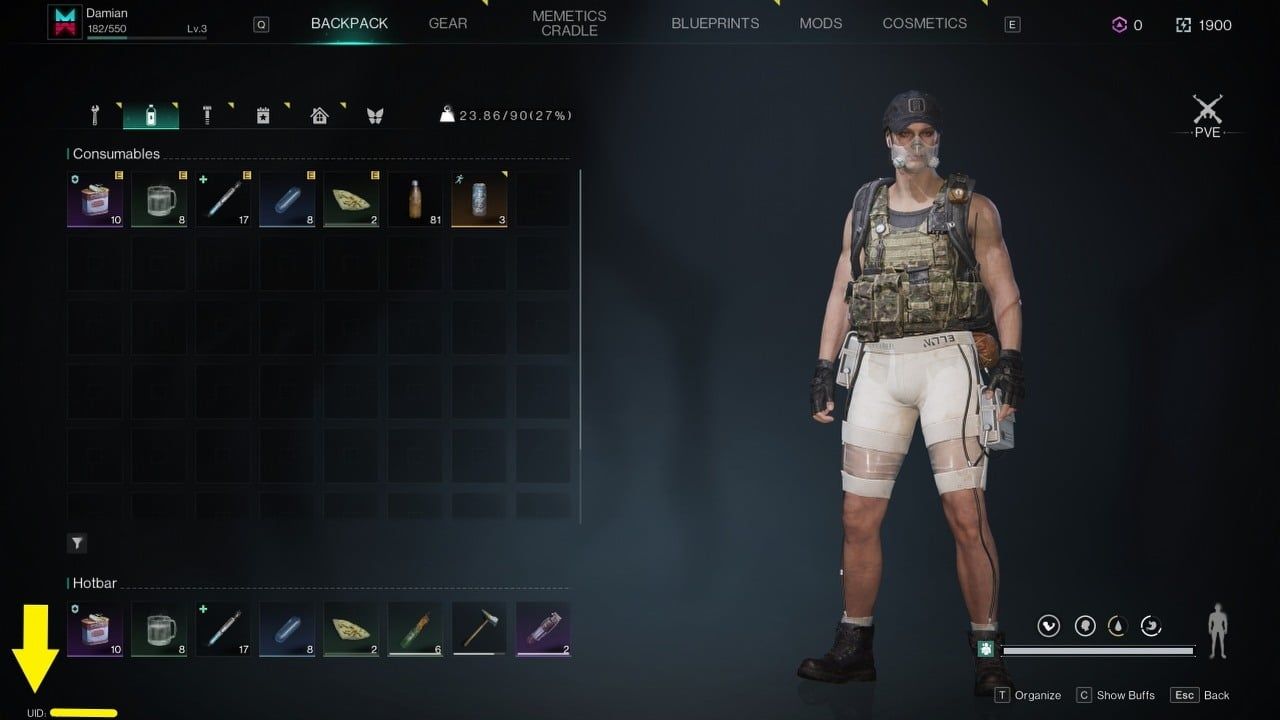
How to recharge Cyberpunk 2077

  • PC (GOG): Your GOG Account Username or associated email address appears in the top-right profile avatar section of the GOG Galaxy launcher.
  • Xbox: Your Xbox Gamertag and linked Microsoft Account email display on the top-left of the Xbox home dashboard.

Double-check that you are signed into the exact platform account you intend to play on before entering your redemption code.

Phantom Liberty Expansion and Compatibility with Digital Base Games

Before purchasing a digital code for the Phantom Liberty spy-thriller expansion, verify base game ownership and hardware compatibility:

  • Base Game Requirement:Phantom Liberty is downloadable content (DLC) and requires the base Cyberpunk 2077 game registered on the exact same platform account.
  • Matching Platform Ecosystems: A PC GOG expansion code will not activate or work with an Xbox base game. You must match PC keys to PC libraries and Xbox keys to Xbox consoles.
  • Hardware Generation Check:Phantom Liberty was developed specifically for next-gen hardware. It is fully compatible with PC and Xbox Series X|S. It is not supported on older legacy Xbox One consoles.

Secure Digital Delivery on BitTopup Without Password Sharing

BitTopup safeguards your gaming privacy and account safety by utilizing direct key distribution:

  • No Login Required: You will never be asked for your GOG password, Microsoft account credentials, or two-factor authentication codes.
  • Direct Key Ownership: You receive an unredeemed, official digital alphanumeric code that you redeem yourself directly on the platform's official client.
  • Protected Transactions: Checkout sessions use standard encryption protocols to process payments securely.
  • Reliable Support: Customer service is available 24/7 to resolve code delivery inquiries or redemption questions.

Troubleshooting Common Digital Activation Errors and Region Restrictions

If you encounter an issue when activating your digital code, review these standard troubleshooting steps:

  • Region Mismatch Error: Digital codes may be regional (such as Global, North America, or Europe). Ensure your platform account's store region matches the region of the purchased code.
  • Typo and Character Confusion: Ensure characters like 0 (number) and O (letter), or 1, I, and L are entered accurately. Copying and pasting the key directly eliminates input errors.
  • Code Already Redeemed: Refresh your game library. On GOG Galaxy, click the library filter and verify if Cyberpunk 2077 is already listed under owned titles. On Xbox, check your "Full Library > Owned Games" menu.
  • Expansion Not Showing In-Game: Ensure the expansion files are fully downloaded alongside the base game files in your platform's download manager.

Cyberpunk 2077 Core Updates and Night City Gameplay in 2026

Playing Cyberpunk 2077 in 2026 offers the definitive open-world action RPG experience. Running on the overhauled 2.0+ framework, the game features redesigned cyberware mechanics, revamped skill progression trees, advanced vehicular combat, and smart police response systems across the Night City metropolitan area.

Whether exploring the neon streets of Watson, navigating corporate politics in City Center, or venturing into the lawless combat zone of Dogtown in Phantom Liberty, purchasing your digital key via BitTopup gets you straight into the action with immediate activation.

Frequently Asked Questions About Cyberpunk 2077 Top Up

Where can I buy Cyberpunk 2077 digital codes safely?

You can buy official digital codes for Cyberpunk 2077 safely on BitTopup. BitTopup provides secure payment gateways, direct digital key delivery, and transparent transactions without asking for your personal account passwords.

How do I redeem my Cyberpunk 2077 code on GOG.com or Xbox?

For PC GOG keys, open the GOG Galaxy launcher, click the gear icon, select "Add games & friends" > "Redeem GOG code", and enter your key. For Xbox codes, navigate to the Store on your Xbox console, select "Redeem", and enter the 25-character digital code.

Do I need to share my account login or password to recharge Cyberpunk 2077 on BitTopup?

No. BitTopup does not require your account login or password. You receive an official digital activation code that you redeem personally inside your own GOG or Microsoft account.

Are Cyberpunk 2077 digital codes region-locked?

Some digital codes carry regional restrictions (such as Global, US/North America, or EU). Always check the region tag on the BitTopup product selection page to make sure it matches your platform account's designated country.

Do I need the base Cyberpunk 2077 game to play Phantom Liberty?

Yes. Phantom Liberty is an expansion pack and requires the Cyberpunk 2077 base game registered to the same platform account to install and run.

What should I do if my Cyberpunk 2077 activation code fails to work?

First, verify that there are no typing mistakes and that your account store region matches the code. If the problem persists, reach out to BitTopup customer support with your order number for quick verification and assistance.


Cyberpunk 2077 ข่าวสารแนะนำ

บิลด์ที่ดีที่สุดใน Cyberpunk 2077 สำหรับแพตช์ 2.1 และ Phantom Liberty

พบกับสุดยอดบิลด์ Cyberpunk 2077 สำหรับแพตช์ 2.1 และ Phantom Liberty ครอบคลุมทั้ง Infinite Overclock Netrunner, บิลด์ดาบคาตานะ Apogee, อาวุธ Tech สาย Bolt และการสุ่มสเตตัส Cyberware

วิธีเปิดใช้งานความคืบหน้าข้ามแพลตฟอร์ม (Cross Progression) ใน Cyberpunk 2077 บน PS5

เรียนรู้วิธีเปิดใช้งานความคืบหน้าข้ามแพลตฟอร์มใน Cyberpunk 2077 บน PS5 เชื่อมโยงบัญชี CD PROJEKT RED ในเกม ตรวจสอบไอคอนเซฟบนคลาวด์ และจัดการกฎเกณฑ์ตามภูมิภาค

วิธีเติมโค้ด Nintendo eShop บราซิลบนเครื่องเล่น Switch

เรียนรู้วิธีเติมโค้ด Nintendo eShop บราซิลบนเครื่อง Switch เปลี่ยนโซนบัญชีอย่างถูกต้อง และข้ามขั้นตอนขอเลข CPF ได้ง่ายๆ โดยไม่ต้องเจอปัญหาการชำระเงินขัดข้อง

IGN France apologizes for and deletes inappropriate comments on "Black Myth: Wukong"

IGN France apologizes for and deletes inappropriate comments on "Black Myth: Wukong"

Silent Hill 2 Remastered is in the final stages of development

Silent Hill 2 Remastered is in the final stages of development

December Steam Hardware Survey: RTX 3060 continues to dominate the list

December Steam Hardware Survey: RTX 3060 continues to dominate the list

สินค้าแนะนำ

Cyberpunk 2077 คำถามที่พบบ่อยเกี่ยวกับการเติมเงิน

ใช้เวลานานเท่าใดกว่าที่คำสั่งซื้อจะเสร็จสมบูรณ์?
โดยปกติแล้ว คำสั่งซื้อจะเสร็จสมบูรณ์ภายในไม่กี่นาที หากมีความล่าช้าใดๆ โปรดติดต่อฝ่ายสนับสนุนลูกค้าของเรา
BitTopup คืออะไร?
BitTopup คือแพลตฟอร์มออนไลน์สำหรับเติมเกมและบริการต่าง ๆ ได้อย่างรวดเร็วและปลอดภัย
เวลาทำการของฝ่ายบริการลูกค้า?
ฝ่ายบริการลูกค้าของ BitTopup พร้อมให้บริการตลอด 24 ชั่วโมงทุกวัน
ฉันจำเป็นต้องแชร์รหัสผ่านบัญชี Cyberpunk 2077 หรือไม่?
ไม่จำเป็น การเติมเงินโดยตรงใช้เพียง Player ID/UID ของคุณเท่านั้น ห้ามแชร์รหัสผ่านของคุณกับใครเด็ดขาด
Cyberpunk 2077 รองรับภูมิภาคใดบ้าง?
สินค้านี้รองรับบัญชีภูมิภาค GLOBAL โปรดตรวจสอบภูมิภาคบัญชีของคุณก่อนทำการสั่งซื้อ
ฉันสามารถชำระเงินด้วยคริปโตได้หรือไม่?
ได้ เรายอมรับ Bitcoin, ETH, USDT และคริปโตเคอร์เรนซียอดนิยมอื่นๆ พร้อมการยืนยันทันที
หากเติมเงินแล้วไม่เข้าต้องทำอย่างไร?
ติดต่อฝ่ายสนับสนุนลูกค้าตลอด 24 ชั่วโมงทุกวันพร้อมแจ้งหมายเลขคำสั่งซื้อของคุณ แล้วเราจะส่งรหัสให้ใหม่หรือคืนเงินให้ทันที

Cyberpunk 2077 รีวิวจากลูกค้าเกี่ยวกับการเติมเงิน

รีวิวทั้งหมด: 880

คะแนนเฉลี่ย

how to top-up in bittopup

4.3

customer avatar
Jarrett Meyer2026/10/01
ฉันใช้ BitTopUp มาสองสามปีแล้ว และอยากจะบอกสามเรื่องคือ: ไม่เคยมีปัญหาเรื่องการเติมเงินเลย, ความเร็วในการจัดส่งชนะทุกเว็บที่เคยลองมา, และมันง่ายมากๆ แค่คลิกไม่กี่ทีก็เรียบร้อย ช่วยให้ชีวิตง่ายขึ้นเยอะ
customer avatar
Prakash Sunar2026/09/28
บริการดี
customer avatar
PONZO2026/10/01
จ่ายง่าย โอนไว
customer avatar
Jasper Jia Lok2026/09/30
ถูกมาก ถูกกว่าแพลตฟอร์มอื่นเยอะมาก และหลังจากซื้อแล้ว ของก็เข้าบัญชีภายในไม่กี่วินาที
customer avatar
Aloosh2026/10/01
ยอดเยี่ยมมาก แนะนำเลยครับ
customer avatar
Ava Brown2026/09/28
บัตรของขวัญ Apple ใช้งานได้ไม่มีปัญหาเลย รหัสส่งตรงเข้าอีเมลของฉันทันทีหลังชำระเงิน
customer avatar
Hason Habibi2026/09/29
สมบูรณ์แบบ!
customer avatar
Philippe Eugène2026/09/27
BitTopup เป็นเว็บเติมเงินที่ดีที่สุด เป็นที่หนึ่งเลย
customer avatar
WAS2026/09/28
เว็บไซต์ที่ดี
customer avatar
Blackxxx Roy2026/09/28
เติมเงินครั้งแรก ลองซื้อบัตรผ่านเพชรรายสัปดาห์แล้วได้รับเพชรภายใน 2 นาที เร็วมาก ขอบคุณ!
customer avatar
A Jordi Cortez2026/09/28
วิธีเติมเงินที่ใช้กันมากที่สุดในประเทศของฉันคือผ่าน OXXO และต้องใช้เวลาถึง 48 ชั่วโมงกว่าจะได้รับเพชร
customer avatar
Ellie Harcus2026/09/30
อยากได้เพชร Bigo ไปเปย์สตรีมเพื่อนแล้วมาเจอเว็บนี้ ชำระเงินราบรื่นดีและเพชรก็เข้าทันทีเลย
customer avatar
C C2026/09/29
ฉันใช้เว็บนี้เติมเงิน และแม้ว่าในที่สุดจะสำเร็จ แต่เครดิตไม่ได้เข้าทันที ฝ่ายบริการลูกค้าใช้เวลาอย่างน้อย 5 นาทีในการตอบกลับ ซึ่งทำให้ฉันกังวลมาก แต่สุดท้ายการเติมเงินก็ผ่านไปด้วยดี จะดีกว่านี้มากถ้าฝ่ายสนับสนุนตอบกลับเร็วกว่านี้
customer avatar
Ale Pro2026/09/29
ฝ่ายสนับสนุนดูแลดีมาก พอมีปัญหาก็ตอบกลับทันทีและช่วยแก้ปัญหาให้เลย
customer avatar
Kaylee Flores2026/09/30
ไว้ใจได้มากสำหรับบัตรของขวัญ Steam! ปกติฉันจะกลัวโดนโกงจากเว็บพวกนี้ แต่รหัสใช้งานได้สมบูรณ์แบบเลย แนะนำเลย 10/10
customer avatar
Michael Z2026/09/27
ทำรายการได้ดีและราบรื่นมาก
customer avatar
Timan Aisa2026/09/30
ชอบมากเลยค่ะ รวดเร็วทันใจมาก ปัญหาเติมเงินไม่เข้าได้รับการแก้ไขแล้ว ขอบคุณมากๆ นะคะ
customer avatar
Natalia2026/10/01
ไม่ได้คาดคิดเลยว่าจะใช้งานได้ดีขนาดนี้ ฉันใช้ส่งของขวัญ welkins ให้ผู้เล่นคนอื่นแล้วชอบผลลัพธ์มาก ฝ่ายบริการลูกค้าก็รวดเร็วด้วย หากคุณต้องการส่งของขวัญให้ใคร แพลตฟอร์มนี้ยอดเยี่ยมมากค่ะ
customer avatar
its hurt2026/09/28
เร็วมากและไว้ใจได้
customer avatar
Malik nasir2026/09/27
แพลตฟอร์มที่น่าเชื่อถือสำหรับการซื้อของ
Cyberpunk 2077 รีวิวทั้งหมด

ทำไมต้องเลือกเรา?

ธุรกรรมปลอดภัย 100%

ทุกการเติมเงินได้รับการปกป้องด้วยระบบรักษาความปลอดภัยในการชำระเงินที่เข้ารหัสตามมาตรฐานอุตสาหกรรม ซึ่งจะรักษาข้อมูลส่วนตัวและข้อมูลการชำระเงินของคุณไว้เป็นความลับอย่างสมบูรณ์ ช้อปได้อย่างมั่นใจ ปลอดภัย 100% ทุกครั้ง

บริการลูกค้าตลอด 24 ชั่วโมงทุกวัน

ทีมสนับสนุนที่เป็นมิตรของเราพร้อมให้บริการตลอด 24 ชั่วโมงเพื่อช่วยเหลือคุณทั้งก่อน ระหว่าง และหลังการซื้อ รับความช่วยเหลือที่รวดเร็วและเชื่อถือได้ทุกเมื่อที่คุณต้องการ ไม่ว่าจะเป็นกลางวันหรือกลางคืน

รับประกันคืนเงินเต็มจำนวน

เพลิดเพลินกับราคาที่คุ้มค่าที่สุดพร้อมการจัดส่งที่รวดเร็วและเชื่อถือได้ หากคำสั่งซื้อของคุณไม่ได้รับการจัดส่งหรือไม่สามารถใช้งานได้ เรารับประกันการคืนเงิน 100% เงินของคุณจะได้รับการคุ้มครองเสมอ

ช่องทางการชำระเงินที่รองรับ

PM_PIX - ช่วยเหลือด้านการชำระเงิน | BitTopupWG_PIX - ช่วยเหลือด้านการชำระเงิน | BitTopupPMKakaoPay - ช่วยเหลือด้านการชำระเงิน | BitTopupPMTNG - ช่วยเหลือด้านการชำระเงิน | BitTopupWG_TNG - ช่วยเหลือด้านการชำระเงิน | BitTopupPMGCASH - ช่วยเหลือด้านการชำระเงิน | BitTopupPM_WALLET_NAVERPAY - ช่วยเหลือด้านการชำระเงิน | BitTopupPM_WALLET_PMPROMPTPAY - ช่วยเหลือด้านการชำระเงิน | BitTopupAlipay HK - ช่วยเหลือด้านการชำระเงิน | BitTopupDANA - ช่วยเหลือด้านการชำระเงิน | BitTopupAM_SBP - ช่วยเหลือด้านการชำระเงิน | BitTopupPM_OXXO - ช่วยเหลือด้านการชำระเงิน | BitTopupOVO - ช่วยเหลือด้านการชำระเงิน | BitTopupPMToss - ช่วยเหลือด้านการชำระเงิน | BitTopupWG_PAY_NOW - ช่วยเหลือด้านการชำระเงิน | BitTopupWG_BLIK - ช่วยเหลือด้านการชำระเงิน | BitTopupPM_CARD_SA - ช่วยเหลือด้านการชำระเงิน | BitTopupWG_PAYU - ช่วยเหลือด้านการชำระเงิน | BitTopupPM_WALLET_JKOPAY - ช่วยเหลือด้านการชำระเงิน | BitTopupWG_STCPAY - ช่วยเหลือด้านการชำระเงิน | BitTopupPM_WALLET_SAMSUNGPAY - ช่วยเหลือด้านการชำระเงิน | BitTopupPM_7_ELEVEN - ช่วยเหลือด้านการชำระเงิน | BitTopupPM_WALLET_WECHATPAYHK - ช่วยเหลือด้านการชำระเงิน | BitTopupPM_NET_BANKING_FPX - ช่วยเหลือด้านการชำระเงิน | BitTopupPM_WALLET_QRIS - ช่วยเหลือด้านการชำระเงิน | BitTopupAM_CARD_KZ - ช่วยเหลือด้านการชำระเงิน | BitTopupAM_CARD_BY - ช่วยเหลือด้านการชำระเงิน | BitTopupWG_SADAD - ช่วยเหลือด้านการชำระเงิน | BitTopupWG_MADA - ช่วยเหลือด้านการชำระเงิน | BitTopupAM_TBANK - ช่วยเหลือด้านการชำระเงิน | BitTopupAM_SBERPAY - ช่วยเหลือด้านการชำระเงิน | BitTopupPM_REALTIME_PAYMENT - ช่วยเหลือด้านการชำระเงิน | BitTopupPM_WALLET_GASH - ช่วยเหลือด้านการชำระเงิน | BitTopupPM_OKMART - ช่วยเหลือด้านการชำระเงิน | BitTopupPM_HILIFE - ช่วยเหลือด้านการชำระเงิน | BitTopupPM_FAMILYMART - ช่วยเหลือด้านการชำระเงิน | BitTopupPM_CARD_SA_CD - ช่วยเหลือด้านการชำระเงิน | BitTopupAM_CARD - ช่วยเหลือด้านการชำระเงิน | BitTopupPM_CARD_EU - ช่วยเหลือด้านการชำระเงิน | BitTopupPM_CARD_KNET - ช่วยเหลือด้านการชำระเงิน | BitTopupBIN_DO_PAY_ME - ช่วยเหลือด้านการชำระเงิน | BitTopupPM_CARD_JP - ช่วยเหลือด้านการชำระเงิน | BitTopupBIN_DO_OCTOPUS - ช่วยเหลือด้านการชำระเงิน | BitTopupPM_CARD_US - ช่วยเหลือด้านการชำระเงิน | BitTopupPM_CARD - ช่วยเหลือด้านการชำระเงิน | BitTopupPM_WALLET_SHOPEEPAY - ช่วยเหลือด้านการชำระเงิน | BitTopupPM_WALLET_PAOTANGPAY - ช่วยเหลือด้านการชำระเงิน | BitTopupPM_WALLET_LINEPAY - ช่วยเหลือด้านการชำระเงิน | BitTopupPM_WALLET_TRUEMONEY - ช่วยเหลือด้านการชำระเงิน | BitTopupD_LOCAL_MX_IO - ช่วยเหลือด้านการชำระเงิน | BitTopupD_LOCAL_MX_BQ - ช่วยเหลือด้านการชำระเงิน | BitTopupD_LOCAL_MX_SE - ช่วยเหลือด้านการชำระเงิน | BitTopupD_LOCAL_MX_SM - ช่วยเหลือด้านการชำระเงิน | BitTopupD_LOCAL_MX_BV - ช่วยเหลือด้านการชำระเงิน | BitTopupD_LOCAL_PK_HB - ช่วยเหลือด้านการชำระเงิน | BitTopupD_LOCAL_PK_JK - ช่วยเหลือด้านการชำระเงิน | BitTopupD_LOCAL_PK_ES - ช่วยเหลือด้านการชำระเงิน | BitTopupD_LOCAL_PK_IO - ช่วยเหลือด้านการชำระเงิน | BitTopupPMPayco - ช่วยเหลือด้านการชำระเงิน | BitTopupGOPAY - ช่วยเหลือด้านการชำระเงิน | BitTopupPMPAYMAYA - ช่วยเหลือด้านการชำระเงิน | BitTopupPMGRABPAYPH - ช่วยเหลือด้านการชำระเงิน | BitTopupPMGRABPAYMY - ช่วยเหลือด้านการชำระเงิน | BitTopupPMBOOST - ช่วยเหลือด้านการชำระเงิน | BitTopupWG_PAYTM - ช่วยเหลือด้านการชำระเงิน | BitTopupPM_BANK_TRANSFER_PSE - ช่วยเหลือด้านการชำระเงิน | BitTopupPM_BANK_TRANSFER_EFECTY - ช่วยเหลือด้านการชำระเงิน | BitTopupWG_BPI - ช่วยเหลือด้านการชำระเงิน | BitTopupWG_GCASH - ช่วยเหลือด้านการชำระเงิน | BitTopupWG_BANCOMAT_PAY - ช่วยเหลือด้านการชำระเงิน | BitTopupWG_iDEAL - ช่วยเหลือด้านการชำระเงิน | BitTopupWG_BANCONTACT - ช่วยเหลือด้านการชำระเงิน | BitTopupPM_CARD_APPLE_US - ช่วยเหลือด้านการชำระเงิน | BitTopupPM_APPLEPAY - ช่วยเหลือด้านการชำระเงิน | BitTopupD_LOCAL_PH_PM - ช่วยเหลือด้านการชำระเงิน | BitTopupD_LOCAL_PH_GY - ช่วยเหลือด้านการชำระเงิน | BitTopupWG_BHIM - ช่วยเหลือด้านการชำระเงิน | BitTopupPM_WALLET_STCPAY - ช่วยเหลือด้านการชำระเงิน | BitTopupPM_GOOGLEPAY_US - ช่วยเหลือด้านการชำระเงิน | BitTopupPM_GOOGLEPAY - ช่วยเหลือด้านการชำระเงิน | BitTopupD_LOCAL_TH_TK - ช่วยเหลือด้านการชำระเงิน | BitTopupGATE_IO_PAY - ช่วยเหลือด้านการชำระเงิน | BitTopupBINANCE_PAY - ช่วยเหลือด้านการชำระเงิน | BitTopupWG_PHONE_PE - ช่วยเหลือด้านการชำระเงิน | BitTopupPAY_LOCO_ESumLifeET - ช่วยเหลือด้านการชำระเงิน | BitTopupPAY_LOCO_ESumFamilyMart - ช่วยเหลือด้านการชำระเงิน | BitTopupPAY_LOCO_ESum711 - ช่วยเหลือด้านการชำระเงิน | BitTopupBIT_WALLET - ช่วยเหลือด้านการชำระเงิน | BitTopup

10 Years Trusted Game & Live Streaming Top-Up Platform

Since 2016 | 5,000,000+ Users Worldwide

KAMAGEN LIMITED

Registration No. 76888246

Room 1508, 15/F, Grand Plaza Office Tower II, 625 Nathan Road, Mong Kok, Kowloon, Hong Kong

BUSINESS COOPERATION: ibittopup@gmail.com

© 2016-2026 BitTopup. All Rights Reserved.

Trusted & Verified by

ScamAdviser review of BitTopupGridinsoft review of BitTopupTrustpilot review of BitTopup
customer service