
BitTopup Logohow to top-up in bittopup
ค้นหา
วิธีเติมเงิน Steam Wallet Code (IDR)

Steam Wallet Code (IDR)

Excellent
Trustpilot
INDONESIAINDONESIA
Instant Deliveryจัดส่งทันที
Safe & Secure paymentชำระเงินปลอดภัยและมั่นใจได้

Get direct digital voucher codes for Steam Indonesia at BitTopup with zero hassle.

เลือกมูลค่า

Steam Wallet Code Rp 250,000 ID

฿ 516.62

ยอดรวม · x1

Steam Wallet Code (IDR) คู่มือการเติมเงิน

Steam Wallet Code (IDR) Top Up: Instant Account Balance Reload

A Steam Wallet Code (IDR) is a prepaid digital voucher denominated in Indonesian Rupiah (IDR) that adds funds directly to your Steam account balance. Once redeemed, your Steam Wallet balance gives you complete freedom to purchase PC games, downloadable content (DLC), expansions, in-game cosmetics, community market items, and software across the entire Steam platform.

Using a digital code removes the requirement of linking a credit card or international banking instrument directly to your gaming profile. BitTopup provides direct digital code distribution for Indonesian accounts, allowing you to load your balance securely without sharing login credentials or account passwords.

What You Can Buy With Steam Wallet IDR Funds

  • Full PC Titles and DLC: Purchase blockbuster releases, indie titles, pre-orders, and season passes.
  • In-Game Currency and Microtransactions: Top up in-game balances for titles like Counter-Strike 2, Dota 2, Team Fortress 2, Apex Legends, and PUBG: Battlegrounds.
  • Steam Community Market Items: Trade and purchase weapon skins, trading cards, profile backgrounds, and stickers directly from other players.
  • Software and Soundtracks: Access video editing tools, game engines, wallpapers, and official game music.

Available Steam Wallet Code IDR Denominations and Uses

Digital Steam vouchers come in standard fixed IDR values tailored to various purchasing needs, from small microtransaction boosts to high-tier major game purchases.

Denomination (IDR)Typical Use Case
IDR 6,000 – IDR 12,000Steam Community Market transactions, trading cards, small in-game stickers
IDR 45,000 – IDR 60,000Indie games, battle passes, cosmetic bundles, discounted flash sale items
IDR 90,000 – IDR 120,000Mid-tier releases, substantial in-game currency packs, major DLC packs
IDR 250,000 – IDR 400,000Standard edition pre-orders, new mid-range game launches, major cosmetic packs
IDR 600,000+AAA full-priced releases, Deluxe/Ultimate Editions, major seasonal sale shopping carts

Note: Exact inventory availability and pricing details are displayed in real time on the BitTopup checkout catalog.


How to Verify Your Steam Account Currency and Store Region

Steam enforces strict regional restrictions on currency redemption. An IDR voucher code requires your Steam store region to be set to Indonesia (IDR). Verify your account region prior to redeeming your digital code:

  1. Open the Steam desktop client or log in at store.steampowered.com.
  2. Click your Profile Name in the top-right corner of the interface.
  3. Select Account Details from the dropdown menu.
  4. Under the Store & Purchase History section, locate Country.
  5. Confirm that the country displays Indonesia and your existing balance shows in Rp (IDR).
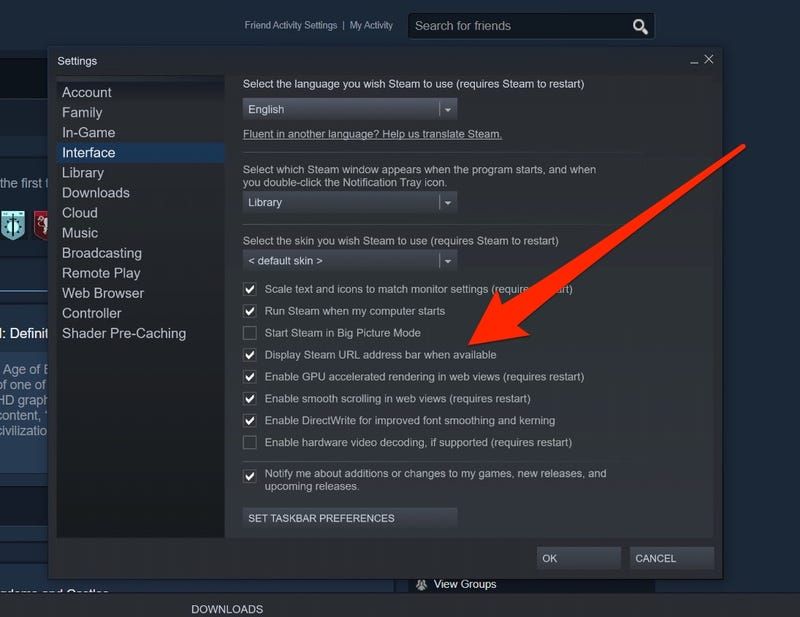
How to recharge Steam Wallet Code (IDR)

If your account is registered to a different country or currency, the redemption system will block the code due to Valve's regional protection policies.


How to Recharge and Redeem Steam Wallet Code IDR Step-by-Step

Redeeming your digital code takes only seconds across desktop, mobile, or web platforms.

Method 1: Steam Desktop Client

  1. Launch the Steam Client on your PC and log into your account.
  2. Click the Games menu located in the top navigation bar.
  3. Select Redeem a Steam Wallet Code.
  4. Enter your 15-digit alphanumeric code into the Steam Wallet Code input box.
  5. Click Continue. Your account balance will update instantly.

Method 2: Web Browser (Desktop or Mobile)

  1. Open your web browser and navigate directly to: https://store.steampowered.com/account/redeemwalletcode
  2. Sign in with your Steam credentials.
  3. Paste your code into the redemption box.
  4. Click Continue to confirm the funds transfer.

Method 3: Steam Mobile Application (2026 Update)

  1. Open the official Steam Mobile App on iOS or Android.
  2. Tap your profile icon or the menu button in the bottom navigation bar.
  3. Tap Account Details > Add funds to your Steam Wallet.
  4. Tap Redeem a Steam Gift Card or Wallet Code.
  5. Type or paste your digital key and confirm the transaction.

Steam Wallet Regional Currency Restrictions and Account Rules

Valve Corporation enforces region-locking mechanisms on Steam Wallet Codes to prevent currency arbitrage and fraud.

  • Currency Matching: Steam Wallet Codes issued in IDR can only be redeemed on accounts configured with the Indonesian store region. You cannot redeem an IDR voucher on a USD, EUR, SGD, or MYR account.
  • No Automatic Cross-Border Conversion: Valve disabled automatic currency conversion on retail wallet codes. Codes must strictly match your account's primary wallet currency.
  • VPN Policies: Using a VPN or proxy to alter your store region without a valid local payment method violates the Steam Subscriber Agreement and can lead to permanent account restrictions.
  • Non-Transferable Funds: Once an IDR code is credited to your Steam balance, the funds cannot be transferred to another user account, refunded back to fiat money, or converted into cash.

Troubleshooting Common Steam Code Activation Issues

If you encounter an error while redeeming your voucher, check the following solutions:

  • "The code you entered is invalid":
  • Re-check for common character confusion: the numeral 0 versus the letter O, the numeral 1 versus uppercase I or L, and 8 versus B.
  • Ensure no accidental spaces were copied before or after the code sequence.
  • "An unexpected error has occurred. Your code could not be redeemed":
  • Check your account country settings under Account Details. This error frequently indicates that your account currency does not match the IDR code currency.
  • "The Steam Wallet code has already been redeemed":
  • Refresh your account balance or check your Purchase History (Account Details > View purchase history) to see if the funds were already credited.
  • "There have been too many failed redemption attempts":
  • Steam applies a temporary safety lock after multiple failed code entries. Wait 30 to 60 minutes before attempting to enter the code again.

Why Buy Steam Wallet Codes on BitTopup

BitTopup provides a streamlined, secure experience for recharging your PC gaming balance:

  • Zero Password Sharing: We only provide genuine digital voucher codes. You never need to supply your Steam login details, passwords, or Steam Guard authenticator codes.
  • Transparent Live Checkout: See exact IDR denominations and real-time checkout costs directly on the product page before completing payment.
  • Flexible Payment Options: Complete transactions using a wide selection of localized payment channels and secure international checkout solutions.
  • Instant Dashboard Access: Your generated digital code is stored directly in your BitTopup user account order history for immediate retrieval whenever you need it.

Frequently Asked Questions

What is a Steam Wallet Code (IDR)?

A Steam Wallet Code (IDR) is a prepaid digital voucher with a specific balance in Indonesian Rupiah. When entered into Steam, it instantly deposits funds into your Steam Wallet, allowing you to buy games, DLCs, in-game items, and community market items.

How to recharge a Steam wallet using a digital code?

Log in to Steam, open the Games menu in the top bar (or go to store.steampowered.com/account/redeemwalletcode), click Redeem a Steam Wallet Code, enter your digital key, and click Continue.

Can I redeem an IDR Steam Wallet Code on an account set to another currency?

No. Valve requires that the currency of the code matches your Steam account's registered country and currency. An IDR voucher will only work on accounts registered to Indonesia.

Do Steam Wallet IDR digital codes have an expiration date?

No. Digital Steam Wallet codes do not expire before redemption. However, it is best practice to redeem your code promptly after purchase to secure the balance into your personal account.

Where do I find my purchased Steam Wallet Code?

Your digital code is displayed on your order confirmation screen and stored permanently in your Order History dashboard on BitTopup.

What should I do if my Steam code shows as invalid or already redeemed?

First, double-check the alphanumeric characters for typos and inspect your account purchase history to verify if the balance applied. If the issue persists, contact BitTopup customer support with your order number for verification.


Steam Wallet Code (IDR) ข่าวสารแนะนำ

Steam Wallet Code กับการชำระเงินโดยตรง: แบบไหนดีกว่าสำหรับบัญชี IDR?

เปรียบเทียบระหว่าง Steam Wallet Code กับการชำระเงินโดยตรงสำหรับบัญชีอินโดนีเซีย เรียนรู้เกี่ยวกับการจัดการภาษีดิจิทัล 11% การล็อกสกุลเงินตามภูมิภาค และความปลอดภัยของบัญชี

"Elden's Ring" main body + DLC have now occupied the top two positions on Steam's best-selling list in China

"Elden's Ring" main body + DLC have now occupied the top two positions on Steam's best-selling list in China

How to recharge or buy a free battlefield MAX diamond

How to recharge or buy a free battlefield MAX diamond

ROG Magic 2024 High-Performance Gaming Laptop Unboxing Pictures

ROG Magic 2024 High-Performance Gaming Laptop Unboxing Pictures

Sony's new patent exposed to optimize player voices in multiplayer games

Sony's new patent exposed to optimize player voices in multiplayer games

The domestic action game "Blue Wings: Chaos Effect", which focuses on gorgeous combos, will be upgraded to the official version on January 31 next year.

The domestic action game "Blue Wings: Chaos Effect", which focuses on gorgeous combos, will be upgraded to the official version on January 31 next year.

สินค้าแนะนำ

Steam Wallet Code (IDR) คำถามที่พบบ่อยเกี่ยวกับการเติมเงิน

ใช้เวลานานเท่าใดกว่าที่คำสั่งซื้อจะเสร็จสมบูรณ์?
โดยปกติแล้ว คำสั่งซื้อจะเสร็จสมบูรณ์ภายในไม่กี่นาที หากมีความล่าช้าใดๆ โปรดติดต่อฝ่ายสนับสนุนลูกค้าของเรา
BitTopup คืออะไร?
BitTopup คือแพลตฟอร์มออนไลน์สำหรับเติมเกมและบริการต่าง ๆ ได้อย่างรวดเร็วและปลอดภัย
เวลาทำการของฝ่ายบริการลูกค้า?
ฝ่ายบริการลูกค้าของ BitTopup พร้อมให้บริการตลอด 24 ชั่วโมงทุกวัน
ฉันจำเป็นต้องแชร์รหัสผ่านบัญชี Steam Wallet Code (IDR) หรือไม่?
ไม่จำเป็น การเติมเงินโดยตรงใช้เพียง Player ID/UID ของคุณเท่านั้น ห้ามแชร์รหัสผ่านของคุณกับใครเด็ดขาด
Steam Wallet Code (IDR) รองรับภูมิภาคใดบ้าง?
สินค้านี้รองรับบัญชีภูมิภาค INDONESIA โปรดตรวจสอบภูมิภาคบัญชีของคุณก่อนทำการสั่งซื้อ
ฉันสามารถชำระเงินด้วยคริปโตได้หรือไม่?
ได้ เรายอมรับ Bitcoin, ETH, USDT และคริปโตเคอร์เรนซียอดนิยมอื่นๆ พร้อมการยืนยันทันที
หากเติมเงินแล้วไม่เข้าต้องทำอย่างไร?
ติดต่อฝ่ายสนับสนุนลูกค้าตลอด 24 ชั่วโมงทุกวันพร้อมแจ้งหมายเลขคำสั่งซื้อของคุณ แล้วเราจะส่งรหัสให้ใหม่หรือคืนเงินให้ทันที

Steam Wallet Code (IDR) รีวิวจากลูกค้าเกี่ยวกับการเติมเงิน

รีวิวทั้งหมด: 821

คะแนนเฉลี่ย

how to top-up in bittopup

5.0

customer avatar
Blackxxx Roy2026/09/28
เติมเงินครั้งแรก ลองซื้อบัตรผ่านเพชรรายสัปดาห์แล้วได้รับเพชรภายใน 2 นาที เร็วมาก ขอบคุณ!
customer avatar
Ava Brown2026/09/29
บัตรของขวัญ Apple ใช้งานได้ไม่มีปัญหาเลย รหัสส่งตรงเข้าอีเมลของฉันทันทีหลังชำระเงิน
customer avatar
Galo Andrade2026/09/26
เว็บไซต์น่าเชื่อถือมาก ช่องทางชำระเงินสะดวก ฝ่ายสนับสนุนช่วยเหลือเร็วสุดๆ และราคาย่อมเยา
customer avatar
Kaylee Flores2026/09/28
ไว้ใจได้มากสำหรับบัตรของขวัญ Steam! ปกติฉันจะกลัวโดนโกงจากเว็บพวกนี้ แต่รหัสใช้งานได้สมบูรณ์แบบเลย แนะนำเลย 10/10
customer avatar
Yo Sk2026/09/25
ดีมากๆ เลย
customer avatar
Rebelking2026/09/26
บริการดีมากและเชื่อถือได้ แถมยังมีข้อเสนอพิเศษมาเรื่อยๆ ด้วย
customer avatar
Mary Degamo2026/09/25
แฮปปี้มาก ขอบคุณครับ
customer avatar
Amil Darmawi2026/09/25
ฉันเติมเงิน Honor of Kings และได้รับเพชรทันที ราบรื่นและรวดเร็วมาก ไม่มีปัญหาใดๆ เลย
customer avatar
andraina tandrify2026/09/25
รวดเร็วและเชื่อถือได้
customer avatar
mypchamdosamer2026/09/29
เชื่อถือได้ ง่าย รวดเร็ว ปลอดภัย
customer avatar
Amirul Coenej2026/09/29
ทุกอย่างราบรื่นมากและเติมเงินเสร็จภายในไม่กี่วินาที รวดเร็วและง่ายดายสุดๆ!
customer avatar
Sophie König2026/09/28
เพชร Free Fire ใช้เวลาประมาณ 15 นาทีกว่าจะเข้า ช้ากว่าที่คิดนิดหน่อย แต่ราคาดีก็เลยโอเค
customer avatar
Guliza2026/09/28
เว็บไซต์ยอดเยี่ยมมาก
customer avatar
Timan Aisa2026/09/25
ชอบมากเลยค่ะ รวดเร็วทันใจมาก ปัญหาเติมเงินไม่เข้าได้รับการแก้ไขแล้ว ขอบคุณมากๆ นะคะ
customer avatar
homam othman2026/09/28
เติมเงินง่ายและรวดเร็ว
customer avatar
Yhjk Kkkk2026/09/28
บริการดี จ่ายเงินง่าย
customer avatar
Ellie Harcus2026/09/26
อยากได้เพชร Bigo ไปเปย์สตรีมเพื่อนแล้วมาเจอเว็บนี้ ชำระเงินราบรื่นดีและเพชรก็เข้าทันทีเลย
customer avatar
perpetual T Mpofu2026/09/28
บริการรวดเร็วและน่าเชื่อถือ
customer avatar
AhtshaM FarooQ2026/09/27
แอปนี้ดีเลยครับ เคยใช้แล้วรู้สึกดีมาก แต่สังเกตว่าราคาแอบแพงไปนิดนึง แต่โดยรวมคือดีนะ อยากให้มีข้อเสนอดีๆ บ้างครับ
customer avatar
DELIGHT2026/09/25
ชำระเงินง่ายและรวดเร็ว แถมราคายังดีมากด้วย แนะนำเลยครับ!
Steam Wallet Code (IDR) รีวิวทั้งหมด

ทำไมต้องเลือกเรา?

ธุรกรรมปลอดภัย 100%

ทุกการเติมเงินได้รับการปกป้องด้วยระบบรักษาความปลอดภัยในการชำระเงินที่เข้ารหัสตามมาตรฐานอุตสาหกรรม ซึ่งจะรักษาข้อมูลส่วนตัวและข้อมูลการชำระเงินของคุณไว้เป็นความลับอย่างสมบูรณ์ ช้อปได้อย่างมั่นใจ ปลอดภัย 100% ทุกครั้ง

บริการลูกค้าตลอด 24 ชั่วโมงทุกวัน

ทีมสนับสนุนที่เป็นมิตรของเราพร้อมให้บริการตลอด 24 ชั่วโมงเพื่อช่วยเหลือคุณทั้งก่อน ระหว่าง และหลังการซื้อ รับความช่วยเหลือที่รวดเร็วและเชื่อถือได้ทุกเมื่อที่คุณต้องการ ไม่ว่าจะเป็นกลางวันหรือกลางคืน

รับประกันคืนเงินเต็มจำนวน

เพลิดเพลินกับราคาที่คุ้มค่าที่สุดพร้อมการจัดส่งที่รวดเร็วและเชื่อถือได้ หากคำสั่งซื้อของคุณไม่ได้รับการจัดส่งหรือไม่สามารถใช้งานได้ เรารับประกันการคืนเงิน 100% เงินของคุณจะได้รับการคุ้มครองเสมอ

ช่องทางการชำระเงินที่รองรับ

PM_PIX - ช่วยเหลือด้านการชำระเงิน | BitTopupWG_PIX - ช่วยเหลือด้านการชำระเงิน | BitTopupPMKakaoPay - ช่วยเหลือด้านการชำระเงิน | BitTopupPMTNG - ช่วยเหลือด้านการชำระเงิน | BitTopupWG_TNG - ช่วยเหลือด้านการชำระเงิน | BitTopupPMGCASH - ช่วยเหลือด้านการชำระเงิน | BitTopupPM_WALLET_NAVERPAY - ช่วยเหลือด้านการชำระเงิน | BitTopupPM_WALLET_PMPROMPTPAY - ช่วยเหลือด้านการชำระเงิน | BitTopupAlipay HK - ช่วยเหลือด้านการชำระเงิน | BitTopupDANA - ช่วยเหลือด้านการชำระเงิน | BitTopupAM_SBP - ช่วยเหลือด้านการชำระเงิน | BitTopupPM_OXXO - ช่วยเหลือด้านการชำระเงิน | BitTopupOVO - ช่วยเหลือด้านการชำระเงิน | BitTopupPMToss - ช่วยเหลือด้านการชำระเงิน | BitTopupWG_PAY_NOW - ช่วยเหลือด้านการชำระเงิน | BitTopupWG_BLIK - ช่วยเหลือด้านการชำระเงิน | BitTopupPM_CARD_SA - ช่วยเหลือด้านการชำระเงิน | BitTopupWG_PAYU - ช่วยเหลือด้านการชำระเงิน | BitTopupPM_WALLET_JKOPAY - ช่วยเหลือด้านการชำระเงิน | BitTopupWG_STCPAY - ช่วยเหลือด้านการชำระเงิน | BitTopupPM_WALLET_SAMSUNGPAY - ช่วยเหลือด้านการชำระเงิน | BitTopupPM_7_ELEVEN - ช่วยเหลือด้านการชำระเงิน | BitTopupPM_WALLET_WECHATPAYHK - ช่วยเหลือด้านการชำระเงิน | BitTopupPM_NET_BANKING_FPX - ช่วยเหลือด้านการชำระเงิน | BitTopupPM_WALLET_QRIS - ช่วยเหลือด้านการชำระเงิน | BitTopupAM_CARD_KZ - ช่วยเหลือด้านการชำระเงิน | BitTopupAM_CARD_BY - ช่วยเหลือด้านการชำระเงิน | BitTopupWG_SADAD - ช่วยเหลือด้านการชำระเงิน | BitTopupWG_MADA - ช่วยเหลือด้านการชำระเงิน | BitTopupAM_TBANK - ช่วยเหลือด้านการชำระเงิน | BitTopupAM_SBERPAY - ช่วยเหลือด้านการชำระเงิน | BitTopupPM_REALTIME_PAYMENT - ช่วยเหลือด้านการชำระเงิน | BitTopupPM_WALLET_GASH - ช่วยเหลือด้านการชำระเงิน | BitTopupPM_OKMART - ช่วยเหลือด้านการชำระเงิน | BitTopupPM_HILIFE - ช่วยเหลือด้านการชำระเงิน | BitTopupPM_FAMILYMART - ช่วยเหลือด้านการชำระเงิน | BitTopupPM_CARD_SA_CD - ช่วยเหลือด้านการชำระเงิน | BitTopupAM_CARD - ช่วยเหลือด้านการชำระเงิน | BitTopupPM_CARD_EU - ช่วยเหลือด้านการชำระเงิน | BitTopupPM_CARD_KNET - ช่วยเหลือด้านการชำระเงิน | BitTopupBIN_DO_PAY_ME - ช่วยเหลือด้านการชำระเงิน | BitTopupPM_CARD_JP - ช่วยเหลือด้านการชำระเงิน | BitTopupBIN_DO_OCTOPUS - ช่วยเหลือด้านการชำระเงิน | BitTopupPM_CARD_US - ช่วยเหลือด้านการชำระเงิน | BitTopupPM_CARD - ช่วยเหลือด้านการชำระเงิน | BitTopupPM_WALLET_SHOPEEPAY - ช่วยเหลือด้านการชำระเงิน | BitTopupPM_WALLET_PAOTANGPAY - ช่วยเหลือด้านการชำระเงิน | BitTopupPM_WALLET_LINEPAY - ช่วยเหลือด้านการชำระเงิน | BitTopupPM_WALLET_TRUEMONEY - ช่วยเหลือด้านการชำระเงิน | BitTopupD_LOCAL_MX_IO - ช่วยเหลือด้านการชำระเงิน | BitTopupD_LOCAL_MX_BQ - ช่วยเหลือด้านการชำระเงิน | BitTopupD_LOCAL_MX_SE - ช่วยเหลือด้านการชำระเงิน | BitTopupD_LOCAL_MX_SM - ช่วยเหลือด้านการชำระเงิน | BitTopupD_LOCAL_MX_BV - ช่วยเหลือด้านการชำระเงิน | BitTopupD_LOCAL_PK_HB - ช่วยเหลือด้านการชำระเงิน | BitTopupD_LOCAL_PK_JK - ช่วยเหลือด้านการชำระเงิน | BitTopupD_LOCAL_PK_ES - ช่วยเหลือด้านการชำระเงิน | BitTopupD_LOCAL_PK_IO - ช่วยเหลือด้านการชำระเงิน | BitTopupPMPayco - ช่วยเหลือด้านการชำระเงิน | BitTopupGOPAY - ช่วยเหลือด้านการชำระเงิน | BitTopupPMPAYMAYA - ช่วยเหลือด้านการชำระเงิน | BitTopupPMGRABPAYPH - ช่วยเหลือด้านการชำระเงิน | BitTopupPMGRABPAYMY - ช่วยเหลือด้านการชำระเงิน | BitTopupPMBOOST - ช่วยเหลือด้านการชำระเงิน | BitTopupWG_PAYTM - ช่วยเหลือด้านการชำระเงิน | BitTopupPM_BANK_TRANSFER_PSE - ช่วยเหลือด้านการชำระเงิน | BitTopupPM_BANK_TRANSFER_EFECTY - ช่วยเหลือด้านการชำระเงิน | BitTopupWG_BPI - ช่วยเหลือด้านการชำระเงิน | BitTopupWG_GCASH - ช่วยเหลือด้านการชำระเงิน | BitTopupWG_BANCOMAT_PAY - ช่วยเหลือด้านการชำระเงิน | BitTopupWG_iDEAL - ช่วยเหลือด้านการชำระเงิน | BitTopupWG_BANCONTACT - ช่วยเหลือด้านการชำระเงิน | BitTopupPM_CARD_APPLE_US - ช่วยเหลือด้านการชำระเงิน | BitTopupPM_APPLEPAY - ช่วยเหลือด้านการชำระเงิน | BitTopupD_LOCAL_PH_PM - ช่วยเหลือด้านการชำระเงิน | BitTopupD_LOCAL_PH_GY - ช่วยเหลือด้านการชำระเงิน | BitTopupWG_BHIM - ช่วยเหลือด้านการชำระเงิน | BitTopupPM_WALLET_STCPAY - ช่วยเหลือด้านการชำระเงิน | BitTopupPM_GOOGLEPAY_US - ช่วยเหลือด้านการชำระเงิน | BitTopupPM_GOOGLEPAY - ช่วยเหลือด้านการชำระเงิน | BitTopupD_LOCAL_TH_TK - ช่วยเหลือด้านการชำระเงิน | BitTopupGATE_IO_PAY - ช่วยเหลือด้านการชำระเงิน | BitTopupBINANCE_PAY - ช่วยเหลือด้านการชำระเงิน | BitTopupWG_PHONE_PE - ช่วยเหลือด้านการชำระเงิน | BitTopupPAY_LOCO_ESumLifeET - ช่วยเหลือด้านการชำระเงิน | BitTopupPAY_LOCO_ESumFamilyMart - ช่วยเหลือด้านการชำระเงิน | BitTopupPAY_LOCO_ESum711 - ช่วยเหลือด้านการชำระเงิน | BitTopupBIT_WALLET - ช่วยเหลือด้านการชำระเงิน | BitTopup

10 Years Trusted Game & Live Streaming Top-Up Platform

Since 2016 | 5,000,000+ Users Worldwide

KAMAGEN LIMITED

Registration No. 76888246

Room 1508, 15/F, Grand Plaza Office Tower II, 625 Nathan Road, Mong Kok, Kowloon, Hong Kong

BUSINESS COOPERATION: ibittopup@gmail.com

© 2016-2026 BitTopup. All Rights Reserved.

Trusted & Verified by

ScamAdviser review of BitTopupGridinsoft review of BitTopupTrustpilot review of BitTopup
customer service