


PlayStation Network Card (US) Top Up: Digital Store Credit
A PlayStation Network Card (US) provides digital prepaid credit to fund your United States PlayStation Network (PSN) account wallet. Once redeemed, the USD balance applies directly to your account, allowing you to purchase digital content across PlayStation 5, PlayStation 4, and web-based PlayStation Store platforms.
Supported Content and Services
- Full Games & Digital Pre-Orders: Buy standard and deluxe editions of upcoming and newly released PS5 and PS4 titles.
- Downloadable Content (DLC): Purchase battle passes, expansion packs, in-game cosmetics, and currency for major multiplayer titles.
- PlayStation Plus Memberships: Fund ongoing or new subscriptions for PlayStation Plus Essential, Extra, and Premium tiers.
- Digital Media & Rentals: Rent or purchase movies, access media services, and download indie titles directly from the store.
Critical US Region Requirements and Compatibility Rules
PlayStation Network gift cards are strictly region-locked. A PlayStation Network Card (US) can only be redeemed on a PSN account where the Country/Region is set to the United States.
Hardware vs. Account Region Locks
- Console Hardware: Sony PlayStation consoles (PS4, PS5) are hardware region-free. A console purchased in Europe, Asia, Latin America, or the Middle East can play US digital games and run a US PSN account without issue.
- Account Region: The digital account itself is permanently locked to the country selected during initial registration. If your account is registered to the United Kingdom, Canada, Japan, or another region, a US voucher code will return an error.
- Digital Content Compatibility: Downloadable content (DLC) must match the region of the base game. If you own a US digital copy of a game, any add-on content must also be purchased from the US PlayStation Store.
US Sales Tax Considerations
The PlayStation Store calculates digital sales tax based on the 5-digit United States ZIP code assigned to your account's billing profile. Some US states charge zero sales tax on digital goods (such as Alaska, Delaware, Montana, New Hampshire, and Oregon), while others apply standard state and local tax rates. Ensure your wallet balance covers both the base game price and any applicable local sales taxes.
How to Verify Your US PSN Account Region
Before redeeming your 12-digit digital voucher, verify that your active profile is configured for the United States region.
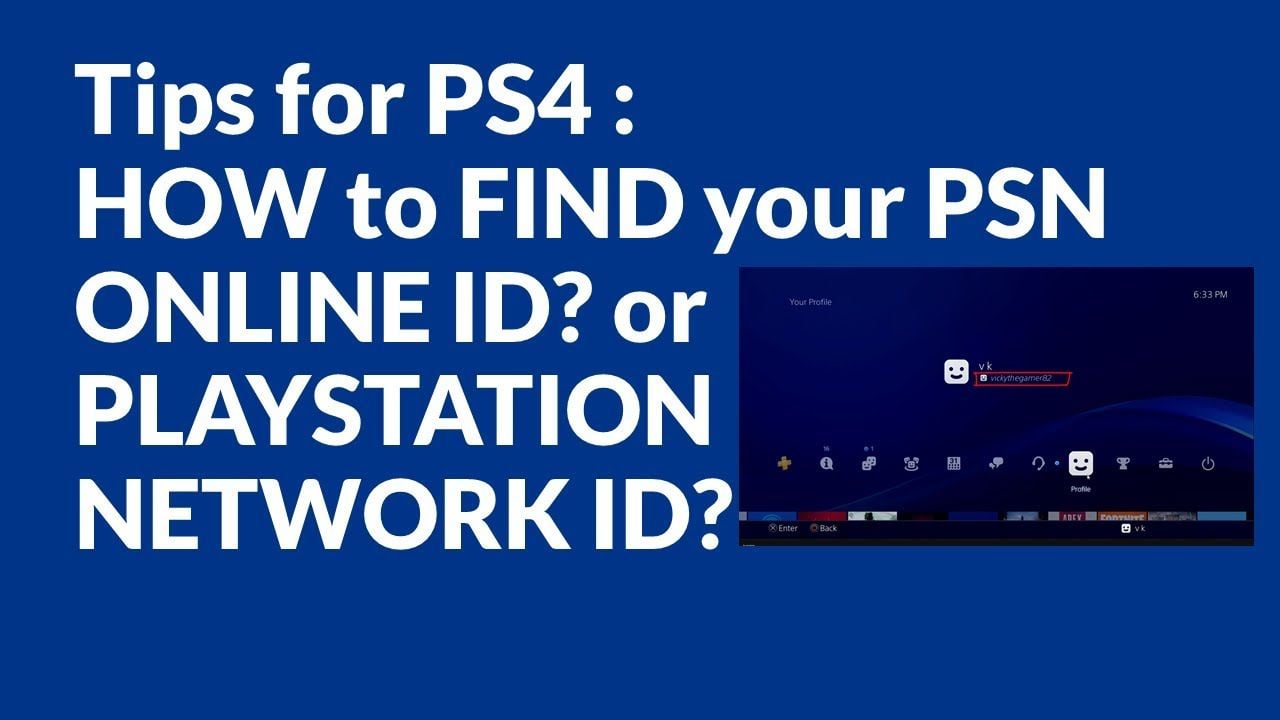
Checking Account Details via Web Browser
- Sign in to your account at
store.playstation.com. - Click on your profile avatar in the upper-right corner and select Account Settings.
- Go to Basic Information under the Account tab.
- Scroll down to verify that Country/Region displays United States.
Checking Account Details on PS5
- Open Settings from the main dashboard.
- Navigate to Users and Accounts > Account > Profile.
- Select Address to check your registered city, state, and US postal code.
Step-by-Step Instructions: How to Redeem a 12-Digit US PSN Code
US PSN codes consist of 12 alphanumeric characters. You can redeem your digital code across four different interfaces.
Redeeming on PlayStation 5 (PS5)
- Log into your US PSN user account.
- Open Settings from the top menu, then select Users and Accounts.
- Choose Account > Payment and Subscriptions > Redeem Codes.
- Enter the 12-digit code accurately and select Redeem.
- The funds will immediately transfer to your account wallet.
Redeeming on PlayStation 4 (PS4)
- Log into your US PSN profile.
- Select the PlayStation Store icon from the home screen.
- Scroll down the left sidebar menu and click Redeem Codes.
- Type in your 12-digit voucher code and select Continue to confirm.
Redeeming via Web Browser
- Visit the official PlayStation Store website and sign in with your US account credentials.
- Click your profile icon in the top right corner.
- Select Redeem Code from the drop-down menu.
- Enter your 12-digit code and click Next to finalize the balance transfer.
Redeeming via PlayStation App (iOS & Android)
- Open the PlayStation App on your mobile device and log in.
- Tap the PlayStation Store icon located at the bottom center of the screen.
- Tap the three-line menu icon in the upper-right corner and choose Redeem Code.
- Enter the 12-character code manually or scan it with your camera, then confirm.
Funding PlayStation Plus with US PSN Cards
You can use your redeemed US PSN wallet balance to purchase or extend any tier of the PlayStation Plus subscription service without linking a US credit card or domestic bank account.
Supported Subscription Tiers
- PlayStation Plus Essential: Provides online multiplayer access, monthly downloadable games, cloud save storage, and exclusive store discounts.
- PlayStation Plus Extra: Includes all Essential benefits plus access to the Game Catalog featuring hundreds of downloadable PS4 and PS5 titles.
- PlayStation Plus Premium: Includes all Extra benefits alongside classic legacy titles (PS1, PS2, PSP, PS3 cloud streaming), cloud gaming, and time-limited game trials.
How to Subscribe Using Wallet Funds
- Redeem your US PSN card to load the required USD balance into your wallet.
- Navigate to the PlayStation Plus tab on your console or web browser.
- Select your preferred membership tier and billing plan (1 month, 3 months, or 12 months).
- Proceed to checkout and select Wallet as the primary payment method to complete the transaction.
Troubleshooting Common PSN Voucher Redemption Errors
If you experience an issue when entering your voucher code, review the following troubleshooting solutions:
Error Code WC-40371-5 / WS-45485-6 (Region Mismatch or Inactive Code)
- Cause: The region of the voucher code does not match the country registered on your PSN profile, or the code has already been redeemed.
- Fix: Verify that your account region is set to the United States. Double-check your transaction history to ensure the funds were not already credited.
Error Code WS-45486-7 (Invalid Voucher Code)
- Cause: The 12-digit code was entered with typos or missing characters.
- Fix: Check for easily confused characters. PSN codes do not contain the letters I, O, or Z to prevent confusion with 1, 0, and 2. Re-enter the code carefully.
Maximum Wallet Balance Limit Reached
- Cause: Sony maintains a strict maximum wallet cap for US accounts (typically $250.00 USD).
- Fix: If the value of your new card pushes your total balance above the maximum ceiling, spend part of your existing balance before attempting to redeem the voucher again.
US PSN Denominations and Wallet Specifications
| Feature | US PSN Specification |
|---|---|
| Currency | United States Dollar (USD) |
| Code Format | 12-digit alphanumeric string |
| Account Compatibility | United States PSN Accounts Only |
| Hardware Compatibility | PS5, PS4, PS3, PS Vita, Web, PS App |
| Wallet Cap | $250.00 USD total balance limit |
| Expiration Policy | No expiration date on unredeemed funds |
Why Recharge US PlayStation Network Cards via BitTopup in 2026
BitTopup provides a direct, secure channel to purchase authentic US PlayStation Network digital cards with immediate delivery.
- Zero Account Risk: You receive an unredeemed 12-digit voucher code. You never need to provide your PSN password, login credentials, or personal verification data.
- Fast Digital Dispatch: Your code is generated and displayed on your order confirmation screen and sent to your email immediately after payment verification.
- Transparent Pricing: Check real-time pricing and denomination availability directly on the checkout screen with clear payment processing.
- Global Payment Accessibility: BitTopup supports an extensive range of secure international and local payment methods, making it straightforward to fund US accounts from anywhere in the world.
- 24/7 Support: Dedicated customer service agents are available around the clock to assist with order tracking and code redemption inquiries.
Frequently Asked Questions
How do I top up my PlayStation Network account with a US card?
To top up your account, obtain your 12-digit digital code from BitTopup, sign in to your US PSN account on your PS5, PS4, web browser, or PlayStation App, access the Redeem Code section, enter the code, and confirm. The USD balance will instantly reflect in your wallet.
Are US PlayStation Network gift cards region-locked or international?
US PlayStation Network gift cards are strictly region-locked. They can only be redeemed on PlayStation Network accounts that were registered with the United States selected as the country of residence. They cannot be redeemed on Canadian, European, UK, Asian, or other regional accounts.
Can I use a US PSN card if my console is located outside the United States?
Yes. As long as the user profile on your console is registered to the United States region, you can redeem a US PSN card and purchase games regardless of where your physical console is located. PlayStation hardware does not restrict digital account regions based on your physical location.
How do I check my PlayStation Store wallet balance after redeeming a code?
On PS5, your wallet balance displays in the top right corner of the PlayStation Store menu. On PS4, view your balance in the top right header of the store interface. On web and mobile, tap your profile avatar to view your current USD balance immediately.
Do US PlayStation Network gift cards expire?
No, US PlayStation Network gift card codes do not have an expiration date prior to redemption. Once redeemed to your account, the funds remain in your digital wallet until spent.
Can I use a US PSN card to purchase or renew PlayStation Plus subscriptions?
Yes. Your US PSN wallet balance can be applied directly to purchase or renew PlayStation Plus Essential, Extra, or Premium memberships on the PlayStation Store without requiring an attached US credit card.