Typical Delivery Time (1-30 Minutes)
Standard transactions: 95% deliver within 5 minutes
- Direct top-ups complete in under 30 seconds with optimal conditions
- Large purchases ($500+): 5-30 minutes due to fraud verification
- Peak hours: Server congestion extends processing time
- First-time payment methods: Additional authentication required
30 minutes is the industry standard maximum. Beyond this, intervention is needed.
Signs of Actual Failure
Check Settings → Wallet → Recharge History. Success means payment processed, even if diamonds aren't visible yet.
Failed transactions show:
- Payment deducted but no Chamet Recharge History entry
- Pending or Processing status beyond 30 minutes
- Error messages before payment completion
- Payment confirmation email but no Chamet record
Stuck Transaction Symptoms
Stuck transactions (40% of complaints) stem from network interruptions during payment-server handshake:
- App freezing/crashing after payment confirmation
- Bank confirmation but no in-app notification
- Diamond balance unchanged despite payment
- Transaction in bank statement but not Chamet history
Network instability causes 40% of top-up problems.
7 Immediate Fixes
Work through these sequentially for best results.
Fix #1: Wait 5-30 Minutes
Patience resolves 90% of cases automatically. During this period:
- Don't attempt additional purchases (creates duplicates)
- Keep app open, don't repeatedly refresh
- Maintain stable internet for background sync
- Check email for payment confirmations
Purchases over $500 routinely take 15-30 minutes for security checks.
Fix #2: Force Close and Restart App
Resolves 60% of remaining cases by forcing server re-sync.
iOS: Swipe up from bottom, hold, swipe Chamet upward
Android: Recent Apps → locate Chamet → swipe away
Wait 10-15 seconds before reopening to ensure complete process termination.
Fix #3: Check Internet Stability
Network problems cause 40% of failures. Test:
- Switch between Wi-Fi and mobile data
- Run speed test (minimum 3 Mbps required)
- Disable VPN services
- Move closer to router or find stronger signal
- Restart router if using Wi-Fi
Relaunch Chamet after establishing stable connection.
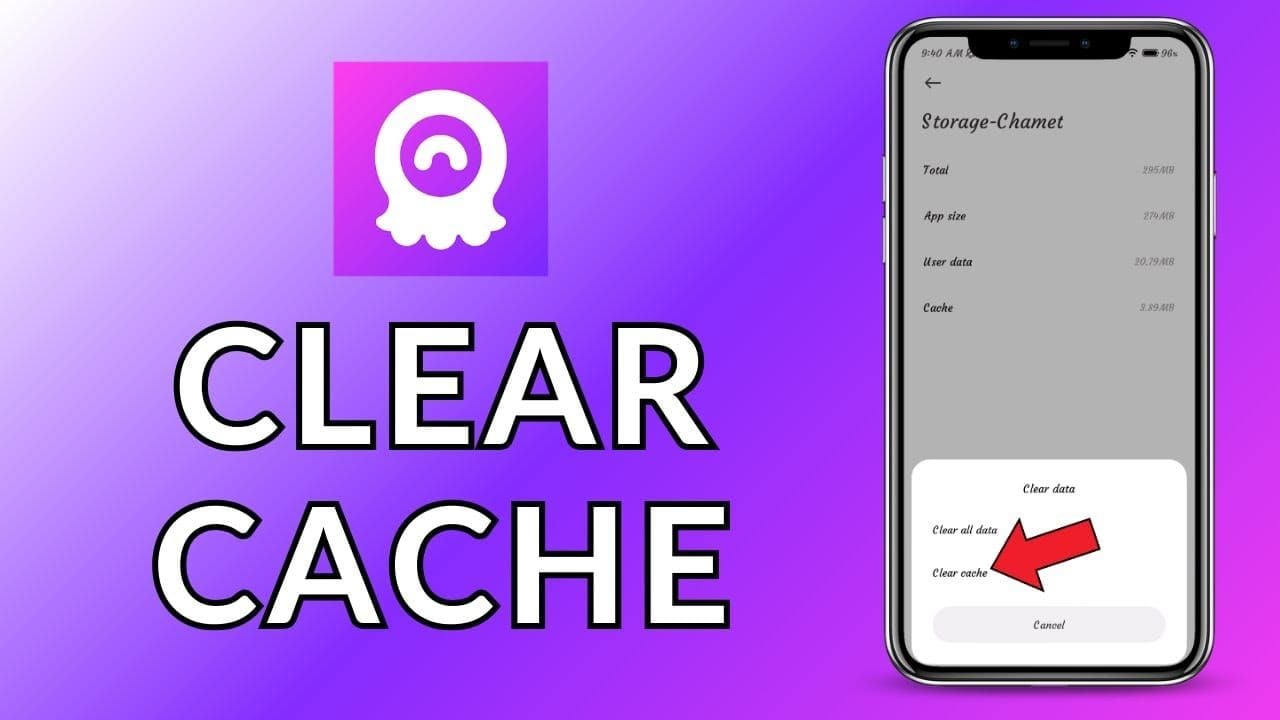
Fix #4: Clear App Cache
Corrupted cache prevents proper balance display.
Android:
Settings → Apps → Chamet → Storage → Clear Cache (not Clear Data)
iOS:
Delete app → reinstall from App Store → log in
Allow 2-3 minutes for full sync after clearing.
Fix #5: Verify Payment Processed
Check if payment actually completed:
- Review bank account for exact transaction amount
- Look for pending vs completed status
- Verify timestamp matches recharge attempt
- Confirm merchant name (Chamet or Element Colors Electronic Entertainment Limited)
- Screenshot payment confirmation
If pending beyond 24 hours, contact payment provider directly.
Fix #6: Log Out and Back In
Forces complete data refresh from central servers.
Before logging out:
- Verify phone/email linked (Settings → Account Security)
- Screenshot User ID (8-12 digits in My Profile)
- Log out → wait 15-20 seconds → log back in
15% of support requests involve users locked out after logging out without recovery methods.
Fix #7: Update App
Outdated versions contain payment bugs.
- App Store: Profile → scroll to Chamet → Update
- Google Play: Removed August 2023; use alternative sources
- APK: Download from authorized distributors
Restart device completely after updating.
Check Recharge Status
Access Transaction History

Profile icon → Settings → Transaction History
Review entries showing:
- Date and timestamp
- Diamond quantity
- Payment amount
- Transaction ID
- Current status
Status Indicators

- Success: Payment processed, diamonds should appear (refresh if not)
- Pending: Awaiting payment confirmation
- Processing: Payment confirmed, allocating diamonds
- Failed: Didn't complete; payment reverses in 3-5 days
- Refunded: Funds returning to payment source
Success with missing diamonds = display sync issue, not delivery failure.
Locate Transaction ID
Find in:
- Chamet Transaction History
- Payment provider confirmation emails
- App store receipts
- Bank statement details
Screenshot complete record with ID, timestamp, amount, status for support.
Delivery Time Expectations
Instant vs Processing Time
Instant delivery is technical capability, not guaranteed timeframe. Process involves:
- Payment authorization (2-5 seconds)
- Payment capture (5-30 seconds)
- Transaction notification (1-10 seconds)
- Diamond allocation (1-5 seconds)
- Balance sync (1-30 seconds)
Ideal conditions: under 30 seconds total.
Factors Affecting Speed
- Transaction size: $500+ triggers fraud checks (5-30 minutes)
- Account verification: Unverified accounts face delays
- Payment method: Carrier billing faster than new cards
- Server load: Peak hours create processing queues
- Network stability: Interruptions force retries (15-30 seconds each)
For consistently fast delivery, use BitTopup's instant Chamet recharge with dedicated infrastructure.
When to Worry (After 30 Minutes)
Beyond 30 minutes, automatic resolution probability drops significantly.
After 30 minutes:
- Verify Success status in Recharge History
- Confirm payment shows completed in bank
- Screenshot both Chamet history and payment confirmation
- Note User ID (8-12 digits)
- Prepare to contact support
Common Delay Causes
Payment Gateway Delays
Gateway issues manifest as:
- Payment pending beyond 10 minutes
- Authorization without capture confirmation
- Transaction in statement but not Chamet
- Duplicate authorization holds
Usually resolve within 24 hours. If bank shows completed but Chamet shows nothing, contact support.
Account Verification Issues
Unverified accounts face automatic holds. Requirements:
- Confirmed phone number
- Verified email
- Consistent account/payment info
- Completed profile (age verification in some regions)
Check Settings → Account Security before purchasing.
Server Congestion
Peak periods:
- Evenings 7-11 PM in major markets
- Weekend evenings
- Special events/promotions
- Holiday seasons
Expect 10-20 minute delays during these windows.
Network Interruption
Most problematic: payment processes but delivery fails. Occurs when connectivity drops after authorization but before server confirmation.
Indicators:
- App crash immediately after payment
- Connection lost during checkout
- Payment confirmation but app returns to home
- Transaction ID generated but no Chamet record
Requires support intervention with complete documentation.
Contact Chamet Support
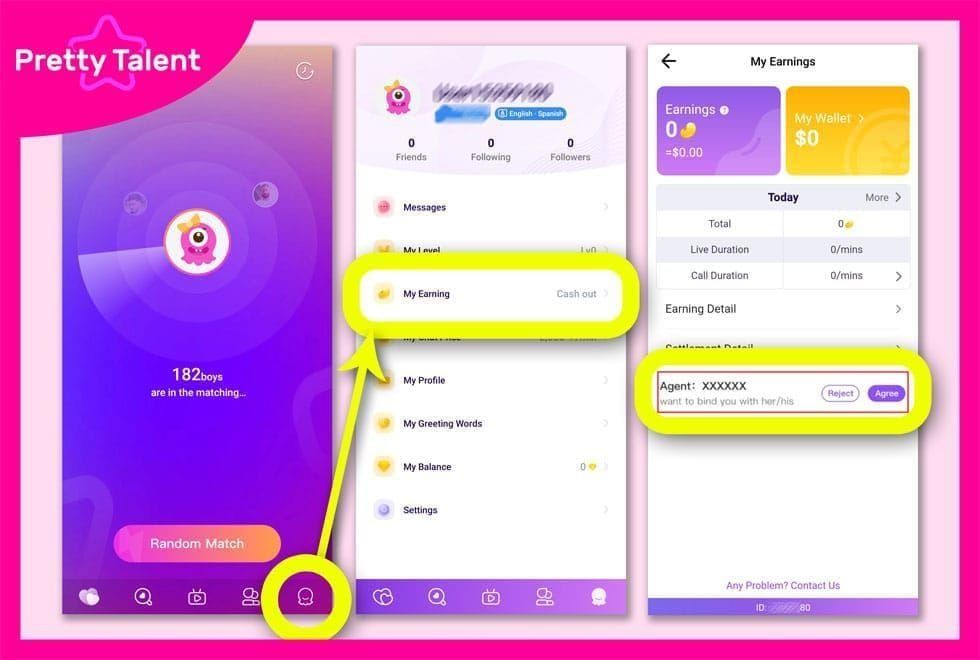
Find Support in App
Profile icon → Settings → Help & Support → Contact Us
Choose:
- Live Chat: 2-3 minute connection (faster)
- Email Support: 24-48 hour response
- Select Payment Issues for priority routing
Essential Information
Required documentation:
- Transaction ID: From Chamet Transaction History
- User ID: 8-12 digits from My Profile
- Payment confirmation: Bank/payment provider screenshot
- Timestamp: Exact date and time
- Payment amount: In local currency
- Payment method: Card (last 4 digits), app store, or platform
- Diamond balance: Before/after screenshots
- Troubleshooting attempts: List of fixes tried
Organize before contacting to avoid delays.
Response Time
- Live chat: 2-5 minute initial response, 10-30 minute investigation
- Email: 24-48 hour first response, 2-5 day resolution
- Payment issues: Priority handling, 48-hour target
Complex cases involving payment gateways: 5-7 days with 48-hour status updates.
Refund Process
Chamet has strict no-refund policy for processed virtual products, with specific exceptions.
Refund Eligibility
Qualifying:
- Payment processed, diamonds never delivered after 72 hours
- Duplicate charges
- Payment deducted but Failed status
- Charged amount exceeds package price
- Account banned before delivery
Non-qualifying:
- Diamonds delivered but used/spent
- Buyer's remorse
- Account violations
- Wrong User ID entered (40% of failures, non-refundable)
Submit Refund Request
App Store:
- Visit reportaproblem.apple.com
- Sign in with Apple ID
- Locate Chamet transaction
- Select Report a Problem → I didn't receive this item
- Attach screenshots and explanation
Google Play (removed August 2023):
- Play Store → Account → Order History
- Locate transaction → Request Refund
- Provide documentation
- Submit within 48 hours
Direct payment:
- Contact Chamet support first
- Provide complete documentation
- Wait 5-7 days for response
- If denied, initiate chargeback through payment provider
- Submit within provider's timeframe (60-180 days)
Required Documentation
Essential:
- Payment receipt with transaction ID and amount
- Chamet Transaction History screenshot
- Current diamond balance with timestamp
- User ID (8-12 digits)
- Troubleshooting timeline
- Support ticket numbers
- Bank statement showing charge
Strengthening:
- Error message screenshots
- Network logs if interruption occurred
- Video of balance not updating
- Support correspondence
Processing Timeline
App Store: 4-8 days (1-3 day review, 3-5 day posting)
Google Play: 4-14 days (immediate if within 30 minutes, otherwise 1-4 day review, 3-10 day processing)
E-wallet: 10-45 days (5-15 day investigation, 5-30 day posting)
Credit card: 60-120 days (5-10 day temporary credit, 30-90 day investigation)
Chamet's official policy: approved refunds within 30 days to original payment method.
Special Case: Payment Deducted, No Diamonds
Authorization vs Settlement
Authorization: Payment provider confirms funds, places temporary hold (appears as pending)
Settlement: Funds actually transfer to merchant, triggering delivery
Gap between phases creates deduction without delivery. Authorization holds last 3-7 days before auto-reversing if settlement fails.
Check bank statement:
- Pending = Authorization only
- Posted/Completed = Settlement occurred
If Pending beyond 48 hours, contact payment provider.
Verify Double Charges
Steps:
- Check statement for identical amounts with same timestamp
- Review Chamet History for multiple entries
- Note transaction IDs (duplicates have different IDs)
- Wait 5-7 days for auto-reversal of duplicate authorizations
- Contact provider if multiple charges post as completed
Duplicate Payment Resolution
Day 1-2:
- Screenshot all duplicates in Chamet and bank
- Note amounts, timestamps, transaction IDs
- Check if diamonds delivered for one, both, or neither
- Contact Chamet support immediately
Day 3-7 (if unresolved):
- Dispute with payment provider
- Provide duplicate evidence
- Request refund for excess transaction
- Maintain communication with both parties
Authorized resellers:
- Contact reseller within 24-48 hours
- Provide documentation
- Expect 24-72 hour resolution
- Escalate to payment provider if no response
Prevent Future Issues
Best Practices
Pre-purchase:
- Verify stable internet (3+ Mbps, preferably Wi-Fi)
- Update Chamet to latest version
- Confirm phone/email verified
- Screenshot current balance with timestamp
- Close background apps
- Ensure sufficient payment balance
During purchase:
- Keep app in foreground
- Don't switch apps or lock screen until confirmation
- Maintain stable network
- Wait for complete loading of each screen
- Review User ID carefully (8-12 digits)
Post-purchase:
- Screenshot confirmation immediately
- Note exact timestamp
- Keep app open 2-3 minutes for sync
- Check Transaction History for Success
Use Reliable Platforms Like BitTopup
BitTopup advantages:
- Specialized virtual currency infrastructure
- 24/7 gaming transaction support
- Transparent pricing, no hidden fees
- Faster delivery through optimized routing
- Comprehensive transaction tracking
- Established refund processes
- Secure payment with verified methods
Authorized resellers enable faster issue resolution with direct publisher relationships.
Pre-Recharge Checklist
Account verification (one-time):
Technical prep (each purchase):
Transaction prep:
Documentation:
Reduces user error (40% of failures from incorrect User ID).
FAQ
How long does Chamet diamond recharge take?
95% complete within 5 minutes. Standard transactions deliver under 30 seconds with stable internet and verified accounts. Large purchases ($500+) may require 5-30 minutes for security verification. After 30 minutes without delivery, troubleshooting is needed.
What if diamonds don't arrive after payment?
Wait 30 minutes (90% resolve automatically). Restart app (fixes 60% of remaining issues), verify stable internet, check Settings → Wallet → Recharge History. If Success but missing diamonds, clear cache, log out/in, verify payment in bank statement. Contact support if issues persist.
Can I get a refund?
Only for: payment processed but no diamonds after 72 hours, duplicate charges, or Failed status despite payment. No refunds for successfully delivered products. Submit through original payment method (App Store, Google Play, payment provider) with complete documentation. Approved refunds process within 30 days.
How to contact support?
Profile → Settings → Help & Support → Contact Us. Live Chat (2-5 minutes) or Email (24-48 hours). Provide User ID (8-12 digits), transaction ID, payment screenshot, timestamp, and troubleshooting steps attempted. Payment issues get priority handling.
Why payment deducted but no diamonds?
Payment authorization completes but settlement fails, creating temporary hold without transferring money. Network interruptions (40% of failures), incorrect User ID (40%), and gateway delays cause this. Check bank for Pending vs Posted - pending charges reverse in 3-7 days if settlement doesn't complete.
How to prevent recharge problems?
Ensure stable internet, update app, verify phone/email in settings, double-check User ID (8-12 digits). Use reliable platforms like BitTopup with dedicated support. Screenshot balance before purchasing, keep app in foreground throughout transaction without switching apps or locking screen.
Avoid recharge headaches! BitTopup offers instant Chamet diamond delivery with 24/7 support and guaranteed security. Get diamonds in seconds, not hours.