


PlayStation Network Card (AT) Top Up: Digital Wallet Recharge Guide
A PlayStation Network Card (AT) provides a direct, secure way to add Euro (EUR) funds to your Austrian PlayStation Store wallet. Instead of linking a credit card or bank account directly to your console, you can redeem a 12-digit prepaid digital voucher code to top up your balance instantly.
Once added to your PlayStation Network (PSN) wallet, these funds can be spent across the digital PlayStation Store on PlayStation 5, PlayStation 4, and official Sony web portals. Whether you are buying the latest digital game releases, picking up downloadable content (DLC), purchasing in-game currencies, or funding a recurring subscription, an Austrian PSN gift card gives you complete control over your gaming budget.
Austria Region Compatibility: Account Verification & Currency Requirements
Sony Interactive Entertainment enforces strict regional controls on all PlayStation Network accounts and wallet vouchers. A PlayStation Network Card designated for Austria (AT) is strictly region-locked and can only be redeemed on a PSN account where the country or region is set to Austria.
Region Compatibility Overview
| Feature | Specification |
|---|---|
| Card Region | Austria (AT) |
| Wallet Currency | Euro (EUR / €) |
| Compatible Accounts | PSN accounts registered in Austria only |
| Incompatible Accounts | Germany (DE), United Kingdom (UK), United States (US), and other non-AT regions |
| Compatible Platforms | PS5, PS4, PlayStation App (iOS/Android), Web Browser |
| Expiration | Code does not expire prior to redemption |
Even though neighboring countries like Germany share the Euro currency and the German language, a German PSN account will reject an Austrian PSN code. Always confirm that your account country is registered as Austria before purchasing.
How to Verify Your PSN Account Country
To ensure your voucher will work, confirm your registered account country before completing your order:
- Go to
store.playstation.comon a web browser and sign in to your Sony account. - Click your profile avatar in the upper right corner and select Account Settings.
- In the left-hand menu, click Account Details / Location.
- Check the Country/Region field. It must display Austria (Österreich).
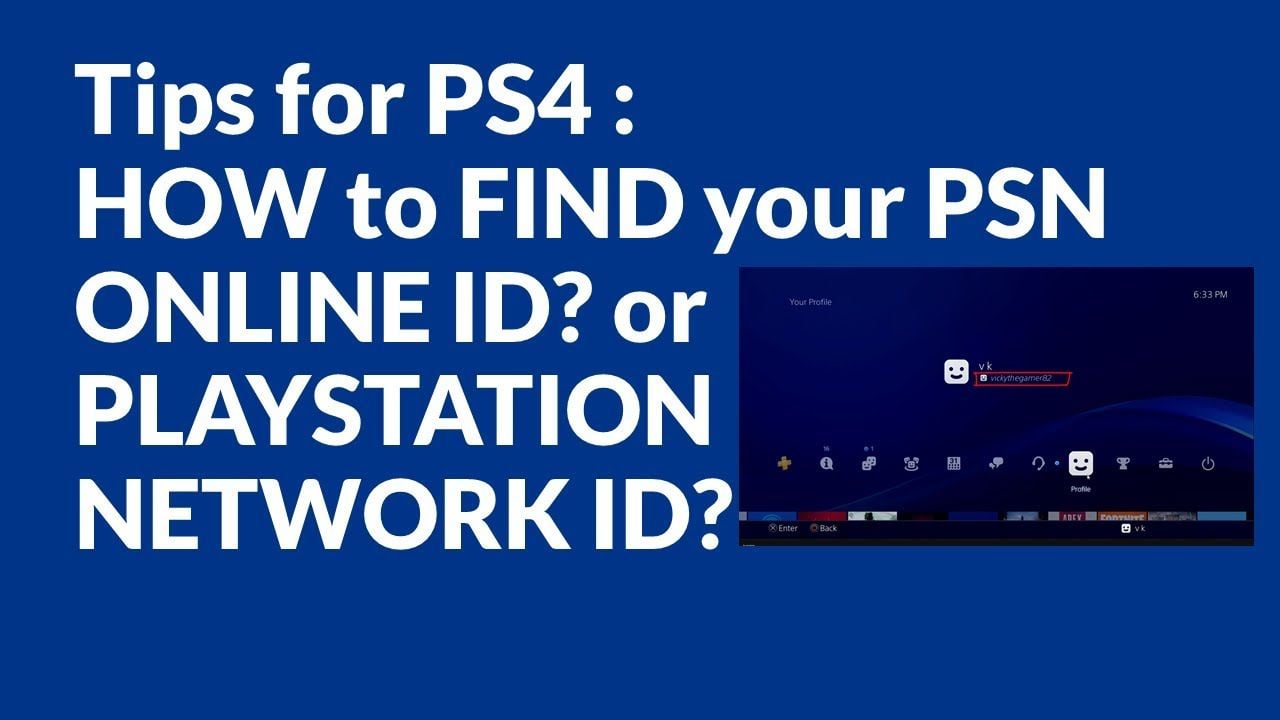
If your account is registered to another country, you will need to log into an Austrian PSN profile to redeem an AT voucher code.
How to Redeem PlayStation Network Card (AT) on PS5, PS4, App, and Web Browser
Redeeming your 12-digit digital code is straightforward across all PlayStation platforms. Once redeemed, the funds appear in your wallet balance immediately.
Method 1: Redeem on PlayStation 5 (PS5)
- Turn on your PS5 and log into your Austrian user profile.
- Open the Settings menu (gear icon at the top right of the home screen).
- Navigate to Users and Accounts > Account.
- Select Payment and Subscriptions > Redeem Codes.
- Enter your 12-digit voucher code carefully without hyphens or spaces.
- Select Redeem. The Euro funds will credit to your wallet instantly.
Method 2: Redeem on PlayStation 4 (PS4)
- Log into your Austrian PSN profile on your PS4 console.
- Open the PlayStation Store from the main dashboard.
- Scroll down the left sidebar menu and click Redeem Codes.
- Type in your 12-digit code using the on-screen keyboard.
- Press Continue to confirm the wallet balance update.
Method 3: Redeem via the PlayStation App (iOS & Android)
- Open the official PlayStation App on your smartphone and sign in.
- Tap the PlayStation Store icon located at the bottom center of the screen.
- Tap the menu icon (three horizontal lines) in the top right corner.
- Select Redeem Code.
- Enter the 12-digit voucher code manually or use your camera to scan the code.
- Confirm to apply the balance to your account.
Method 4: Redeem via Web Browser
- Open your web browser on a PC, Mac, or mobile device and go to
store.playstation.com. - Sign in with your Austrian PSN account credentials.
- Click your profile avatar in the top right corner of the page.
- Select Redeem Code from the drop-down menu.
- Enter the 12-digit alphanumeric code and click Next / Redeem.
What You Can Buy with PSN Wallet Balance: Games, DLCs, and PS Plus
Topping up your wallet balance gives you total flexibility across the entire PlayStation ecosystem without storing credit card details online.
- Full Digital PS5 & PS4 Games: Purchase digital editions of major AAA titles, indie releases, and pre-orders directly from the Austrian PlayStation Store.
- Game Add-ons & Season Passes: Expand your gaming library with downloadable expansions, multiplayer map packs, character skins, and story DLCs.
- In-Game Currencies: Buy virtual currencies directly through game stores, including EA Sports FC Points, Fortnite V-Bucks, Call of Duty COD Points, and GTA Online Shark Cards.
- PlayStation Plus Memberships: Use your stored wallet balance to pay for or renew any tier of the PlayStation Plus subscription (Essential, Extra, or Premium). The store automatically deducts the subscription cost from your available wallet balance before charging any secondary payment method.
Benefits of Recharging PSN Card (AT) via BitTopup
When buying your digital gaming credit online, BitTopup provides a reliable and streamlined experience designed for players:
- Instant Digital Delivery: Your 12-digit PSN voucher code is generated and displayed on your order confirmation screen and sent directly to your email address right after checkout completion.
- Zero PSN Password Risk: You never have to share your PlayStation account login details or password. You receive the raw voucher code to redeem on your own device independently.
- Flexible, Localized Payment Options: Choose from a wide variety of safe payment methods available directly at checkout, ensuring a smooth transaction from anywhere.
- 24/7 Dedicated Support: If you have questions about code delivery or need help checking your redemption status, the BitTopup customer support team is available around the clock to assist you.
Troubleshooting Guide: Resolving Common PSN Code Redemption Errors
If you run into an issue when entering your voucher code, consult the following error code breakdown:
Error Code WS-45485-6 (Region Mismatch or Inactive Code)
This error indicates that the voucher code does not match the regional configuration of your PlayStation Network account. Verify that your account is registered to Austria. If you are attempting to redeem an Austrian code on a German, Swiss, or UK account, the store will block the transaction.
Error Code WC-40376-0 (Invalid Code or Syntax Error)
This error occurs when the code is mistyped or cannot be recognized by the system. Double-check your code for common character confusions:* Number 0 vs letter O* Number 1 vs capital letter I* Number 8 vs capital letter B
Ensure that you have entered all 12 characters with no accidental spaces before or after the code string.
Error: "This code has already been redeemed"
If the store states the code has been used, check your transaction history. Go to Settings > Users and Accounts > Account > Payment and Subscriptions > Transaction History to verify if the funds were credited on an earlier attempt. If the funds do not show, restart your console to refresh your wallet cache.
Frequently Asked Questions
How do I top up my PlayStation Network account with an AT card?
Purchase a PlayStation Network Card (AT) voucher from BitTopup. Once your order is complete, copy the 12-digit code provided on your screen or in your confirmation email. Open the PlayStation Store on your PS5, PS4, PlayStation App, or web browser, select Redeem Code, type in the 12-digit voucher, and confirm to add the funds to your Austrian wallet balance.
Can I use an Austrian PSN card on a German or other European PlayStation account?
No. PlayStation Network voucher codes are strictly locked to the specific country where the account was registered. An Austrian (AT) PSN card will only redeem on an Austrian PlayStation Network account. It will not work on accounts registered to Germany, the UK, the US, or any other country.
How do I add money to my PlayStation Network wallet without a credit card?
Prepaid PlayStation Network digital cards allow you to fund your wallet balance completely without linking a personal credit card or bank account. You simply purchase the digital voucher on BitTopup using your preferred payment method at checkout, then redeem the 12-digit code directly onto your console.
Can I use a PlayStation Network Card (AT) to pay for a PS Plus subscription?
Yes. When you purchase a PlayStation Plus subscription (Essential, Extra, or Premium) through the Austrian PlayStation Store, the system automatically uses your available wallet balance first. Ensure your wallet balance equals or exceeds the total subscription price (including applicable taxes) to cover the purchase.
Do PlayStation Network gift card codes or wallet funds expire?
Digital voucher codes issued for the PlayStation Network do not expire prior to redemption. Once redeemed to your account, your wallet balance remains available until you choose to spend it on digital games, add-ons, or subscriptions.
What should I do if my 12-digit PSN voucher code is showing as invalid or already redeemed?
First, re-type the 12 digits carefully to ensure there are no typos, paying close attention to similar-looking numbers and letters. Check your account's Transaction History on your console or web browser to confirm whether the balance was already added. If the issue persists, reach out to BitTopup customer support with your order number for verification assistance.