


PlayStation Network Card SG Top Up and SGD Wallet Overview
A PlayStation Network Card (SG) is a prepaid digital voucher used to add funds directly to your Singapore PlayStation Store wallet. Designed for PlayStation 5, PlayStation 4, and PlayStation App users, these Singapore Dollar (SGD) vouchers provide a secure way to purchase digital games, downloadable content (DLC), season passes, in-game currency, and recurring online service memberships without linking a personal credit card or bank account to your Sony profile.
Digital voucher codes consist of 12 alphanumeric characters. Once redeemed, 100% of the card face value is credited instantly to your account balance with zero deductions. You can use your balance immediately across the digital PlayStation Store ecosystem.
| Denomination (SGD) | Typical Usage Scenario | Applicable Content |
|---|---|---|
| SGD 10 – SGD 20 | Microtransactions & Add-ons | Battle Passes, skin bundles, virtual currencies |
| SGD 30 – SGD 50 | Mid-tier & Indie Releases | Digital indie titles, expansion packs, season passes |
| SGD 80 – SGD 100+ | Full AAA Releases & Subscriptions | 2026 blockbuster launches, PlayStation Plus multi-month plans |
How to Check Your PlayStation Network Account Region and Country Settings
PlayStation Network digital codes are strictly region-locked. A PlayStation Network Card (SG) denominated in SGD can only be redeemed on a PSN account whose registered country or region is set to Singapore.
Before purchasing or redeeming your digital code, verify your account region:
- Open your web browser and sign in to your Sony account management portal at
account.sonyentertainmentnetwork.com. - Select Account from the left navigation bar, then click Account Details.
- Scroll down to the Country / Region section.
- Confirm that the country displays Singapore and the currency is set to SGD.
- On a PS5 console, go to Settings > Users and Accounts > Account > Payment and Subscriptions > Transaction History to confirm your store currency is SGD.
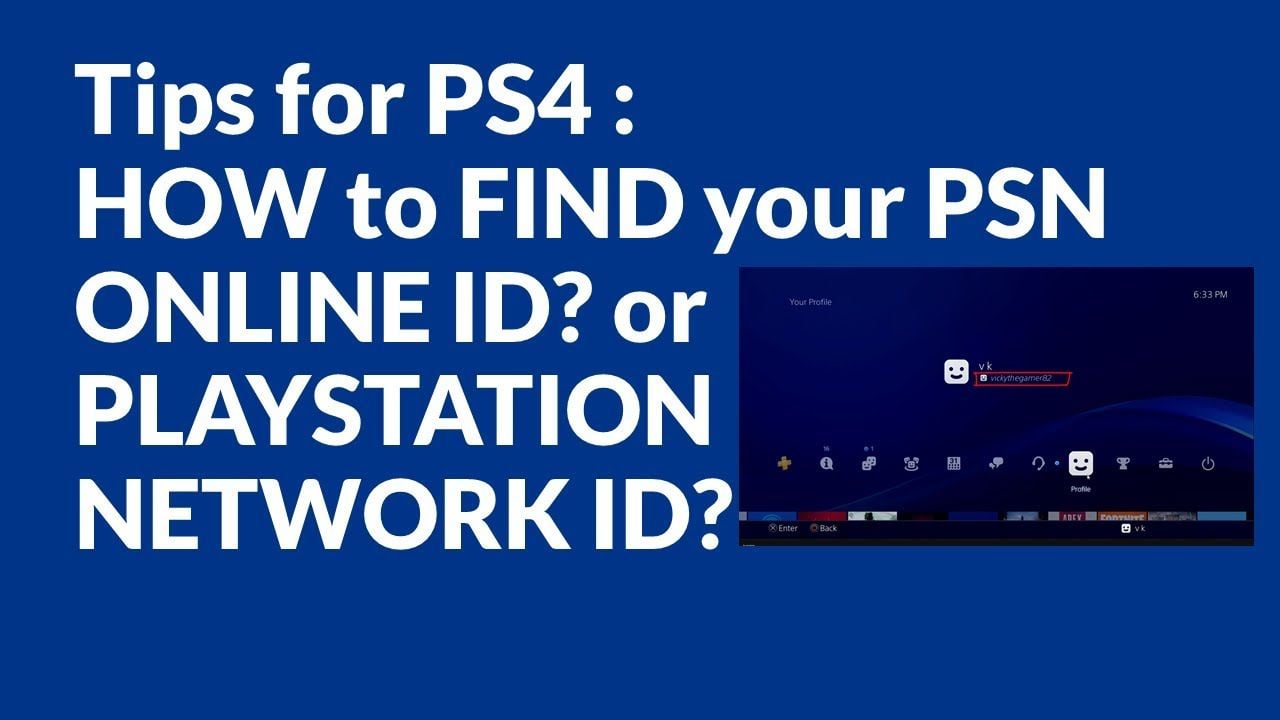
Note: Sony does not allow users to change the country or region of an existing PSN account. If your account is registered to another region, you must log into a Singapore-specific PSN account to redeem an SGD voucher.
Step-by-Step Guide: How to Redeem PSN Codes on PS5, PS4, PlayStation App, and Web
Redeeming your 12-digit digital voucher is straightforward across all PlayStation hardware, mobile apps, and web interfaces.
Method 1: Redeeming on PlayStation 5
- Turn on your PS5 and sign in to your primary Singapore PSN user profile.
- From the home screen, select Settings (gear icon in the top-right corner).
- Navigate to Users and Accounts > Account > Payment and Subscriptions.
- Select Redeem Code.
- Enter your 12-digit PSN voucher code precisely without hyphens or spaces.
- Select Redeem. The SGD funds will instantly reflect in your wallet balance.
Method 2: Redeeming on PlayStation 4
- Turn on your PS4 and log in to your Singapore PSN profile.
- Open the PlayStation Store from the main menu.
- Scroll down the left sidebar to the bottom and select Redeem Codes.
- Type in your 12-digit code using the on-screen keyboard.
- Press Continue to confirm the wallet top up.
Method 3: Redeeming via the PlayStation App (iOS & Android)
- Open the PlayStation App on your smartphone and log in.
- Tap the PlayStation Store icon located at the bottom center of the display.
- Tap the Menu icon (three horizontal lines) in the upper-right corner.
- Tap Redeem Code.
- Enter the 12-digit code manually or scan the text, then confirm the redemption.
Method 4: Redeeming via Desktop Web Browser
- Go to
store.playstation.comon your PC, Mac, or mobile browser. - Sign in to your Singapore PSN account.
- Click your Profile Avatar in the top-right corner of the webpage.
- Click Redeem Code from the drop-down menu.
- Enter your 12-digit voucher code and select Next to credit your wallet.
Using PSN SGD Wallet Funds for Games, DLCs, and 2026 PlayStation Plus Plans
Once funds are credited to your Singapore PSN wallet, they can be spent across the digital catalog. PlayStation Store balances do not have an expiration date after they have been successfully deposited into an active account.
2026 PlayStation Plus Subscriptions
You can use your SGD wallet balance to subscribe to or renew any of the active PlayStation Plus tiers:* PlayStation Plus Essential: Includes online multiplayer access, monthly downloadable games, cloud saves, and exclusive store discounts.* PlayStation Plus Extra: Includes all Essential benefits plus access to the expansive Game Catalog featuring hundreds of downloadable PS4 and PS5 titles.* PlayStation Plus Deluxe: The premier plan available in Singapore, combining all Essential and Extra perks with the Classics Catalog (PS1, PS2, and PSP titles), remastered games, and time-limited Game Trials.
Digital Games, Pre-orders, and In-Game Items
- Full Game Purchases & Pre-Orders: Pre-load upcoming releases directly to your console storage so they are ready to launch at midnight.
- DLCs and Expansions: Pick up story expansions, weapon packs, and season passes.
- Virtual Currencies: Top up in-game wallets for popular live-service titles, including V-Bucks, COD Points, and sports simulator points.
Singapore PSN Account Region Compatibility and Country Lock Rules
Sony Interactive Entertainment enforces strict regional barriers on all digital codes and content compatibility:
- Currency Matching: Only SGD cards can fund Singapore accounts. USD, MYR, HKD, or JPY cards will be rejected by the Singapore PlayStation Store.
- DLC Compatibility: In order to use DLC purchased on the Singapore PlayStation Store, your base game (whether digital or physical disc) must match region code Region 3 (Southeast Asia) or Singapore CUSA/PPSA product IDs. Downloadable content purchased with SGD funds will not function if installed on a base game disc sourced from Region 1 (North America) or Region 2 (Europe).
PlayStation Store Wallet Limits and SGD Balance Rules
Keep the following wallet restrictions in mind when topping up your balance:
- Maximum Wallet Balance Limit: The PlayStation Store sets a hard cap of SGD 500 on individual account wallets in Singapore at any single time.
- Stacking Restrictions: If adding a voucher code causes your total balance to exceed SGD 500, the transaction will fail. You must spend a portion of your existing balance before redeeming additional high-value cards.
- No Cash Refunds: Once redeemed, wallet funds cannot be transferred to another PSN account, refunded back to a payment method, or converted into cash.
- Sub-Accounts and Family Management: Child accounts do not possess individual wallets; they draw funds from the Family Manager's wallet based on monthly spending limits configured in the Family Management settings.
Why Recharge PlayStation Network Cards on BitTopup
BitTopup provides a streamlined, dependable solution for digital gaming vouchers:
- Instant Digital Delivery: Your 12-digit PSN voucher code is delivered instantly upon payment confirmation, viewable directly inside your BitTopup user dashboard and sent to your email address.
- Total Account Security: You never need to share your PlayStation account email, login credentials, or password. You receive a standalone digital key to redeem independently.
- Transparent Checkout: View exact rates and denomination values clearly on the product page before completing checkout, with complete pricing transparency.
- Reliable Support: Access dedicated customer service available 24/7 to resolve code verification questions or redemption assistance.
Troubleshooting Common PSN Voucher Code Errors and Issues
If you experience an issue when entering your 12-digit code, follow these troubleshooting steps:
Error: "The code you entered may not be correct or may no longer be valid"
- Check for Typo Errors: Carefully inspect characters that look similar. Avoid mixing up the number
0with the letterO, the number1with the letterI, or the number5with the letterS. - Verify Regional Matching: Confirm that your console or browser is logged into an account registered to Singapore.
Error: "The funds could not be added to your wallet"
- Check Wallet Limit: Verify if the incoming amount will push your current balance over the SGD 500 limit. Spend down your existing funds and retry.
- Network Stability: Occasionally, PlayStation Network server maintenance creates temporary redemption timeouts. Check the official PSN Service Status page and retry after a short wait.
Error: "Code has already been redeemed"
- Review Transaction History: Go to Settings > Users and Accounts > Account > Payment and Subscriptions > Transaction History to confirm whether the funds were already credited during a previous attempt or by a family member sharing the console.
Frequently Asked Questions
How do I top up my PlayStation Network account with a digital code?
To top up your balance, purchase a PlayStation Network Card (SG) on BitTopup. Receive your 12-digit voucher code, open the PlayStation Store on your PS5, PS4, mobile app, or browser, select Redeem Code, type in the 12 characters, and click confirm. The SGD value will immediately credit to your PSN wallet.
Can I use a PlayStation Network Card (SG) on a non-Singapore PSN account?
No. PlayStation voucher codes are region-locked. An SGD card is strictly valid only on PlayStation Network accounts that were registered with Singapore as their home country.
Can I use PlayStation Network Card funds to pay for PlayStation Plus subscriptions?
Yes. Once the voucher code adds SGD funds to your PlayStation Store wallet, you can use that balance to pay for any PlayStation Plus plan, including Essential, Extra, and Deluxe tiers, as well as handle recurring renewal fees as long as sufficient wallet balance remains.
What is the maximum wallet balance allowed on a Singapore PSN account?
The maximum wallet balance permitted on a Singapore PSN account at any given time is SGD 500. You cannot redeem a code if the added value causes your balance to surpass this threshold.
Can I check my PSN gift card balance or convert it to cash?
You can view your total active wallet balance by signing into the PlayStation Store on your console, app, or web profile. However, unredeemed card balances are fixed to the denomination purchased, and wallet funds cannot be refunded, transferred between accounts, or converted into physical cash.
Why is my 12-digit PSN voucher code showing as invalid or already used?
An invalid code error usually stems from a typographical mistake (confusing numbers and letters), an account region mismatch (attempting to redeem an SGD code on a non-Singapore account), or exceeding the SGD 500 wallet limit. If it displays as already used, check your transaction history on your Sony account to verify if the top up completed earlier.