


PlayStation Network Card (ID) Top Up: Overview and Wallet Balance Uses
A PlayStation Network Card (ID) is a digital prepaid voucher designed specifically for accounts registered in Indonesia. When redeemed, the voucher deposits Indonesian Rupiah (IDR) directly into your PlayStation Network (PSN) digital wallet. This balance gives you direct purchasing power across the official PlayStation Store without linking a personal credit card or bank account to your console.
Once funds are loaded into your PSN ID wallet, you can use them across multiple PlayStation consoles (PS5, PS4, and legacy platforms linked to the same account) to purchase:
- Full Digital Games: Buy the latest PS5 and PS4 digital releases, pre-orders, and indie titles.
- Downloadable Content (DLC): Purchase expansions, season passes, cosmetics, and item packs.
- In-Game Currencies: Top up virtual balances including FC Points, Fortnite V-Bucks, Genshin Impact Genesis Crystals, and Call of Duty Points.
- PlayStation Plus Memberships: Pay for Essential, Extra, or Deluxe subscription tiers directly using your wallet balance.
- Digital Rentals & Purchases: Buy or rent movies and multimedia content where available on the PlayStation platform.
Indonesian Region Lock Policy: Why Account Country Matters
Sony Interactive Entertainment enforces strict region-locking policies across the PlayStation Network ecosystem. Every PSN account is permanently tied to the country or region chosen during account creation. Currency conversion between regions is not supported.
Critical Region Lock Rules
- Country Match Required: PlayStation Network Cards for Indonesia (ID) can only be redeemed on an Indonesian PSN account with wallet currency displayed in Indonesian Rupiah (IDR).
- No Cross-Border Redemption: An Indonesian voucher code cannot be redeemed on US, UK, Singaporean (SG), Japanese, or European PSN accounts.
- Permanent Region Assignment: Sony does not allow users to change the country/region of an existing PSN ID. If your main account is registered to another country, you must either create an Indonesian PSN account or purchase a gift card matching your account's specific region.
PSN ID Denominations and PlayStation Plus Compatibility
PlayStation Network Card (ID) vouchers come in fixed IDR denominations to match standard PlayStation Store price points. Below is a breakdown of common card values and their typical uses.
| Denomination (IDR) | Typical Use Case on PlayStation Store (ID) |
|---|---|
| IDR 100,000 | Microtransactions, indie titles, battle passes, game DLC add-ons |
| IDR 400,000 | Mid-tier game releases, season passes, PlayStation Plus 1-Month / 3-Month plans |
| IDR 600,000 | Standard digital games, major DLC expansions, PS Plus Extra extensions |
| IDR 1,000,000+ | AAA full-game pre-orders, Deluxe editions, PlayStation Plus 12-Month Deluxe memberships |
PlayStation Plus Subscription Compatibility in Indonesia
Indonesia offers three tiers of the PlayStation Plus subscription service: Essential, Extra, and Deluxe (Deluxe replaces Premium in regions without cloud streaming). You can use your IDR PSN wallet balance to fund any of these tiers. Ensure your wallet balance meets or exceeds the total subscription cost including local taxes before confirming the plan on the PlayStation Store.
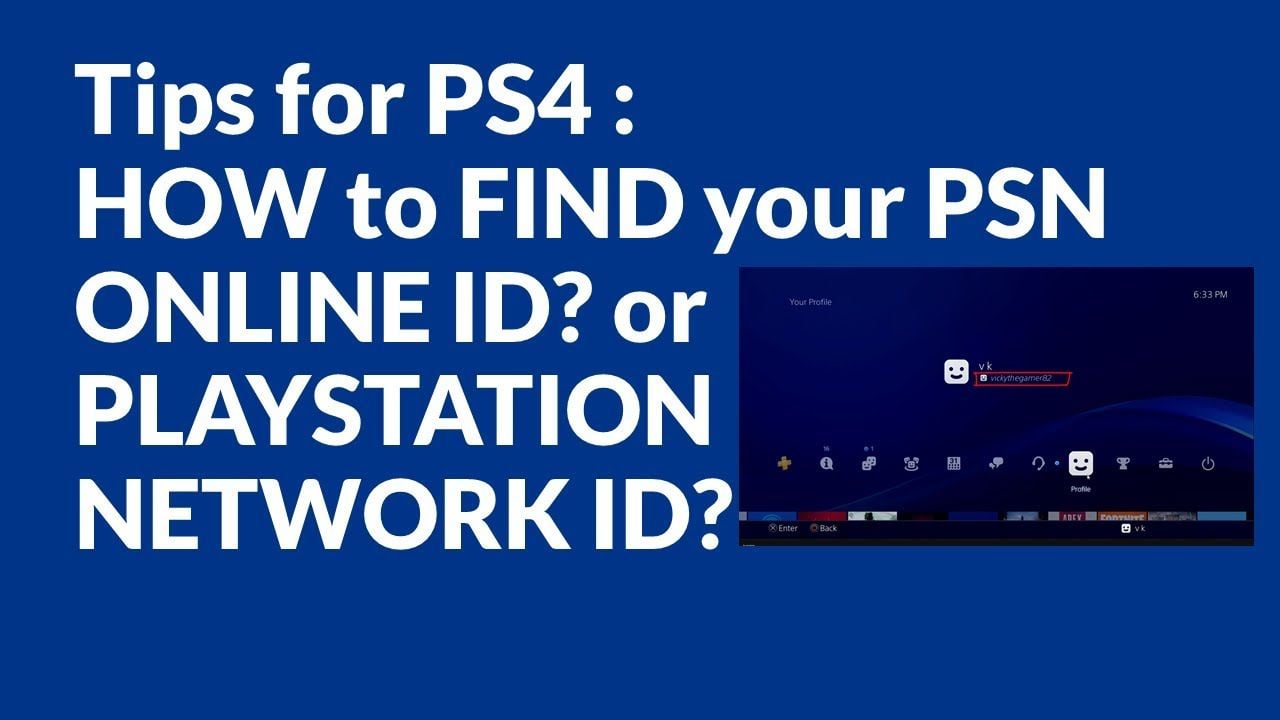
How to Verify Your Account Country and Find Your PSN ID
Before purchasing a voucher, confirm that your PSN account is registered to the Indonesian region to avoid code redemption errors.
Check Account Region via Web Browser
- Go to the official PlayStation website (
playstation.com) and sign in. - Click on your profile avatar in the upper right corner and select Account Settings.
- Under the Basic Information tab, look at the Country/Region field.
- Confirm that the country is listed as Indonesia.
Check Account Region on PS5
- From the PS5 home screen, open Settings (gear icon).
- Select Users and Accounts > Account > Payment and Subscriptions.
- Select Payment Methods or Transaction History; the default currency should be displayed in IDR (Rp).
Check Account Region on PS4
- On your PS4 dashboard, go to Settings.
- Navigate to Account Management > Account Information > Address.
- Verify that the country listed is Indonesia.
Step-by-Step Guide to Redeem PSN Codes on PS5, PS4, and Web
PlayStation Network vouchers consist of a 12-digit alphanumeric code. Follow the steps below for your preferred platform to credit the funds to your wallet.
[Receive 12-Digit Code] ➔ [Open PlayStation Store] ➔ [Select Redeem Code] ➔ [Enter Code & Confirm]Redeeming on PlayStation 5
- Power on your PS5 and log into your Indonesian user profile.
- Go to Settings > Users and Accounts > Account.
- Select Payment and Subscriptions > Redeem Code.
- Carefully enter the 12-digit code without hyphens or spaces.
- Select Redeem. The funds will instantly appear in your PSN ID wallet balance.
Redeeming on PlayStation 4
- Open the PlayStation Store from the PS4 home screen.
- Scroll down the left-hand sidebar menu to the bottom and select Redeem Codes.
- Type in the 12-digit voucher code.
- Press Continue to confirm the addition of funds.
Redeeming via Web Browser or PlayStation App
- Open your browser and navigate to
store.playstation.com(or open the PS App on iOS/Android). - Sign in to your Indonesian PSN account.
- Click your profile avatar at the top of the screen.
- Select Redeem Code from the drop-down menu.
- Type the 12-digit code into the box and click Next / Redeem.
Troubleshooting PSN Voucher Redemption Issues and Code Errors
If you run into an issue while redeeming your card, use these targeted troubleshooting steps:
- Error: Code is Inactive or Invalid (WS-45485-6 / WC-40371-5): Verify that every character was entered correctly. Common typographical errors include confusing the letter
Owith the number0, the letterIwith the number1, or the letterBwith the number8. - Error: Region Mismatch (WC-40376-0): The region of the voucher does not match your account's country. Confirm that your account country is set to Indonesia.
- Error: Code Already Redeemed: Check your PSN transaction history via Settings > Account Management > Transaction History. If the funds reflect there, the redemption was already processed.
- Error: Maximum Wallet Balance Exceeded: Sony imposes a maximum cap on PSN wallet balances. If redeeming the card pushes your balance over the allowable limit, spend a portion of your existing balance before trying again.
- PlayStation Network Maintenance: Temporary network interruptions can prevent code validation. Check status.playstation.com to verify that Account Management services are online.
Safe and Fast PSN ID Recharge Process on BitTopup
BitTopup provides a direct, secure route for purchasing digital PlayStation Network Cards for Indonesia.
- Direct Digital Delivery: Your 12-digit code is generated and delivered immediately after payment confirmation.
- Zero Account Risk: BitTopup will never ask for your PSN account login, password, or security questions. You receive the code and redeem it yourself inside your own console or app.
- Multiple Secure Payment Methods: Choose from standard, reliable digital payment channels displayed during checkout.
- Transparent Live Checkout: Check live IDR pricing and card denominations directly on the BitTopup product page.
- 24/7 Customer Support: If you ever experience issues receiving your code, customer support is available around the clock to assist.
How to Order on BitTopup
- Select your desired PlayStation Network Card (ID) denomination from the list.
- Enter your valid email address to receive order details and digital code delivery.
- Review the order and select your preferred payment method.
- Complete the transaction.
- Copy your 12-digit code from the order confirmation page or confirmation email and redeem it on your Indonesian PSN account.
Frequently Asked Questions
Can I use a PlayStation Network Card (ID) on a US or non-Indonesian PSN account?
No. PlayStation Network vouchers are strictly region-locked. An Indonesian (ID) card can only be redeemed on an account whose country is set to Indonesia with IDR as the store currency.
How do I add funds to my PlayStation Network account using a voucher code?
Go to the PlayStation Store on your PS5, PS4, or web browser, select Redeem Code from the account menu, enter the 12-digit alphanumeric code received from BitTopup, and confirm the redemption.
Do PlayStation Network (ID) gift cards expire?
Digital PSN voucher codes generally do not expire. However, it is best practice to redeem the code onto your PlayStation account as soon as you receive it so the funds remain safe inside your wallet.
How do I check my PSN wallet balance after redeeming a card?
On PS5, go to Settings > Users and Accounts > Account > Payment and Subscriptions > Payment Methods. On PS4 or web, your current wallet balance appears in the upper right corner of the PlayStation Store interface.
Can I buy a PlayStation Plus subscription with PSN ID wallet funds?
Yes. Once your voucher code is redeemed and the IDR funds are in your wallet, you can purchase PlayStation Plus Essential, Extra, or Deluxe plans directly from the PlayStation Store. Make sure your total wallet balance covers the entire subscription price.
What should I do if my 12-digit PSN voucher code is not working?
First, verify that your account region is Indonesia and double-check all 12 digits for typos. If the issue persists, check the official PSN server status page or reach out to BitTopup customer support with your order number for verification.