

Quick Dunk City Dynasty Top Up for Instant In-Game Tokens
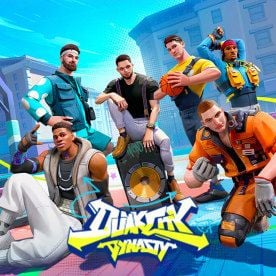
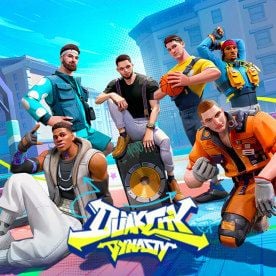
Dunk City Dynasty brings streetball action to mobile devices, featuring officially licensed NBPA superstars, signature moves, and fast 3v3 half-court competition. To unlock premier basketball talent, upgrade player attributes, and equip custom streetwear, you need in-game tokens. BitTopup provides a direct, secure Dunk City Dynasty top up service designed to credit your game balance directly using only your Player ID and server selection.
Whether you are building a roster around elite shooters or defensive anchors, getting your tokens quickly ensures you never miss limited-time recruitment banners or competitive seasonal events.
Why Choose BitTopup for Dunk City Dynasty Token Recharge
BitTopup focuses on buyer security, speed, and clear checkout processing. When you purchase your tokens here, you benefit from:
- Direct ID-Only Delivery: You only provide your numeric Player ID and server. You never share your account login, password, or third-party linking credentials.
- Fast Order Fulfillment: Orders are processed automatically as soon as payment is confirmed, sending tokens straight to your in-game mailbox or direct balance.
- Live Competitive Pricing: Dynamic rates are shown directly on the live checkout screen, giving you full visibility of available token bundles with no surprise checkout fees.
- 24/7 Customer Support: If you ever have a question about your order status or transaction verification, our dedicated customer support team is available around the clock to assist you.
Dunk City Dynasty Top-Up Specifications
| Feature | Details |
|---|---|
| Product Name | Dunk City Dynasty Tokens |
| Supported Server | Rucker (Global) |
| Required Account Info | In-game Player ID (UID) + Server Selection |
| Delivery Method | Direct In-Game Crediting |
| Safety Standard | 100% Password-Free UID Recharge |
| Primary Uses | Player Recruitment, Talent Upgrades, Streetwear, Battle Pass |
How to Find Your Dunk City Dynasty Player ID and Server
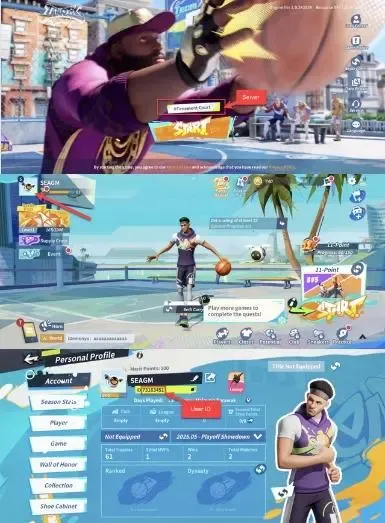
To ensure your Dunk City Dynasty tokens arrive without delay, make sure you enter the correct Player ID associated with your active game profile. Follow these quick steps to locate your details:
- Launch Dunk City Dynasty on your mobile device.
- Tap your Avatar Profile icon located in the upper-left corner of the main lobby screen.
- Open the Basic Info tab to view your player profile.
- Locate your Player ID (a series of numbers displayed under your nickname).
- Tap the copy icon next to your Player ID to copy it directly to your clipboard.
- Confirm your active server (e.g., Rucker) before entering it into BitTopup.
Step-by-Step Guide to Recharge Dunk City Dynasty Tokens
Recharging your account on BitTopup takes only a couple of minutes. Follow this walkthrough to complete your order:
- Select Your Token Denomination: Choose the token package that matches your recruitment or upgrade needs from the catalog above.
- Input Your Player ID: Paste your numeric Player ID into the designated input field.
- Select Server: Choose your active server (e.g., Rucker).
- Proceed to Checkout: Review your entered details to confirm the ID matches your in-game profile.
- Select Payment Method & Pay: Pick your preferred payment option from the available global channels and complete the secure transaction.
- Receive Your Tokens: Return to Dunk City Dynasty. Check your in-game token balance or system mailbox to confirm receipt.
What Are Dunk City Dynasty Tokens Used For (NBPA Stars, Skills, and Fashion)
Tokens act as the premium currency in Dunk City Dynasty, giving you direct access to the core progression and customization systems in the game:
1. Recruiting NBPA Superstars
Premium player draws require tokens or vouchers purchased with tokens. Acquiring top-tier talent gives you access to signature skills, step-back threes, power dunks, and elite defensive kits necessary for climbing ranked divisions.
2. Talent Trees and Skill Enhancements
Every basketball star in Dunk City Dynasty possesses unique talent nodes that boost stamina, shot contest resistance, steal success rates, and movement speed. Tokens allow you to purchase training materials and talent cards to maximize your players' court effectiveness.
3. Outfits, Sneakers, and Court Cosmetics
Streetball culture is defined by style. Use tokens to purchase exclusive streetwear bundles, legendary sneakers, player accessories, custom entrance animations, and unique basketball skins to stand out on the court.
4. Battle Passes and Event Boosters
Tokens can be converted into seasonal passes that reward exclusive player cosmetics, extra training items, and rank-up resources as you complete daily and weekly challenges.
Supported Global Payment Methods and Live Checkout Process
BitTopup supports a wide selection of international and regional payment methods to ensure smooth transactions regardless of your location. The checkout interface displays real-time pricing and payment availability based on your region. All transactions are protected by industry-standard encryption protocols, ensuring your financial information remains private and secure throughout the checkout process.
Account Safety: Secure UID-Only Delivery Without Password Sharing
Account safety is the top priority when purchasing game top-ups. BitTopup utilizes direct UID delivery protocols, meaning:
- Zero Password Requirements: You will never be asked for your login email, password, social media linking credentials, or verification codes.
- No Account Handover: Your account remains strictly in your hands, eliminating the risks associated with third-party logins or unauthorized account modifications.
- Safe In-Game Delivery: Because tokens are credited through standard server routing, your account standing remains completely secure.
Frequently Asked Questions About Dunk City Dynasty Top Up
How do I find my Dunk City Dynasty Player ID and Server?
Open Dunk City Dynasty and tap your avatar profile in the top-left corner of the home screen. Your Player ID is the numeric code shown beneath your character name. Your server name (such as Rucker) is shown during the title login screen and inside your profile settings.
Do I need to share my Dunk City Dynasty account password to recharge?
No. BitTopup requires only your Player ID and Server to deliver your tokens. Never share your password, login credentials, or verification codes with anyone.
What can I buy with Dunk City Dynasty Tokens?
You can use tokens to pull for NBPA superstar recruitments, purchase skill upgrade cards and talent materials, unlock exclusive streetwear cosmetics and sneakers, and activate seasonal battle passes.
Which servers are supported for Dunk City Dynasty top up on BitTopup?
BitTopup currently supports the global server environment, including the Rucker server. Check the server dropdown on the product page to select your active game area before placing an order.
How long does it take for Dunk City Dynasty tokens to arrive after payment?
Delivery is typically completed shortly after payment verification. Once the transaction is processed, open your game client and check your token balance or in-game mail.
What should I do if my Dunk City Dynasty recharge does not reflect in my account?
First, restart your game client to force a server refresh of your wallet balance. If the tokens do not show up after a few moments, check your BitTopup order history to confirm your payment went through and verify that the Player ID you submitted was correct. You can contact BitTopup 24/7 customer support with your Order ID for immediate investigation.