how to recharge Minecraft CD-Key

Minecraft CD-Key

Excellent
Trustpilot
GLOBALGLOBAL
Instant DeliveryInstant Delivery
Instant DeliverySafe & Secure payment

Important Note: Minecraft CD-Key not available for the Mainland China.

Select Denomination
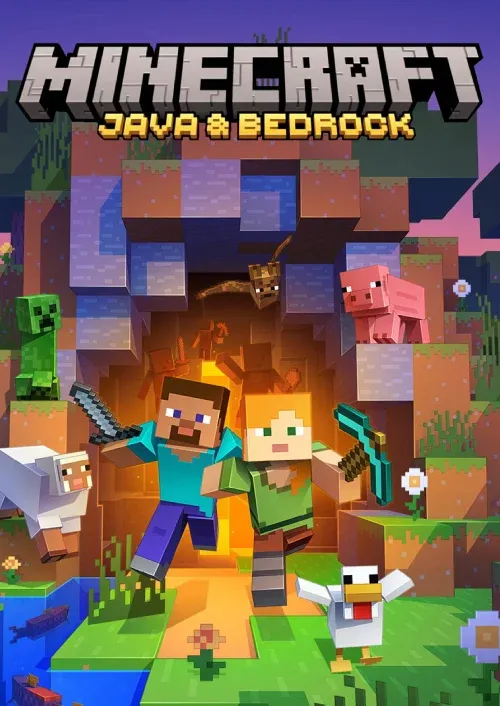
how to recharge Minecraft CD-Key Minecraft CD-Key Minecraft CD-Key Java & Bedrock Deluxe Edition

Minecraft CD-Key Minecraft CD-Key Java & Bedrock Deluxe Edition

Minecraft CD-Key

USD 36.77

Total

USD 36.77

Minecraft CD-Key Recharge Guide

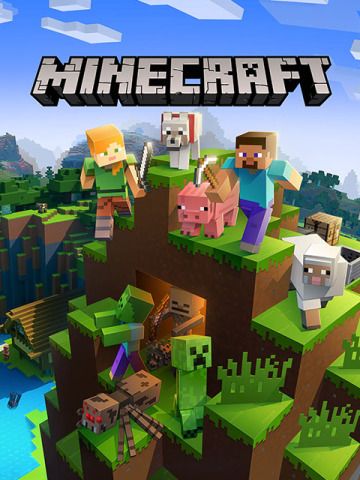
Minecraft is an immersive 3D sandbox game developed by Mojang Studios. It offers players a completely customizable three-dimensional environment made up of bricks and creatures, providing a wide range of gameplay options. The game features four modes: Survival, Creative, Adventure, and Spectator, allowing players to choose how they want to experience the game. In Survival Mode, players must collect resources, engage in warfare, and explore the environment to thrive. On the other hand, Creative Mode provides unlimited resources for players to unleash their creativity. Additionally, players can team up with friends to build, explore, and have fun together. The game's open-world setting allows for endless possibilities, from digging and building to fighting monsters and exploring diverse biomes. Minecraft also offers a variety of construction materials and tools, such as Redstone ore, to enhance the building experience. The game has minimum and recommended system requirements for optimal performance, and it is available for download on various platforms. Minecraft's popularity stems from its open-world concept, diverse biomes, and the freedom it offers to players to unleash their creativity. Players can also purchase merchandise inspired by the game, such as pillows and plushies. Minecraft CD KEY allows users to download the game directly to their PC. Redeeming the CD-Key involves creating an account on the official platform and following the redemption process. Additionally, there are specific instructions for activating Minecraft Windows 10 Edition. Get ready to embark on an adventure in the dynamic world of Minecraft! System Requirements Minimum Requirements: - CPU: Intel Core i3-3210 3.2 GHz / AMD A8-7600 APU 3.1 GHz or equivalent - RAM: 4GB - GPU (Integrated): Intel HD Graphics 4000 (Ivy Bridge) or AMD Radeon R5 series (Kaveri line) with OpenGL 4.4* - GPU (Discrete): Nvidia GeForce 400 Series or AMD Radeon HD 7000 series with OpenGL 4.4 - HDD: At least 1GB for game core, maps and other files - OS: - Windows: Windows 7 and up - macOS: Any 64-bit OS X using 10.9 Maverick or newer - Linux: Any modern 64-bit distributions from 2014 onwards - Internet connectivity is required for downloading Minecraft files, afterwards offline play is possible. Recommended Requirements: - CPU: Intel Core i5-4690 3.5GHz / AMD A10-7800 APU 3.5 GHz or equivalent - RAM: 4GB - GPU: GeForce 700 Series or AMD Radeon Rx 200 Series (excluding integrated chipsets) with OpenGL 4.5 - HDD: 4GB (SSD is recommended) - OS (recommended 64-bit): - Windows: Windows 10 - macOS: macOS 10.12 Sierra - Linux: Any modern distributions from 2014 onwards - Internet connectivity is required for downloading Minecraft files, afterwards offline play is possible. To download Minecraft, visit: https://minecraft.net/download Redeem Minecraft CD-Key: 1. Register a new account at https://account.mojang.com/register 2. Login to your account at https://account.mojang.com/login 3. Click "Redeem Gift Code or Prepaid Card" and enter the code 4. Enter your Profile name and click "Choose name" Activate Minecraft Windows 10 Edition: 1. Go to https://redeem.microsoft.com/ 2. Login to your account or create one 3. Click "Redeem Code" and enter your code 4. Click "Confirm"



Minecraft CD-Key Related Products

nothing here

Minecraft CD-Key Recharge Customer Reviews

Total Reviews: 750

Avg Ratings

how to top-up in bittopup

5.0

customer avatar
Yvette Wuckert2025/12/15
Credits were added instantly, no problems at all.
customer avatar
Silvia Reilly2025/12/16
Best site for game top-ups, always fast and reliable.
customer avatar
Aubrey Windler2025/12/15
I love how simple it is to recharge my account here.
customer avatar
Sarah Haley2025/12/17
I love the wide variety of payment methods available, makes it so flexible.
customer avatar
Wayne Monahan2025/12/18
Very efficient service. Funds were available in my account immediately after the payment.
customer avatar
Carlton Lockman2025/12/16
Customer support was excellent, and my recharge was processed in minutes.
customer avatar
Vanessa Wilderman2025/12/17
Payment options are abundant, so it’s easy to choose what works for me.
customer avatar
Peggy Schinner2025/12/15
I was able to recharge within minutes, very efficient and quick service.
Minecraft CD-Key All Reviews

Minecraft CD-Key Recommended News

Recommend Goods

Minecraft CD-Key Recharge Frequently Asked Questions

How long does it take for the order to be completed?

Typically, order will be completed within a few minutes. If there is any delay, please contact our customer support.

What is BitTopup?

BitTopup is an online platform for securely topping up games and services quickly.

Customer Service Hours?

BitTopup's customer service is available 24/7.

KAMAGEN LIMITED

Room 1508, 15/F, Grand Plaza Office Tower II,625 Nathan Road, Mong Kok, Kowloon, Hong Kong

BUSINESS COOPERATION: ibittopup@gmail.com

customer service