

Nintendo Switch Online Membership EU Top Up: Overview and 2026 Benefits
A Nintendo Switch Online (NSO) subscription unlocks essential features for your Nintendo Switch console. Securing a Nintendo Switch Online Membership EU top up grants you full access to online multiplayer, secure cloud backups, exclusive member discounts, and curated libraries of classic legacy titles.
Core Membership Features
- Online Multiplayer Play: Team up or compete globally in titles such as Mario Kart 8 Deluxe, Super Smash Bros. Ultimate, Splatoon 3, and Pokémon Scarlet and Violet.
- Save Data Cloud Backup: Automatically back up compatible game save files to your Nintendo Account, protecting your progress if your console is lost, damaged, or upgraded.
- Classic Game Libraries: Play emulated retro classics with added online multiplayer. Standard memberships include Nintendo Entertainment System (NES), Super Nintendo Entertainment System (SNES), and Game Boy libraries.
- Nintendo Switch Online Smartphone App: Use voice chat in supported titles and access game-specific services via your mobile device.
- Exclusive Member Offers: Access member-only physical products (such as retro wireless controllers) and special digital game vouchers.
Differences Between Individual, Family, and Expansion Pack Tiers
Nintendo provides distinct membership tiers tailored to single players, multi-user households, and players looking for expanded retro collections and bonus DLC.
| Membership Tier | User Capacity | Included Platforms & Content | Available Durations |
|---|---|---|---|
| Individual Membership (Standard) | 1 Nintendo Account | Online Play, Cloud Saves, NES, SNES, Game Boy | 3 Months (90 Days), 12 Months (365 Days) |
| Family Membership (Standard) | Up to 8 Accounts | Online Play, Cloud Saves, NES, SNES, Game Boy | 12 Months (365 Days) |
| Individual + Expansion Pack | 1 Nintendo Account | Standard Benefits + N64, Game Boy Advance, SEGA Mega Drive, Select DLCs | 12 Months (365 Days) |
| Family + Expansion Pack | Up to 8 Accounts | Standard Benefits + N64, Game Boy Advance, SEGA Mega Drive, Select DLCs | 12 Months (365 Days) |
Note: Current pricing for each subscription duration is displayed on the live BitTopup checkout page.
EU Regional Compatibility and Supported Countries List
Nintendo Switch Online digital codes are region-locked. A European (EU) prepaid code can only be redeemed on a Nintendo Account registered in a country within the European eShop territory.
Eligible European Countries
- Western Europe: United Kingdom (GBP), Germany, France, Netherlands, Belgium, Austria, Republic of Ireland, Switzerland.
- Southern Europe: Spain, Italy, Portugal, Greece.
- Northern & Eastern Europe: Sweden, Norway, Denmark, Finland, Poland, Czech Republic, and other European Economic Area (EEA) regions linked to European eShop currencies (EUR, GBP, CHF, SEK, NOK, DKK, PLN).
If your Nintendo Account region is set to North America (USA/Canada), Japan, or another non-European region, the system will reject an EU code. You must align your account country to an EU territory before redeeming.
How to Verify Your Nintendo Account Region
Before purchasing or redeeming your digital code, verify that your account's country setting matches the European region.
Checking Region via Web Browser
- Go to
accounts.nintendo.comand log in with your Nintendo Account credentials. - In the User Info section, select Profile.
- Locate the Country/region field.
- Confirm that your country is an EU member state or a supported European territory. If it is set elsewhere, you can edit this field provided you have zero active eShop balance remaining.
Checking Region via Nintendo Switch Console
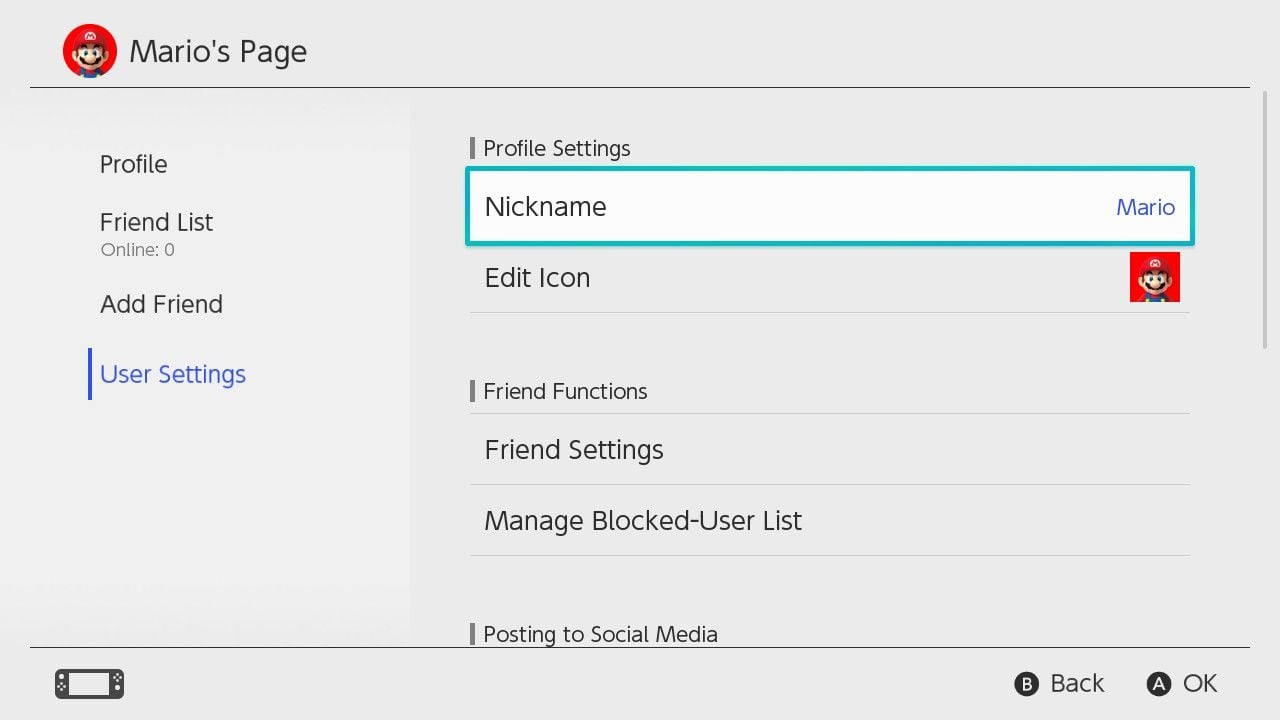
- Select your User Icon from the Nintendo Switch Home Menu.
- Open User Settings and scroll to Nintendo eShop Settings.
- Confirm that the displayed currency reflects an EU currency (EUR, GBP, CHF, etc.).
How to Recharge Nintendo Switch Online EU via Digital Code
Redeeming your 16-character alphanumeric voucher is straightforward and can be completed directly on your console or through a web browser.
+-------------------------------------------------------------+| REDEEMING YOUR EU CODE || || [BitTopup Checkout] ---> [Receive 16-Digit Code via Order] || | || +------------------------+------------------------+ || | | || v v || [Console: eShop] [Web Browser] || 1. Open eShop on Switch 1. ec.nintendo.com/redeem || 2. Select Account Profile 2. Sign in with Nintendo ID|| 3. Click 'Redeem Code' 3. Paste 16-character code || 4. Enter 16 characters 4. Confirm activation |+-------------------------------------------------------------+Method 1: On Your Nintendo Switch Console
- Turn on your Nintendo Switch and ensure it is connected to the internet.
- Select Nintendo eShop from the Home Menu.
- Choose the specific user profile you want the subscription applied to.
- Scroll down the left-hand navigation bar and select Redeem Code (or Enter Code).
- Type your 16-character digital code received from BitTopup and select OK.
- Review the membership details on the screen and select Confirm or Add.
Method 2: Via Web Browser
- Visit
ec.nintendo.com/redeemon your phone or PC. - Sign in with the target Nintendo Account.
- Enter the 16-digit prepaid code into the text box.
- Click Next, verify the membership tier, and complete the activation.
Code Stacking Rules and Automatic Renewal Management
Membership Stacking Rules
- Same-Tier Extensions: Standard Individual codes stack automatically. If you have 60 days remaining on an Individual plan and redeem a 12-Month (365-day) Individual code, your new total validity will be 425 days. The maximum cumulative stacking limit is 36 months (1,095 days).
- Switching from Individual to Family: You cannot simply stack an Individual code onto a Family plan. Upgrading from an Individual plan to a Family plan or Expansion Pack plan on the console prorates your remaining days as a discount only when purchasing through direct eShop payment, not through standard individual prepaid vouchers.
- Family Membership Overlaps: A Family Membership covers up to 8 linked accounts in a Nintendo Family Group. Only the Family Group admin needs to hold the active subscription.
Disabling Automatic Renewal
Prepaid cards purchased from BitTopup do not lock you into unwanted recurring credit card charges. However, Nintendo may toggle "Automatic Renewal" on by default upon code activation.
To manage or turn off automatic renewal:1. Open the Nintendo eShop on your console.2. Select your User Profile Icon in the top-right corner.3. Select Nintendo Switch Online.4. Click Terminate Automatic Renewal next to your active membership tier.
Why Buy Your Nintendo Switch Online EU Digital Code on BitTopup
- No Password Required: We deliver digital prepaid activation keys directly to your order screen. You never share your Nintendo Account credentials or personal passwords.
- Fixed-Cost Gaming: Eliminate surprise recurring credit card charges. Buy only the exact duration you want.
- Full Account Safety: Every digital voucher is authentic and compliant with European Nintendo eShop guidelines, preventing account lockouts.
- Multiple Payment Options: Complete your order using localized European payment channels and preferred currencies.
- Reliable Customer Service: Get access to 24/7 dedicated support for code delivery and redemption assistance.
Troubleshooting Common Nintendo eShop Voucher and Redemption Errors
Error Code 2813-0055 (Code Not Recognized / Invalid Code)
- Check excluded characters: Nintendo prepaid codes do not use the letters O, I, or Z, or hyphens (
-). Ensure you are not confusing0(Zero) withO,1(One) withI, or2(Two) withZ. - Check spacing: Ensure there are no accidental spaces before or after the 16-character sequence when copying and pasting.
Error Code 2811-6052 / 2813-6055 (Region Mismatch)
- This error occurs when redeeming an EU code on an account set to the US, Japan, or another non-EU country. Change your Nintendo Account country to an EU territory via
accounts.nintendo.comto resolve this.
Error Code 2813-6838 (Stacking Limit Reached)
- You cannot redeem a voucher if the added time pushes your total active membership balance past the 36-month cap. Wait until your current subscription duration drops below the threshold before applying the code.
Frequently Asked Questions
How do I redeem my Nintendo Switch Online EU membership code?
You can redeem your code directly on your Nintendo Switch via the Nintendo eShop under Redeem Code, or online by visiting ec.nintendo.com/redeem while signed into your European Nintendo Account.
Do Nintendo Switch Online memberships stack when using prepaid codes?
Yes, same-tier Individual membership codes stack up to a maximum duration of 36 months (1,095 days). Stacking an Individual code onto an active Family membership is not supported.
Can I use an EU Nintendo Switch Online code on a US Nintendo Account?
No. Nintendo digital codes are region-locked. An EU membership voucher requires a Nintendo Account set to a European country. You can update your account country at accounts.nintendo.com if you have no remaining unspent eShop wallet balance.
What happens to my cloud save data if my membership expires?
If your subscription lapses, your cloud save backups are preserved on Nintendo's servers for up to 180 days. Renewing your membership within this 180-day window restores access to your stored cloud saves. Local save data on your console remains unaffected.
Can I switch from an Individual to a Family membership using a digital code?
Redeeming a Family digital code while an Individual plan is active will activate the Family plan, but it does not convert or add your remaining Individual days to the Family plan. To avoid losing remaining days, let your Individual plan conclude before redeeming a Family code, or assign the Family code to the group administrator.
Do I need to register a credit card to activate a prepaid membership code?
No. Prepaid codes do not require a credit card or debit card on file. Once redeemed, the membership remains active for the full prepaid term without requiring a payment method.