

What Is a PlayStation Network Card ZA Top Up and How It Works
A PlayStation Network Card (ZA) top up is a digital voucher containing a 12-digit activation code that adds South African Rand (ZAR) directly to your PlayStation Store wallet. Once applied to your PlayStation Network account, the wallet balance can be used to buy digital games, DLC packs, season passes, in-game currencies, and PlayStation Plus memberships across PS5, PS4, and official PlayStation platforms.
Digital PSN cards eliminate the need to link a local South African debit or credit card directly to your console. This makes them a reliable, prepaid solution for controlling gaming expenses, gifting digital credit to friends or family, and avoiding international bank transaction fees.
Region Lock Warning: Checking Your PlayStation Account Country
PlayStation Store wallet vouchers are strictly region-locked. A PlayStation Network Card designated for South Africa (ZA) will only activate on an account whose country/region is officially set to South Africa. If your account was registered in the United States, United Kingdom, or any other region, a ZAR voucher code will return an error.
How to Verify Your Account Region and Online ID
Before purchasing or redeeming your code, confirm that your Sony account region matches South Africa by following these steps:
- Sign in to your PlayStation Network account on your console or through a web browser at direct.playstation.com.
- Navigate to Account Management > Account Details > Location.
- Verify that the Country/Region field displays South Africa and that store prices appear in ZAR (R).
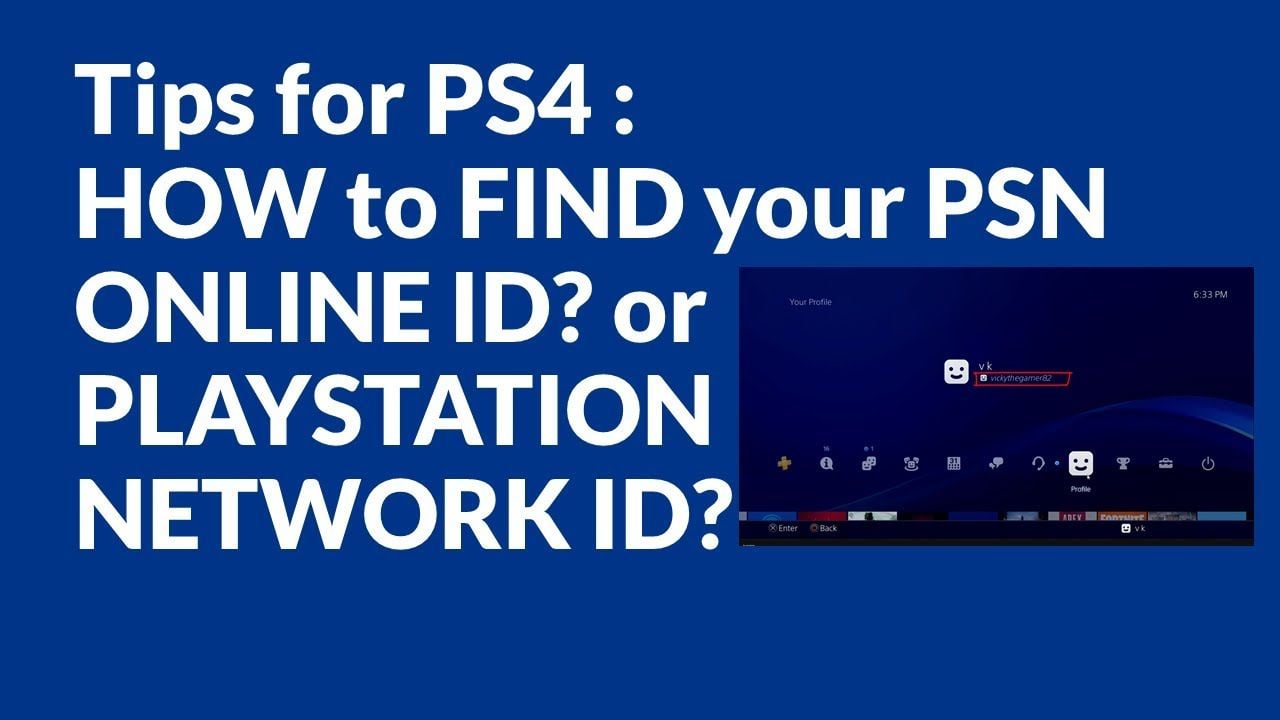
If your account region is set to another territory, you will need to log into a South African PlayStation account or create one to use a ZA voucher.
Step-by-Step Guide: How to Recharge Your PSN Wallet Using a ZA Code
You can redeem your 12-digit PSN ZA code across multiple platforms. Follow the instructions for your preferred device below:
Redeeming on PlayStation 5 (PS5)
- From the home screen, select Settings (gear icon) in the upper-right corner.
- Select Users and Accounts > Account > Payment and Subscriptions.
- Choose Redeem Code.
- Carefully enter your 12-digit voucher code without hyphens or spaces.
- Select Redeem. The ZAR balance will be added immediately to your PSN wallet.
Redeeming on PlayStation 4 (PS4)
- Open the PlayStation Store from the main dashboard.
- Scroll down the left sidebar menu and select Redeem Codes.
- Enter the 12-digit digital code.
- Select Continue to confirm the fund transfer.
Redeeming via the PlayStation App (iOS & Android)
- Open the PS App on your mobile phone and sign in.
- Tap the PlayStation Store icon at the bottom of the screen.
- Tap the three-line menu icon in the upper right and select Redeem Code.
- Enter the code manually or scan the code using your phone camera.
Redeeming via Desktop Web Browser
- Go to the official PlayStation Store website and sign in.
- Click your Profile Avatar at the top right of the page.
- Click Redeem Code from the drop-down menu.
- Type in your 12-digit code and click Next to confirm.
What You Can Buy with PSN ZAR Wallet Funds
Once redeemed, your wallet balance does not expire and can be allocated toward any digital content available on the South African PlayStation Store:
| Content Category | Examples & Supported Items |
|---|---|
| Full Games | PS5 and PS4 digital editions, pre-orders, and indie titles |
| Expansions & DLCs | Story expansions, season passes, map packs, and cosmetic bundles |
| PlayStation Plus | Essential, Extra, and Deluxe membership plans |
| In-Game Currency | Fortnite V-Bucks, EA FC Points, Call of Duty Points, Apex Coins |
| Rentals & Media | In-app purchases and entertainment services available in the ZA store |
How to Buy PSN Card (ZA) Instantly and Securely on BitTopup
BitTopup provides a quick, safe checkout process for South African PlayStation Store vouchers without requiring you to share sensitive account information.
- Select Denomination: Choose your required ZAR voucher value from the available options on the product page.
- Review Order: Check that the selected region matches your PSN account (South Africa - ZA).
- Provide Delivery Email: Enter the email address where you want to receive your digital code.
- Complete Payment: Choose your preferred secure payment method and finalize checkout. Live pricing and currency options are displayed directly on the checkout screen.
- Instant Delivery: Receive your 12-digit activation code on-screen and directly in your inbox within moments.
Troubleshooting Common PSN Code Redemption Errors
If you experience issues while activating your code, refer to these common error causes and solutions:
- Error Code WC-40371-5 / WS-37368-7 (Region Mismatch): This occurs when trying to redeem a South Africa voucher on an account registered to a different country. Ensure your account country is set to South Africa.
- Code Not Recognized / Typo Errors: PlayStation codes are exactly 12 alphanumeric characters. Double-check for easily confused characters (e.g., number
0vs letterO, number1vs letterI, or letterBvs number8). - Code Already Redeemed: Check your transaction history under Account Management > Transaction History to verify if the funds have already been deposited into your wallet balance.
- Inactive Code Error: If the store shows the code is inactive, wait a few minutes and re-enter it. If the issue persists, contact BitTopup 24/7 customer support with your order number for verification.
Safety First: Why You Should Never Share Your PSN Password for Wallet Top-Ups
Legitimate PlayStation Store wallet top-ups never require account access. Official vouchers are distributed exclusively as 12-digit prepaid codes that you enter yourself inside the console or official PlayStation app.
- Zero Login Required: BitTopup sends the digital code directly to you. You never need to supply your PlayStation login email, password, or two-factor authentication (2FA) codes.
- Protect Your Library: Sharing account access violates Sony terms of service and exposes your personal payment info, digital game library, and trophies to unauthorized tampering.
- Total Control: You retain complete ownership of your account and redeem the funds directly on your own hardware.
Frequently Asked Questions
Can I use a South Africa PSN Card (ZA) on a US, UK, or EU PlayStation account?
No. PlayStation Store vouchers are region-restricted. A South Africa (ZA) PSN Card can only be redeemed on an account whose country/region is set to South Africa with currency in ZAR.
How do I redeem my 12-digit PlayStation Network voucher code on PS5 or PS4?
On PS5, go to Settings > Users and Accounts > Account > Payment and Subscriptions > Redeem Code. On PS4, launch the PlayStation Store, scroll down the side menu, and select Redeem Codes.
Are PlayStation Network gift cards reloadable once redeemed?
No. Each 12-digit code is a single-use digital voucher. Once redeemed, the full value transfers into your account wallet, and the code becomes invalid. To add more funds later, simply purchase another voucher.
Can I use a PSN ZA gift card to buy PlayStation Plus subscriptions?
Yes. When you redeem the card, the funds are deposited into your PSN wallet. You can then use that balance to subscribe to PlayStation Plus Essential, Extra, or Deluxe on the South African PlayStation Store.
Do PlayStation Store voucher codes expire after purchase?
BitTopup delivers fresh, valid digital codes ready for activation. It is recommended to redeem your voucher to your PSN wallet shortly after receiving it. Once the balance is in your PSN wallet, the funds do not expire.
What should I do if my PSN voucher code returns an error during redemption?
First, verify that your account location is set to South Africa. Next, check for typographical errors in the 12-digit sequence. If the error continues, reach out to BitTopup customer support with your order details for assistance.
Do I need to provide my PlayStation account login credentials to buy a code?
No. You do not need to share your PSN password or account login. BitTopup delivers a 12-digit digital code directly to you, keeping your account completely secure.