


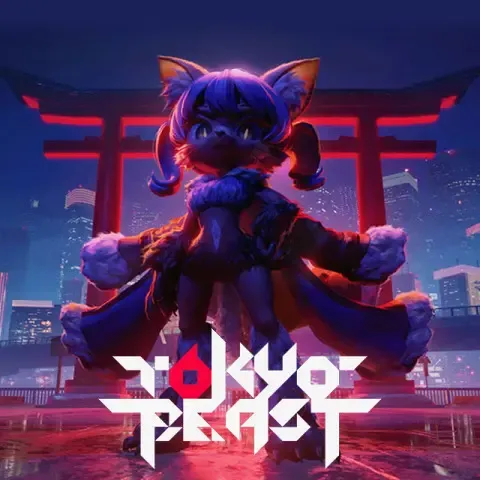


Tokyo Beast Top Up: Direct In-Game Jewel Recharge
Enhance your combat readiness and acquire rare beasts with a direct Tokyo Beast top up on BitTopup. In the competitive arenas of Tokyo Beast, Jewels serve as the core premium currency needed to recruit top-tier units, purchase essential battle items, upgrade gear, and refresh entry stamina for high-stakes matches.
BitTopup provides a direct recharge service requiring only your Tokyo Beast Player ID. You receive your purchased Jewels straight into your account without needing to hand over account credentials or login passwords. Select your pack, input your ID, and get back into battle fully equipped.
How to Top Up Tokyo Beast on BitTopup
Recharging your account takes only a few simple steps. Follow this guide to complete your purchase:
- Select Your Jewel Pack: Browse the available Tokyo Beast denominations on this page and choose the pack that fits your in-game goals.
- Enter Your Player ID: Type your unique Tokyo Beast Player ID into the designated input field. Double-check the numbers to prevent delivery delays.
- Select a Payment Method: Choose your preferred payment option from the available regional and international options.
- Complete the Checkout: Finalize the payment. Once confirmed, the system processes your order and credits the Jewels directly to your game profile.
- Verify In-Game Balance: Open Tokyo Beast on your mobile device or client to view your updated Jewel total.
How to Find Your Tokyo Beast Player ID
Your Player ID is the unique numerical identifier linked to your profile. You do not need to share your email or login credentials—only this ID.
- Launch the Tokyo Beast app on your device.
- Tap your User Profile/Avatar icon located in the top corner of the main lobby screen.
- Open the Account / Profile Info tab.
- Locate your Player ID (UID) displayed beneath your username.
- Tap the Copy button next to the ID to copy the digits directly to your clipboard, avoiding typing errors.

Tokyo Beast Jewels: Uses and Pack Selection
Jewels are the primary currency driving progression, customization, and tactical superiority in Tokyo Beast. Having a steady supply of Jewels allows you to stay competitive across both PvE campaigns and PvP arena events.
Primary Uses for Jewels
- Beast Recruitment & Summons: Pull for high-rarity combat beasts and specialized skill sets during limited-time summon banners.
- Battle Upgrades & Gear: Purchase enhancement catalysts, evolution materials, and tactical modules to strengthen your squad.
- Stamina & Arena Refills: Restore entry tickets and action points to grind events and climb seasonal leaderboards without waiting for natural regeneration.
- Exclusive Bundles & Cosmetics: Obtain battle pass upgrades, special bundle boxes, and visual skins for your team.
Jewel Pack Options Overview
| Pack Category | Intended Utility | Delivery Method |
|---|---|---|
| Starter Jewel Packs | Quick summons, daily energy replenishment, minor upgrades | Direct UID Top-Up |
| Mid-Tier Jewel Packs | Multi-pull banner summons, core battle upgrades, event passes | Direct UID Top-Up |
| High-Tier Jewel Bundles | Competitive team maxing, banner pity targets, premium gear packs | Direct UID Top-Up |
Note: Exact bundle contents and live prices are displayed directly on the selection menu above during checkout.
Account Safety: Why Player ID Top-Up Is the Best Choice
Security is critical when purchasing digital currencies. BitTopup uses a direct-to-account Player ID injection system designed to eliminate the risks associated with third-party top-ups.
- Zero Password Requirements: You will never be asked for your account password, email login, or two-factor authentication codes. Your account remains entirely in your hands.
- No Account Sharing: Your profile is never logged into by an outside party, keeping your login sessions and personal data completely private.
- Official Delivery Pipeline: Orders are processed through standard server balance updates tied to your unique UID, ensuring compliance with game security parameters.
- Encrypted Checkout: All transactions on BitTopup use secure SSL encryption protocols to safeguard your personal payment details.
Order Status Tracking and Troubleshooting
BitTopup processes orders rapidly once payment verification is complete. If you experience any delay or issue with your order, use the following troubleshooting checklist:
- Check Your Order Status: Go to your BitTopup profile order history to verify whether your transaction shows as Completed, Processing, or Pending Payment.
- Restart the Game Client: If your transaction is marked Completed but Jewels do not appear immediately, close the Tokyo Beast app completely and relaunch it to refresh your server balance.
- Verify Player ID Accuracy: If the balance has not arrived, check your order receipt to verify whether the submitted Player ID matches your current profile.
- Payment Processing Delays: Some payment providers require extra verification minutes. Check with your bank or wallet provider if the transaction remains in a pending state.
- Contact 24/7 Customer Support: If you need assistance with an order, BitTopup provides 24/7 customer service support. Provide your Order ID and Player ID to the support team for quick resolution.
Frequently Asked Questions
How do I top up Tokyo Beast on BitTopup?
Select the desired Jewel pack on this page, enter your Tokyo Beast Player ID, choose your payment method, and complete the checkout. Your Jewels will be credited directly to your in-game account balance.
Where can I find my Tokyo Beast Player ID?
Open Tokyo Beast, tap your avatar/profile icon on the main menu, and view your Account Information screen. Your Player ID is displayed under your profile name. Use the copy button to copy it accurately.
Do I need to provide my Tokyo Beast account password for a recharge?
No. BitTopup only requires your public Player ID to send Jewels to your account. You should never share your login password or personal credentials.
What are Tokyo Beast Jewels used for in-game?
Jewels are used to summon new combat beasts, purchase upgrade materials, refill arena energy, acquire seasonal battle passes, and unlock premium in-game shop items.
How long does it take for Tokyo Beast Jewels to arrive after payment?
Orders are dispatched automatically upon successful payment. In most cases, the currency arrives in your account shortly after payment confirmation. Relaunching the app will refresh your balance.
What should I do if I entered the wrong Player ID during checkout?
If you realize you entered an incorrect Player ID, contact BitTopup 24/7 customer support immediately with your order number. If the order has not yet been dispatched to the game server, support can help update the destination ID.
What payment options are available for purchasing Tokyo Beast Jewels?
BitTopup supports a broad range of international and regional payment methods, including credit/debit cards, digital e-wallets, and online banking options. Available payment methods for your region will appear during checkout.








































































































