



GrabGifts Cash Voucher (SG) Top Up: Services and Overview
A GrabGifts Cash Voucher (SG) provides a prepaid credit solution for the Grab ecosystem in Singapore. When you purchase or receive a digital Grab voucher code, you get access to fixed-value credits that apply directly against everyday transport, dining, and delivery expenses across Singapore.
Grab vouchers for Singapore are region-locked and function exclusively with Singapore-registered Grab accounts (+65 mobile numbers). Once redeemed, the voucher can be applied to four main Grab verticals:
- GrabRide (Transport): Standard rides, JustGrab, GrabCar, and GrabHitch.
- GrabFood: Restaurant deliveries and self-pickup food orders across Singapore.
- GrabMart: Grocery, convenience store, and daily essentials on-demand.
- GrabExpress: Point-to-point courier and parcel delivery services.
Because GrabGifts vouchers are digital activation URLs, there is no physical card to carry. You simply claim the digital link directly into your Grab app wallet under My Rewards.
How to Buy GrabGifts Cash Voucher (SG) on BitTopup
Buying your Grab vouchers through BitTopup is quick, direct, and secure. Follow these steps to complete your order:
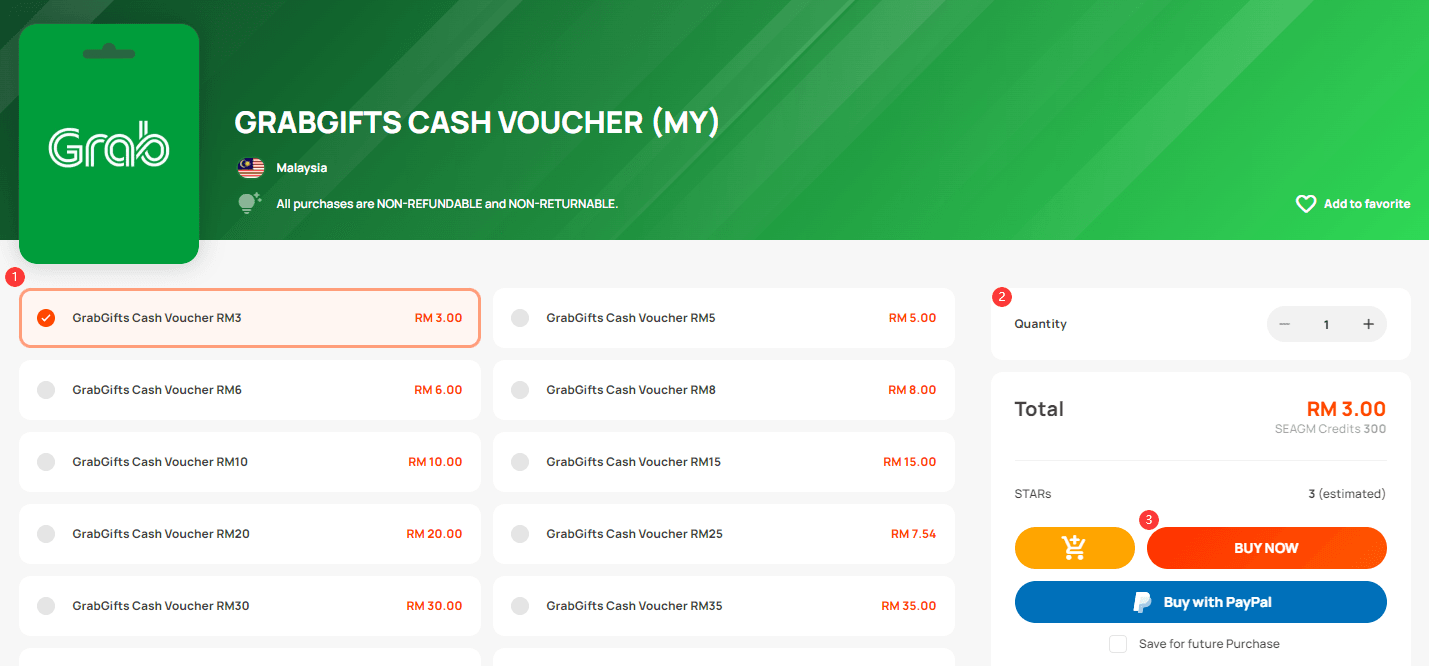
- Select Your Voucher Value: Browse the available GrabGifts Singapore voucher denominations on the BitTopup product page.
- Confirm Quantity: Choose how many vouchers you wish to purchase.
- Proceed to Checkout: Check the live checkout pricing and choose your preferred local or global payment method.
- Receive Your Code: Once payment is confirmed, your voucher redemption link is instantly delivered to your BitTopup order history and email.
BitTopup guarantees authentic digital vouchers without requiring access to your private Grab login or sensitive financial credentials.
Where to Find Your Voucher Link and Grab Account Information
Grab vouchers do not require you to input a Player ID or User ID at checkout. Instead, BitTopup provides an official Grab activation link upon purchase.
To prepare your Grab account for redemption:1. Open the Grab mobile app on your device.2. Ensure you are logged into your Singapore (+65) account by tapping the Account tab at the bottom right.3. Verify that your profile shows an active Singapore account status.4. Keep your BitTopup order details open on your browser or device to access the redemption URL.
Step-by-Step Guide: How to Redeem and Claim GrabGifts Voucher in Grab App
Follow these exact steps to unwrap and add your voucher to your account:
- Open the Redemption Link: Click the GrabGifts URL received in your BitTopup order confirmation.
- Unwrap the Gift: Tap the interactive digital unwrap button on the webpage.
- Select Denomination Split (If Applicable): If your voucher allows denomination breakdown, select how you want to split the total credit.
- Choose Service Category: Select the Grab vertical you want to use the voucher for (GrabRide, GrabFood, GrabMart, or GrabExpress). Note: This choice is permanent once confirmed.
- Claim into Grab App: Tap Add to Grab App. The page will automatically redirect to your installed Grab application.
- Locate in My Rewards: Go to Account > Rewards > My Rewards in the Grab app. The discount voucher is now ready to apply during your next booking or order checkout.
Grab Vertical Selection and Denomination Breakdown Rules
Understanding how Grab vouchers work across different services ensures you do not lock your balance into the wrong vertical:
| Feature / Vertical | GrabRide | GrabFood | GrabMart | GrabExpress |
|---|---|---|---|---|
| Availability | Singapore Only | Singapore Only | Singapore Only | Singapore Only |
| Category Commitment | Irreversible after selection | Irreversible after selection | Irreversible after selection | Irreversible after selection |
| Stacking Allowed | 1 GrabGifts voucher per ride | 1 GrabGifts voucher per order | 1 GrabGifts voucher per order | 1 GrabGifts voucher per order |
| Platform Fee Coverage | Excluded | Excluded | Excluded | Excluded |
| Small Order Fee Coverage | N/A | Excluded | Excluded | N/A |
Important Rules for Vertical Selection
- One-Time Vertical Choice: When unwrapping the link, you must commit the voucher to a specific vertical (e.g., GrabFood). Once claimed into My Rewards, you cannot swap a food voucher for a transport voucher.
- Non-Transferable: After a voucher is added to a specific Grab account, it cannot be transferred to another user or converted into GrabPay balance.
Important Limitations: Platform Fees, Stacking, and Expiry
To avoid unexpected charges during checkout on Grab, keep these structural limitations in mind:
- Platform & Small Order Fees: GrabGifts vouchers discount only the base fare, food total, or delivery charges. They cannot be applied toward Grab's statutory Platform Fee or merchant Small Order Fees. You must settle these fees using another payment method (GrabPay, credit card, or cash).
- No Stacking: Grab allows only one GrabGifts voucher code per transaction. You cannot combine two SGD 10 vouchers to pay for a single SGD 20 order.
- Use-It-or-Lose-It Rule: If your order total is lower than the voucher value (for example, using a SGD 15 voucher on an SGD 11 ride), the remaining balance (SGD 4) is forfeited immediately. Always choose a voucher denomination equal to or lower than your expected spend.
- Expiry Windows: Each voucher URL has an initial claim expiry date, and once claimed into the Grab app, the voucher in My Rewards will have an active validity period. Always verify the date shown on your voucher card in the app.
Why Recharge GrabGifts Cash Voucher on BitTopup
- Direct & Fast Dispatch: Voucher links are generated directly upon payment completion so you can redeem credits immediately.
- Total Account Safety: No Grab passwords, one-time passwords (OTPs), or account credentials are ever requested.
- Multiple Secure Payment Channels: Pay through trusted payment methods at live market prices.
- 24/7 Support: BitTopup customer support is available around the clock to help you with order confirmation or redemption inquiries.
Troubleshooting Common Grab Voucher Redemption Issues
- Error: "Voucher not valid in this country": Your Grab app or phone number is not set to Singapore (+65). GrabGifts SG vouchers will not work on Malaysian, Indonesian, or other regional Grab accounts.
- Error: "Code has already been redeemed": Each digital link is single-use. Check your My Rewards tab inside the Grab app to confirm if the voucher was already deposited.
- Link Won't Open Grab App: Ensure you have the latest version of the Grab app installed on your mobile device. Open the link via your mobile browser (Safari, Chrome) rather than an in-app browser.
- Voucher Not Showing at Checkout: Check that your order matches the vertical you selected (e.g., attempting to apply a GrabFood voucher on a GrabRide booking will not work).
Frequently Asked Questions
How do I redeem a GrabGifts cash voucher in Singapore?
Click the digital activation URL provided in your BitTopup order, tap the unwrap button, choose your desired Grab service (Transport, Food, Mart, or Express), and tap Add to Grab App. The voucher will immediately appear under My Rewards in your Grab account.
Can I convert a Grab voucher to cash or GrabPay balance?
No. GrabGifts vouchers cannot be exchanged for physical cash, refunded, or credited directly to your liquid GrabPay Wallet balance. They function strictly as single-use discount vouchers against specific Grab services.
What services can I use my GrabGifts Cash Voucher for?
You can use it for GrabRide (Transport), GrabFood, GrabMart, and GrabExpress within Singapore. You select your preferred service during the link unwrapping process before depositing it into your Grab app.
Can the GrabGifts voucher be used to pay for Platform Fees or Small Order Fees?
No. Grab policy strictly excludes Platform Fees and Small Order Fees from voucher discounts. Any secondary fees must be paid using GrabPay, credit/debit card, or cash during checkout.
What happens if my Grab transaction is less than the voucher value?
Any unused amount is forfeited. For example, if you apply a SGD 10 voucher to a SGD 7 ride, the remaining SGD 3 is lost. The difference cannot be saved or reused on future bookings.
Can I stack multiple GrabGifts vouchers on a single ride or food order?
No. Grab allows only one GrabGifts discount voucher per transaction. You cannot combine multiple vouchers together for a single booking.