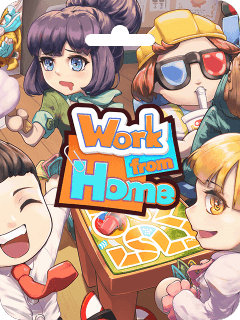



Work from Home CdKey (JP) Top Up and Product Overview
Work from Home is an energetic co-op party game designed for up to four players. Players take on the roles of office workers balancing workplace tasks and personal slacking activities while avoiding the watchful eye of the supervisor. Whether coordinating with friends locally or online, the game demands quick reflexes, comedic timing, and close team coordination.
Purchasing a Work from Home CdKey (JP) gives you full access to the base game on your Japan-region platform account. Digital keys allow you to activate the game directly to your personal digital library without sharing login credentials or waiting for physical shipments.
Game Features and System Specifications
- Cooperative and Versus Modes: Team up with 1 to 4 players in chaotic local split-screen or online multiplayer.
- Comedic Workplace Mechanics: Pretend to work on spreadsheets while sneaking in gaming sessions, coffee breaks, and office distractions.
- Boss AI Patterns: Adapt to randomized boss patrol routes, unexpected room inspections, and urgent task alerts.
- Controller and Keyboard Support: Full compatibility with modern gamepads and standard mouse/keyboard setups.
Region Restrictions: Japan Account Requirements Explained
This specific digital activation key is strictly region-locked to the Japan (JP) digital store. Digital product keys tied to specific territories cannot be redeemed on platform accounts registered in other countries or regions due to regional licensing agreements and currency protections.
Region Compatibility Matrix
| Account Region Setting | Activation Status | Action Required |
|---|---|---|
| Japan (JP) | Fully Supported | Direct redemption via platform client |
| United States (US) | Incompatible | Requires Japan-region account |
| European Union (EU) | Incompatible | Requires Japan-region account |
| Other Asian Regions | Incompatible | Requires Japan-region account |
Before completing your purchase, ensure your primary profile or secondary profile is registered with Japan set as the base region.
How to Verify Your Account Region and Account Details
To ensure your game key activates without regional conflicts, check your account region settings prior to redemption.
- Launch your gaming platform client on your PC.
- Click on your profile name in the upper right corner and select Account Details.
- Locate the Country/Region field under the store and purchase history summary.
- Verify that the country listed is Japan.
Digital code activation requires zero password sharing. You never need to supply your login credentials, email passwords, or two-factor authentication codes to BitTopup to receive your key.
How to Recharge and Buy Work from Home CdKey (JP) on BitTopup
BitTopup provides a streamlined, transparent checkout process for purchasing digital game codes.
- Select Product: Visit the Work from Home CdKey (JP) page on BitTopup.
- Choose Quantity: Select the number of digital keys you wish to purchase.
- Check Live Pricing: Review the final total on the live checkout interface. Transparent pricing is displayed clearly before payment confirmation.
- Complete Checkout: Choose your preferred payment method from the available options and confirm the transaction.
- Access Your Code: Once payment is processed, your digital activation code is delivered instantly on your order confirmation screen and stored in your BitTopup user account.
How to Redeem and Activate Work from Home CdKey (JP)
Follow these steps to activate your digital code once received:
- Open your PC gaming client and log in to your Japan-region account.
- Navigate to the top menu bar and select Games > Activate a Product on Client (or click Add a Game in the lower left corner).
- Agree to the standard subscriber terms to open the code entry field.
- Copy the digital activation key from your BitTopup order page and paste it into the Product Code box.
- Click Next to confirm. Work from Home will be added permanently to your digital library.
- Select the game in your library list and click Install to begin downloading.
Troubleshooting Common CdKey Redemption and Region Errors
If you encounter an issue during code redemption, consult the following troubleshooting steps:
Error: Region Not Supported
- Cause: The active account region is set outside Japan.
- Solution: Confirm your store country under Account Details. The code can only be activated on an account where Japan is the registered store country.
Error: Invalid Product Code
- Cause: Typographical mistakes or trailing space characters during copy-pasting.
- Solution: Manually inspect the code for easily confused characters (such as the number
0versus the letterO, or1versus uppercaseI). Ensure no accidental space is highlighted at the start or end of the string.
Error: Duplicate Code / Already Redeemed
- Cause: The game may already be registered on your account, or client caching caused a display error.
- Solution: Refresh your game library view and use the search bar to check if Work from Home is already present. If the issue persists, contact BitTopup customer support with your order number and an uncropped screenshot of the error message for verification.
Why Choose BitTopup for Work from Home CdKey (JP) Recharge
- Instant Digital Delivery: Digital keys are generated directly upon successful payment, letting you download and play without delay.
- 100% Account Safety: All transactions are key-based. You never share your platform passwords, security questions, or account access.
- Transparent Live Checkout: Review exact pricing and available regional payment options before committing to your order.
- 24/7 Dedicated Support: Multilingual customer support is available around the clock to assist with key verification and order queries.
Frequently Asked Questions
What is the Work from Home CdKey (JP)?
The Work from Home CdKey (JP) is an official digital activation code that grants full ownership of the game Work from Home on accounts configured for the Japan digital store.
Can I redeem a Work from Home (JP) CdKey on an account registered outside Japan?
No. This digital key has strict regional locks and can only be activated on platform accounts whose store country is set to Japan.
How do I redeem my Work from Home CdKey after purchasing?
Log in to your Japan-region platform client, click on the Add a Game or Activate a Product option in the menu, paste your digital code into the text field, and confirm the activation.
Do I need to provide my account login password to buy the key?
No. BitTopup only delivers the digital code. You never need to share your account username, password, or security credentials.
How quickly will I receive my Work from Home CdKey on BitTopup?
Digital codes are delivered instantly to your screen and order history as soon as your payment is verified at checkout.
What should I do if my Work from Home CdKey displays an invalid error?
Double-check that the code was entered accurately without extra spaces, verify your account region is Japan, and contact BitTopup 24/7 customer support if you need direct technical assistance.