

Paysafecard SA Top Up: Complete Prepaid Voucher Guide
Paysafecard is one of the world's most trusted prepaid payment solutions, allowing you to pay online for games, digital entertainment, and cloud services without sharing bank accounts or credit card details. When you purchase a Paysafecard (SA) voucher, you receive a secure 16-digit digital PIN issued specifically for the Saudi Arabia region.
Whether you want to top up popular gaming platforms, fund an existing myPaysafe e-wallet, or execute private direct merchant checkouts, this guide covers everything you need to know about purchasing, redeeming, and managing your Paysafecard SA balance on BitTopup.
What Is Paysafecard SA and How Does It Work?
A Paysafecard SA prepaid voucher acts just like digital cash. Each voucher contains a unique 16-digit code linked to a specific prepaid monetary value denominated in Saudi Riyal (SAR) or compatible regional currencies.
When purchasing goods or services online, you select Paysafecard at checkout and enter the 16-digit code. The merchant deducts the exact purchase amount from your voucher balance. If your total purchase is lower than the face value of the code, the remaining credit stays securely on the same 16-digit PIN for future spending.
How to Find and Secure Your Paysafecard (SA) Digital PIN
When you complete an order on BitTopup, your code is generated instantly. Unlike physical scratch cards purchased at local retail stores, your digital PIN is delivered straight to your verified BitTopup account dashboard and sent to your registered email address.
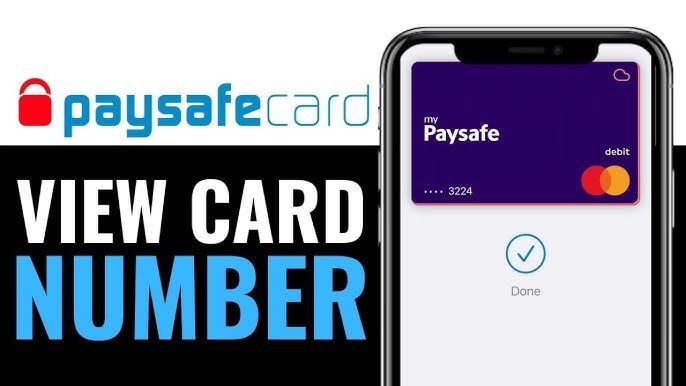
Locating Your PIN on BitTopup
- Log into your BitTopup profile.
- Navigate to My Orders in your account dashboard.
- Click on your completed Paysafecard (SA) order.
- View your digital 16-digit PIN in the order details section.
Safety and Security Tips for Your Digital PIN
- Never share your 16-digit code: Treat the PIN like physical cash. Never send screenshots or the raw code to unverified individuals, social media contacts, or third-party brokers.
- No password required: Legitimate platforms and BitTopup will never ask for your personal account passwords to deliver or process a Paysafecard voucher.
- Check merchant authenticity: Only enter your code on official partner payment gateways displaying the secure Paysafecard checkout modal.
Step-by-Step Guide: How to Recharge Your myPaysafe Account
A myPaysafe account (formerly my paysafecard) is a personal online payment account that allows you to store and manage multiple prepaid PINs in a single digital balance.
- Visit the official Paysafecard website or open the mobile app and log in to your myPaysafe account.
- Go to the Top Up or Add Balance section in your dashboard.
- Enter the 16-digit PIN you received from BitTopup.
- Click Add or Top Up.
- The full face value of the voucher is instantly credited to your central myPaysafe balance, ready to use across thousands of digital merchants using simple username and password checkout.
Direct Checkout: Paying with a 16-Digit Voucher Code on Partner Sites
If you prefer not to register a personal myPaysafe account, you can use your standalone 16-digit code directly on supported merchant stores.
- Select your digital goods or in-game items on a supported merchant site (such as participating game launchers, digital store platforms, or community servers).
- Choose Paysafecard as your payment method at checkout.
- A secure Paysafecard checkout window will appear.
- Enter the 16-digit PIN provided by BitTopup.
- If the purchase amount is less than the PIN balance, the remaining funds remain on the voucher. If the total exceeds one voucher, you can add an additional PIN by clicking + Add another PIN (where supported).
- Confirm the transaction to complete your payment instantly.
Standalone 16-Digit PIN vs. myPaysafe Account: Feature Comparison
Depending on how frequently you make online payments in Saudi Arabia, you can choose between direct voucher usage and a registered personal account.
| Feature | Standalone 16-Digit PIN | myPaysafe Account |
|---|---|---|
| Account Registration | No registration required | Requires identity verification |
| Checkout Method | Enter 16-digit voucher code | Login with username and password |
| Balance Combining | Limited per transaction | Combines unlimited loaded PINs |
| Spending Limits | Lower limit per single checkout | Higher transaction and monthly limits |
| Refund Management | Kept on original PIN | Credited directly back to account balance |
| Ideal For | One-time or occasional game purchases | Frequent gaming and regular subscriptions |
Saudi Arabia Regional Restrictions, Currency Rules, and Inactivity Fees
Regional Currency Lock
Paysafecard vouchers issued for the Saudi Arabia (SA) region are optimized for accounts and stores configured for the SA region. Using an SA voucher on a storefront denominated in foreign currencies (such as USD, EUR, or GBP) will incur standard currency conversion fees calculated at the live exchange rate by Paysafecard at checkout. Ensure your target store supports SA prepaid codes to avoid regional mismatch errors.
Inactivity and Maintenance Fees
- First 30 Days / 12 Months: Your prepaid voucher holds 100% of its initial value without monthly deductions for the standard grace period.
- Maintenance Fee: If a standalone voucher remains unredeemed after its grace period (typically 30 days after purchase depending on local terms), a small administrative monthly maintenance fee is deducted directly from the remaining balance until it reaches zero.
- How to Check Your Balance: Visit the official Paysafecard balance check tool, input your 16-digit code, and view the exact remaining funds and transaction history.
Troubleshooting Common Paysafecard Errors and Redemption Issues
- Invalid PIN / Code Not Recognized: Double-check your entry. Make sure you have not included accidental spaces or mistaken numbers (such as '0' vs 'O', or '1' vs 'I').
- Region Mismatch Error: The merchant or your user profile is registered in a country that does not accept Saudi Arabia (SA) vouchers. Switch your merchant region or ensure the platform accepts international prepaid codes.
- Insufficient Balance: The transaction amount exceeds the available credit on your code, often due to exchange rate conversions or regional sales tax. Check your voucher balance on the official site and enter a secondary PIN if the gateway allows multi-PIN checkout.
- Voucher Blocked for Security: If a code is entered incorrectly multiple times, Paysafecard may temporarily lock the PIN for fraud prevention. Contact official Paysafecard support with your serial number to lift the restriction.
Why Buy Paysafecard SA on BitTopup?
- Instant Digital Delivery: Receive your valid 16-digit code in your BitTopup profile immediately after payment confirmation.
- Zero Account Sharing: We never ask for your private logins, master passwords, or sensitive financial data.
- Transparent Live Checkout: Check live exchange rates, available denominations, and processing fees directly on the checkout screen before placing an order.
- 24/7 Customer Support: Our dedicated help desk is ready around the clock to assist you with order verification, PIN status inquiries, and delivery tracking.
Frequently Asked Questions
How do I redeem my Paysafecard SA gift card code?
Select Paysafecard at the merchant checkout screen and enter your 16-digit PIN. Alternatively, log into your myPaysafe account, go to the Top Up section, and enter the code to add the funds directly to your wallet.
How do I recharge my myPaysafe account balance?
Log in to your personal myPaysafe portal via browser or mobile app. Navigate to the balance top-up tab, type in your 16-digit code from BitTopup, and confirm. The funds will appear in your total balance instantly.
What online websites and gaming stores accept Paysafecard SA?
Thousands of major digital gaming platforms, online game stores, esports platforms, and cloud hosting providers accept Paysafecard SA. Look for the official Paysafecard logo at the merchant's payment selection screen.
Can I transfer money from my Paysafecard to PayPal or bank account?
You cannot transfer standalone voucher balances directly to PayPal. However, verified myPaysafe account holders in supported regions can request payouts to their registered personal bank account through the official myPaysafe portal (subject to identity verification and payout fees).
Does my Paysafecard code expire or charge monthly fees?
The code itself does not expire, but an administrative maintenance fee will be deducted monthly from any remaining balance if the voucher is left unused past the standard introductory period.
Can I combine multiple Paysafecard voucher PINs for one payment?
Yes. Many merchant checkouts permit adding multiple 16-digit codes during a single purchase by clicking the + Add another PIN option. You can also load multiple vouchers into your myPaysafe wallet to pool your funds into one consolidated balance.