



PlayStation Network Card (TW) Top Up: Instant Taiwan PSN Wallet Funds
A PlayStation Network Card (TW) provides an easy, prepaid method to add funds directly to your Taiwan PlayStation Network wallet. By purchasing an official 12-digit digital voucher code, you credit your account with New Taiwan Dollars (NTD) without linking a local Taiwanese credit card or bank account. Once redeemed, your wallet balance can be spent across the Taiwan PlayStation Store on PlayStation 5, PlayStation 4, and official web portals.
What You Can Buy with Taiwan PSN Wallet Funds
- Full Digital Games: Pre-order and purchase standard, Deluxe, and Ultimate editions of PS5 and PS4 games.
- Add-ons and DLCs: Buy season passes, expansion packs, character skins, and map packs.
- In-Game Currency: Top up points and virtual currencies for live-service titles, including FC Points, Genshin Impact Genesis Crystals, and Apex Coins.
- PlayStation Plus Memberships: Fund your recurring or multi-month subscriptions for PlayStation Plus Essential, Extra, and Deluxe tiers.
- Exclusive Regional Content: Access traditional Chinese localized releases, East Asian exclusive demos, and regional promotions available on the Taiwan PS Store.
Taiwan PSN Account Region Restrictions and Currency Compatibility
PlayStation Network accounts enforce strict regional locks managed by Sony Interactive Entertainment (SIE). Before purchasing a digital code, understand these account and currency guidelines:
- Country/Region Match: PlayStation Network Card (TW) vouchers work exclusively on accounts where the Country/Region was set to Taiwan during initial registration.
- Currency Lock: Vouchers are denominated in New Taiwan Dollars (NTD). They cannot be credited to accounts set to Hong Kong (HKD), Japan (JPY), the United States (USD), or any European country.
- No Cross-Region Transfers: Once a voucher code is redeemed onto a Taiwan PSN account, the balance remains bound to that specific account and cannot be transferred to another user ID or converted into other regional currencies.
Region Compatibility Matrix
| PSN Account Region | Voucher Region Required | Store Currency | Compatible with TW Card? |
|---|---|---|---|
| Taiwan (TW) | Taiwan (TW) | NTD (NT$) | Yes (Full Compatibility) |
| Hong Kong (HK) | Hong Kong (HK) | HKD (HK$) | No (Region Mismatch) |
| Japan (JP) | Japan (JP) | JPY (¥) | No (Region Mismatch) |
| United States (US) | United States (US) | USD ($) | No (Region Mismatch) |
| United Kingdom (UK) | United Kingdom (UK) | GBP (£) | No (Region Mismatch) |
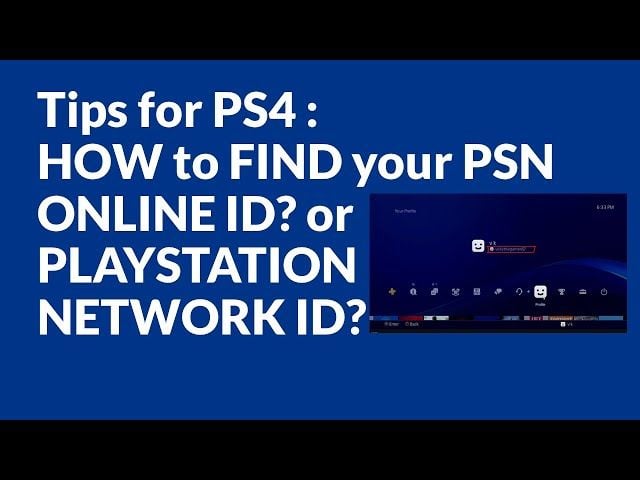
How to Check Your PSN Account Region and Account ID
To prevent purchasing the wrong region voucher, verify your account details before completing your order.
Step 1: Check via Web Browser
- Go to the official PlayStation website and sign in with your account credentials.
- Click on your profile avatar in the upper right corner and select Account Settings.
- Under Basic Account Information, scroll to Location.
- Verify that the Country/Region field lists Taiwan and the residential address is set within Taiwan.
Step 2: Check on Your Console
- On PS5: Go to Settings > Users and Accounts > Account > Payment and Subscriptions > Country/Region.
- On PS4: Go to Settings > Account Management > Account Information > Address.
If your account region displays any country other than Taiwan, create a dedicated Taiwan PSN account or purchase the voucher corresponding to your registered region.
Step-by-Step Guide: How to Redeem Taiwan PSN Codes
After completing your purchase on BitTopup, you receive a 12-digit digital alphanumeric voucher code. Follow the console or web instructions below to redeem your NTD funds.
Method 1: Redeem on PlayStation 5 (PS5)
- Power on your PS5 and log into your Taiwan PSN account.
- Open the PlayStation Store from the home screen.
- Select the More icon (three vertical dots
...) in the top-right menu bar. - Select Redeem Code.
- Carefully enter your 12-digit voucher code using the on-screen keyboard.
- Select Redeem. The NTD value will instantly appear in your wallet balance.
Method 2: Redeem on PlayStation 4 (PS4)
- Log into your Taiwan PSN account on your PS4 console.
- Navigate to the PlayStation Store on the dynamic menu.
- Scroll down the left-hand sidebar menu and select Redeem Codes.
- Type in your 12-digit digital code.
- Select Continue and confirm the prompt.
Method 3: Redeem via Web Browser (PC / Mobile)
- Visit the PlayStation Store website on your browser.
- Sign in to your Taiwan PSN account.
- Click your profile avatar at the top of the page.
- Choose Redeem Code from the drop-down menu.
- Enter the 12-digit code and click Next to confirm the top up.
Method 4: Redeem via the Official PlayStation App
- Open the PS App on iOS or Android and sign in.
- Tap the PlayStation Store icon at the bottom center of the screen.
- Tap the Menu icon (three horizontal lines) in the top-right corner.
- Tap Redeem Code.
- Enter the 12-digit code manually or scan it with your smartphone camera, then tap Next.
Using Taiwan PSN Wallet Funds for PlayStation Plus Subscriptions
In Taiwan, PlayStation Plus is structured into three tiers: Essential, Extra, and Deluxe (Taiwan features the Deluxe tier instead of Premium due to local cloud streaming infrastructure). You can pay for all tiers directly with your PSN wallet balance.
| PS Plus Tier | Key Benefits | Wallet Payment Supported |
|---|---|---|
| PS Plus Essential | Monthly downloadable games, online multiplayer access, cloud saves, exclusive store discounts. | Yes (NTD Wallet Funds) |
| PS Plus Extra | All Essential benefits + access to a catalog of hundreds of PS4 & PS5 titles. | Yes (NTD Wallet Funds) |
| PS Plus Deluxe | All Extra benefits + classic game catalog (PS1, PS2, PSP, remastered PS3) + time-limited game trials. | Yes (NTD Wallet Funds) |
Tip: To maintain an active subscription using wallet funds, ensure your wallet contains sufficient NTD before your recurring renewal date.
PlayStation Store Taiwan Wallet Balance Limits and Rules
Sony Interactive Entertainment enforces balance thresholds and safety limits on all PSN accounts:
- Maximum Balance Cap: Taiwan PSN accounts can hold a maximum balance of NT$10,000 at any single time. If redeeming a voucher would push your balance over NT$10,000, the redemption will be rejected until your balance drops.
- Child / Family Account Rules: Child accounts under a Family Management system cannot hold an independent wallet balance. They draw funds from the Family Manager's wallet subject to monthly spending limits set by the parent account.
- Non-Refundable: Once digital codes are redeemed into your wallet, the balance cannot be refunded or converted back to cash.
Troubleshooting Common PSN Voucher Redemption Errors
If you experience an issue when redeeming your 12-digit code, check these standard fixes:
- Error Code WS-45485-6 / WS-37466-4 (Invalid Code): Re-check each digit. Look out for commonly mistaken characters, such as the letter O vs. the number 0, the letter I vs. the number 1, or the letter B vs. the number 8.
- Error Code WC-40371-5 (Region Mismatch): This indicates that your PSN account region does not match the voucher's country. Make sure your account location is set to Taiwan.
- Error: Voucher Already Redeemed: Check your transaction history under Account Settings > Payment and Subscriptions > Transaction History to verify whether the funds were already credited to your balance.
- Wallet Limit Reached: If your current balance plus the voucher amount exceeds NT$10,000, make a store purchase to lower your balance before attempting to redeem again.
Safe and Fast PlayStation Network Card (TW) Digital Code Delivery on BitTopup
BitTopup provides a protected, transparent checkout process for purchasing Taiwan PlayStation Network gift cards:
- Zero Account Sharing / No Password Required: BitTopup only delivers the official 12-digit voucher code. You will never be asked to provide your PSN login, password, or security verification codes.
- Transparent Live Checkout: Check live NTD denomination pricing, current exchange rates, and available payment methods directly on the product checkout page before finalizing your purchase.
- Rapid Digital Delivery: Digital codes are generated and delivered directly to your BitTopup user account orders page and confirmation email immediately upon payment approval.
- 24/7 Dedicated Customer Support: If you need assistance verifying region compatibility or checking code details, our support team is available around the clock to assist you.
Frequently Asked Questions (FAQ)
Can I use a Taiwan PlayStation Network Card on a US or European PSN account?
No. PlayStation Network codes are strictly region-locked. A Taiwan (TW) voucher code can only be redeemed on an account whose Country/Region is registered as Taiwan with store currency in New Taiwan Dollars (NTD).
How do I redeem my PlayStation Network Card (TW) digital code on PS5 or PS4?
On PS5, open the PlayStation Store, select the three dots ... in the top right corner, select Redeem Code, enter your 12-digit code, and confirm. On PS4, launch the PlayStation Store, scroll down the left sidebar to Redeem Codes, type in the 12-digit code, and press Continue.
Can Taiwan PSN wallet funds be used to pay for PlayStation Plus subscriptions?
Yes. You can use your Taiwan PSN wallet balance to purchase 1-month, 3-month, or 12-month subscriptions for PlayStation Plus Essential, Extra, or Deluxe tiers directly through the Taiwan PS Store.
What is the maximum wallet balance allowed on a Taiwan PSN account?
The maximum wallet balance ceiling for a Taiwan PSN account is NT$10,000. If your current balance plus the new voucher exceeds this limit, the system will not allow redemption until you spend enough balance to create space.
Do PlayStation Network Card (TW) digital codes expire?
Standard Taiwan PSN prepaid cards and digital vouchers sold on BitTopup do not have a short expiration date. However, it is best practice to redeem your 12-digit digital code immediately after delivery to keep your balance secure in your PSN account.
What should I do if my Taiwan PSN code shows an invalid or region mismatch error?
First, confirm that your account country is set to Taiwan by visiting your PSN Account Settings > Location. Second, verify each character of the 12-digit code to rule out typos (e.g., mistaking 0 for O or 1 for I). If the issue persists, reach out to BitTopup 24/7 customer support with your order number for quick assistance.