Direct Account Integration vs Card Authorization Layers
PayPal balance payments eliminate banking intermediaries. Funds in your wallet complete as internal transfers. Cards must:
- Contact issuer for authorization
- Verify available balance
- Process through payment gateways
- Apply fraud detection at multiple checkpoints
- Execute pre-authorization holds of $1-5 for 3-7 days
PayPal's closed-loop system processes verifications simultaneously during setup, not per transaction.
Real Processing Time Comparison
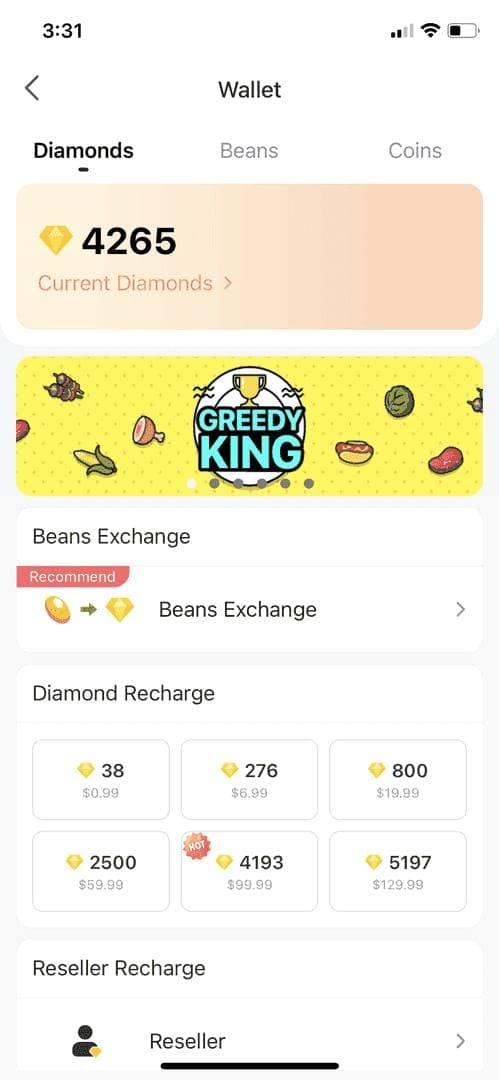
PayPal:
- Initial authorization: 10-30 seconds
- Merchant confirmation: 15-20 seconds
- Diamond delivery: Immediate
- Total: 45 seconds to 3 minutes (95% of transactions)
Cards:
- Authorization: 5-15 seconds
- Bank verification: 10-45 seconds
- Fraud screening: 30-120 seconds
- Merchant settlement: 2-5 minutes
- Total: 3-8 minutes
Critical difference during peak hours (7-11 PM Asia): card networks face 30-50% delays, PayPal maintains consistent speeds.
Security Protocols That Speed Up Transactions
PayPal front-loads verification. Enabling 2FA reduces declines by 20%, fraud flags by 40%, allowing purchases to process without additional screening.
Verified accounts (confirmed email, phone, bank, identity) receive preferential processing. Algorithm recognizes patterns, bypassing manual review queues that delay card transactions exceeding typical spending.
Understanding PayPal's Payment Processing Architecture
Three funding pathways with different processing characteristics.
PayPal Balance Bypasses Banking Delays
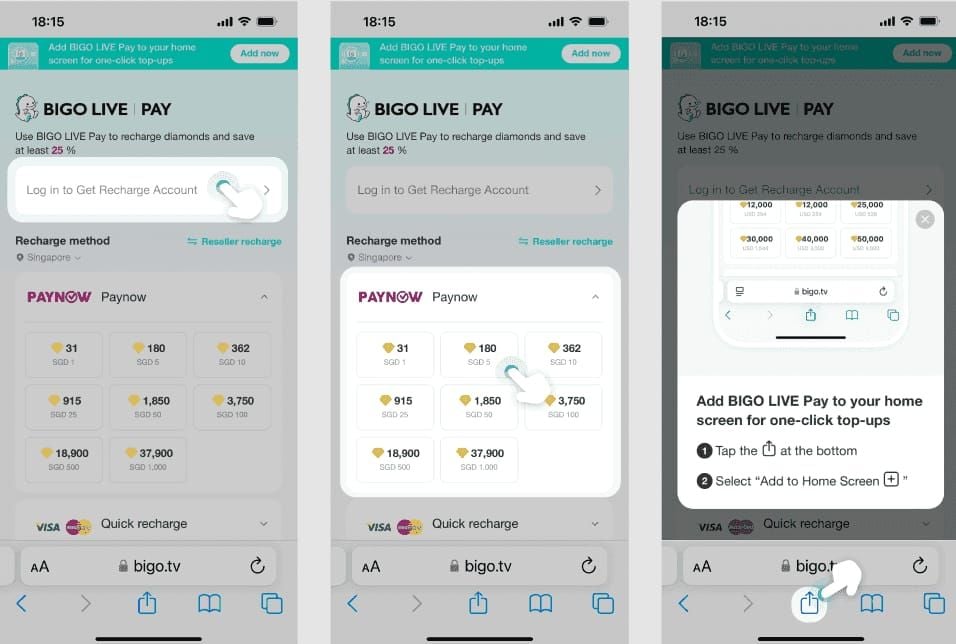
Fastest pathway. Payment executes as instant ledger adjustment within PayPal's system. No external bank communication, eliminating 1-3 business day ACH delays.
For BIGO Diamonds:
- Zero banking latency
- No weekend/holiday delays
- Immediate merchant confirmation
- Instant delivery triggers
$5,000 daily transaction cap covers maximum 40,000 diamonds per transaction (~$667 at 60 diamonds per $1 USD).
Pre-Authorized Merchant Agreements
Established platforms maintain pre-authorized status, enabling streamlined processing. PayPal recognizes transaction patterns, applies reduced scrutiny vs first-time merchants.
Merchants receive instant payment notifications, triggering automated delivery without settlement confirmation. Card processors require settlement first, creating delays.
Linked Bank Accounts Process Slower
Direct bank funding introduces ACH batch processing (2-4 daily windows). When selecting linked bank:
- PayPal initiates electronic transfer request
- Bank processes during next batch cycle
- Confirmation returns within 1-3 business days
- PayPal may hold pending bank confirmation
Maintaining pre-funded PayPal balance eliminates these variables.
Currency Conversion Advantages
PayPal converts at transaction time using competitive rates. Card networks convert at settlement (1-3 days later) with less favorable rates. For international purchases: 1-3% cost variations.
Domestic PayPal: 2.9% + $0.30 fees. International: 4.4% + 1-3% tax. Speed and reliability advantages often outweigh marginal cost difference.
Common PayPal Hold Triggers
Understanding automated risk assessment prevents delays.
New Account Activity (Under 30 Days)
Stricter scrutiny regardless of verification. Holds on:
- First digital goods purchases exceeding $50
- Multiple transactions within 24 hours
- Purchases from different geographic regions
- Any transaction exceeding $100 for accounts under 7 days
Build history through smaller purchases (under $25) during first month.
Unusual Purchase Amount Thresholds
Packages exceeding 5,000 diamonds (~$83) trigger 24-48 hour reviews when representing 300-500% increase over typical amounts. System compares:
- Average transaction value (past 90 days)
- Digital goods category frequency
- Monthly spending patterns
- Sudden volume spikes
Gradually increase amounts. Jumping from $30 average to 40,000 diamonds ($667) will trigger review.
Geographic Location Mismatches
Holds occur when:
- Account shows activity in one country, transaction from another
- VPN creates IP inconsistencies
- Mobile network switching causes rapid location changes
- Public WiFi triggers unfamiliar IP patterns
Complete purchases from primary device using standard internet connection. Avoid VPNs during checkout.
Frequency-Based Flagging
Flags:
- More than 3 transactions to same merchant within 1 hour
- Daily counts exceeding 30-day average by 200%
- Repeated failed attempts (more than 2 within 15 minutes)
Insufficient funds: 40% of failures (error 51). Verification failures: 25% (error 10486). Each failed attempt increases scrutiny.
Unverified Account Limitations
- Monthly receiving limits: $500-$1,000
- Mandatory review for transactions exceeding $100
- Restricted buyer protection
- Higher decline rates
Full verification requires government ID, proof of address, bank confirmation. Completes within 2-3 business days.
7-Step Prevention System
Reduces hold probability by 60-75%.
Step 1: Complete Full Verification
Navigate to Settings > Account Status. Confirm green checkmarks:
- Email confirmed
- Phone verified
- Identity confirmed (government ID)
- Address verified (utility bill/bank statement from past 3 months)
- Bank/card linked and confirmed
Verified accounts: 20% fewer declines.
Step 2: Build Transaction History
For new accounts:
- Week 1: 2-3 transactions under $10 (660 diamonds with 20% bonus)
- Week 2-3: $25-50 transactions (3300 diamonds, 30% bonus, +990 free)
- Week 4+: Progress to larger packages
Step 3: Maintain Consistent Login Locations
- Use same device for 80%+ of transactions
- Connect from primary residence/workplace IP
- Avoid public WiFi for purchases exceeding $50
- Disable VPN during checkout
If accessing from new location, log in and browse 5-10 minutes before transacting.
Step 4: Stay Within Transaction Limits
$5,000 daily cap, but practical limits based on history:
- Under 6 months: $500-1,000 daily before review
- 6-12 months: $1,500-2,500 daily
- 12+ months: Full $5,000 with minimal risk
Maximum 40,000 diamonds ($667) fits limits, but multiple maximum packages daily trigger review.
Step 5: Use PayPal Balance
Pre-fund 24-48 hours before purchases. Transfer from bank to PayPal balance, allowing ACH to complete.
This:
- Eliminates real-time bank verification
- Reduces transaction complexity
- Prevents insufficient funds errors (40% of failures)
- Demonstrates financial planning
Step 6: Enable Two-Factor Authentication
Activate 2FA via SMS or authenticator apps:
- Reduces declines by 20%
- Decreases fraud flags by 40%
- Elevates trust score
- Provides unauthorized access protection
Step 7: Maintain Updated Contact Information
Ensure current, accurate:
- Primary email actively monitored
- Phone capable of receiving SMS
- Address matching bank/card billing
- Consistency across PayPal, bank, BIGO accounts
Mismatched information creates verification conflicts.
PayPal vs Credit Cards: Complete Comparison
Processing Speed Breakdown
PayPal Balance:
- Total: 15-30 seconds average
- Success rate: 95%
PayPal Linked Bank:
- Total: 60-150 seconds average
- Success rate: 85-90%
Credit/Debit Cards:
- Total: 95-315 seconds average
- Success rate: 80-85%
PayPal balance fastest; cards face variable fraud screening.
Fee Structure
PayPal Domestic:
- 2.9% + $0.30
- Example: 40,000 diamonds ($667) = $19.64 fees
PayPal International:
- 4.4% + $0.30 + 1-3% conversion
- Example: 40,000 diamonds ($667) = $29.64-$49.64 fees
Cards:
- Merchant: 1.5-3.5% (often absorbed)
- International: 1-3%
- Conversion: 1-2.5%
- Example: 40,000 diamonds ($667) = $13.34-$53.36 fees
Success Rate Statistics (2026)
- PayPal verified: 95%
- PayPal unverified: 75-80%
- Cards domestic: 85-90%
- Cards international: 70-75%
- Debit cards: 80-85%
What to Do When PayPal Places Purchase Under Review
Immediate Actions
Within 5-10 minutes, PayPal emails notification specifying:
- Hold reason
- Required actions
- Expected timeframe
- Reference number
Log into Resolution Center (account dashboard) for pending issues and document upload.
Provide Verification Documents Quickly
Identity:
- Government photo ID (passport, driver's license, national ID)
- Clear color scan, all corners visible
- Current (not expired)
Address:
- Utility bill, bank statement, government correspondence
- Dated within 3 months
- Shows name and address matching account
Purchase:
- BIGO Live account screenshot with BIGO ID
- Transaction authorization confirmation
Upload via Resolution Center, not email.
Average Resolution Timeframes
Standard (Automated): 18-36 hours
Complex (Manual): 36-72 hours
Escalated (Compliance): 72-144 hours
80% resolve within 36 hours.
Contacting Support
Phone: 24/7, 5-15 minute wait, fastest resolution
Chat: 2-5 minute response, website/app
Email: 24-48 hour response, slowest
Specify digital goods for priority handling.
Alternative Payment During Review
BitTopup offers multiple alternatives. BIGO PayPal hold review delay prevent strategies include backup verified cards or digital wallets for uninterrupted diamond access.
FAQ
How long does PayPal take to deliver BIGO Diamonds?
45 seconds average, 95% within 3 minutes using PayPal balance. Linked bank: 60-150 seconds.
Why is my PayPal BIGO purchase under review?
Common triggers: new account (under 30 days), packages exceeding 5,000 diamonds, geographic IP mismatches, or unverified account status.
Can I avoid PayPal holds for BIGO Diamonds?
Yes. Complete full verification, build transaction history with small purchases, use PayPal balance, enable 2FA, and maintain consistent login locations.
What's faster for BIGO: PayPal or credit cards?
PayPal balance (15-30 seconds) beats cards (95-315 seconds). Cards face variable fraud screening delays.
How do I verify my PayPal account for BIGO purchases?
Submit government ID, proof of address (utility bill from past 3 months), confirm email/phone, and link bank account. Completes in 2-3 business days.
What if PayPal review takes longer than 48 hours?
Contact phone support (24/7) with reference number. Specify digital goods for priority handling. Resolution typically within 36-72 hours after complete documentation.























































































































