


BIGO Live Mic Queue Guide: Manage Multi-Guest Rooms 2026
BIGO's mic queue system transforms chaotic multi-guest rooms into structured, profitable broadcasts. This guide reveals proven strategies for managing seat rotations, configuring auto vs manual modes, and implementing moderator hierarchies that maximize engagement while preventing disruptions.


What Is the Mic Queue
The mic queue functions as a digital waiting list organizing viewer requests to join your multi-guest room. When viewers tap + to request joining, they enter a structured queue instead of creating chaotic simultaneous requests. This becomes critical once your room attracts 15-20+ viewers wanting participation.
The system operates across four seat configurations: 4-seat (interviews), 6-seat (panels), 9-seat (debates), and 12-seat (competitions). Each supports different moderation approaches, with larger rooms requiring more sophisticated queue management.
For premium features, BIGO Live Diamonds recharge through BitTopup provides instant access with competitive pricing.
Problems Without Proper Moderation
Without mic queue moderation, rooms devolve into chaos:
- Seat monopolization: Early guests refuse to leave, blocking new participants
- Quality collapse: No systematic vetting before granting access
- Engagement plummets: Viewers perceive unfair access patterns
These intensify during peak hours when 50+ viewers simultaneously request participation. Hosts spend more time managing requests than creating content, leading to dead air and revenue loss.
How Mic Queue Transforms Control
Mic queue establishes clear participation rules with real-time queue positions, estimated wait times, and transparent selection criteria. Hosts can review account age (30+ day minimum recommended), violation history, and follower counts before approving guests.
The system integrates with BIGO's role hierarchy: hosts maintain absolute control, administrators receive delegated moderation powers, and guests understand their position. This lets hosts focus on content while moderators handle queue management.
Complete Setup Guide
Step 1: Access Multi-Guest Settings
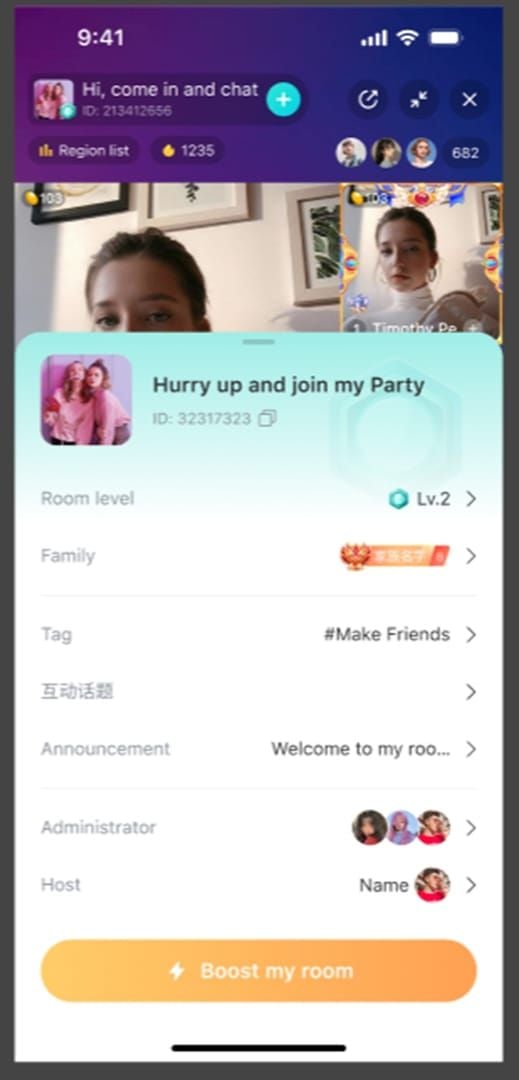
Select Voice Live or Multi-guest Live. Choose seat configuration:
- 4 seats: Intimate interviews (5+ Mbps upload)
- 6 seats: Discussion panels
- 9 seats: Debate formats
- 12 seats: Large competitions (15+ Mbps upload)
Configure gift ratio distribution before going live. Set room title and tags, then tap Start Live. Test connections, lighting, and microphone positioning 6-8 inches from mouth during the initial 15-30 minutes.
Step 2: Activate Mic Queue
Access host control panel and locate mic queue toggle. Activation converts all participation requests into an organized waiting list visible to you and viewers.
Specify whether guests need camera, microphone, or both. Enable queue visibility setting displaying wait positions to reduce repeated requests and set clear expectations.
Step 3: Configure Parameters
Time limits per guest:
- 3-5 min: High-volume talent shows
- 7-10 min: Discussion contributions
- 15-20 min: In-depth interviews
Configure 30+ day account age restrictions to eliminate troll accounts. Set maximum queue length to 15-20 participants to prevent overwhelming backlogs.
Essential Settings
- Activate profanity filters, hate speech detection, spam prevention at maximum sensitivity
- Enable boost button during peak hours when queue reaches 8-10 participants
- Configure VIP priority for designated supporters to bypass standard positions (balance carefully)
Auto vs Manual Mode

Auto Mode: Hands-Free Management
Auto mode executes queue management based on pre-configured rules. When time expires, system automatically moves guests and promotes next participant. Excels in high-volume scenarios with 30+ viewers cycling through 60-120 minute sessions.
Drawback: Can't recognize when engaging guests deserve extended time or when disruptive participants need early removal.
Manual Mode: Full Control
Manual mode places all decisions in host's hands. Enables sophisticated strategies like clustering similar content types or extending time for guests generating revenue spikes.
Drawback: High cognitive load managing decisions while hosting content, monitoring chat, and tracking gifts.
Hybrid Strategies
Most effective approach combines both:
- 4-seat interviews: Manual mode for natural conversation flow
- 6-seat discussions: Auto mode with manual override (7-min base, extend for compelling contributors)
- 9-12 seat competitions: Strict auto mode with minimal intervention for fairness
Proven Seat Management Strategies
The 3-5-7 Rotation Method
- 3 minutes: Rapid talent showcases (singing, comedy, skills)
- 5 minutes: Interactive content requiring setup (games, Q&A)
- 7 minutes: Substantive contributions (debates, tutorials, storytelling)
Time Limit Best Practices
Data from 500+ rooms shows 4-6 minute average achieves 23% higher viewer retention vs 8+ minutes. Under 3 minutes triggers participation anxiety, dropping queue requests by 31%.
Graduated limits based on queue length:
- 15+ waiting: 3-4 minutes
- Under 8 waiting: 5-7 minutes
VIP Priority Configuration
Two-tier system:
- VIPs move to positions 1-3 (not direct bypass)
- Grant +2-3 minutes beyond standard allocations
- Display VIP status indicators with clear criteria
Balance: 60-70% seat time for standard queue, 30-40% for VIP priority.
Monitor queue request rate as fairness indicator. Declining requests despite stable viewership signals excessive preferential treatment.
Moderator Tools and Hierarchy
Assigning Roles
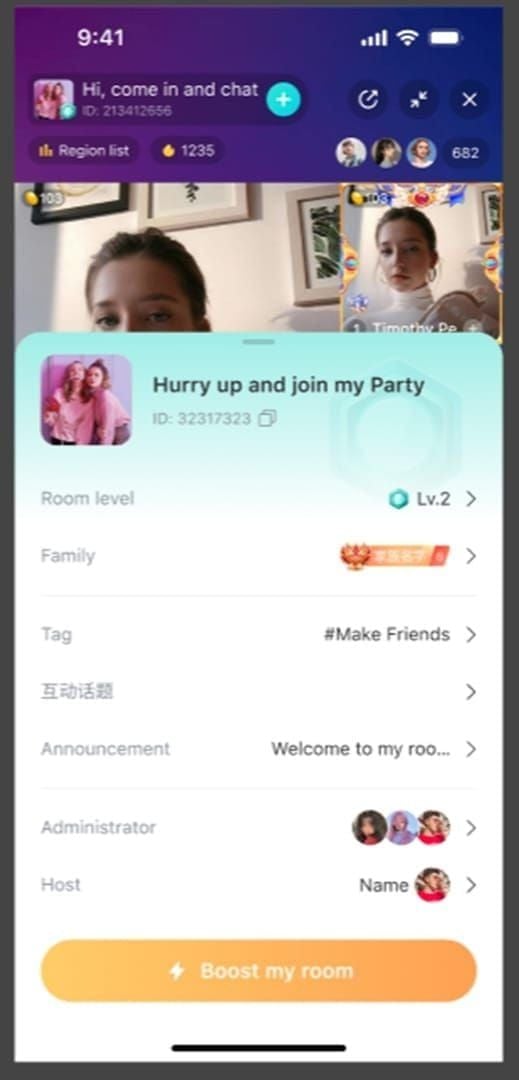
Tap participant profiles, select administrator appointment. Grants:
- Delete disruptive messages
- Mute users violating standards
- Temporarily remove viewers
Hosts retain exclusive audio/video control for active guests.
Select moderators based on:
- Timezone coverage
- Demonstrated judgment
- Technical competence
Key Actions
- Kick: Temporary removal, can re-queue immediately
- Move: Reorder queue positions strategically
- Priority flag: Mark participants for host attention
Team Structure
Three-tier hierarchy for 50+ concurrent viewers:
- Lead moderators: Full permissions, complex situations
- Support moderators: Routine queue flow, standard violations
- Trial moderators: Observe and learn before limited permissions
Schedule coverage ensuring one administrator present during all broadcast hours.
Common Mistakes to Avoid
- Over-enforcement: Excessive muting/kicks create hostile environments
- Inconsistent VIP application: Damages queue legitimacy
- Permanent grudges: Clear minor infractions after 30-90 days
Advanced PK Conversion Tactics
Perfect Transition Moment
Transition at 35-45 minutes when you've cycled through 8-12 participants. Monitor gift values—15-20% increase signals peak engagement for PK conversion.
Watch for natural rivalry between participants. Avoid transitioning during queue peaks (10+ waiting).
Seat-to-PK Framework
Step 1: Pre-announce 10-15 minutes before, specify competitors
Step 2: Position PK opponents in adjacent seats for preliminary banter
Step 3: Use BIGO's integrated PK mode with drag-and-drop layout adjustment
Maintaining Energy
- Implement transition ritual (music cues, countdowns, catchphrases)
- Moderators prompt audience to declare allegiances during technical transition
- Recap memorable multi-guest moments during 15-30 second transition
Revenue Spike Techniques
Structure with escalating stakes:
- 5-min warm-up: Establish baseline
- 10-min main round: Decisive phase with concentrated gifting
Deploy boost button during PK peaks to maximize algorithmic promotion.
Stopping Chaos: Instant Solutions
Queue Jumpers
- Automatic rejection for 2+ requests within 10 minutes
- 24-hour mutes for chat spam with educational message
- IP-based detection for coordinated manipulation
Guests Overstaying
Three-warning protocol:
- Verbal warning at 30 seconds remaining
- On-screen notification at expiration
- Automatic removal at 30 seconds past
Auto-mute at 15 seconds past expiration to prevent drama.
Escalating consequences:
- 1st offense: Standard removal
- 2nd within week: 48-hour queue ban
- 3rd: Permanent queue restriction
Empty Seats
Emergency tactics when queue drops below 3:
- Directly invite viewers by name
- Offer temporary VIP priority to next 5 joiners
- Announce themed segment
Maintain roster of 10-15 reliable participants for seat reservation system.
Technical Glitches
When queue freezes:
- Switch to manual mode immediately
- Announce issue with 2-3 minute resolution timeframe
- Backup selection: chat activity, gifts, or random selection
Review upload speed: 5+ Mbps for 4-seat, 15+ Mbps for 12-seat configurations.
Metrics That Matter
Average Wait Time (Target: Under 3 Minutes)
Track timestamps for 20-30 participants per broadcast. Wait times over 5 minutes = 40% higher abandonment.
Segment by viewer type:
- New visitors: 2-3 min max
- Regular participants: 4-5 min
- VIP supporters: 6-8 min
Real-time displays reduce perceived wait time by 25-30%.
Seat Utilization Rate
Target 85%+ utilization. Calculate: total minutes all seats occupied ÷ total broadcast minutes.
Monitor patterns: highest first 30 min, dip at 45-60 min, potential recovery with PK transitions.
Engagement Score
Combine: chat messages/min + gift value/min + new follower rate.
Analyze by guest type to identify highest-engagement profiles. A/B test queue strategies across broadcasts.
Conversion Rate
Healthy rates: 15-25% general entertainment, 30-40% interactive formats. Below 10% indicates barriers.
Queue participants contribute 3-5x more gifts than non-participating viewers.
FAQ
How does BIGO mic queue work? Organizes viewer requests into structured waiting list showing position and estimated wait time. Hosts configure auto mode (hands-free rotation) or manual mode (strategic selection). Moderators manage flow and enforce rules.
Auto vs manual mic queue difference? Auto rotates participants based on pre-set time limits without host intervention. Manual gives complete control over selection, duration, and timing. Most use hybrid: auto structure with manual override.
How to stop multi-guest room chaos? Activate mic queue mode, set 30+ day account age restrictions, establish 3-7 min time limits, assign moderators with enforcement permissions, configure max sensitivity profanity filters.
Can I prioritize VIP guests? Yes. Move VIPs to positions 1-3 (not bypass). Base on gift thresholds, subscriptions, or participation history. Allocate 30-40% seat time to VIP, 60-70% to standard queue.
How long should guests stay on mic? 3-5 min for talent showcases, 5-7 min for games/discussions, 7-10 min for interviews. Adjust by queue length: 3-4 min when 15+ waiting, 5-7 min under 8 waiting. 4-6 min average = highest retention.
Best mic queue settings? 30+ day account age, 3-7 min time limits with countdowns, 15-20 max queue length, max sensitivity filters, VIP priority for supporters, real-time wait displays. Auto mode for 30+ requests, manual for under 20.
Power up BIGO broadcasts with seamless Beans from BitTopup! Instant delivery, secure transactions, exclusive bonuses. Visit BitTopup now!
Recommended Articles








Recommended Products



Table of Contents
- Understanding BIGO's Mic Queue System
- What Is the Mic Queue
- Problems Without Proper Moderation
- How Mic Queue Transforms Control
- Complete Setup Guide
- Step 1: Access Multi-Guest Settings
- Step 2: Activate Mic Queue
- Step 3: Configure Parameters
- Essential Settings
- Auto vs Manual Mode
- Auto Mode: Hands-Free Management
- Manual Mode: Full Control
- Hybrid Strategies
- Proven Seat Management Strategies
- The 3-5-7 Rotation Method
- Time Limit Best Practices
- VIP Priority Configuration
- Moderator Tools and Hierarchy
- Assigning Roles
- Key Actions
- Team Structure
- Common Mistakes to Avoid
- Advanced PK Conversion Tactics
- Perfect Transition Moment
- Seat-to-PK Framework
- Maintaining Energy
- Revenue Spike Techniques
- Stopping Chaos: Instant Solutions
- Queue Jumpers
- Guests Overstaying
- Empty Seats
- Technical Glitches
- Metrics That Matter
- Average Wait Time (Target: Under 3 Minutes)
- Seat Utilization Rate
- Engagement Score
- Conversion Rate
- FAQ
Recommended Products



Recommended Articles

Likee Data Saver: How to Reduce Mobile Data Usage

Best Likee Settings for Video and Live Streaming in 2026

Is the Next Free Fire Banner Worth It? 2026 Leaks and Math

Genshin Impact Stygian Onslaught 7.0 Teams | August 2026

Alyosha Best Build, Teams & C6 Guide | August 2026

Cheap StarMaker Coins for SupernovaX 2026 Auditions (12-23% Off)

MICO Live Coins MENA After v5.2: Cheapest Deals 2026

How to Redeem NCRCKYT8EF Code for Free Eggy Coins (Aug 2026)




























































































