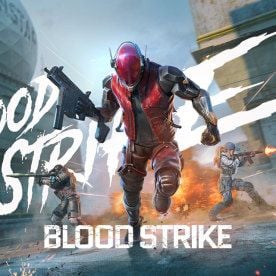
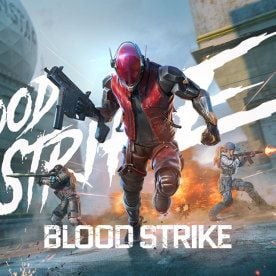
Need Gold for Urban Pulse or the AK47 M-LOK barrel? Top up Blood Strike Gold on BitTopup with your UID. No password.
Blood Strike Pro Settings Chart (August 2026)
Updated on 2026-08-25: Locked Ranked picks after the 11 August combat patch, BR-TPS queue, and Urban Pulse window (15 August–14 September).
Area | Setting | Ranked pick | Why it matters |
|---|
Sensitivity | Acceleration | Fixed Speed | Dynamic accel breaks muscle memory and imported values |
Sensitivity | Global Sensitivity Sync | OFF while you tune | One bad scope no longer scales the rest |
Sensitivity | Camera / Firing | 60–80% phone, Firing 15–25% lower | Camera finds the target. Firing finishes the spray |
Graphics | FPS / FOV | Extreme / 100–120 Associated | Stable frames plus side vision in ADS |
Combat | Right fire / ADS / assist | Hip Fire + Hold ADS + Expert | You drop zoom on release. Beginner assist feels sticky |
Movement | Auto Sprint / Auto Jump Over | OFF | You control noise and vault timing |
Audio | Music / SFX | 0 / 100 | Footsteps and utility stay readable |
Network | Connection | Ethernet or 5 GHz Wi-Fi | Wired cuts the extra hop Wi-Fi adds |
Phone Ranked sits at FOV 100–120. Tablet entry play can hold 120. Fresh accounts copy this chart first and leave sliders for a warm-up. Combat toggles next to these sliders live on the Blood Strike best settings page.
How to Set Blood Strike Sensitivity
Open Settings → Sensitivity. Set Acceleration to Fixed Speed before you touch a slider. Global Sensitivity Sync stays OFF until every optic tracks. Then you can turn Sync on if you want one slider to scale the rest.
FOV lives in Settings → Graphics & Audio → Graphics → Basic. Associated keeps side vision while you ADS. Independent is the fallback if ADS feels too wide. The 120 ceiling has been in the client since 29 August 2024. If you just jumped from 90 to 120, raise Camera and Firing about 10–20%.
Layer | Start here | Notes |
|---|
Camera (phone) | 60–80% | Small phones sit high. 6.7-inch and up sit near 60% |
Camera (tablet) | 45–65% | Longer swipe distance on a 10-inch panel |
Firing | 15–25% below Camera | Camera 70 → Firing 52–60. Snipers go lower |
Iron / Red Dot | Near Camera | Raise this first if close fights feel sticky |
2X–4X | Step down from red dot | Keep the drop in order |
6X–8X | Slowest | High zoom multiplies every twitch |
Gyro (if you use it) | 20–30% below Camera | Deadzone often lands high (80+) until drift stops |
PC mouse | 800 DPI, eDPI 2000–6000 | eDPI = DPI × in-game. Mobile % is a different scale |
Save each setup in Plan Management. Phone, tablet, Ranked FPS, and BR-TPS each get a named profile.
Scope ratios that hold up:
Hip | ADS start | Use |
|---|
1.00 | 0.80 | Iron / red dot |
1.00 | 0.70–0.75 | Mid scopes, most ARs |
1.00 | 0.60 or lower | 6X–8X |
Example on a 70 Camera: hip 70, red dot 56–70, 4X 42–50, 8X 28–40. PC Camera 6 maps to ADS 4.2–4.5 and Firing 4.5–5.1.
Mouse players: Windows pointer speed 6/11, Enhance pointer precision off. Pick 400–1600 DPI on the sensor (800 is the clean start). Cheap sensors smear if you stack DPI. Raise in-game value on a good sensor if a 180° swipe falls short.
Do not paste a phone 60–80% file into a PC 3–8 slot. The Blood Strike sensitivity settings page covers the slider math in more depth.
How to Lock FPS and Graphics
Extreme FPS stays on. Cut Graphics Quality and Resolution before you cut FOV below 90. A slider that feels “slow” after a drop below 60 FPS is a frame-time problem.
Setting | Competitive pick | Drop if the device heats or stutters |
|---|
Quality Mode | Customize | Keep Customize |
FPS | Extreme | High / Medium |
Resolution | Ultra | High / 720p-class |
Graphics Quality | Ultra or Medium | Low |
First-person FOV | 120 | 90–100 on a small phone |
FOV Style | Associated | Independent if ADS zoom feels too wide |
Display Weapon Customization | All Weapons | OFF |
Filter | Vivid | Default |
Super Resolution, AA, motion blur, DoF | OFF | Stay OFF |
Steam lists Windows 10, Intel i3-540 or AMD Athlon 200GE, 4 GB RAM, Intel HD 4000 or Radeon R5 220, and 30 GB as the floor. Recommended is Intel Core i5-4460, 8 GB RAM, GTX 960, and 30 GB. Install on an SSD. Turn Windows Game Mode on. Keep the phone under about 40°C so Extreme FPS does not thermal-throttle.
Practical targets:
Old GPU or a hot phone: 1280×720, Low quality, shadows off, Extreme FPS if the client offers it
Mid rig that holds frames: 1920×1080, Medium
Strong GPU: 2560×1440 only while Extreme FPS stays stable
Cap a few frames under your refresh rate if you run VSync off and see tearing (137 on a 144 Hz panel). Wired Ethernet or 5 GHz Wi-Fi. Close background apps. The 60+ FPS low-end guide is the cut list when Customize stutters.
Music at 0 is for audio, not frames. Master and SFX at 100. Voice Broadcast, mic, and team chat stay up. Echo Optimization on.
Controls and HUD That Stay Out of the Way
Start from BS Two-Finger, or Three-Finger if you claw. Open Custom. Logic: Left Move (Follow); Right Fire (Fixed). Fixed fire keeps the shot button from sliding under your thumb.
Control | Ranked pick |
|---|
Left / Right fire | Hip Fire; Left Fire Button Open |
Fire rotates camera | OFF on both sides |
ADS Mode | Hold |
Auto Fire | OFF |
Aim Assist | Expert |
Crouch Mode | Hold |
Mini-map Zoom / Rotation | 20 / Fixed |
Auto Pick-up | ON, interval Short; unequipped ammo OFF |
Claw HUD that survives a panic spray:
Fire lower right, aim upper right, joystick lower left
Button size 110–120%, opacity 70–80%
Minimap upper left at 110–120%
Ammo lower right, abilities on the edges, kill feed upper right
Static crosshair, 3–4 px thick, 1–3 px gap, dark outline; blur off
Gyro handles the last centimeters of recoil. Touch handles the 180°. Calibrate on the surface you play on: Settings → Sensitivity → Gyro → Calibrate. A warm phone after two Ranked games is a different sensor than the lobby desk. Full gyro ranges sit on the Blood Strike gyroscope settings page.
PC: WASD, Space or wheel jump, Ctrl or C crouch, RMB ADS. Skip ADS Steering. ADS Turning 100%. Wired mouse at 1000 Hz with the dongle close.
Controller: Linear Aiming Response on Linear or Dynamic, preset Customize, switch sens on ADS. Slide and gyro tabs are separate Plan Management slots.
BR-TPS (limited, live 11 August 2026) puts the camera behind the striker. The same Camera number feels faster than FPS. Clone the FPS profile, drop Camera 5–10%, and keep the FPS slot untouched.
How to Test After the 11 August Patch
A shared code will not match your DPI, panel, or FOV. The pass mark is a 10-round burst that stays on a 50 m dummy.
NetEase published the Version Update Announcement 2026/08/11 with the combat list you should retest this month:
AK47 level cap 100 plus the M-LOK Barrel BAS (steadier recoil)
SVD: recoil cut, trigger delay removed, fire rate up
Vector: hip-fire accuracy up
QBZ95: all-position damage −1; 30-round AP mag loses some armor bonus and gains recoil
HK416 Type-C Collapsible Stock: weaker hip-fire and move-speed bonuses
P90 full-auto: body damage −1, less damage drop-off at range
BR-TPS Ranked and Custom, matched apart from BR-FPS
Deathmatch from 21 August: first to 30 kills
Urban Pulse Strike Pass: 15 August–14 September; 520 Gold refunds at max level
Drill | Weapon this week | Pass |
|---|
Hip-fire track | Vector | Crosshair stays on torso |
10-round burst, 25 m then 50 m | AK47 with M-LOK, or your Ranked AR | Group tightens as range grows |
Moving dummy, red dot | Your AR | You correct during the spray |
180° stop | No scope | You stop on the same wall mark |
First-shot hold | SVD | First shot lands. If you yank, your old SVD pull is too hard |
Warm-up 15–30 minutes: 10 minutes stationary, 20 minutes wall spray (3–5 burst pull-downs), 15 minutes movers, 5 minutes scopes. Deathmatch is the short tracking queue. Ranked BR is the long-range test. Lock the profile for 50 Ranked matches or a week before a second edit. Change 5–10% at a time.
Common wastes:
Rewriting sliders after one bad lobby
Global Sync ON while one optic overflicks
Raising Camera to “fix” slide-scope or ping
One profile for Ranked FPS and BR-TPS
How to Get More From This Setup
FAQ
What are the best Blood Strike pro settings in August 2026?
Hip Fire + Hold ADS, Auto Fire off, Expert aim assist, Fixed mini-map at zoom 20, FOV 100–120 Associated, Extreme FPS, Music at 0. Sensitivity stays personal: phone Camera 60–80%, Firing 15–25% lower, Fixed Speed.
What is the best sensitivity for Blood Strike?
Phone Camera 60–80%, tablet 45–65%, Firing 15–25% below Camera. PC starts at 800 DPI and eDPI 2000–6000. Prove it with 10-round bursts at 50 m, then lock the profile.
What FPS settings do Blood Strike players use?
Extreme FPS first. Low or Medium quality if the device heats. 720p on old GPUs. Cap a few frames under refresh if you see tearing. Game Mode on. Phone under about 40°C.
How do you set a Blood Strike HUD for claw?
3–4 finger claw: fire lower right, aim upper right, joystick lower left. Buttons 110–120%, opacity 70–80%. Minimap upper left at zoom 20, Fixed rotation.
What are the best gyro settings in Blood Strike?
Gyro 20–30% below Camera. Calibrate on the surface you play on. Use gyro only if the device holds 60+ FPS. Frame drops make tilt worse than thumb-only.
How do you fix low FPS in Blood Strike?
Clear cache, drop to 720p Low, cut shadows and AA, keep Extreme FPS, update the client, turn Game Mode on, and close background apps. See the 60+ FPS low-end guide for the full cut list.
Conclusion
Blood Strike pro settings work when Fixed Speed, FOV, Camera, and Firing stay in one profile and you retest after a combat patch. Start from the August 2026 chart, clone a slower slot for BR-TPS, and spray the AK47 or your Ranked AR at 50 m. Bookmark this page for the next NetEase notes. When you need Gold for Urban Pulse or a sight you already trust, recharge Blood Strike Gold on BitTopup.