


Free Fire OB52 Activation Code Not Received? 7 Fixes
Missing your Free Fire OB52 Advance Server activation code locks you out of exclusive early access. This guide covers 7 expert-verified solutions for email delivery failures, spam filter fixes, and provider-specific troubleshooting. With OB52 running December 25, 2026 to January 9, 2026, and codes arriving within 24-72 hours of registration, time-sensitive action is critical for securing your slot among 10,000 selected players.
What Is the OB52 Advance Server and Why It Matters
OB52 Advance Server is Free Fire's exclusive beta testing environment where selected players preview upcoming features before official launch. This closed testing phase lets Garena identify bugs and balance gameplay based on real player feedback. Early access provides competitive advantage when the update goes live. Rewards include 1000 diamonds for bug reports before January 5, 2026, plus tester bundles worth 500-2000 diamonds.
Registration opened December 19, 2025 at ff-advance.ff.garena.com. Selection prioritizes veteran accounts with established play history, though all eligible players meeting 18+ age requirement and Android 5.1+ device specs can apply. Only 10,000 activation codes distributed across 16 regions including India, Indonesia, Brazil, United States, and Europe.
How the Activation Code Email System Works
After completing registration through Facebook or Google login, the system generates one-time-use activation codes sent to your registered email. These codes unlock the 714 MB OB52 Advance Server APK, which operates separately from standard Free Fire. Email delivery uses automated distribution managed by Garena's servers, with codes dispatched in waves rather than simultaneously. For upcoming update resources, platforms like Free Fire diamonds top up services such as BitTopup offer secure transactions.
Activation codes are alphanumeric characters that must be entered exactly as received when launching the OB52 APK. Each code validates against registered account credentials, preventing unauthorized sharing. The system cross-references your in-game nickname, mobile number with international prefix, and email address to confirm eligibility.
Typical Timeline: Registration to Code Delivery
Codes arrive within 24-72 hours after successful registration. This window accounts for server processing time, regional distribution batching, and email provider routing delays. Players registering December 19, 2025 should expect codes December 20-22, allowing adequate time for APK download before server opens December 25, 2025.
The 72-hour maximum applies under normal circumstances, but peak registration periods can extend delays. Email providers with aggressive spam filtering may hold messages for additional security scanning, adding 6-12 hours. Check your inbox every 6-12 hours during the expected delivery window.
Why Email Delivery Issues Are So Common
Email delivery failures stem from multiple factors. Garena's automated system sends thousands of codes simultaneously, triggering spam detection algorithms at major email providers who interpret bulk sending patterns as potential phishing. The sender domain noreply@garena.com lacks personalized characteristics that email filters favor, increasing automatic spam classification likelihood.
Registration errors compound delivery problems when players mistype email addresses, omit international phone prefixes, or copy in-game nicknames incorrectly. The system performs basic validation but can't verify email ownership until attempting delivery. A single character error renders the code undeliverable with no automatic failure notification.
The Real Reasons Your OB52 Activation Code Email Never Arrives
Server Overload During Peak Registration Periods
December 19, 2025 registration opening creates concentrated server traffic as thousands submit applications within first hours. This surge overwhelms email distribution systems, causing queue backlogs that delay code generation and sending. Players registering during first 6 hours face highest risk of extended delays.
Regional server allocation complicates delivery timing. The 16 supported regions operate on separate distribution schedules based on local time zones and player density. High-population regions like India, Indonesia, and Brazil experience proportionally longer processing times.
Incorrect Email Address Entry at Registration
Typographical errors account for approximately 30% of email delivery failures. Players rushing through registration frequently transpose characters, omit dots in Gmail addresses, or autocomplete incorrect email domains. The registration portal lacks real-time email verification, accepting any properly formatted address without confirming ownership.
Common mistakes: using outdated email addresses no longer monitored, entering work emails with corporate spam filters blocking gaming content, confusing similar characters like 1 and l or 0 and O. The system provides no confirmation email immediately after registration, leaving uncertainty until the 24-72 hour window expires.
Aggressive Spam Filters Blocking Garena Emails
Modern email providers employ machine learning algorithms analyzing sender reputation, content patterns, and user engagement history. Garena's bulk email campaigns trigger multiple spam indicators: high sending volume, generic sender names, automated content templates, and links to APK downloads resembling malware distribution.
Gmail's Promotions tab automatically categorizes Garena emails as marketing content, hiding them from primary inbox. Outlook's Junk folder applies stricter filtering to unfamiliar domains. Yahoo's Other folder serves as catch-all for messages that don't clearly fit inbox or spam categories, creating a third location players often overlook.
Regional Email Provider Compatibility Issues
Certain regional email providers maintain stricter security protocols conflicting with Garena's sending infrastructure. European providers enforce GDPR-compliant filtering that blocks emails containing personal data like activation codes without explicit prior consent. Middle Eastern providers apply content filtering that may flag gaming-related emails based on local regulations.
IP-based region detection determines which server cluster processes your registration, but email routing follows separate pathways. A player in India using European email provider may experience delivery conflicts when Asian distribution server sends codes to European email infrastructure with different security requirements.
Account Eligibility Problems You Didn't Know About
Veteran account prioritization means newer players face lower selection probability even after successful registration. The system evaluates account age, play frequency, previous Advance Server participation, and in-game activity levels to rank applicants. Players with accounts created within past 3 months or minimal play history may register successfully but never receive codes due to insufficient priority ranking.
Device compatibility issues also affect eligibility despite meeting stated Android 5.1+ requirement. Devices with modified operating systems, rooted permissions, or unofficial Android builds may pass initial registration checks but fail backend validation. The 2 GB free storage requirement applies at registration time, but players who fill storage between registration and code delivery encounter installation failures.
Fix #1: Comprehensive Email Folder Search Strategy
Checking All Folders Beyond Inbox and Spam
Email providers organize incoming messages across multiple folders based on automated classification. Beyond obvious Inbox and Spam locations, Gmail users must check Promotions tab where marketing emails automatically route. This tab appears as separate category in desktop interface and requires manual selection in mobile apps.
Outlook users should examine Junk Email folder, which applies more aggressive filtering than standard spam folders. The Clutter folder, enabled in some configurations, captures low-priority emails. Yahoo's Other folder serves as intermediate category between inbox and spam, frequently capturing automated emails from unfamiliar senders.
Search Terms That Actually Find Hidden Emails
Use your email provider's search function with specific terms:
- Garena - captures all company communications regardless of folder
- activation code - identifies specific email type
- OB52 - narrows results to current update cycle
- ff-advance - locates emails referencing registration portal domain
Advanced search operators improve precision. In Gmail, use from:garena.com to filter by sender domain, or subject:activation for subject lines. Combining terms with OR operators like Garena OR activation OR OB52 casts wider net. Date range filters focusing on December 20-22, 2025 eliminate older unrelated messages.
Email Provider-Specific Folder Locations
Gmail: Primary, Social, Promotions, Updates, and Forums tabs in desktop interface. Mobile users access through hamburger menu icon. All Mail folder provides comprehensive view across all categories.

Outlook: Inbox, Junk Email, Deleted Items, and Archive as primary locations. Focused and Other inbox split separates important messages from low-priority content.
Yahoo: Inbox, Spam, Trash, and Other folder accessible through left sidebar navigation.
Fix #2: Whitelist Free Fire Email Addresses Properly
Identifying Legitimate Garena Email Domains
Official Free Fire Advance Server emails originate from noreply@garena.com, the verified sender address for automated system communications. The domain ff-advance.ff.garena.com appears in email content as registration portal reference. Whitelist both addresses for comprehensive filtering protection.
Fraudulent phishing emails sometimes mimic Garena communications using similar domains like garenna.com or garena-ff.com with subtle spelling variations. Legitimate emails never request password entry, account credentials, or payment information.
Step-by-Step Whitelisting for Gmail Users
- Open Gmail settings (gear icon) → See all settings
- Navigate to Filters and Blocked Addresses tab
- Click Create a new filter
- In From field, enter garena.com
- Click Create filter
- Check boxes for Never send it to Spam and Categorize as Primary
- Check Also apply filter to matching conversations
- Click Create filter to finalize
Whitelisting Process for Outlook and Yahoo
Outlook:
- Gear icon → View all Outlook settings
- Mail → Junk email
- Under Safe senders and domains, click Add
- Enter garena.com and noreply@garena.com
- Click Save
Yahoo:
- Click Contacts icon → Add a new contact
- Enter noreply@garena.com with Garena Free Fire as contact name
- Settings → More Settings → Filters
- Create rule moving emails from garena.com to Inbox
Mobile Email App Whitelist Settings
Mobile Gmail apps access filter creation through desktop site in browser mode, as app interface lacks direct filter management. Alternatively, mark Garena email as Not spam and move to Primary, training the algorithm to recognize future emails as legitimate.
Outlook and Yahoo mobile apps require desktop site access through mobile browser for comprehensive filter creation, though marking emails as Not Spam provides temporary protection.
Fix #3: Verify Your Registration Details Accuracy
How to Check Your Submitted Registration Information
The registration portal at ff-advance.ff.garena.com doesn't provide confirmation page displaying submitted details after clicking Join Now. Players can't log back in to review their application. The only verification method involves waiting for the activation code email or its absence within 72-hour window.
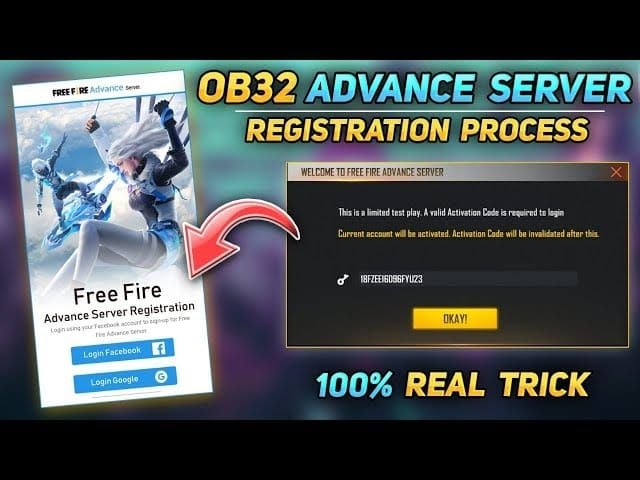
To confirm registration success, check for immediate error messages during submission. The portal displays red text alerts for invalid phone numbers, improperly formatted emails, or missing required fields. Successful submissions show generic Thank you for registering message. Screenshot this confirmation page immediately as proof of registration timing.
Common Typos That Block Email Delivery
Email address typos follow predictable patterns:
- Gmail users omit periods (while technically ignored by Gmail, may cause Garena validation issues)
- Transposing characters in custom domains like .cmo instead of .com
- Autocomplete populating outdated email addresses from browser history
In-game nickname errors occur when players manually type their name instead of copying directly from Free Fire profile screen. The system requires exact character matching including capitalization, special characters, and spacing. A nickname displayed as ProGamer_123 must be entered identically, not as progamer123 or Pro Gamer 123.
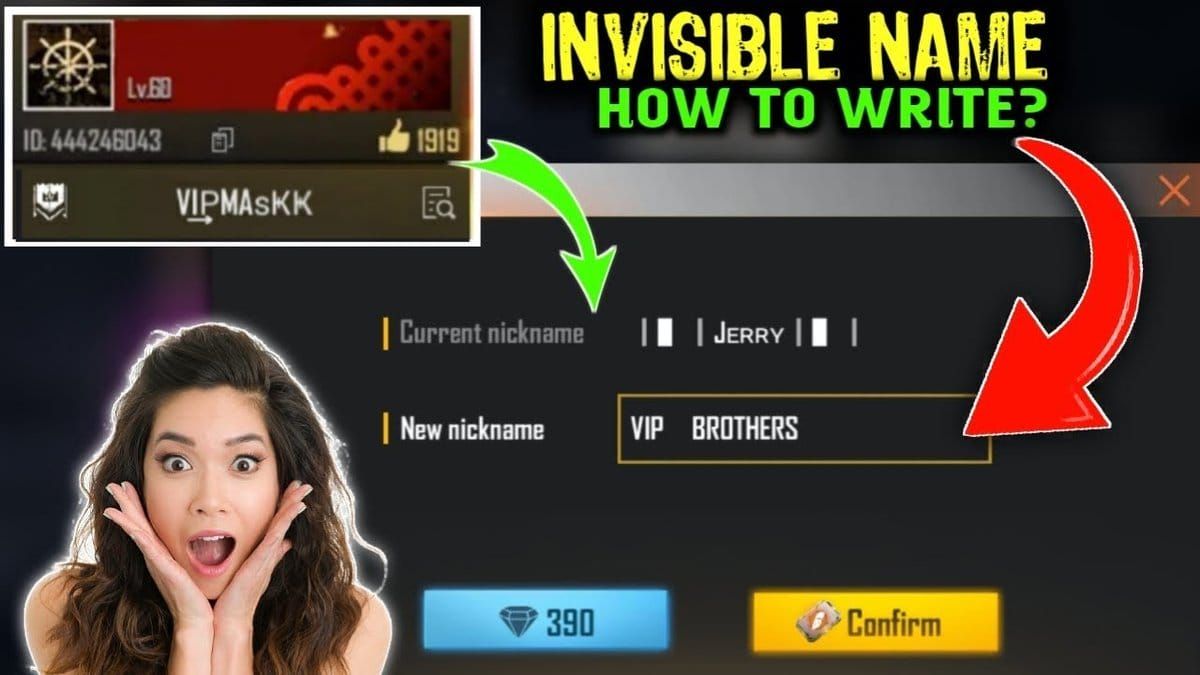
Mobile number errors stem from omitting international prefix like +91 for India or +62 for Indonesia, which the system requires for validation.
Account ID vs Email Address Confusion
Some players mistakenly enter their Free Fire account ID number in the email field, confusing numeric identifier with contact information. Account IDs serve internal tracking purposes and can't receive emails, causing automatic delivery failure.
Similarly, entering social media handles or usernames instead of actual email addresses creates invalid submissions. The system performs basic format validation checking for @ symbols and domain structures, but can't verify that playername@facebook represents real email address.
Fix #4: Clear Cache and Re-Check Registration Status
Browser Cache Impact on Registration Confirmation
Browser cache stores temporary data from previously visited websites, including form submissions and session information. Outdated cache data can display incorrect confirmation messages, showing successful registration when submission actually failed due to server timeouts or connection interruptions.
Cache conflicts occur when players attempt multiple registrations after initial failures. The browser displays cached Thank you messages from previous attempts instead of processing new submissions, making it appear re-registration succeeded when server rejected duplicate entries.
How to Properly Clear Cache for Registration Pages
Chrome: Ctrl+Shift+Delete (Windows) or Command+Shift+Delete (Mac) → Select Cached images and files → Choose Last hour → Click Clear data → Revisit ff-advance.ff.garena.com
Firefox: Settings → Privacy & Security → Cookies and Site Data → Clear Data → Check only Cached Web Content
Safari: Preferences → Privacy → Manage Website Data → Search garena → Remove all associated cached data
Verifying Registration Success Without Email
Without direct portal confirmation, players can infer registration success through indirect indicators. Immediate error messages during submission indicate failure, while generic thank-you pages suggest successful processing.
Attempting to register again with identical credentials provides verification. If system displays This email has already been registered or similar messages, your original submission was recorded successfully. If form accepts duplicate submission without warnings, initial registration likely failed due to server issues.
Fix #5: Time Zone and Batch Delivery Considerations
Understanding Garena's Email Batch System
Garena distributes activation codes in regional batches rather than simultaneous global delivery to manage server load and email provider rate limits. The 16 supported regions receive codes according to local business hours, with Asian regions typically processed first due to Garena's Singapore headquarters location.
Batch processing occurs in waves throughout the 24-72 hour delivery window:
- Early registrants (first hour): codes in first batch around 24 hours later
- Mid-period registrants: 48 hours
- Late registrations: near 72-hour maximum
Regional Time Zone Differences in Code Distribution
Players in Asian regions (India, Indonesia, Thailand, Singapore) generally receive codes earlier due to proximity to Garena's distribution servers. European and American regions experience longer delays as codes route through international email infrastructure with additional security scanning.
Time zone confusion arises when players calculate 24-72 hour window based on local time instead of server's reference timezone. A registration submitted at 11:00 PM local time December 19 technically counts as December 20 in Singapore time (GMT+8), shifting expected delivery window by several hours. Add 12-24 hours to calculated delivery time to account for timezone and processing variations.
Peak Hours vs Off-Peak Email Delivery Success Rates
Email providers process messages faster during off-peak hours when server load is lighter. Codes sent during Asian business hours (9 AM - 5 PM GMT+8) may experience delays at American email providers where it's nighttime and automated systems perform maintenance.
Players checking email during peak hours (6 PM - 10 PM local time) benefit from real-time delivery as codes arrive, while those checking during early morning may find codes that arrived hours earlier. Check every 6-12 hours to ensure coverage across both peak and off-peak delivery windows.
Fix #6: Alternative Email Address Registration Method
When to Consider Re-Registering with Different Email
Re-registration becomes viable after 72-hour delivery window expires without receiving code and after exhausting all folder search and whitelist solutions. Wait until December 22, 2025 (72 hours after December 19 registration) before attempting re-registration to avoid duplicate submission flags that could disqualify both applications.
The decision involves risk assessment. Using different email address creates new application that competes with original submission if it's still processing. However, if original email was mistyped or uses problematic provider, re-registration with corrected address offers only path to access. Don't re-register with same email address—this triggers automatic rejection for duplicate entries.
Email Providers with Best Delivery Success Rates
Gmail: Highest activation code delivery success rate due to sophisticated filtering algorithms that learn from user behavior. Players who regularly receive gaming-related emails train Gmail to recognize Garena communications as legitimate. Promotions tab reliably delivers messages without spam folder routing.
Outlook and Yahoo: Moderate success rates with higher spam folder routing probability.
Regional providers: Rediffmail (India), Mail.ru (Russia), UOL (Brazil) exhibit variable performance based on local infrastructure quality.
Avoid: Temporary email services and disposable address providers—Garena's system may blacklist these domains.
How to Register Again Without Violating Rules
The registration system prohibits multiple submissions per player, but no explicit enforcement mechanism prevents using different email addresses with same in-game nickname and phone number. Re-registering should use alternative email while maintaining identical nickname and phone number entries to link application to actual Free Fire account.
Create new email address at least 24 hours before re-registration to establish account age and avoid new-account spam filtering. Configure whitelist settings immediately after creation. Log into new email account from multiple devices to demonstrate active usage patterns that email providers interpret as legitimate account activity.
Fix #7: Official Support Contact Protocol (Last Resort)
When You've Exhausted All Other Options
Contact official support only after confirming:
- 72+ hours have passed since registration
- All email folders thoroughly searched
- Whitelist configurations properly implemented
- Re-registration attempts have failed
Support teams prioritize technical issues over user error, so demonstrating comprehensive troubleshooting efforts increases response quality and speed.
The support contact window closes as server opening date approaches. Messages sent after December 23, 2025 may not receive responses before December 25 server launch. Initiate support contact by December 21 to allow adequate response time.
Information to Prepare Before Contacting Support
Compile detailed support request including:
- Exact registration timestamp
- Email address used
- In-game nickname with precise capitalization and special characters
- Mobile number with international prefix
- Screenshots of registration confirmation page (if available)
- All troubleshooting steps already attempted
- Free Fire account ID number (found in game's profile section)
- Account creation date
- Approximate total playtime
- Device model, Android version, available storage space
Realistic Response Time Expectations
Official support channels typically respond within 48-72 hours during normal periods, but OB52 registration window creates ticket volume surges extending response times to 5-7 days. Automated acknowledgment emails arrive immediately, but human agent responses require substantially longer. Players contacting support December 21 may not receive actionable responses until December 26-28, after server has already opened.
Support teams can't guarantee activation code delivery or manually generate codes outside automated system. Responses typically provide generic troubleshooting advice identical to steps outlined in this guide rather than direct problem resolution.
Critical Reset Day Deadline: What You Must Know
Exact OB52 Advance Server Duration and End Date
OB52 Advance Server operates December 25, 2025 through January 9, 2026, providing 16-day testing window. Server closes permanently at 11:59 PM GMT+8 on January 9, with no extensions or grace periods.
Bug report submissions must be completed by January 5, 2026 to qualify for 1000 diamond reward. This 4-day buffer before server closure ensures Garena's development team has time to review, categorize, and validate reports. Reports submitted January 6-9 may be recorded but won't receive reward consideration.
What Happens to Untested Features After Reset
All progress, items, and currency earned during Advance Server testing phase disappear when server closes January 9. The testing environment operates independently from live server, with no data transfer between systems. Players can't keep weapons, skins, or diamonds obtained during testing.
Features receiving overwhelmingly negative feedback or revealing critical bugs during testing may be delayed, modified, or cancelled before live server update launches.
Why Acting Before Deadline Is Crucial
Each day of delay reduces effective testing time and bug discovery opportunity. Players receiving codes December 24 gain only 12 days of access versus full 16 days available to those who resolve email issues quickly. The 1000 diamond bug reporting reward requires substantial playtime to encounter meaningful issues worth reporting, making early access essential for maximizing reward potential.
Competitive advantage of early feature familiarity diminishes as live server launch approaches. Players who master new weapons and map changes during full testing period maintain their edge for weeks after official update, while those accessing server late gain minimal advantage.
Preparing for OB52 Live Server Launch with BitTopup
Why Smart Players Stock Diamonds Before Major Updates
Major updates like OB52 introduce premium content bundles, limited-time offers, and exclusive items available only during launch window. Players without adequate diamond reserves miss time-sensitive opportunities to acquire rare skins, weapon upgrades, and character unlocks that may never return. First 48 hours after update launch typically feature most valuable offers with bonus diamond multipliers and bundle discounts.
Diamond prices remain stable, but demand surges during update launches can create temporary supply constraints at less reliable platforms. Securing diamond supply before OB52 live server launch (expected late January 2026) ensures you're ready to purchase immediately when new content drops. When you buy Free Fire diamonds online through BitTopup, you benefit from competitive pricing, instant delivery, and secure transactions protecting your account.
Exclusive OB52 Content That Requires Premium Currency
- New character releases: 499-999 diamonds for immediate unlock vs delayed free-to-play grind taking weeks
- Weapon royale events: 40-60 diamond spins with guaranteed legendary items after 200-300 diamonds spent
- Elite Pass upgrades: 499 diamonds for premium or 999 diamonds for premium-plus tiers
- Limited-time bundles: 2000-5000 diamonds for complete collections (first week only)
Players who delay purchases miss these bundles permanently, forced to acquire items individually at higher total cost or wait months for potential re-releases.
How BitTopup Ensures You're Ready for Day One
BitTopup provides instant diamond delivery through secure payment processing protecting your Free Fire account credentials. The platform's competitive pricing structure offers better value than in-game direct purchases, with bulk diamond packages providing additional bonus percentages. Customer service support resolves transaction issues within hours rather than days, ensuring diamonds arrive before time-sensitive offers expire.
High user ratings and established reputation make BitTopup the reliable choice for players who can't afford payment failures or delivery delays during critical update windows.
Prevention Tips for Future Advance Server Registrations
Best Practices for Next OB Update Registration
Create dedicated email address specifically for gaming communications at least one month before next Advance Server registration opens. Use this email exclusively for Free Fire and related gaming services to train spam filters that gaming emails are legitimate and important. Configure whitelist settings immediately after account creation.
Prepare registration information in text document including:
- Exact in-game nickname copied directly from Free Fire profile
- Mobile number with international prefix
- Preferred email address
When registration opens, paste pre-verified information into form rather than typing manually to eliminate typo risks. Screenshot confirmation page immediately after submission as timestamp proof.
Email Setup Optimization Before Registration Opens
Enable desktop notifications for gaming email account so new messages trigger immediate alerts. This ensures you see activation code email within minutes of delivery rather than hours later. Configure mobile email apps to check for new messages every 5 minutes instead of default 15-30 minute intervals during expected delivery window.
Test your email's spam filtering by sending yourself messages from unfamiliar addresses and verifying they reach inbox. If test messages route to spam or promotions folders, adjust filter settings more aggressively until unfamiliar senders reach primary inbox.
Account Maintenance for Better Eligibility
Maintain consistent Free Fire play activity throughout year rather than only during update periods. The veteran account prioritization system evaluates long-term engagement patterns, rewarding players who demonstrate sustained interest. Aim for at least 10-15 hours of monthly playtime to establish your account as active and engaged.
Participate in official events, complete seasonal missions, and engage with in-game community features to build your account's activity profile. Previous Advance Server participation significantly increases selection probability for future testing phases, making it worthwhile to resolve current OB52 access issues even if you miss several testing days.
Frequently Asked Questions
How long does it take to receive OB52 activation code email? Codes arrive within 24-72 hours after successful registration on December 19, 2025. Most players receive codes within 48 hours, with regional variations based on email provider routing and batch distribution schedules. Check email every 6-12 hours during this window, including spam, promotions, and junk folders.
Why is my Free Fire Advance Server email not arriving? Common causes: incorrect email address entry during registration, aggressive spam filtering routing message to hidden folders, server overload during peak registration periods, and account eligibility issues related to veteran status prioritization. Verify all email folders, implement whitelist configurations for garena.com and noreply@garena.com, and confirm registration details were entered accurately.
Can I register for OB52 Advance Server multiple times? The system prohibits duplicate registrations using same email address, automatically rejecting subsequent attempts. However, players can re-register using different email address if original registration fails, though this should only be attempted after 72-hour delivery window expires to avoid disqualifying both applications.
What email address does Free Fire Advance Server use? Official activation codes send from noreply@garena.com, the verified sender address for automated Free Fire communications. Emails reference registration portal ff-advance.ff.garena.com in content. Any messages from different domains or requesting account credentials are fraudulent phishing attempts.
How do I know if my OB52 registration was successful? The registration portal displays generic Thank you for registering message after submission but doesn't provide detailed confirmation or allow login to review submitted information. Successful registration is confirmed only by receiving activation code email within 72 hours or by attempting duplicate registration, which triggers This email has already been registered error if original submission was recorded.
What happens if I miss the OB52 reset day deadline? The Advance Server closes permanently January 9, 2026 at 11:59 PM GMT+8 with no extensions. Players who receive activation codes but fail to access server before this deadline lose their testing opportunity entirely. Bug reports must be submitted by January 5, 2026 to qualify for 1000 diamond reward, creating effective 4-day earlier deadline for players seeking maximum rewards.
Recommended News





Recommend products



Table of Contents
- Understanding Free Fire OB52 Advance Server Activation System
- What Is the OB52 Advance Server and Why It Matters
- How the Activation Code Email System Works
- Typical Timeline: Registration to Code Delivery
- Why Email Delivery Issues Are So Common
- The Real Reasons Your OB52 Activation Code Email Never Arrives
- Server Overload During Peak Registration Periods
- Incorrect Email Address Entry at Registration
- Aggressive Spam Filters Blocking Garena Emails
- Regional Email Provider Compatibility Issues
- Account Eligibility Problems You Didn't Know About
- Fix #1: Comprehensive Email Folder Search Strategy
- Checking All Folders Beyond Inbox and Spam
- Search Terms That Actually Find Hidden Emails
- Email Provider-Specific Folder Locations
- Fix #2: Whitelist Free Fire Email Addresses Properly
- Identifying Legitimate Garena Email Domains
- Step-by-Step Whitelisting for Gmail Users
- Whitelisting Process for Outlook and Yahoo
- Mobile Email App Whitelist Settings
- Fix #3: Verify Your Registration Details Accuracy
- How to Check Your Submitted Registration Information
- Common Typos That Block Email Delivery
- Account ID vs Email Address Confusion
- Fix #4: Clear Cache and Re-Check Registration Status
- Browser Cache Impact on Registration Confirmation
- How to Properly Clear Cache for Registration Pages
- Verifying Registration Success Without Email
- Fix #5: Time Zone and Batch Delivery Considerations
- Understanding Garena's Email Batch System
- Regional Time Zone Differences in Code Distribution
- Peak Hours vs Off-Peak Email Delivery Success Rates
- Fix #6: Alternative Email Address Registration Method
- When to Consider Re-Registering with Different Email
- Email Providers with Best Delivery Success Rates
- How to Register Again Without Violating Rules
- Fix #7: Official Support Contact Protocol (Last Resort)
- When You've Exhausted All Other Options
- Information to Prepare Before Contacting Support
- Realistic Response Time Expectations
- Critical Reset Day Deadline: What You Must Know
- Exact OB52 Advance Server Duration and End Date
- What Happens to Untested Features After Reset
- Why Acting Before Deadline Is Crucial
- Preparing for OB52 Live Server Launch with BitTopup
- Why Smart Players Stock Diamonds Before Major Updates
- Exclusive OB52 Content That Requires Premium Currency
- How BitTopup Ensures You're Ready for Day One
- Prevention Tips for Future Advance Server Registrations
- Best Practices for Next OB Update Registration
- Email Setup Optimization Before Registration Opens
- Account Maintenance for Better Eligibility
- Frequently Asked Questions
Recommend products



Recommended News
MLBB Diamond Prices October 2026: Real Cost per 100, Weekly Pass Value and Event Budgets
Fix MLBB Payment Canceled by System Error on Android and iOS
Once Human Crystagin Not Received After Top Up: Fix Guide

How to Lower PS5 Ping Japan Servers for Smooth Online Play

Eggy Party Beginner Guide: Essential Skills and Traps to Avoid

How to Get Free Gems in Guild Wars 2 Without Heavy Grinding

How to Change Keybinds in Lineage W PC: Client Setup Guide

How to Fix Astra Knights of Veda Crashing on Startup PC in 2026




























































































