Why Optimize Graphics and Controls for Snowveil, Stygian, and Abyss on Mobile?
Thermal throttling kicks in at 40-45°C—gets brutal past 50°C. Aim for that sweet 18-22°C room. A Snapdragon 845 with 4GB RAM? It crushes Abyss on Low. Step up to Snapdragon 8 Gen 3, and you're rocking Medium/High with Vulkan for +30% FPS. Capping FPS at 30 doubles your battery life over 60; hit 90-100% GPU utilization with rock-solid frame times. Snowveil demands Visual Effects on Low—those low settings? They save 40-60% battery, letting you full-clear without sweating (literally).
genshin mobile player cheap top up on BitTopup: cheapest rates, instant delivery, secure transactions, 24/7 support, top user ratings.
Understanding Key Modes: Snowveil Season, Stygian, and Spiral Abyss
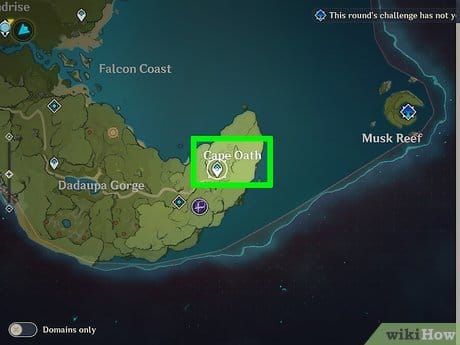
Snowveil? GPU killer with its effect-packed crowds. Stygian craves lightning-fast inputs. Abyss floors 9-12? You need 45-60 FPS and Low Crowd Density. iPhone XR snags 9 stars on floor 9 with Low settings; Snapdragon 8 Gen 2 clears full Abyss at 60 FPS if you cool it down and take breaks. Here's the routine: 1. Pre-session, Snapdragon 845 minimum, 6GB+ RAM. 2. Nail frame time stability for Stygian. 3. Clear cache weekly—that's +2-4GB space per patch. Low SFX keeps throttling at bay.
Ever pushed a mid-tier phone through these? Low SFX isn't just nice—it's your throttle shield.
Best Graphics Settings to Save Battery
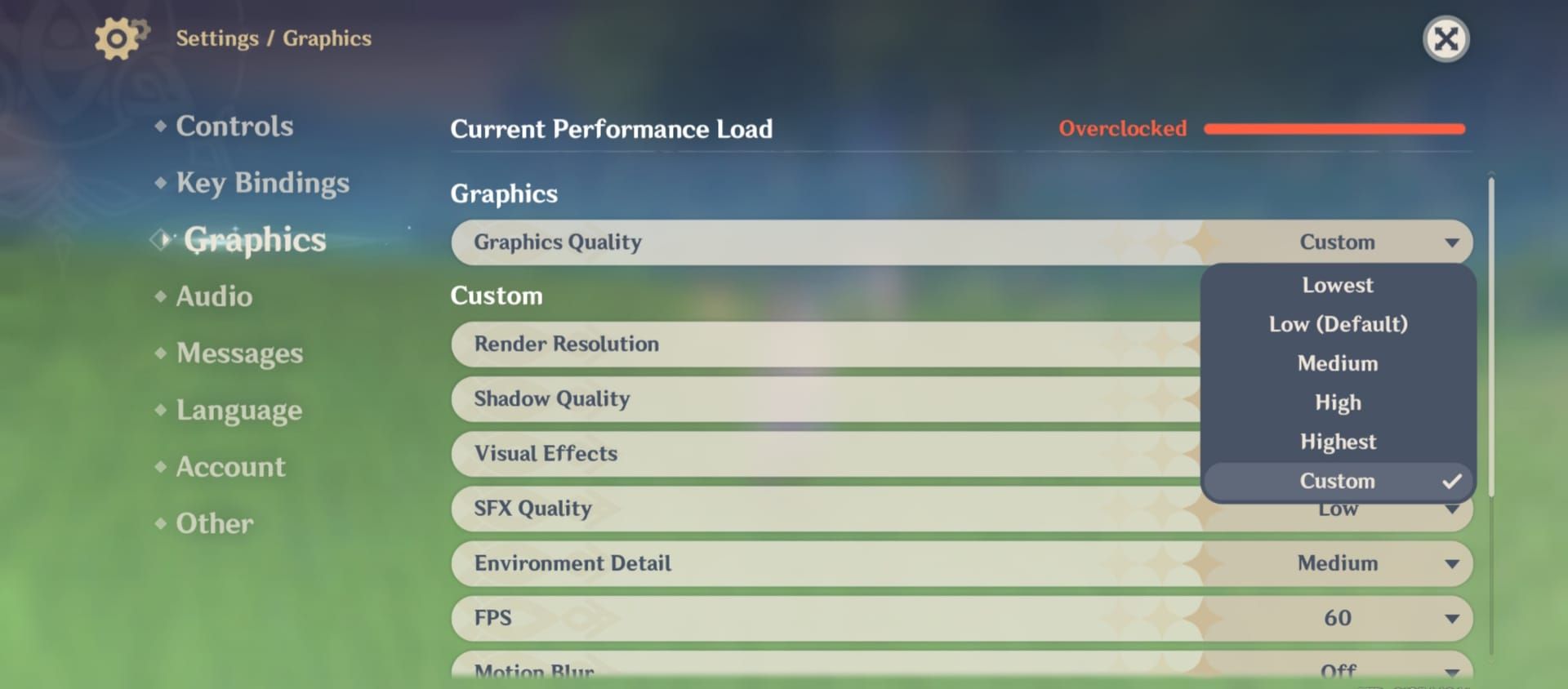
Crank Render Resolution to Low: instant 30-40% GPU cut, 60 FPS stability without overclocking. Shadows on Low? +15-25% FPS boost. The sweet spot: Render/Shadows/Effects/Environment/Crowd Density all Low, SFX Lowest, FPS 30-45, Motion Blur and Bloom Off, Anti-Aliasing TAA/Off, Anisotropic 16x. Your 5000mAh battery? 6-7 hours at 60 FPS; doubles at 30 FPS. Drain plummets 40-60%.
Steps (Graphics):
- Render Low (30-40% GPU cut).
- Shadows/Effects/SFX/Environment/Crowd Low.
- FPS 30-45; Off Blur/Bloom; FSR 2/TAA.
- Vulkan on Snapdragon 8 Gen 2/3 (+30% FPS).
Mid-range Snapdragon 8 Gen 2 (8-12GB RAM): mix Low-Medium Render, FSR 2, 45-60min sessions. (Pro tip from the editing desk: FSR 2 feels like magic on these chips.)
Optimal Control Settings for Precision Play
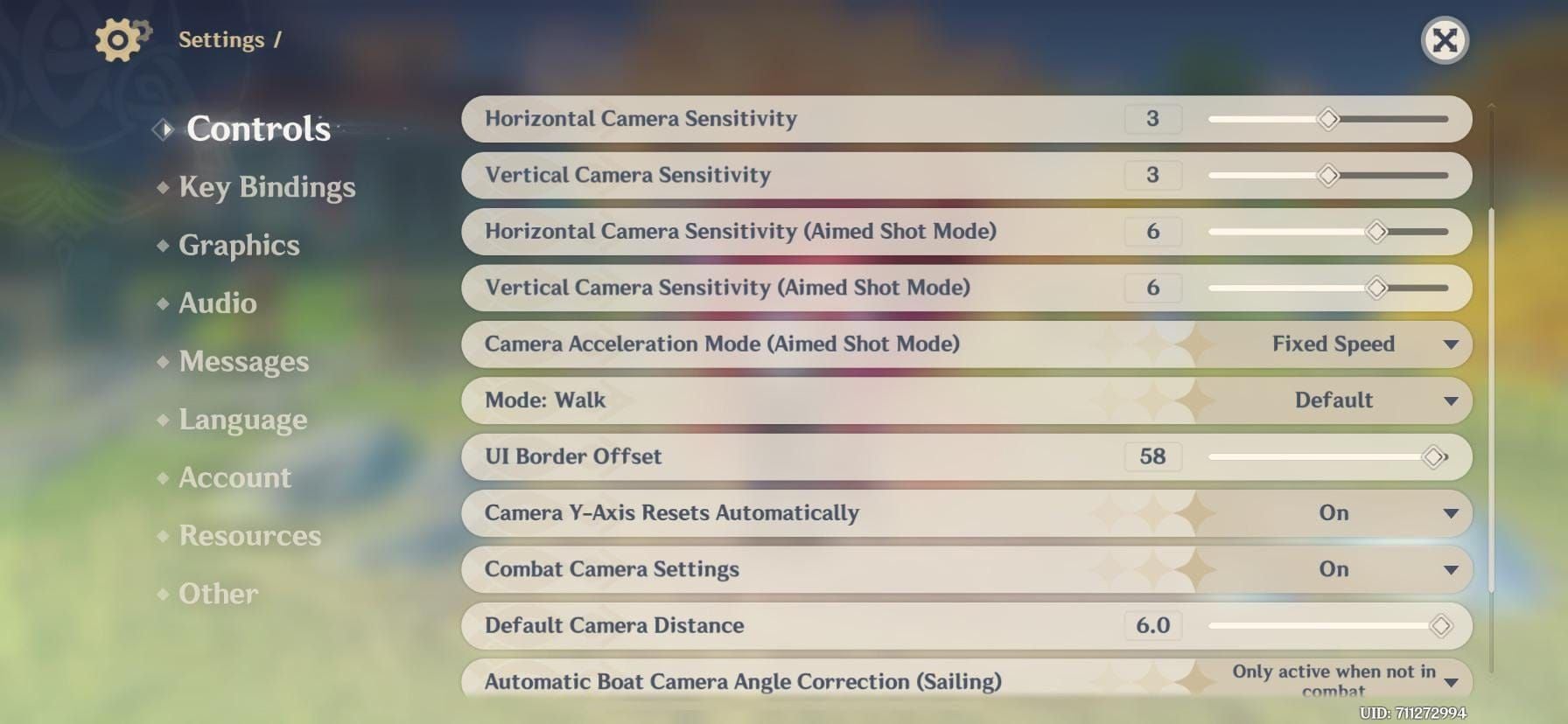
60 FPS shaves lag to 16.7ms; but cap at 30-45 FPS for battery and buttery frame times. Mobile Abyss clears thrive on stable 30-45 FPS—HUD tweaks cut those mis-taps dead.
Steps (Controls):
- Remap thumbsticks, crank sensitivity for Stygian/Abyss.
- Compact HUD, disable Co-Op.
- Test FPS cap, overlays for frame time.
Low graphics? They kill processing delays too. Simple as that.
Battery Life Benchmarks and Tests
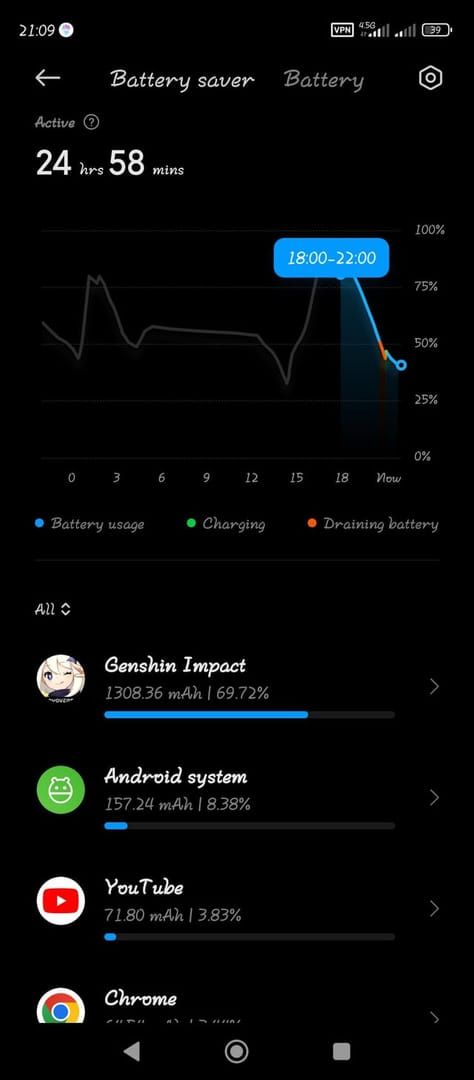
High-end 5000mAh: 6-7h at 60 FPS Low; mid-range stretches to 7.5h. iOS A16+ hits 58 FPS High with Low Power Mode (+15-20% life). 60 FPS guzzles 40-60% more than 30 FPS for Abyss clears; optimized flagships gain +40-60%.
Steps (Android/iOS):
- Android: Close backgrounds (3-4GB free), Game Turbo, no HW Overlays.
- iOS: Low Power pre-launch (off in-game), no Background Refresh.
- Both: 20-80% battery, Wi-Fi, low brightness, 60Hz.
Snapdragon 865+ stays stable; 845? All Low at 30 FPS.
Thermal and Overheating Management
Throttling at 40-45°C tanks FPS 20-30%; shutdown looms over 60°C. Push GPU to 90-100%—no overclock needed. Skip charging (heat spikes in 15-20min); ditch the case (+5-8°C cooler). Clip-on fans drop 5-10°C; sunlight? Adds +10-15°C—avoid it.
Steps:
- Overlays alert at 42-45°C.
- Cooldown 10-15min drops temps; hourly 10-15min breaks.
- Environment 18-22°C; Airplane + Wi-Fi.
(As a Genshin grind vet, I've melted more phones than I'd admit—overlays saved me.)
buy genshin impact crystals for mobile gaming via BitTopup: fast top-ups, competitive pricing, broad device support, safe/secure, top user ratings.
Common Mistakes and How to Avoid Them
Charging? Heat builds fast. Battery saver? It throttles FPS. Force-closing apps? Wastes reload time. Keep 10GB+ free storage (>20% headroom); weekly cache clear fights 1-5 FPS drops. Rollback drivers like 27.20.100.8476 nukes stutters.
Steps:
- Play 20-80% battery.
- No V-Sync if dynamic off; reset post-update.
- RAM boosters on budget; no network switches.
These pitfalls? They've wrecked more clears than bad luck.
Tools and Apps for Monitoring Performance
Overlays nail FPS, frame time, temp, load—aim Smooth/Balanced. Load flags overclocking; 90-100% GPU is gold; alerts dodge Stygian flops.
Steps:
- Enable FPS counter.
- Game Booster priority.
- Track battery health (replace at 80%).
Player Case Studies: Successful Mobile Clears
Snapdragon 8 Gen 2: 60 FPS Low, cooling, hourly breaks—Abyss done. iPhone XR: 9 stars floor 9. Thumb controls plus low graphics snag S-rank Stygian; full 36-star on optimized mobile. Pre-session routine? Your Snowveil top-rank ticket.
Advanced Tips for Long Sessions
Hourly breaks stretch life 40-60%; Wi-Fi only; mid-range caps at 45-60min. Pre-session: Game mode, kill apps, temp check.
Checklist:
- No case, cooldown ready.
- Power banks ≥20,000mAh USB-C.
- Disable refreshes.
FAQ
What are the best mobile graphics settings for Genshin Spiral Abyss?
Render/Shadows/Effects Low, FPS 30-45, Motion Blur Off; 40-60% battery savings, stable clears.
How to reduce heat and battery use in Genshin Snowveil?
Remove case, FPS 30 cap, hourly 10-15min breaks, Wi-Fi only; <45°C monitor.
Best low-graphics preset for Genshin mobile Abyss clears?
All Low (Render/Shadows/Visuals/SFX/Environment/Crowd), TAA AA, 16x Anisotropic; doubles playtime.
Does turning off shadows save battery in Genshin mobile?
Shadow Low +15-25% FPS, cuts drain in Stygian/Abyss.
Genshin mobile settings for iPhone vs Android Abyss?
iOS: Low Power pre-launch; Android: Game Turbo, Vulkan; both Low preset, 30 FPS cap.
Genshin FPS boost tips for endgame without lag?
Low Render (30-40% GPU cut), close apps, frame time focus; Snapdragon 8 Gen+ 60 FPS bursts.
👉 genshin mobile player cheap top up 👈
✅ Official direct recharge, 100% secure
✅ No waiting – top-up arrives in 7 seconds
✅ Big discounts, low prices to save more
✅ 7×24-hour customer service, ready to assist anytime