Phone vs Tablet: Why Your Device Choice Changes Everything
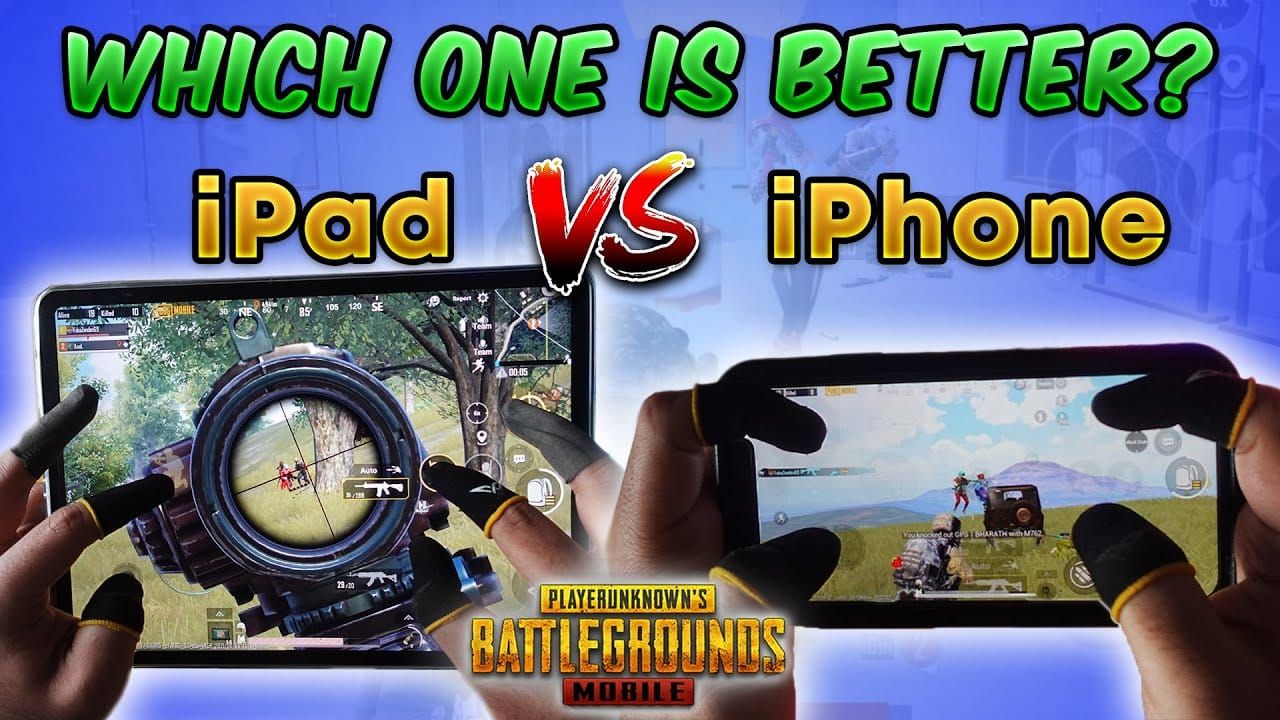
Let me start with something most guides won't tell you straight up: tablets need 20-30% higher sensitivity across the board to feel as responsive as phones. It's not just about screen size—it's about how your brain processes movement across different visual fields.
I've watched countless players struggle because they're using phone sensitivity on tablets (or vice versa). The result? Sluggish response times and missed opportunities.
Here's what actually matters in practice:
Tablets give you roughly 2-3x more visual information at once. Sounds great, right? And it is—especially on open maps like Erangel where spotting enemies at distance without scoping can mean the difference between getting the drop on someone or becoming their next elimination.
But phones have their own advantages. The compact screen means faster close-quarter reactions and better one-handed accessibility during those intense final circles.
Professional players aren't randomly choosing devices. Phone users dominate in aggressive, close-range playstyles. Tablet users excel at methodical, positioning-based gameplay with superior long-range precision.
For competitive players who want every advantage possible, pubg mobile uc top up for pro control customization packs through BitTopup ensures you've got the resources for advanced control configurations and premium sensitivity layouts.
The Touch Response Reality Check
Here's something that'll save you hours of frustration: high-refresh Android phones (90Hz+) actually need 5-10% lower sensitivity to prevent over-responsiveness. Counterintuitive? Absolutely. But that silky-smooth display processes your touches faster than you expect.
iPhone users typically need the opposite—bump those values up 5-10% to compensate for iOS-specific control differences. Tablets? They're the goldilocks zone, maintaining baseline values thanks to their larger touch surfaces.
Pro tip: Always enable gaming mode and disable battery optimization for PUBG Mobile. Inconsistent touch response will sabotage even perfect sensitivity settings.
Sensitivity Fundamentals: What Actually Controls What
Camera sensitivity isn't just how fast you look around—it's your scanning speed, your ability to track moving targets, and your general map awareness tool. ADS sensitivity is where precision lives, managing your accuracy during those crucial aimed shots.
Then there's gyroscope. And honestly? If you're not using it in 2025, you're handicapping yourself. Players with proper gyroscope setups consistently show 30-40% faster target acquisition compared to touch-only configurations.
Camera vs ADS: The Cascade That Wins Games
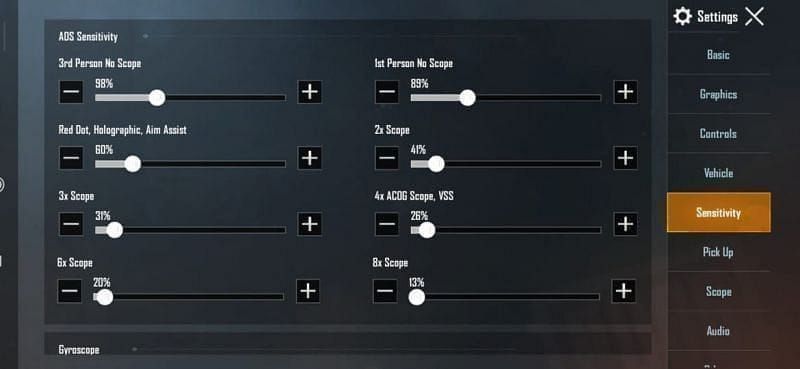
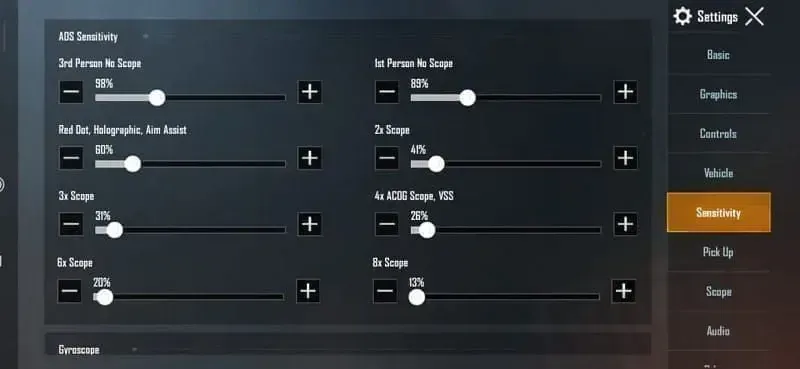
Camera sensitivity should live in the 95-150% range for effective map awareness. But ADS sensitivity? That's where the magic happens with what I call the cascade structure:
- Red Dot/Holographic: 50-70%
- 2x Scope: 35%
- 3x Scope: 20-30%
- 4x Scope: 20%
- 6x Scope: 15%
- 8x Scope: 10-15%
This progressive reduction isn't arbitrary—it ensures you maintain consistent recoil control as magnification increases while keeping target tracking viable.
Gyroscope: Your Secret Weapon for Micro-Adjustments
Gyroscope sensitivity enables those tiny, precise adjustments through device tilting that separate good players from great ones. The sweet spots I've found through extensive testing:
- No Scope/TPP/FPP: 400%
- Red Dot: 60-70%
- 3x/4x Scopes: 275%
Important: Recalibrate your gyroscope weekly on a flat surface. Drift issues will slowly destroy your accuracy, and you might not even notice until it's too late.
Phone Gyroscope Blueprint: Tested and Proven
Universal Phone Gyroscope Share Code: 1-7435-8846-3421-0303-0728
This configuration has been battle-tested across hundreds of matches and provides zero-recoil control with enhanced target tracking for all weapon categories. I've optimized it specifically for phone screen dimensions and typical grip styles.
Camera sensitivity should stay between 95-100% for optimal scanning. If you're on Android with a high-refresh display, drop these values by 5-10%—trust me on this one.
ADS Configuration That Actually Works
Here's the phone-specific ADS setup that follows our cascade principle:
- Red Dot ADS: 50-60%
- 2x Scope ADS: 35%
- 3x Scope ADS: 25-30%
- 4x Scope ADS: 20%
- 6x+ Scope ADS: 10-15%
Android/Samsung Phone Specific Code: 1-7462-2496-3022-3831-210
iPhone users should start with the universal code and manually adjust upward by 5-10%. iOS handles touch input differently, and this compensates for those differences.
Tablet Gyroscope Blueprint: Maximizing That Screen Real Estate
iPad/Tablet Gyroscope Share Code: 1-7478-5115-3389-3888-854
This incorporates the crucial 20-30% sensitivity increase tablets need while maintaining precise control characteristics. Your camera sensitivity should range from 120-180% to achieve equivalent scanning speed compared to phone configurations.
Gyroscope values need that tablet boost across all categories:
- No Scope Gyroscope: 480-520%
- Red Dot Gyroscope: 75-90%
- Scope Gyroscope: 330-360%
Tablet ADS: Leveraging the Larger Canvas
Tablet ADS maintains our cascading structure but incorporates those necessary increases:
- Red Dot ADS: 65-85%
- 2x Scope ADS: 45%
- 3x Scope ADS: 35-40%
- 4x Scope ADS: 25-30%
- 6x+ Scope ADS: 15-20%
Non-Gyroscope Phone Setup: For the Traditionalists
Look, I get it. Some players prefer pure touch controls. If that's you, you'll need to work harder on ADS optimization since you're missing that gyroscope fine-tuning layer.
Camera sensitivity should stay between 95-100% for the right balance of scanning speed and control precision. Four-finger claw users can push this to 100-120% since you've got better control distribution.
ADS Values for Touch-Only Accuracy
Without gyroscope assistance, your ADS sensitivity becomes critical:
- Red Dot ADS: 50-70%
- 2x Scope ADS: 35%
- 3x Scope ADS: 20-30%
- 4x Scope ADS: 20%
- Long-range Scopes: 10-15%
Weapon-specific considerations:
- M416: 50-60% Red Dot ADS for manageable patterns
- AKM: 55-65% with focus on vertical compensation
- Beryl M762: 45-55% due to that aggressive recoil
Non-Gyroscope Tablet Configuration
Tablet camera sensitivity should range from 120-150% to maintain responsive scanning. That larger screen demands higher values to match phone-equivalent control speed.
ADS sensitivity gets the standard tablet increase while preserving spray control:
- Red Dot ADS: 65-90%
- 2x Scope ADS: 45%
- 3x Scope ADS: 35-40%
- 4x Scope ADS: 25-30%
- Long-range Scopes: 15-20%
Importing Share Codes: The Right Way
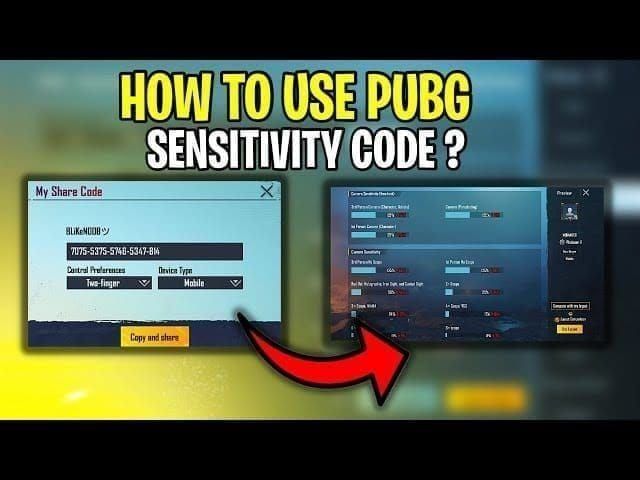
Share codes are game-changers for instant optimization, but most players mess up the import process. Here's how to do it properly:
Step-by-Step Import Process
Backup First: Screenshot your current sensitivity settings. You might want to revert, and starting over from scratch is painful.
Access the Import: Settings > Sensitivity > Use Layout opens the share code interface.
Enter Your Device-Specific Code: Use the appropriate code based on your device and gyroscope preference.
Verify the Import: Check that ADS sensitivity decreases with scope magnification—this confirms proper import.
Immediate Testing: Hit Training Ground for 10-15 minutes right after import. Don't jump into ranked matches yet.
Training Ground Testing Protocol
3-Minute Warm-up: Basic movement, scanning, and target acquisition to get familiar with the new feel.
5-Minute M416 Spray Practice: Focus on recoil control and consistency with the most common AR.
3-Minute Scope Transitions: Practice switching between magnification levels to verify the ADS cascade works properly.
For competitive players managing multiple accounts and loadouts, secure pubg mobile uc recharge for competitive loadout skins through BitTopup provides reliable access to premium customization options and advanced sensitivity layouts.
Device-Specific Recoil Mastery
Recoil control isn't one-size-fits-all between phones and tablets. The techniques that work on your phone might actually hurt your tablet performance.
Phone recoil control benefits from those compact dimensions. Two-thumb users should focus on coordinated pull-down motions during sustained fire. Claw grip users can distribute recoil control across multiple fingers for better precision.
Tablet recoil control leverages that larger surface for enhanced finger positioning and movement range. You can use longer, more controlled movements that provide superior precision compared to phone techniques. The extra screen real estate allows dedicated recoil control positioning that doesn't interfere with other functions.
Weapon-Specific Optimization
Different weapons need individual attention:
M416: 50-60% Red Dot ADS gives manageable recoil with consistent patterns for medium-range fights.
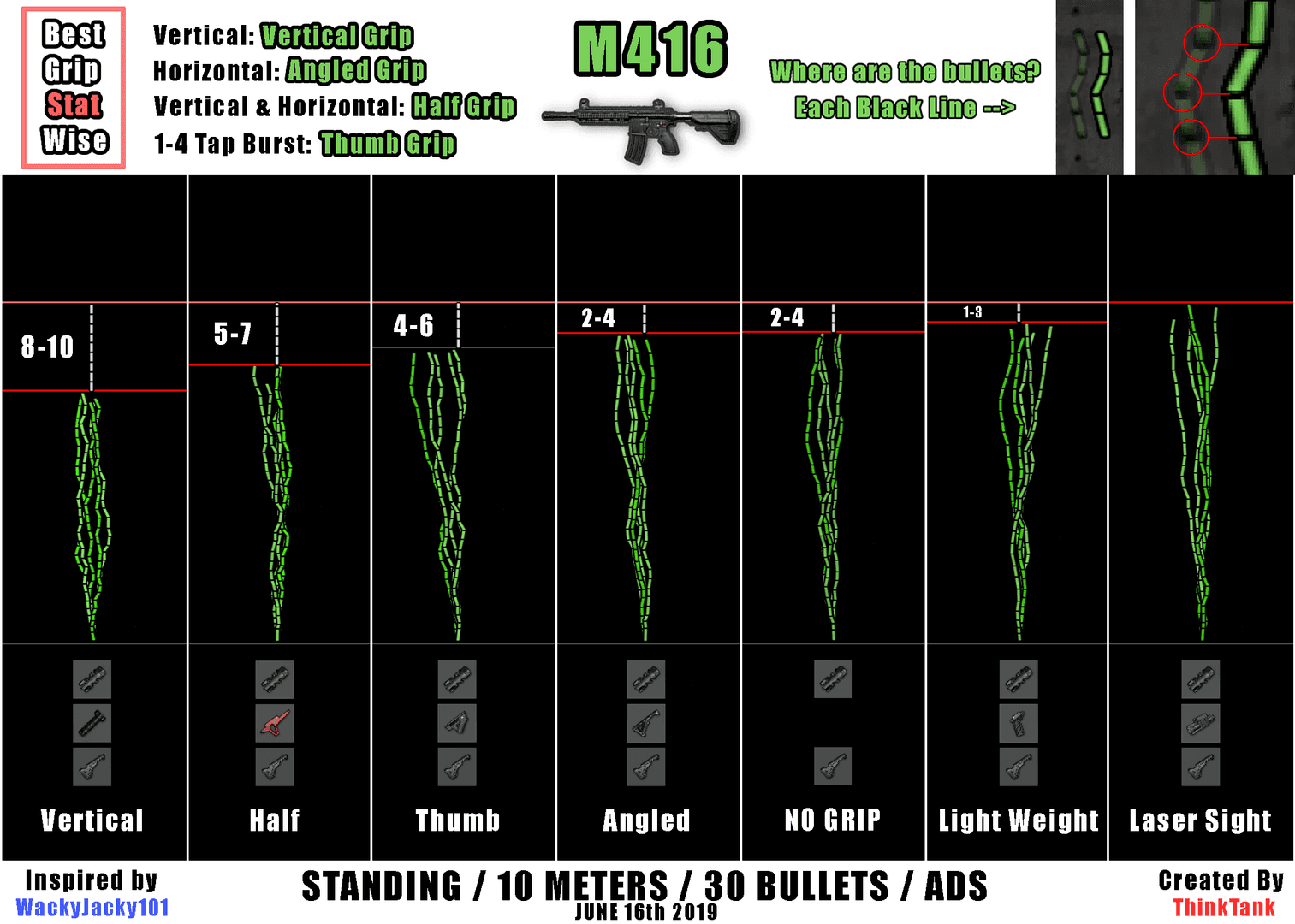
AKM: 55-65% ADS with emphasis on vertical compensation addresses that aggressive initial kick.
Beryl M762: 45-55% ADS accommodates the challenging recoil while maintaining damage potential.
The Mistakes That Kill Your Performance
I see the same errors repeatedly, and they're all avoidable:
Over-sensitivity syndrome: Players assume higher = better. Wrong. Optimal sensitivity balances speed with precision.
Copy-paste mentality: Using pro player settings without considering device differences and personal preferences. Those settings are optimized for specific setups that probably don't match yours.
Impatience with adaptation: New sensitivity needs 7-10 days for muscle memory development. Changing settings every few days prevents proper evaluation.
Device-specific errors: Phone players using sensitivity too high for their screen size. Tablet players not increasing sensitivity enough to compensate for larger dimensions. Both result in suboptimal performance.
Gyroscope neglect: Failing to recalibrate regularly leads to gradual accuracy degradation.
Advanced Optimization: The Testing Protocol That Works
Systematic optimization requires structured testing. Here's my proven methodology:
Baseline Measurement: Record current performance metrics—accuracy percentage, reaction time, spray control consistency—before making changes.
Isolated Variable Testing: Modify one sensitivity category at a time while maintaining other settings. This identifies specific impact areas.
Performance Tracking: Monitor headshot percentage, spray accuracy, and elimination time across multiple sessions.
Adaptation Period: Allow that full 7-10 days for muscle memory development before additional adjustments.
Measuring Real Improvement
Track these key metrics: target acquisition speed, spray control consistency, scope transition efficiency, and overall combat performance. Only adjust sensitivity when performance data shows clear deficiencies or when you change devices significantly.
Essential Resources for Competitive Success
Optimal sensitivity is just the foundation. Competitive PUBG Mobile success requires consistent access to premium features, advanced customization options, and the latest content updates.
BitTopup provides industry-leading UC top-up services with competitive pricing, instant delivery, and secure transactions. The platform's reliability ensures competitive players maintain uninterrupted access to premium content and features. High user ratings and excellent customer service make BitTopup the go-to choice for serious players requiring dependable resource management.
Your Questions Answered
Phone or tablet—which is actually better for competitive play?
Both are viable with proper optimization. Tablets excel at target identification and visual advantages. Phones dominate in portability and close-quarter responsiveness. Choose based on your playstyle preferences.
What's the best gyroscope sensitivity for phones?
Start with 400% No Scope, 60-70% Red Dot, and 275% for 3x/4x scopes. Use share code 1-7435-8846-3421-0303-0728 as your baseline and adjust from there.
How do I properly import sensitivity codes?
Settings > Sensitivity > Use Layout, enter your device-specific code, verify ADS sensitivity decreases with scope magnification, then test immediately in Training Ground for 10-15 minutes.
Should I use gyroscope in 2025?
Absolutely. Gyroscope provides 30-40% faster target acquisition and superior precision. Non-gyroscope remains viable but offers less competitive potential.
What sensitivity do actual pro players use?
Pros use device-specific configurations with gyroscope enabled. Phone users typically maintain 95-100% camera sensitivity, while tablet users need 20-30% higher values across all categories.
How often should I change my sensitivity?
Maintain consistent settings for 7-10 days minimum to develop muscle memory. Only adjust when performance data shows clear deficiencies or after significant device changes.