

PUBG G-Coin Top Up: What is PUBG G-Coin CDK on PC?
PUBG G-Coin is the official premium virtual currency used exclusively in PUBG: BATTLEGROUNDS on PC (Steam and Epic Games Store). Players use G-Coins to purchase seasonal content, weapon cosmetics, custom character gear, and crate keys directly from the in-game store.
A PUBG G-Coin CDK (CD-Key) is a digital alphanumeric code that grants a specific denomination of G-Coins directly to your game balance upon activation. Unlike direct account access methods, a CDK allows you to receive a digital activation code via email, which you redeem inside the official PUBG game client. This guarantees total account security because you never share your Steam or Krafton login credentials.
PUBG PC G-Coin vs. PUBG Mobile UC: Key Differences
Before purchasing, confirm your gaming platform. PUBG: BATTLEGROUNDS (PC / Console) and PUBG Mobile are entirely separate titles with independent currencies and economies. Codes purchased for one platform cannot be redeemed on the other.
| Feature | PUBG PC (G-Coin CDK) | PUBG Mobile (UC) |
|---|---|---|
| Platform | PC (Steam, Epic Games) | Mobile (iOS, Android) |
| Currency Name | G-Coin | Unknown Cash (UC) |
| Delivery Method | 16-Character CDK Digital Code | Direct Player ID Top-Up / Voucher |
| In-Game Use | Survivor Pass, Hideout, Contraband Crates | Royale Pass, Lucky Spins, Mobile Crates |
| Redemption Location | In-Game Store > Add Bonus / Gift Code | Midasbuy / In-Game Mobile Store |
| Account Password Required | Never | Never |
Note: PUBG G-COIN CDK products sold on this page are strictly for the PC version of PUBG: BATTLEGROUNDS.
Step-by-Step Guide: How to Buy and Redeem PUBG G-Coin CDK
Purchasing and activating your G-Coin voucher is straightforward and requires only your email address for code delivery.
Step 1: Purchasing on BitTopup
- Select the desired PUBG G-Coin CDK denomination.
- Enter your active email address in the delivery field. Your digital activation code will be sent to this inbox immediately after checkout.
- Proceed to the payment screen and complete your transaction. Current pricing and available denominations are always reflected on the live checkout page.
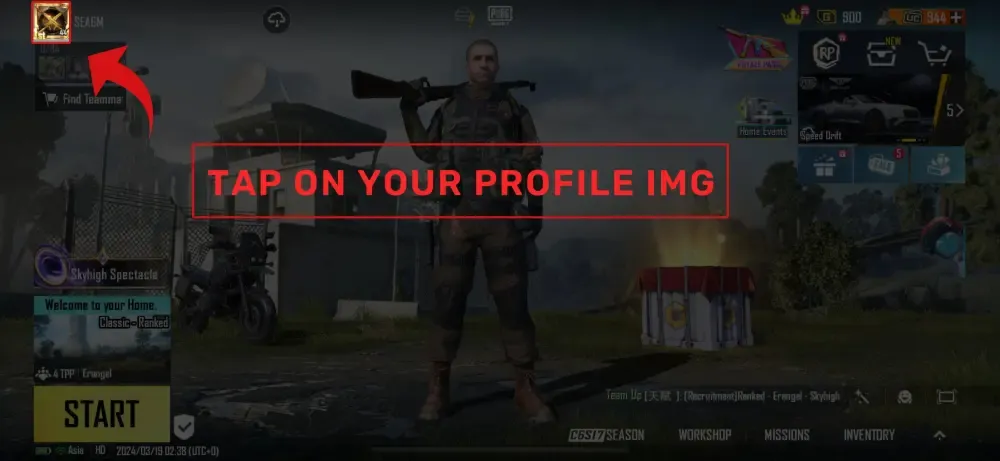
Step 2: In-Game CDK Activation on PC
- Launch PUBG: BATTLEGROUNDS on your PC via Steam or Epic Games.
- Navigate to the top navigation bar in the main lobby and click on STORE.
- In the lower-left corner (or under the items sub-menu), locate and click the ADD BONUS / GIFT CODE button.
- Type or paste your 16-digit alphanumeric CDK code into the text input field.
- Click REDEEM.
- Your G-Coin balance in the top-right corner will update immediately.
Popular In-Game Items to Unlock with G-Coins in 2026
Redeeming your G-Coins gives you direct access to the latest rotational items, cosmetic upgrades, and progression tracks in PUBG: BATTLEGROUNDS:
- Survivor Pass: Unlock premium seasonal reward tracks containing exclusive character outfits, weapon patterns, vehicle skins, and crafting tokens.
- Hideout & Progressive Weapon Skins: Spend G-Coins on Contraband Crates to acquire progressive weapon skins (such as the Beryl M762, M416, or Kar98k variants) that evolve visual effects, kill feeds, and attachments as you level them up.
- Hunter's and Archivist's Chests: Purchase keys and chests in the Workshop to craft past seasonal cosmetics, costume sets, and rare equipment.
- Customization Bundles: Purchase limited-time collaboration outfits, tactical gear, weapon charms, emotes, and nameplate banners from the store.
- Name Change & Preset Slots: Expand your customized preset outfit slots or rename your in-game character profile.
PUBG G-Coin Validity and Expiration Rules in 2026
Krafton applies specific validity rules depending on how G-Coins are acquired. Understanding these distinctions ensures you get maximum value from every top-up:
- Standard Purchased G-Coin (CDK): G-Coins acquired via purchased CDK codes are classified as regular paid currency. Under standard game policies, paid G-Coins remain valid on your account for up to 5 years from the date of code redemption.
- Bonus & Event G-Coin: Certain promotional bundles include bonus G-Coins. Event or bonus G-Coins carry shorter expiration periods (typically 30, 60, or 90 days depending on the specific event promotion).
- Automatic Consumption Order: The PUBG store system automatically spends G-Coins with the closest expiration date first. When you make an in-game purchase, your expiring bonus balance is consumed prior to deducting your long-term paid balance.
Why Buy PUBG G-Coin CDK on BitTopup
BitTopup provides a safe, reliable path for PC players to recharge their PUBG balances without compromising account security:
- Zero Account Sharing / No Password Needed: You never need to supply your Steam login, Krafton account password, or Steam Guard authentication codes. You receive a digital CDK directly to your email inbox and redeem it yourself inside the game.
- Instant Email Delivery: Codes are dispatched automatically upon order completion, allowing you to top up and purchase time-limited store items without delay.
- Live, Transparent Pricing: Denominations and costs are displayed directly on the live checkout interface with no hidden handling fees.
- Dedicated 24/7 Support: Our customer support team is available around the clock to assist with code verification, order tracking, and redemption questions.
Troubleshooting Common PUBG G-Coin Code Activation Errors
If you experience an error while redeeming your code in the PUBG client, check the following troubleshooting solutions:
- Error: 'The code is invalid'
- Verify character accuracy. Common typos include confusing the number
0with the letterO, or the number1with the uppercaseI. - Check for accidental leading or trailing spaces if copying and pasting the code.
- Error: 'This code has already been redeemed'
- Refresh your game client. If you entered the code and encountered a server timeout, the G-Coin may have already been credited to your balance.
- Check your in-game purchase history under the Store tab to confirm recent balance additions.
- Error: 'Cannot connect to the server / System error'
- During major game patch updates or maintenance windows, the redemption server can experience temporary traffic spikes. Wait a few minutes, restart the PUBG client, and re-enter the code.
- Ensure your Steam or Epic Games client is running the latest game update.
Frequently Asked Questions
How do I redeem a PUBG G-Coin CDK code on PC?
Open PUBG: BATTLEGROUNDS on PC, click on the STORE tab in the main lobby, select ADD BONUS / GIFT CODE in the lower menu, enter your 16-character code, and click REDEEM.
Does PUBG G-Coin expire after redemption?
Regular G-Coins redeemed from paid CDK codes remain valid for up to 5 years from the redemption date. Any promotional or bonus G-Coins included in special promotional bundles carry shorter validity periods (such as 30 to 90 days) and are spent first by the game system.
Can I use PUBG G-Coin codes on PUBG Mobile or console?
No. PUBG G-COIN CDK codes are exclusively for the PC version (Steam and Epic Games Store) of PUBG: BATTLEGROUNDS. They cannot be activated on PUBG Mobile, PlayStation, or Xbox.
Do I need to provide my Steam or PUBG login password?
No. BitTopup only requires your email address to deliver your digital CDK. You never share your account password, Steam Guard codes, or login credentials.
What can I purchase with G-Coins in PUBG in 2026?
You can buy seasonal Survivor Passes, Hideout Contraband Crates for progressive weapon skins, Workshop chests and keys, exclusive character costume bundles, emotes, weapon charms, and Name Change Cards.
What should I do if my PUBG G-Coin code shows as invalid or already redeemed?
First, verify that the code was typed correctly without trailing spaces or character mix-ups. If the issue persists, check your in-game G-Coin balance and transaction log, then contact BitTopup 24/7 customer support with your order number for verification assistance.