Normal Delays vs Genuine Missing Coins
Pending status is normal for 5-10 minutes across all payment methods. Regional variations: GCash processes in 2-5 minutes, M-Pesa takes 15-30 minutes. Google Play pending resolves within 24 hours without intervention.
System maintenance delays coins 30-60 minutes. Network congestion during peak hours (7-9 PM) slows delivery 10-20 minutes. Bonus coins post separately in 1-24 hours.
Genuine missing coins occur when payment completes but no transaction record appears in Profile > Wallet > Transaction History after maximum expected timeframe.
Common Scenarios Triggering Missing Coin Reports
Wrong User ID: 30% of all transaction problems. Poppo User ID is a 7-8 digit number (example: 4741291), not username or email. Mistyping one digit sends coins to different account with 0% recovery.
Payment gateway timeouts: Network interruptions create phantom charges—bank debits funds but Poppo never receives confirmation. Appears complete on bank statement but never registers in Poppo's database.
Account verification issues: Profile information doesn't match payment details, blocking delivery.
How Coin Distribution Works
Poppo validates three checkpoints: payment confirmation, User ID verification, account status check. Each adds 10-30 seconds. System prioritizes security over speed.
Conversion rate: 100 coins = $1 USD across all tiers. Bulk packages (83,000 coins for $10) offer better value but process through identical channels. Package size doesn't affect delivery speed.
Server delays occur when simultaneous purchases overload regional nodes. System queues transactions chronologically, extending delivery 10-20 minutes during viral events.
The 10-Minute Proof Checklist
Follow sequentially—skipping steps creates evidence gaps.
Minute 1-2: Force Close and Restart App
iOS: Swipe up from bottom, flick Poppo Live card off screen.
Android: Recent Apps, swipe away Poppo Live.
Wait 15 seconds before reopening for server sync. Requires version 2.9.6+ (released 9 Oct 2025). iOS needs 13.0+ with 307.2 MB storage.
After reopening, allow 30 seconds for server reconnection and balance refresh.
Minute 3-4: Check Exact Balance Location
Navigate: Profile > Wallet > Transaction History. Home screen counter shows cached data from last session.
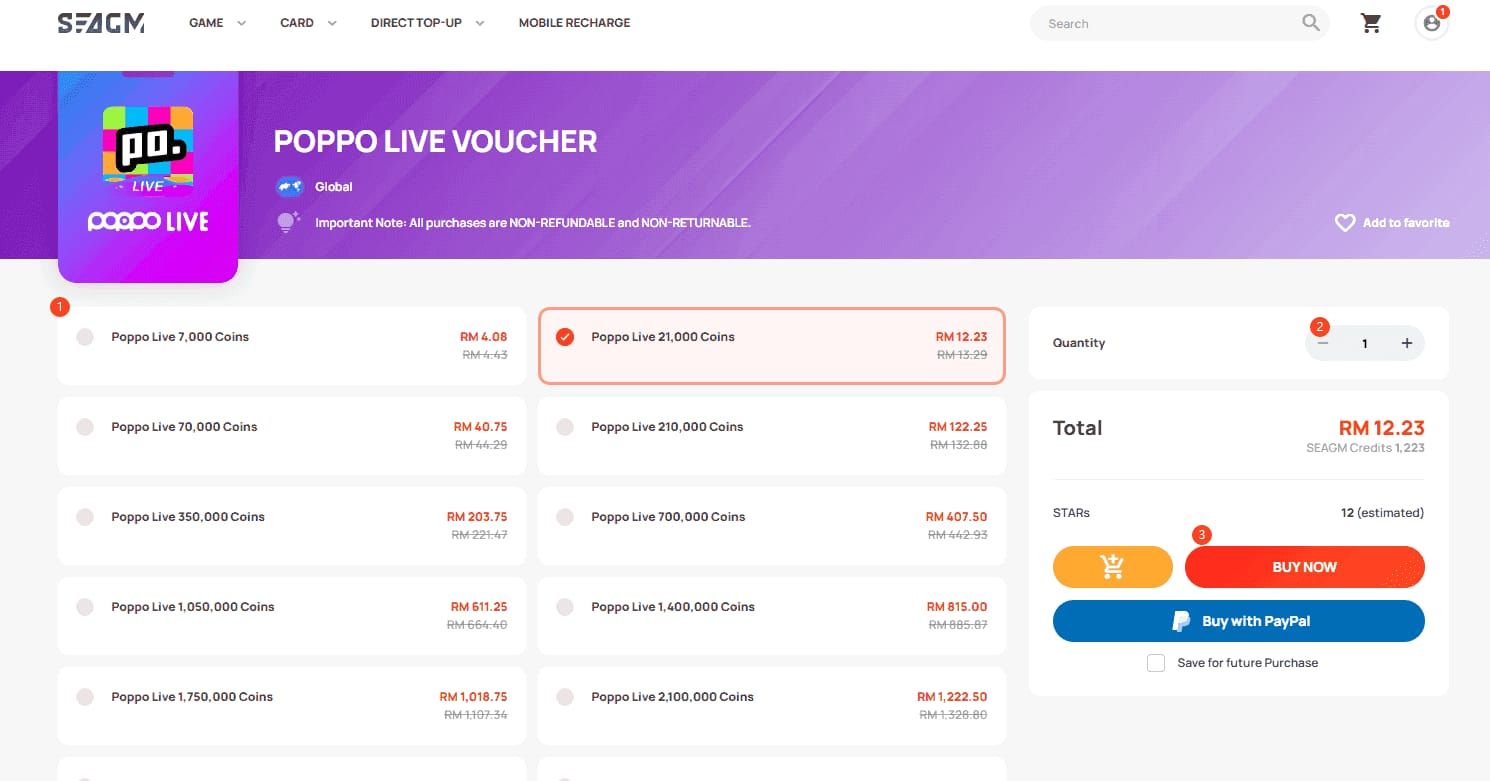
Tap Me (bottom-right) > Wallet. Current balance appears at top. Transaction History lists every coin movement with timestamps.
Look for +[amount] coins with exact timestamp. Bonus coins appear separately, sometimes hours later.
Minute 5-6: Verify Payment Completion
Open payment app (Google Pay, Apple Pay, bank app). Confirm Completed or Success status, not pending authorizations.
Google Play order numbers start GPA + 16 digits. Apple receipts from do-not-reply@itunes.com with subject Your receipt from Apple.
Check for declined notifications. Some methods show initial success before backend fraud checks decline the charge 5-30 minutes later.
Minute 7-8: Locate Receipt and Transaction ID
Screenshot payment confirmation showing transaction ID, amount, timestamp, recipient. Partial screenshots delay support resolution 24-48 hours.
Google Play: Play Store > Account > Purchase History. Tap purchase for full GPA order number.
Apple: Settings > [Your Name] > Media & Purchases > Purchase History. Order ID appears below amount.
Minute 9-10: Clear Cache and Check Network
Android: Settings > Apps > Poppo Live > Storage > Clear Cache.
iOS: Settings > General > iPhone Storage > Poppo Live > Offload App (reinstall).
Switch between WiFi and mobile data. Some networks block in-app purchase verification packets.
Restart device to clear system-level network caches. Wait 2 minutes before opening Poppo Live for full network initialization.
Gathering Ironclad Evidence
Complete documentation resolves in 24-48 hours. Incomplete submissions take 5-7 days.
Screenshot Payment Confirmation Email
Capture entire email showing sender, subject, transaction details, timestamp. Cropped screenshots raise fraud concerns.
Must display transaction ID prominently. PayPal: 17-character alphanumeric. Credit cards: 12-16 digit authorization codes. Bank transfers: unique reference numbers.
Include promotional codes or discounts. Price discrepancies require explanation.
Capture Bank/Payment App Details
Screenshot transaction showing Poppo Live as recipient, exact amount, date/time, status.
For users who buy Poppo Live coins online through BitTopup, capture platform's order confirmation with order number, coin amount, delivery status.
Highlight status: Completed,Posted, or Settled confirms transfer. Pending or Processing means payment hasn't finalized.
Record Current Balance
Screenshot Wallet showing balance before and after expected delivery. Establishes baseline evidence.
Navigate Profile > Wallet, capture full screen including User ID at top. Proves account ownership.
Include timestamp via device status bar. Proves when you checked balance relative to purchase time.
Document Transaction ID and Order Number
Copy-paste User ID from profile screen—never type manually. Settings > Account Information displays 7-8 digit User ID.
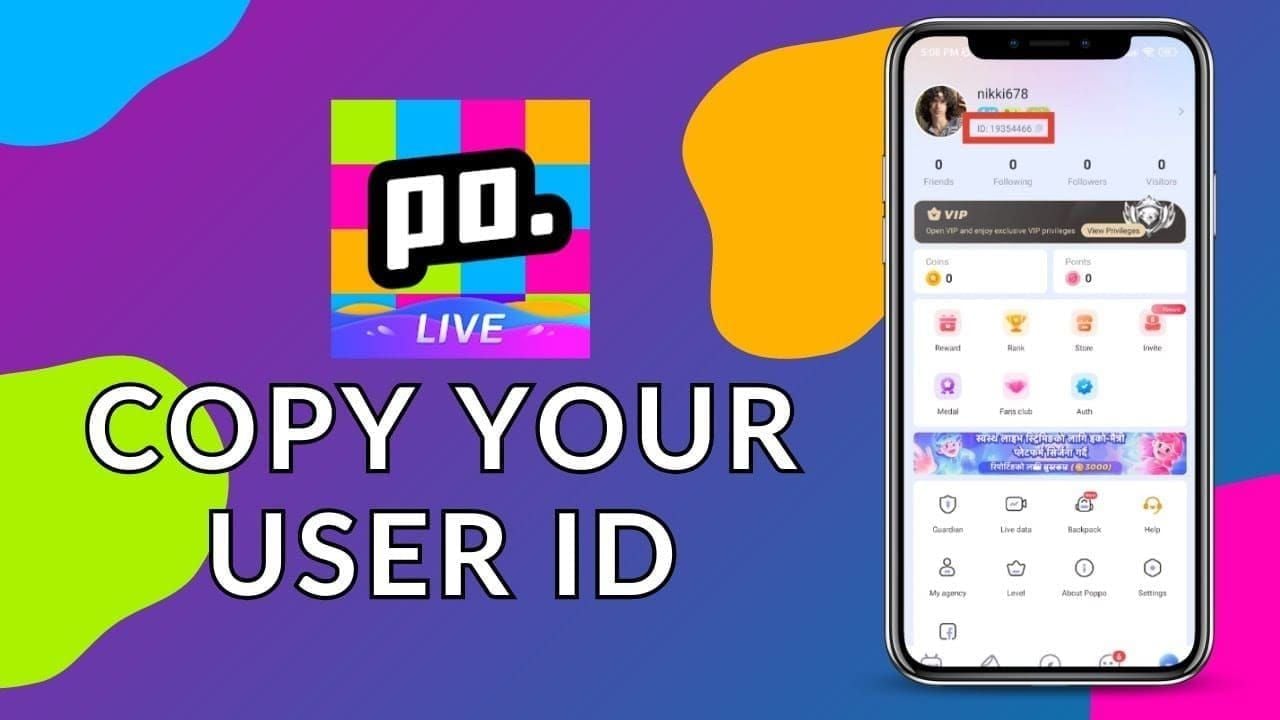
Record payment platform's order number separately from transaction ID. Google Play uses GPA numbers; Apple uses Order IDs.
Screenshot error messages showing error codes or failure reasons.
Note Exact Purchase Time and Amount
Record purchase time to the minute. Precise timing helps locate transaction in server logs.
Document coin package (e.g., 83,000 coins for $10 USD) and actual charged amount. Currency conversion discrepancies sometimes occur.
List geographic location and payment method. Regional processing differences affect delivery times.
Why Chargebacks Are Nuclear: Account Ban Explained
Chargebacks are the fastest way to permanently lose your account. Zero exceptions.
Zero-Tolerance Chargeback Policy
Filing chargeback triggers immediate 100% permanent ban regardless of circumstances. Ban activates automatically within 2-6 hours when payment processor notifies Poppo—before investigation.
Policy protects against fraud: users receive coins, spend on gifts, reverse payment for free coins. Platform can't distinguish legitimate disputes from fraud.
Payment processors charge Poppo $15-25 per chargeback in admin fees, even when users win disputes.
How Chargebacks Trigger Suspension
Ban sequence initiates within 2-6 hours. Fraud detection receives real-time notifications and auto-flags User ID.
Account enters suspended status immediately, blocking login. All coins and data become inaccessible. Suspension message shows generic account violation without specifying chargeback.
No appeal process exists. Support tickets receive automated decision is final responses. New accounts violate Terms of Service, resulting in IP-level blocks.
What Happens to Coins and Data
All balances—purchased and earned—disappear permanently. Terms of Service classify virtual currency as non-refundable licenses terminating when accounts close.
Case ID 49274067: User lost $350 in virtual assets after filing $10 chargeback. Recovered $10, forfeited $340 remaining. Net loss: $330.
Account data deletes after 90 days per retention policies. No backup or export—permanently unrecoverable.
Real Cases: Users Who Lost Everything
Case ID 42077594 (Oct 15, 2023): Security breach with unauthorized purchases. Despite fraud evidence, chargeback triggered automatic ban. Legitimate owner lost access permanently.
Multiple reports document users filing chargebacks after 2-3 hours, misinterpreting normal 5-15 minute delays. Hasty chargebacks resulted in permanent bans for transactions that would've completed naturally.
Regional payment delays create highest chargeback risk. M-Pesa's 15-30 minute window exceeds patience. Kenya and Tanzania users report disproportionately high ban rates.
The Right Way to Resolve Missing Coins
Proper channels resolve genuine issues in 24-48 hours without risking bans.
Contacting Support: Step-by-Step
Wait minimum 15 minutes after purchase. Allows normal processing to complete.
Email:
- Android: support@poppo.live
- iOS: support@poppo-ios.com
Use email associated with Poppo account for automatic ownership verification.
Subject format:Missing Coins - User ID [7-8 digit ID] - Order [transaction ID]
Required Information
Five mandatory elements:
- User ID: 7-8 digit number from Profile > Settings > Account Information
- Order Number: GPA (Google Play), Order ID (Apple), transaction reference (others)
- Purchase Screenshot: Full payment confirmation with amount, timestamp, transaction ID
- Balance Screenshot: Wallet screen proving non-delivery
- Purchase Timestamp: Exact date and time to minute precision
Optional but helpful: device model, app version, payment method type, location.
Attach screenshots as separate files, not embedded. Preserves quality and metadata.
Expected Response Times
Initial automated response within 1 hour with ticket number.
Human review begins within 24-48 hours (business days). Weekend submissions: 48-72 hours.
Resolution timeline:
- Wrong User ID: Immediate explanation (unrecoverable)
- Payment verification: 2-3 business days
- System errors: 3-5 days for technical investigation
Escalation Path
After 5 business days without resolution, reply to original ticket (don't create new) requesting senior support escalation. Reference ticket number, summarize issue in 2-3 sentences.
Contact payment method's support parallel to Poppo. Google Play and Apple can confirm whether payment transferred, providing additional evidence.
Regional consumer protection:
- EU: 14-day withdrawal rights
- UK: 120-day Consumer Rights Act protection
- US: 60-day Fair Credit Billing Act dispute window
Work through payment processors, not Poppo directly. Don't trigger chargeback bans when properly documented.
Common Mistakes Delaying Resolution
Avoidable errors extend resolution from 24-48 hours to weeks.
Filing Chargebacks Before Support
Chargebacks are absolute last resort after exhausting support. 60-90 day chargeback windows give ample time for support attempts first.
Payment processors accept chargebacks for 60 days (credit cards) to 180 days (PayPal). Allows 2-3 weeks for support before considering chargebacks.
Chargeback ban applies even if you cancel before completion. Initiation itself triggers automated ban. Some file thinking they can withdraw after getting attention—results in permanent bans.
Incomplete Documentation
Missing any of five mandatory elements enters clarification queue, not investigation queue. Each request adds 24-48 hours.
Blurry screenshots obscuring transaction IDs can't be processed. Support needs pixel-perfect clarity.
Typing User IDs manually introduces transcription errors. Wrong digit sends support investigating wrong account, leading to no transaction found.
Using Multiple Accounts
Creating secondary accounts to test triggers fraud detection. Multiple accounts from same device/IP appear as multi-accounting violations.
Test purchases of small amounts create multiple support tickets when all fail for same reason. Floods queues, delays resolution.
Account switching confuses tracking. Purchase on Account A but check Account B—coins appear missing when delivered correctly to A.
Ignoring Network and Regional Restrictions
VPN during purchases creates geographic mismatches. Payment processors flag as potential fraud, blocking completion.
Some regions restrict payment methods for regulatory compliance. Restricted methods result in silent failures.
Corporate/institutional networks block in-app purchase verification. University WiFi, workplace networks, public WiFi commonly implement blocks. Switch to mobile data.
Prevention Strategy
Proactive measures eliminate 95% of missing coin scenarios.
Pre-Purchase Verification Checklist
- Verify User ID before every purchase: Profile > Settings > Account Information
- Update Poppo Live to latest version (app store shows Update if available)
- Check account standing: Settings > Account Status
- Confirm sufficient storage: iOS needs 307.2 MB free
Choosing Reliable Platforms Like BitTopup
Third-party platforms offer advantages over direct in-app purchases. BitTopup provides transparent tracking, dedicated support, competitive pricing.
Platform reputation matters—established services with verified reviews demonstrate reliability. BitTopup's high ratings and wide game coverage indicate consistent delivery.
Purchase protection features: order tracking, screenshot verification, responsive support (hours, not days).
Network Requirements
- Use stable WiFi or 4G/5G (3G lacks bandwidth)
- Disable VPN before purchasing (creates geographic mismatches)
- Avoid public WiFi with content filtering/firewalls
- Purchase during off-peak hours (10 AM - 4 PM). Peak evening (7-9 PM) experiences congestion delaying delivery 10-20 minutes
Receipt Management System
- Create dedicated email folder Poppo Receipts with auto-filing rules
- Screenshot every confirmation before closing. Save to cloud with descriptive filenames: Poppo_[date][amount][transaction ID].png
- Maintain spreadsheet: date, amount, coins, transaction ID, delivery confirmation
- Set calendar reminders 30 minutes after purchase to verify delivery
BitTopup Advantage: Guaranteed Delivery
Third-party platforms solve recurring issues through specialized infrastructure.
How BitTopup Ensures Instant Delivery
Direct API integration with Poppo's distribution system bypasses payment processor delays. Reduces delivery to 1-5 minutes vs 5-15 minutes standard.
Automated monitoring tracks every transaction real-time. Delivery exceeding 5 minutes auto-alerts support for immediate investigation.
Pre-verified User ID validation prevents 30% of transaction problems. Requires double confirmation before purchase, eliminating transcription errors.
Purchase Protection Features
- Real-time order tracking: Payment Received,Processing,Delivered status updates
- Screenshot verification: Submit non-delivery proof through platform interface. Support reviews in 2-4 hours vs 24-48 hours email
- Guaranteed delivery: Refund or redeliver if issues occur. Platform-managed refunds preserve account standing
24/7 Support vs Delayed Official Channels
Round-the-clock support across all time zones. Asia, Europe, Americas receive immediate assistance.
Live chat resolves simple issues in 5-15 minutes. Email for complex cases responds within 4-6 hours vs Poppo's 24-48 hours.
Multi-language support accommodates non-English speakers struggling with Poppo's English-only support.
FAQ: Missing Poppo Coins Resolved
How long should I wait before reporting missing coins?
Wait minimum 15 minutes. In-app purchases: 30 seconds-3 minutes. Third-party: 1-5 minutes. M-Pesa: up to 30 minutes. Pending status normal for 5-10 minutes. Only report after payment method's maximum window expires and transaction shows Completed.
Will chargebacks ban my account permanently?
Yes. 100% permanent ban, zero exceptions. Triggers automatically within 2-6 hours of initiation, before investigation. All coins disappear permanently, no appeal. Case ID 49274067: User lost $350 in assets after $10 chargeback. Never use as first resolution.
What information does support need?
Five mandatory elements: 7-8 digit User ID (Profile > Settings > Account Information), order number (GPA/Order ID), payment screenshot (transaction ID + amount), balance screenshot (Wallet proving non-delivery), exact purchase timestamp (to minute). Incomplete submissions delay 24-48 hours per clarification.
How do I check transaction history correctly?
Profile (Me bottom-right) > Wallet > Transaction History. Balance at top. History lists every movement with timestamps. Look for +[amount] coins matching purchase. Home screen counter shows cached data—always verify through Wallet.
Can I get refunds without account ban?
Yes, through proper support channels, not chargebacks. Contact support@poppo.live (Android) or support@poppo-ios.com (iOS) with complete documentation. Responds 24-48 hours, resolves via redelivery or refund through original payment. Google Play: 48-hour refund window. Apple: 90 days. EU: 14-day withdrawal. UK: 120-day Consumer Rights Act. Work through payment processors without triggering bans.
What are most common reasons coins don't arrive?
Wrong User ID: 30% of problems. Must copy exact 7-8 digit number (example: 4741291) from Profile > Settings. Payment gateway timeouts during network interruptions. Normal delays (5-15 minutes regional, up to 30 minutes M-Pesa) misinterpreted. System maintenance: 30-60 minute delays. Account verification mismatches block delivery.
Tired of missing coin headaches? Purchase Poppo Coins through BitTopup with guaranteed instant delivery, 24/7 support, zero issues. Get coins in seconds, not days—start worry-free now!






























































































































