To resolve a metal slug awakening account bind error, reach Commander Level 9 to unlock the "Bind Account" setting, then match your login authentication channel to your operating system. Guest profiles ("Play Now") are tied directly to your physical hardware and will wipe if deleted or unlinked before syncing. Progress transfers between Android and iOS only work through Facebook or Zing (Vietnam region) accounts, while logging into mismatched server clusters creates a brand-new character rather than restoring your existing save.
Why Your Guest Account Fails to Bind
Many players assume account linking is broken from their very first run. In reality, the bind option does not exist on fresh installs. According to the official VNGGames Bind Account Guide, the binding feature remains hard-locked until your commander hits Level 9.
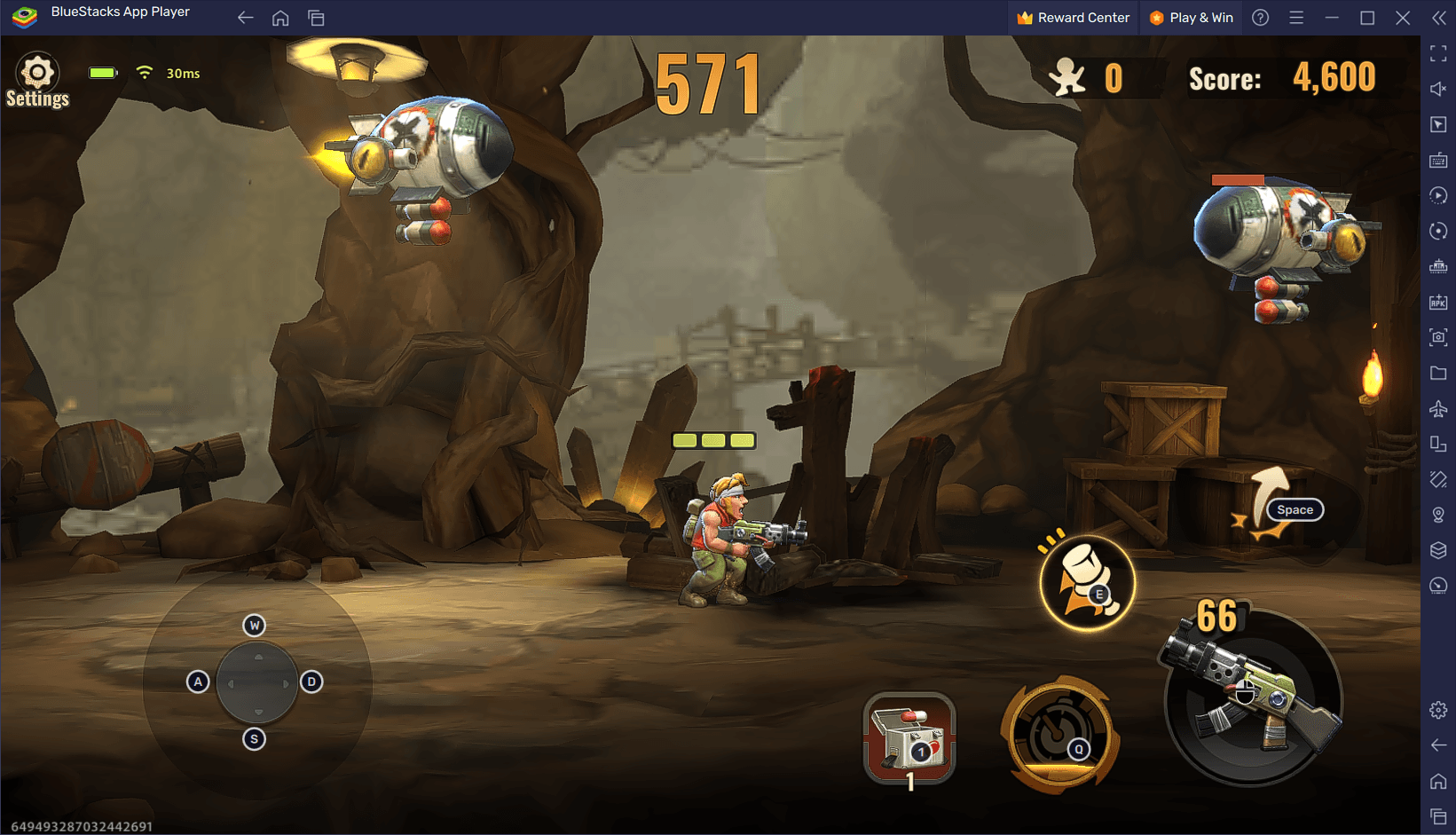
If you use the guest option ("Play Now"), your progress is saved locally to your device storage. Under VNG's Terms of Service, customer support explicitly refuses account recovery requests for guest profiles if you cannot prove ownership. Leaving an unlinked guest account inactive for 6 months also risks permanent deletion.
Step-by-Step: How to Link a Guest Account at Level 9
Follow these exact interface steps once you meet the level requirement:
- Complete early story missions until your Commander reaches Level 9.
- From the main Town hub, tap the menu button in the top-right corner.
- Tap Settings to open the System Settings interface.
- Select Privacy Settings from the left-hand navigation column.
- Scroll down to the bottom to locate the Other section.
- Choose your desired third-party login channel (Google, Apple ID, Facebook, or Zing) and authorize the connection.
If you see an error stating the account is already bound, that third-party channel already holds a separate commander profile. You must use an alternate login channel or clear that account's existing game link.
Authentication Channel and Cross-Platform Compatibility
Not all login providers behave identically. Media reports occasionally suggest cross-progression works across every method. Official documentation contradicts this: VNG's Metal Slug: Awakening FAQ states that cross-platform data transfers between Android and iOS are restricted to Facebook and Zing accounts.
| Channel | Platform Support | Cross-OS Progression | Reference & Preview |
|---|
| Facebook | Android & iOS | Full progress syncing across Android and iOS | VNG FAQ |
| Zing Account | Android & iOS | Full progress syncing (Vietnam region only) |  VNG FAQ VNG FAQ |
| Google Account | Android native | No iOS migration; progress stays on Android |  VNG FAQ VNG FAQ |
| Apple ID | iOS native | No Android migration; progress stays on iOS |  VNG FAQ VNG FAQ |
| Play Now (Guest) | Single device hardware | No syncing; hardware locked until Level 9 bind | VNG Policy |
If you play on Android using your Google account and attempt to sign in on an iPad using Apple ID, the system will not migrate your commander. For a multi-device setup spanning Android and iOS, bind your original character to Facebook.
Fixing Android and Google Play Services Bind Errors
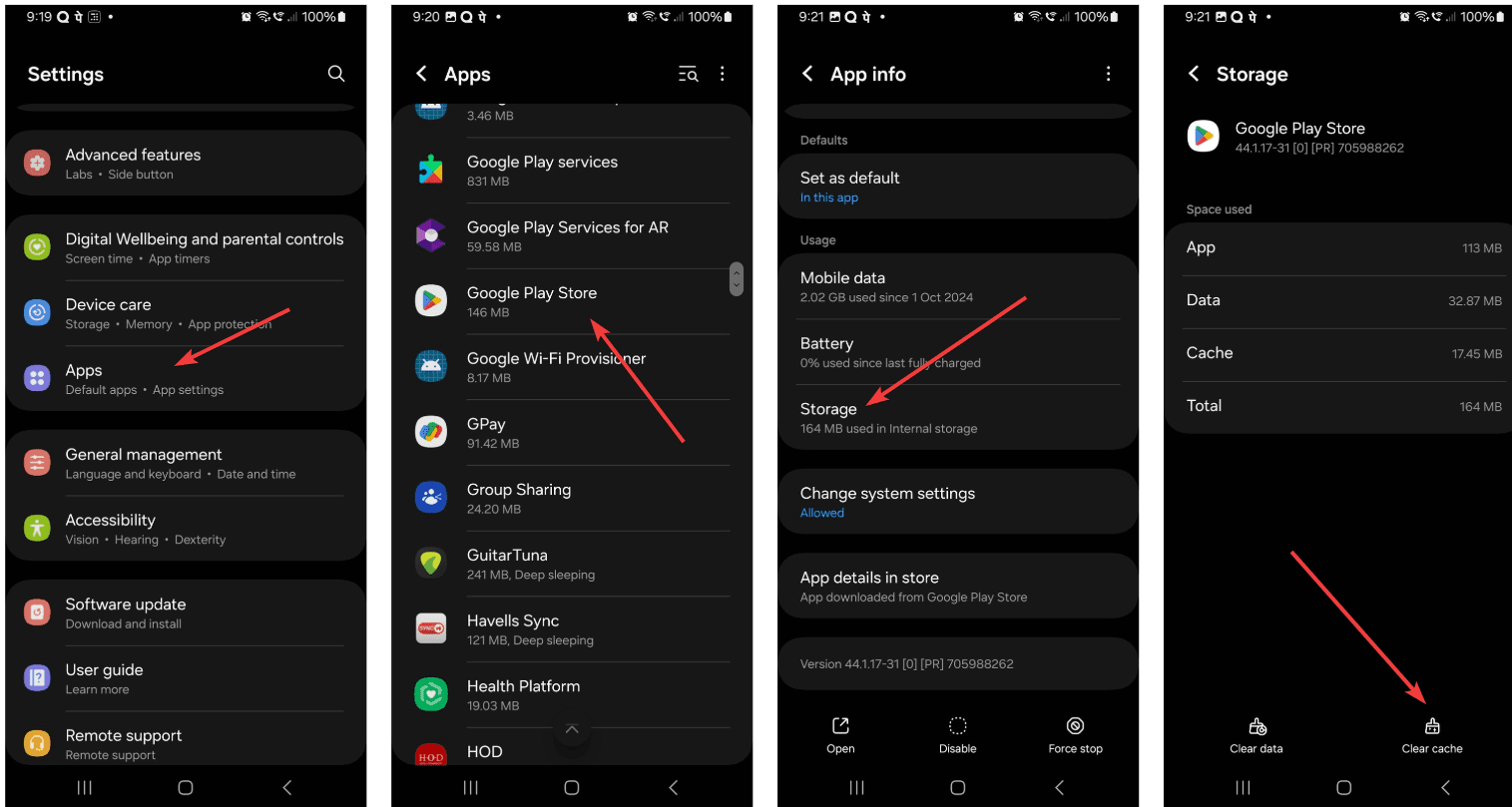
When linking on Android, authentication loops or instant connection drops often stem from cached authentication tokens in Google Play Services. Google Play Help documentation outlines the standard sequence to resolve local token mismatch errors:
- Close Metal Slug: Awakening completely.
- Open your device's Settings app and navigate to Apps (or Manage Apps).
- Locate and select Google Play Games, tap Storage & Cache, and tap Clear Cache.
- Repeat the cache-clearing process for Google Play Services.
- If your phone uses multiple Google profiles, open the Google Play Games app directly, open its in-app Settings, and confirm the default sign-in email matches the specific Google account you intend to link to the game.
- Re-launch Metal Slug: Awakening and retry the bind through Settings > Privacy Settings > Other.
Server Cluster Mismatch and Missing Characters
Landing on a character creation screen after logging in does not mean your account was wiped. In most cases, your save is intact on a different server instance.
Character saves are strictly bound to their specific regional server clusters and individual servers. According to the VNG FAQ, clusters like Taiwan, Hong Kong, and Macau operate as distinct server groups. Individual game servers also enforce strict player registration caps: if a target server reaches maximum capacity, the game automatically routes you to a newly opened server, generating a fresh profile instead of loading your existing data.
| Issue Symptom | Root Cause | Documented Fix |
|---|
| Character missing after device switch | Logging into Google on iOS or Apple ID on Android | Relog on original OS, link to Facebook, and re-authenticate per VNG FAQ. |
| Character reset to Level 1 on same device | Auto-assigned to a new server or wrong cluster | Tap the server selector on the title screen and manually pick your original cluster and server name. |
| Error: "Account already bound" | Third-party profile already holds another commander | Choose an unused provider (e.g., Facebook instead of Google) under Privacy Settings > Other. |
| Server full warning on login | Target server reached its player registration limit | Wait for server queues to ease; do not click "New Server" if you want to keep your existing character. |
If you manage your character on Indonesian servers, you can acquire Metal Slug: Awakening Ruby Indonesia balances to unlock supply passes, rare weapon dig tickets, or convert them directly to Sapphires at a 1:1 ratio once your account binding is secured.
Troubleshooting Flow for Common Linking Failures
Work through these diagnostic checks in order before escalating to customer support:
| Step Order | Checkpoint | Verification Method | Source |
|---|
| 1 | Commander Level Threshold | Verify character is at least Level 9 before checking Town Settings. | VNG Bind Guide |
| 2 | OS Cross-Compatibility | If moving between iOS and Android, confirm you selected Facebook or Zing. | VNG FAQ |
| 3 | Server Cluster Selection | Confirm your login title screen shows your original server name and regional cluster. | VNG FAQ |
| 4 | Google Play Token State | Clear cache on Google Play Games and Google Play Services on Android. | Google Support |
If the automated binding system continues to fail despite correct credentials, open the in-game support portal via Settings > Common > Customer Service, or contact the official Metal Slug: Awakening Fanpage Channel directly. Keep your original Commander ID and registration details handy to verify ownership.