Getting an error redeeming your Twitch gift card? Fix 2FA blocks, currency mismatches, and code typos to credit your Twitch Wallet balance right now.
You enter your gift card code into the Twitch Wallet redemption box, select apply, and hit a generic error: "Error redeeming gift card. Please try again." The platform provides no diagnostic details.
The card itself is usually valid. Twitch triggers this alert when an account fails a security requirement, trips a fraud filter, or hits a currency boundary. Here is how to isolate the issue and credit your balance.
Quick Fixes for Twitch Gift Card Redemption Errors
Start by clearing browser and network conflicts. Client-side scripts frequently stall on cached tokens, ad blockers, or corrupted session data.
- Switch to an Incognito Window: Open a private window in Chrome, Firefox, or Edge to disable extensions, ad blockers, and stale cookies.
- Log In Directly at Twitch.tv: Sign in on the official website. Avoid third-party links or embedded redemption frames.
- Clear Cache and Cookies: If private browsing works, clear cache and cookies for Twitch domains in your main profile to wipe invalid session tokens.
- Disconnect VPNs and Proxies: External proxies trigger fraud detection filters. Turn off VPN tunnels before submitting the code.
- Switch to Desktop Web: Mobile browser interfaces and app settings often misfire during redemption. Use a desktop browser.
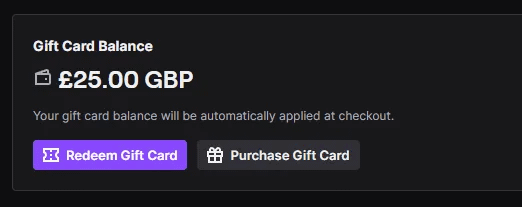
The alternate prompt—"We encountered an error redeeming your gift card. Please try again"—points directly to missing account security or a country mismatch rather than a temporary server glitch.
Resolving the Twitch Gift Card Currency Mismatch Error
Twitch enforces strict regional currency boundaries. Gift cards are non-convertible and locked to the country registered on your account profile.
A USD voucher requires an account with US residency. Redeeming a USD code on an account set to the UK, Canada, Australia, or the Eurozone fails immediately. The platform does not convert foreign balances into local currency at checkout.
| Card Currency | Account Residency Required | Regional Eligibility | Cross-Currency Conversion |
|---|
| USD ($) | United States | US-registered accounts only | Not Supported |
| EUR (€) | Eurozone | 25 eligible European countries | Not Supported |
| GBP (£) | United Kingdom | UK-registered accounts only | Not Supported |
| CAD / AUD | Canada / Australia | Domestic registered accounts | Not Supported |
Account residency settings dictate gift card compatibility; foreign currencies cannot be converted into your domestic Twitch Wallet.
Physical location does not dictate redemption—profile residency does. A US account holder traveling in Europe or Japan can redeem a USD card normally without changing settings.
Accounts registered outside the US cannot process USD balances. To load a US-registered account cleanly, use a verified Twitch Gift Card USD that matches your profile settings.
The Missing Two-Factor Authentication Security Wall
Twitch requires active Two-Factor Authentication (2FA) before crediting gift cards to a wallet. An unverified account will stall on redemption, reload continuously, or throw the generic retry prompt.
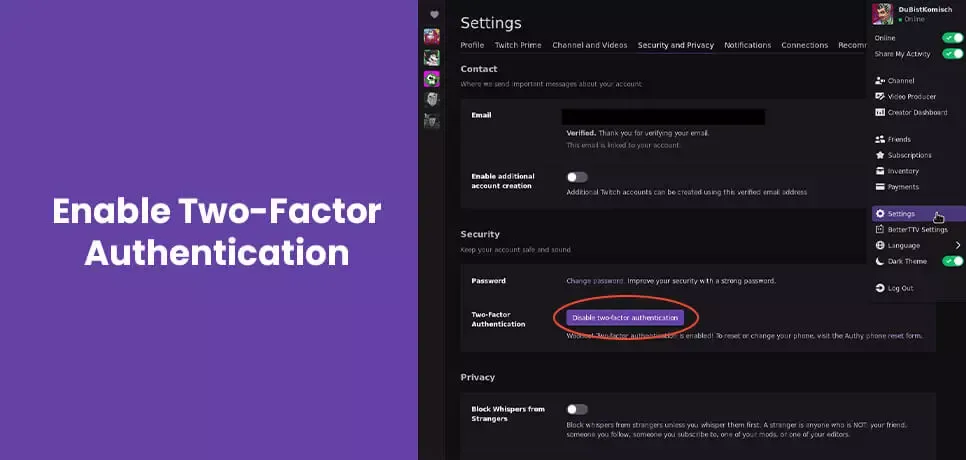
How to Enable 2FA on Twitch
- Click your profile avatar in the upper right corner and select Settings.
- Open the Security and Privacy tab.
- Locate Two-Factor Authentication under the Security header.
- Click Set Up Two-Factor Authentication.
- Enter your phone number for SMS codes, or pair an authenticator app.
- Enter the six-digit verification code to complete setup.
Log out and back in after enabling 2FA, then re-enter the gift card PIN.
Fixing Twitch Gift Card Invalid Code Errors and Retail Delays
An "invalid code" prompt indicates character entry mistakes or point-of-sale network delays.
Character Misinterpretations (OCR Errors)
Alphanumeric codes contain visually ambiguous characters. Inspect your card or digital voucher for these common swaps:
- 0 misread as O or Q.
- 1 misread as I or lowercase l.
- 5 misread as S.
- 8 misread as B.
- V misread as U.
Retype the string manually and check for trailing spaces copied from confirmation emails.
Merchant Terminal Activation Delays
Physical cards sold at brick-and-mortar registers remain locked until scanned at the till. POS systems occasionally experience processing latency, delaying activation by 24 to 48 hours. Check your paper receipt for the "Card Activated" confirmation line before contacting support.
Account age rules also apply. Platform terms require users to be at least 13 years of age to hold and redeem wallet funds.
Spending Restrictions: Why Balances Fail on Mobile Apps
Redeeming a code credits your wallet, but platform rules restrict where those funds can be used. Mobile apps on iOS and Android do not accept Twitch Wallet balances for purchases.
Twitch Gift Card balances cannot be spent directly inside the iOS or Android mobile apps.
App store billing policies block external wallet deductions. You must open a desktop or mobile browser and sign in to twitch.tv to use your credit.
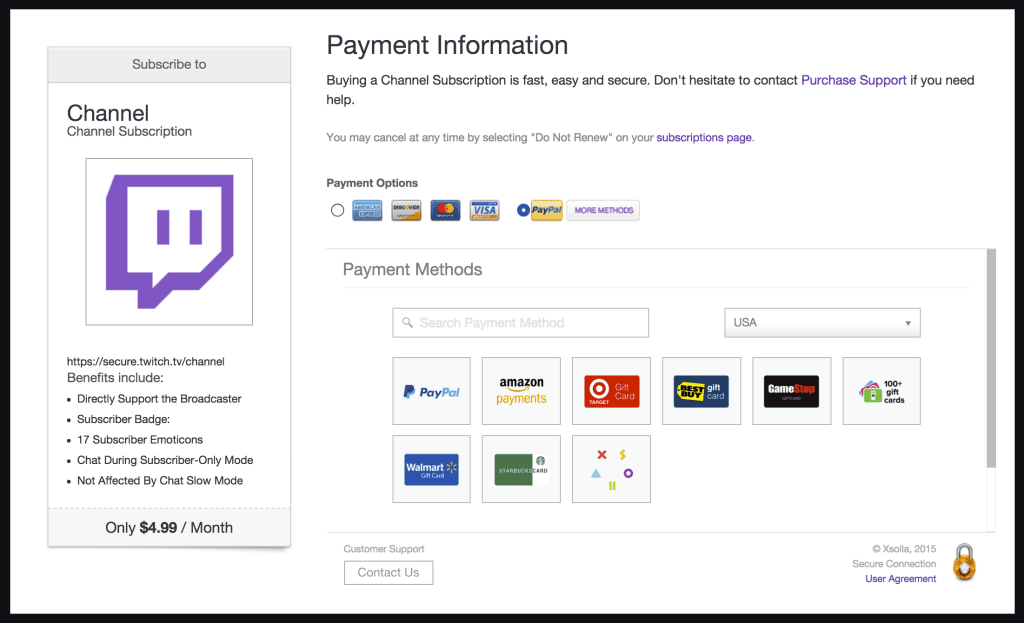
Web checkouts also avoid app store markups on channel subscriptions. Applying your Twitch Gift Card USD balance on web ensures you pay base platform rates.
| Platform / Purchase Type | Web Browser Price (USD) | Mobile In-App Price (USD) | Deductible from Gift Card Balance? |
|---|
| Tier 1 Channel Subscription | $5.99 / month | $7.99 / month | Yes (Web browser only) |
| Tier 2 Channel Subscription | $9.99 / month | Not standard in-app | Yes (Web browser only) |
| Tier 3 Channel Subscription | $24.99 / month | Not standard in-app | Yes (Web browser only) |
| Twitch Turbo | Standard web rate | Marked-up mobile rate | Yes (Web browser only) |
| Twitch Bits | Standard bundle rate | Mobile bundle markup | Yes (Web browser only) |
Twitch Gift Card wallet balances apply only on web checkouts, which bypass mobile in-app price markups.
Bits purchased on the web maintain the creator payout rate of $0.01 per bit. Always check out through a browser to protect your balance.
Gift Card Denominations, Rules, and Limitations
Twitch vouchers operate under strict terms prohibiting cash refunds, balance transfers, and merchandise checkout.
Available Denominations
Twitch vouchers sell in fixed digital amounts and custom physical ranges:
- Digital Denominations: Available in $25, $50, $100, and $200 values.
- Retail Storefront Vouchers: Third-party digital retailers often stock $10 cards alongside $25, $50, and $100 values.
- Physical Variable Cards: Custom retail cards load between $15 and $200.
- UK Regional Cards: UK codes range from £15 to £150 for UK-resident accounts.
| Denomination (USD) | Approximate Tier 1 Subs (Web) | Twitch Turbo Months | Creator Bits Equivalent |
|---|
| $10.00 | 1 Sub ($5.99) + leftover balance | Under 1 Month | ~700-800 Bits bundle |
| $25.00 | 4 Subs ($23.96 total) | ~2 Months | ~2,000 Bits bundle |
| $50.00 | 8 Subs ($47.92 total) | ~4 Months | ~4,500 Bits bundle |
| $100.00 | 16 Subs ($95.84 total) | ~8 Months | ~10,000 Bits bundle |
| $200.00 | 33 Subs ($197.67 total) | ~16 Months | Custom top tier Bits bundles |
Higher denominations provide clean multiples for Tier 1 subscriptions when redeemed at standard web rates.
Platform Terms and Restrictions
Review these operational rules before purchase:
- No Expiration Dates: Twitch cards and wallet balances carry no expiration date or dormancy fees.
- Non-Transferable: Applied wallet balances cannot be transferred to another Twitch user.
- Non-Refundable: Balances cannot be cashed out or returned.
- Excluded Purchases: Wallet funds do not cover physical merchandise, Prime Gaming subs, or digital gift cards.
To avoid mobile fee markups, redeem your Twitch Gift Card USD digital code on a desktop browser before subscribing.
Documentation Discrepancies
Older online guides reference outdated policies. Tier 1 subs cost $5.99 on the web and $7.99 in-app, not $4.99.
Early 2020 announcements stated cards were US-only. Regional options now cover the UK (in GBP) and 25 European countries (in EUR), under identical currency-matching restrictions.
Contacting Twitch Support for Broken or Locked Cards
If 2FA is active, your residency matches the voucher, the code contains no typos, and 48 hours have elapsed since retail purchase, the code record may be stalled in Twitch's database.
Twitch does not offer inbound phone support or real-time billing chat. Old support emails like help@twitch.tv are decommissioned and return automated bounce notices.
How to Submit a Support Ticket
- Navigate to help.twitch.tv in a browser.
- Click Contact Support at the top.
- Log in with the affected account.
- Set Category to Purchases > Gift Cards.
- Set Subcategory to Redemption Issue or Invalid Code.
- Provide specific ticket details:
* The exact error message displayed.
* The 25-digit alphanumeric code and serial number.
* A clear image or PDF of your purchase receipt.
* A photo of the physical card back showing serial numbers (obscure personal data).
Twitch processes billing tickets in 1 to 5 business days. Including proof of purchase in the initial submission avoids triage delays.
Frequently Asked Questions
Why does Twitch show "Error Redeeming Twitch Gift Card Please Try Again"?
This error is typically triggered by a currency mismatch between your account profile and the card, missing two-factor authentication, or temporary browser script interference. Ensure 2FA is active, verify your account residency matches the voucher currency, and retry inside an incognito browser window.
Can I redeem a USD Twitch gift card if I live outside the United States?
USD Twitch gift cards require an account registered with United States residency. Twitch enforces strict currency matching, meaning non-US registered profiles cannot process USD codes. The redemption system checks account profile settings rather than physical IP geolocation.
Do Twitch gift cards expire if not redeemed immediately?
Twitch gift cards and redeemed wallet balances do not expire over time. There are no maintenance fees, dormancy charges, or administrative deductions subtracted from your balance.
Why can't I spend my Twitch Gift Card Balance on the mobile app?
Twitch restricts gift card wallet spending to web browsers due to mobile platform store transaction rules. While you can load voucher codes through mobile account settings, you must log into twitch.tv on a desktop or mobile web browser to spend the balance on subscriptions or Bits.
What should I do if my Twitch gift card code says it is invalid?
Double-check your input for common optical character misreadings, such as confusing zeros with capital letter "O"s or numeral ones with lowercase "l"s. If you purchased a physical card from a retail store, allow 24 to 48 hours for the merchant point-of-sale activation to clear across the network.
How long does it take for Twitch Support to resolve a broken gift card ticket?
Twitch Support operates a ticket-only resolution desk at help.twitch.tv with response times ranging from 1 to 5 business days. Submitting your receipt, serial number, and exact error screenshots in the initial inquiry speeds up resolution.
Troubleshooting Checklist for a Smooth Wallet Top-Up
Most redemption failures stem from account security flags, currency mismatches, or client-side browser cache errors.
Run through these checks before contacting support:
- Turn on 2FA: Activate SMS or an authenticator app in account security settings.
- Match the Currency: Ensure account residency matches the card's native currency (USD for US accounts).
- Use Desktop Web: Redeem and spend funds via
twitch.tv in a standard browser to avoid mobile store blocks. - Verify Characters: Check for 0/O and 1/l OCR confusion.
- Allow Retail Processing: Wait 24 to 48 hours on newly purchased physical cards.
If errors persist after these steps, submit a ticket at help.twitch.tv with your purchase receipt attached.