



Days Gone Steam Top Up: PC Features and Game Modes in 2026
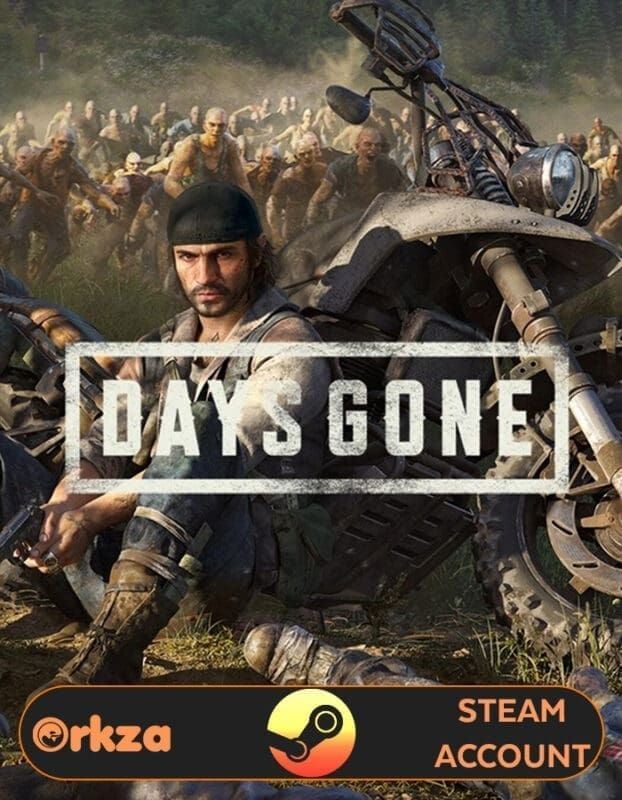
Days Gone on PC delivers an intense post-apocalyptic open-world survival experience set across the rugged high-desert of the Pacific Northwest. Playing as Deacon St. John, a bounty hunter and drifter surviving in a world devastated by a global pandemic, you face relentless hordes of infected known as Freakers alongside hostile human factions.
The PC edition offers enhanced graphical fidelity, unlocked frame rates, ultra-wide monitor support (21:9 and 32:9), improved draw distances, and customizable visual settings. Players must manage fuel, repair parts, and ammunition while maintaining their drifter bike, which serves as both mobile transportation and a mobile save point.
Core PC Features and Content
- Freaker Horde Encounters: Battle dynamic hordes numbering between 50 to 500 individual Freakers simultaneously, requiring strategic resource management, terrain traps, and high-tier weaponry.
- Drifter Bike Customization: Upgrade engine speed, fuel tank capacity, frame durability, exhaust noise suppression, and paint finishes.
- Survival and Challenge Modes: Test your skills in Survival II difficulty without fast travel or HUD assistance, or compete in weekly score-attack bike and combat trials.
- Full Controller and Mouse/Keyboard Support: Play with native mouse precision or configure your preferred gamepad layout.
Eligible Regions for Days Gone Steam Code Activation
Before ordering your code, confirm that your Steam store and account region match the product's regional distribution profile. Steam codes are locked to specific regional server licenses.
| Country / Territory | Region Code | Activation Support |
|---|---|---|
| Hong Kong | HK | Supported |
| Taiwan | TW | Supported |
| Philippines | PH | Supported |
| Thailand | TH | Supported |
| Vietnam | VN | Supported |
| Indonesia | ID | Supported |
| Malaysia | MY | Supported |
| Singapore | SG | Supported |
| Brunei | BN | Supported |
| Myanmar | MM | Supported |
| South Korea | KR | Supported |
Make sure your active Steam account's primary country setting corresponds to one of these supported territories before redeeming your digital code.
How to Recharge and Redeem Days Gone on Steam Step-by-Step
Activating your Days Gone digital key requires access to the official Steam Desktop Client or the Steam mobile web portal.
Step 1: Complete Your Order
Select the Days Gone (Steam) product on BitTopup, review your order details, and proceed through the checkout system. Your digital key will be generated upon payment completion.
Step 2: Locate Your Steam Account ID
Ensure you are logging into the correct Steam account where you want the permanent game license assigned.
To view your Steam Account profile and 64-bit ID, open the Steam client, click your username in the top-right corner, and select Account Details.
Step 3: Activate Your Key on Steam
- Launch the Steam Client on your PC and log in.
- Click the Games menu located at the top navigation bar.
- Select Activate a Product on Steam... from the drop-down list.
- Click Next, agree to the Steam Subscriber Agreement, and enter your activation code in the Product Code box.
- Click Confirm to permanently bind Days Gone to your Steam Library.
- Go to Library, select Days Gone, and click Install to download the game data.
Minimum and Recommended PC System Requirements
Ensure your PC hardware meets the specifications necessary to run Days Gone smoothly.
| Requirement | Minimum Specifications | Recommended Specifications |
|---|---|---|
| OS | Windows 10 64-bit | Windows 10 / Windows 11 64-bit |
| Processor | Intel Core i5-2500K @ 3.3GHz / AMD FX 6300 @ 3.5GHz | Intel Core i7-4770K @ 3.5GHz / AMD Ryzen 5 1500X @ 3.5GHz |
| Memory | 8 GB RAM | 16 GB RAM |
| Graphics Card | NVIDIA GeForce GTX 780 (3 GB) / AMD Radeon R9 290 (4 GB) | NVIDIA GeForce GTX 1060 (6 GB) / AMD Radeon RX 580 (8 GB) |
| DirectX | Version 11 | Version 11 |
| Storage | 70 GB available space (HDD supported) | 70 GB available space (SSD strongly recommended) |
Why Buy Days Gone Steam Keys via BitTopup
BitTopup provides a direct, secure pathway for acquiring digital PC games and game top-ups:
- Credential-Free Delivery: You never have to share your Steam password, personal login credentials, or security authenticator codes. You receive a direct alphanumeric product key to activate yourself.
- Regional Verification: Clear listings indicate territory compatibility across East Asia and Southeast Asia, preventing activation mismatches.
- Direct Digital Processing: Keys are generated promptly upon payment verification so you can begin downloading right away.
- Customer Support: Access 24/7 online customer service to assist with order tracking, billing questions, or key activation queries.
- Transparent Live Checkout: Check live regional prices and localized payment methods directly on the checkout screen without hidden platform fees.
Common Steam Key Activation Issues and Solutions
If you run into an issue when activating your key, use these troubleshooting steps:
1. "Duplicate Product Code"
This error indicates the key has already been redeemed. Verify if Days Gone is already visible in your Steam Library. If not, log out of Steam, log back in, and check if multiple Steam accounts exist on your machine.
2. "Region Not Available"
Steam displays this message if the account's registered country does not match the product's regional license. Check your Steam Account Details to verify your active country matches one of the supported territories listed above. Using a VPN during activation can cause mismatched region errors.
3. "Invalid Product Code"
Double-check for common character entry mistakes:* Number 0 vs letter O* Number 1 vs letter I or L* Letter V vs letter U* Trailing spaces when copying and pasting the key.
Frequently Asked Questions
How do I redeem my Days Gone key on Steam?
Open the Steam desktop client, click Games in the top menu, click Activate a Product on Steam..., paste your alphanumeric code into the input field, and confirm. The game will automatically appear in your Library ready for download.
Which regions can activate this Days Gone Steam code?
This code can be redeemed on accounts registered in Hong Kong, Taiwan, the Philippines, Thailand, Vietnam, Indonesia, Malaysia, Singapore, Brunei, Myanmar, and South Korea.
How much does Days Gone cost on Steam in 2026?
Steam retail prices vary by region and active promotional events. Live product pricing, local currency options, and checkout totals are displayed directly on the BitTopup product page.
Do I need to provide my Steam account password to BitTopup?
No. BitTopup delivers an official digital activation code. You never need to supply your Steam account username, password, or Guard codes.
Can you buy and play Days Gone on Steam Deck and PC?
Yes. Days Gone holds a Steam Deck Verified status. Once activated on your Steam account, you can install and play the game natively on both your PC and Steam Deck.
What should I do if my Steam activation code shows an error?
First check for typographical errors in the code. If the problem persists, take a full-screen capture of the exact error message on Steam and contact BitTopup customer support with your order number for verification and assistance.