

Xbox Live Gift Card (US) Top Up: Digital Code Overview
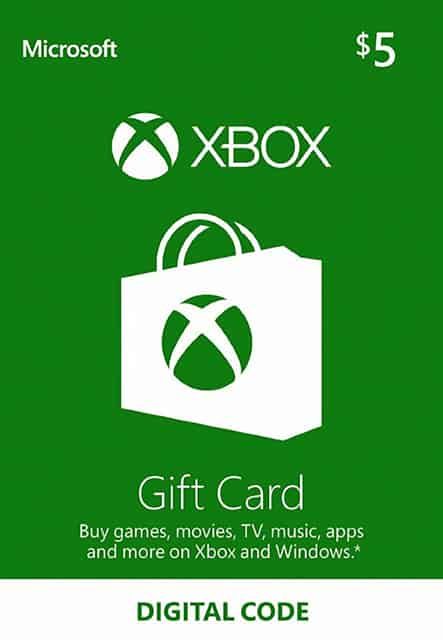
An Xbox Live Gift Card (US) provides direct USD credit to your Microsoft account. Once redeemed, the funds appear instantly in your digital Microsoft wallet, allowing you to purchase Xbox console titles, PC games, downloadable content (DLC), in-game currencies, movies, TV shows, and gaming subscriptions like Xbox Game Pass.
When you buy a US Xbox digital code on BitTopup, you receive a standard 25-character alphanumeric key. You can redeem this code directly on an Xbox Series X, Xbox Series S, Xbox One console, the Windows Xbox App, or via any web browser. Because this card delivers direct digital balance rather than an automated account transfer, you never need to share your Microsoft login credentials or password.
What is an Xbox Live Gift Card (US) and How Does It Work?
An Xbox Live Gift Card is a prepaid digital voucher denominated in US Dollars (USD). When redeemed, it converts directly into your Microsoft account balance. Microsoft unified its marketplace balances, meaning funds added via an Xbox card can be spent across both the Xbox Store on consoles and the Microsoft Store on Windows PC.
Key features of the US Xbox Live Gift Card:* Direct USD Currency: Credits your wallet in US Dollars for purchasing digital goods.* No Expiration on Standard Cards: Once redeemed to your account, standard prepaid gift card balances do not expire.* Zero Credit Card Requirement: Enables digital purchases without linking a personal credit card or bank account to your console.* Flexible Spending: Spend exact amounts as needed; remaining funds stay safely in your account balance for future purchases.
Supported USD Denominations and US Region Compatibility Rules
Xbox gift cards are strictly region-locked and currency-specific. A US Xbox Live Gift Card can only be redeemed on a Microsoft/Xbox account whose country/region setting is set to the United States and has a US billing profile.
Regional Compatibility Matrix
| Feature | US Xbox Live Gift Card | International Accounts |
|---|---|---|
| Account Region Required | United States (US) | Non-US (UK, EU, JP, etc.) |
| Redemption Currency | United States Dollar (USD) | Local Currencies (GBP, EUR, etc.) |
| Cross-Region Redemption | Supported only on US-configured accounts | Not supported (Geo-mismatch error) |
| Console Compatibility | Xbox Series X/S, Xbox One, Xbox 360 | Standard hardware with US account profiles |
| Platform Support | Console, PC (Windows), Web Browser | Console, PC (Windows), Web Browser |
Note: Check live checkout on BitTopup for current available USD denominations and pricing. Always verify that your Microsoft account region is set to the United States before completing your purchase.
How to Check Your Account Region and Find Your Microsoft Gamertag
To ensure your US code activates without error, verify that your account location matches the United States.
- Sign in to your Microsoft Account dashboard at
account.microsoft.com. - Navigate to Your Info from the top menu.
- Scroll down to the Country or region section and confirm it displays United States.
- Open the Payment & billing > Address book tab to verify that your preferred billing address is set to a valid US address.
If your account is registered to another country, you will need to update your region settings or create a dedicated US-region profile before attempting to redeem a USD digital voucher.
Step-by-Step Guide: How to Redeem Your 25-Digit Xbox Code on Console, PC, and Browser
Xbox codes consist of 25 characters formatted in five blocks of five digits (XXXXX-XXXXX-XXXXX-XXXXX-XXXXX). Follow the instructions below for your preferred device.
Method 1: Redeem via Web Browser (Fastest Method)
- Open your web browser and go to
redeem.microsoft.com. - Sign in with the Microsoft/Xbox account you want to credit.
- Enter the 25-character digital code provided in your BitTopup order details.
- Select Next, review the confirmation screen displaying the USD credit value, and select Confirm.
Method 2: Redeem on Xbox Series X/S or Xbox One Consoles
- Press the Xbox button on your controller to open the Guide.
- Select Store from the home screen or guide menu.
- Press the View button (or navigate the left sidebar) to open the side menu.
- Select Redeem.
- Use the on-screen keyboard to enter your 25-character code (hyphens are added automatically).
- Select Check Code, then confirm the redemption to update your balance.
Method 3: Redeem via the Windows Xbox App / Microsoft Store
- Open the Microsoft Store or the Xbox App on your Windows PC.
- Ensure you are signed in with your US Microsoft account.
- In the Microsoft Store, click your profile icon in the top right corner and select Redeem code or gift cards.
- In the Xbox App, click your profile avatar and select Settings > Redeem a code.
- Paste or enter your 25-digit code and click Next to apply the funds.
What You Can Purchase with US Xbox Gift Card Balance
Once added to your Microsoft account, your USD funds can be used across the digital store ecosystem:
- Full Digital Games: Buy the latest Xbox Series X/S, Xbox One, and backward-compatible titles on the Xbox Store.
- Game Add-ons and DLCs: Purchase season passes, expansions, character packs, and downloadable story content.
- In-Game Virtual Currencies: Spend your balance directly inside games to buy items such as EA Sports FC Points, Call of Duty CP, Fortnite V-Bucks, Roblox Robux, and Minecoins.
- Subscriptions: Fund recurring memberships including Xbox Game Pass Ultimate, PC Game Pass, and Game Pass Core (a backup payment method may be required on file by Microsoft for recurring billing).
- Digital Entertainment: Rent or purchase movies, TV series, and apps available on the Microsoft Store.
Troubleshooting Common Xbox Code Redemption Errors and Region Locks
If you experience issues while activating your code, use these solutions to resolve common error codes:
- Error: Geo-Restricted / Currency Mismatch (Catalog Geo-Mismatch): This occurs when your IP address or Microsoft account country does not match the United States. Ensure your account region is set to the United States under
account.microsoft.com/profileand that you have a valid US billing address configured. - Error: Code Already Redeemed: Verify your account purchase history at
account.microsoft.com/billing/ordersto confirm if the balance has already been credited. Refresh your console or sign out and back in to see the updated balance. - Error: Code Not Found or Invalid: Double-check every character. Microsoft codes do not use the characters
A,E,I,O,U,L,S,0,1, or5to prevent confusion with similar letters and numbers. - Suspended Account or Billing Lock: Microsoft may temporarily restrict redemptions if an account has an unpaid past-due balance on a subscription. Resolve any outstanding balances in your Microsoft account dashboard before entering new gift codes.
Why Recharge Xbox Live Gift Cards on BitTopup
BitTopup provides a streamlined, dependable checkout process for purchasing US Xbox digital cards:
- Instant Digital Delivery: Digital codes are generated and displayed on your order screen immediately upon successful payment, with a backup copy sent straight to your email address.
- Account Safety and Privacy: We only provide official prepaid activation keys. You never have to share your account username, password, or security verification codes.
- Broad Range of Payment Methods: Pay using convenient local and international payment methods without requiring a US-issued credit card.
- Direct Customer Support: If you ever run into an issue with code delivery or order processing, BitTopup customer support is available to assist you quickly.