Stuck on the Twitch error screen? Resolve the "we were unable to redeem your gift card" prompt with these verified country, 2FA, and wallet fixes.
Why Twitch Blocks Your Gift Card Redemption
The banner appears in bright red right above the code box: "We were unable to redeem your gift card. Please try again." It offers zero diagnostic help. It does not tell you if the pin is wrong, if your IP looks suspicious, or if the server dropped the request.
Behind that generic barrier sits Twitch's rigid automated validation system. When you click redeem, the platform checks three mandatory gates before crediting a single cent to your Twitch Wallet:
- Geographic residency: The account's registered country must strictly match the denomination currency.
- Account security: Two-factor authentication (2FA) must be verified and active on the profile.
- Balance thresholds: The incoming card value cannot push your Twitch Wallet above the system ceiling.
Failing any single check halts the redemption call and throws the exact same generic error. Isolating which gate blocked the transaction is the only way to release the funds.
The Strict Geo-Lock: Account Country vs. Card Currency
Twitch applies an uncompromising geographic restriction to stored-value balances. If you bought or received a card denominated in United States Dollars, it can only be redeemed by an account whose registered country is the United States.
Card Currency (USD) ≠ Account Country (Non-US) ==> Redemption Blocked
Many viewers assume that switching on a VPN to show a US IP address solves the problem. It does not. In fact, running an active VPN tunnel frequently makes the situation worse by triggering Twitch's anti-fraud screening, causing an instant denial regardless of your code's validity.
Twitch determines your country eligibility through your account profile registration and operational tracking files. One major culprit behind false regional mismatches is a corrupted twitch.lohp.countryCode operational cookie stored in your browser session. If you recently traveled or used different network configurations, this cookie can fall out of sync with your account profile, tricking the redemption page into believing you are outside the valid territory.
If you need to top up an American account cleanly, acquiring a genuine Twitch Gift Card USD ensures your currency matches the platform's US database expectations without running into multi-region currency conversions.
| Currency Denomination | Eligible User Account Region | Regional Scope |
|---|
| USD ($) | United States Residents Only | Single country restriction |
| EUR (€) | 25 Specific European Nations | Germany, France, Spain, Italy, etc. |
| Other Currencies | Localized Country Market Only | Strictly non-transferable cross-border |
Twitch isolates gift card balances strictly by currency territory; cross-regional redemptions are rejected automatically at the database level.
The Mandatory 2FA Gate
You typed the code perfectly, you live in the United States, and you are not running a proxy. Yet the red text still refuses to budge. The hidden culprit is almost always Two-Factor Authentication.
Twitch silently requires accounts to have active 2FA before accepting gift card redemptions. Instead of prompting you with "Please set up two-factor authentication to proceed," the system spits out the standard "unable to redeem" failure.
To resolve this, open a browser and go to Settings > Security and Privacy. Enable two-factor authentication using an authenticator app (such as Authy or Google Authenticator) or SMS verification. After confirming 2FA, log out, sign back in, and enter the code again. Most blocked redemptions on verified accounts clear immediately once this security handshake is completed.

Digital vs. Retail Tiers and the $2,000 Wallet Cap
Twitch accounts maintain a strict ceiling on the maximum balance they can hold. The hard account cap is $2,000 USD (or €2,000 EUR). If your Twitch Wallet already holds $1,950 and you attempt to punch in a $100 digital card, Twitch will decline the entire redemption. It will not credit a partial $50 and save the rest; it simply fails.
There is also a functional split between standard digital vouchers and physical retail cards. While digital platforms generally issue preset tiers, physical store cards often allow custom register loads.
| Denomination Tier | Card Type | Platform Utilization Target |
|---|
| $10.00 USD | Digital Entry Tier | Covers two Tier 1 channel subscriptions |
| $15.00 - $20.00 USD | Variable Physical Retail | Custom physical checkout load for small cheers |
| $25.00 USD | Standard Baseline | Baseline tier for multiple subs or 1,500+ Bits cheer packs |
| $50.00 USD | Mid-Tier Digital / Retail | Multi-month subscriptions, community gifting, Twitch Turbo |
| $100.00 - $200.00 USD | High-Tier Denomination | Large Bits cheer packs or extended Twitch Turbo runs |
| $2,000.00 USD | Hard System Ceiling | Maximum wallet limit; higher amounts are declined |
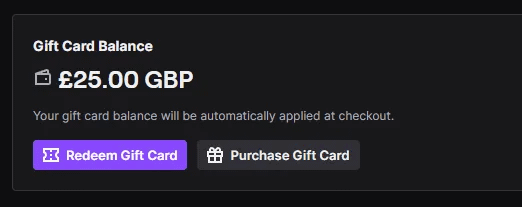
Check your current Twitch Wallet balance before redeeming to ensure the incoming amount does not breach the $2,000 threshold.
When purchasing digital credits online, picking up a verified USD Twitch digital gift card within standard $25 to $100 limits guarantees you stay well below platform ceiling caps while avoiding retail register delays.
Browser Session Conflicts and DNS Glitches
Sometimes the code and your account are spotless, but your browser cache is delivering broken tokens to Twitch's redemption endpoints. Web sessions accumulate expired session IDs and regional tracking cookies that prevent the redemption form from sending a clean POST request to Twitch's servers.
Follow these technical steps to eliminate local browser interference:
- Kill Corrupted Cookies: Open your browser's site settings for twitch.tv, search for
twitch.lohp.countryCode, and delete it. Clear your active site data. - Bypass Cached Scripts: Navigate directly to the Twitch redemption page and execute a forced cache refresh using
Ctrl + F5 (or Cmd + Shift + R on macOS). - Try an Incognito Window: Open a private browsing window with all third-party ad blockers and script blockers disabled. Extensions that block tracking scripts can halt the verification API call in the background.
- Flush Local DNS: If your route is hanging, open your command line terminal and execute
ipconfig /flushdns. Stale DNS route tables occasionally block Twitch's payment processing microservices.

Typo Traps and Retail Register Activation Delays
Human error remains one of the simplest reasons for card failure. Twitch digital codes use alphanumeric strings where specific characters look identical in standard fonts.
- The Zero vs. 'O' Trap: The numeral
0 and capital letter O look nearly identical on printed receipts and digital displays. Try swapping them. - The One vs. 'I' Trap: The numeral
1, capital letter I, and lowercase l cause constant input failures. If your code gets rejected, test the numeric 1 against the capital I. - Accidental Whitespace: Copying codes from digital delivery receipts often captures an invisible leading or trailing space. Backspace out the ends of your entry box.
The Point-of-Sale Delay on Physical Cards
If someone handed you a physical card freshly picked off a store rack, immediate redemption attempts frequently fail. Physical cards are dead plastic until the cashier scans the barcode and completes the point-of-sale (POS) activation sequence.
Even after a successful store purchase, the retail terminal must transmit the activation record through an aggregator to Twitch's database. This sync can take anywhere from a few minutes to several hours. If you try redeeming it in the car on the ride home, it may come up invalid. Give it a few hours before assuming the card is dead.
What Stored Wallet Funds Can and Cannot Buy
A redeemed balance does not behave like a debit card or PayPal balance. Twitch places strict boundaries on what stored funds can buy, particularly between desktop browsers and mobile environments.
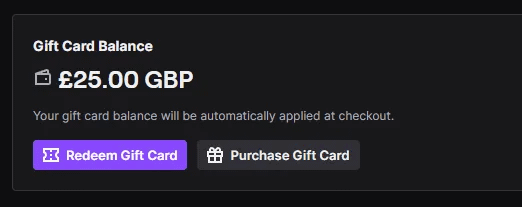
While you can claim a voucher code inside a mobile web browser, you cannot spend your Gift Card Balance inside the native Twitch iOS or Android apps. The mobile apps route purchases exclusively through Apple App Store and Google Play billing, bypassing Twitch Wallet entirely. To spend your balance on subscriptions or Turbo, you must complete the checkout through twitch.tv on a desktop or mobile browser.
| Transaction Type | Supported with Gift Card Balance? | Notes / Restrictions |
|---|
| Channel Subscriptions | Yes | Must purchase through browser on twitch.tv |
| Gifted Subscriptions | Yes | Single or multi-pack community gifts supported |
| Bits Cheer Packs | Yes | Digital cheer tokens for affiliate/partner channels |
| Twitch Turbo | Yes | Monthly site-wide ad-free viewing subscription |
| Split-Tender Checkout | Yes | Automatically drains wallet first, bills rest to secondary card |
| Mobile In-App Purchases | No | iOS and Android apps bypass Twitch Wallet completely |
| Prime Gaming / Merch | No | External physical goods and Amazon Prime not covered |
Twitch balances cover most digital channel perks on the web platform, but in-app mobile spending and external goods remain blocked.
If you plan to support your favorite streamer's subathon, getting a reliable online Twitch balance top up through a web browser is the most direct way to fund your wallet without paying mobile store markups.
Remember that Twitch wallet balances never expire, and Twitch charges no inactivity or maintenance fees on unused funds. However, balances are strictly locked to the redeeming account. You cannot transfer funds to a friend's wallet, and Twitch will not cash out or refund redeemed gift card credit.

Submitting a Ticket When All Else Fails
Even with confirmed U.S. residency, enabled 2FA, a cleared browser cache, and a zero wallet balance, a redemption can still fail. At that point, the fault lies on the backend: either a corrupted code entry in Twitch's database or an incomplete retail register activation record.
Twitch does not run an inbound telephone line. There is no real-time live chat representative waiting to rescue your code. Your only path forward is opening an official billing escalation ticket at help.twitch.tv.
To prevent support agents from sending automated form letters, you must provide comprehensive proof in your first message:
- Your exact Twitch username and registered account email address.
- The full serial number and claimed voucher code.
- A clean, high-resolution photograph or screenshot of the physical card (front and back) or the digital delivery invoice.
- The full retail purchase receipt showing date, time, and register transaction ID.
- A full-screen screenshot displaying the exact "We were unable to redeem your gift card" error prompt alongside your browser timestamp.
Be prepared to wait. Twitch billing turnaround times range between 1 and 5 business days. If the card was a physical store purchase that never received terminal activation, Twitch support will instruct you to return to the retailer. Cashiers sometimes skip the final activation step on the register, rendering the code unusable until the merchant fixes the transaction.
FAQ
Why does Twitch say 'We were unable to redeem your gift card'?
This error occurs most often due to a regional residency mismatch between your Twitch account profile and the card's currency. It is also frequently caused by missing two-factor authentication or an input typo mistaking digits for letters.
Can I redeem a USD Twitch gift card outside the United States?
No, USD-denominated cards require an account registered to a United States resident. Using a VPN will not bypass this check and often triggers anti-fraud blocks that reject your entry immediately.
Does redeeming a Twitch gift card require two-factor authentication?
Yes, Twitch's internal security rules frequently block voucher redemptions until you enable 2FA on your profile. You can activate it under your Security and Privacy settings using an SMS phone number or an authenticator app.
What should I do if my physical card code is rejected immediately after purchase?
Give the retail terminal network several hours to pass activation data to Twitch's server infrastructure. If the card still fails after 24 hours, take your original store receipt back to the merchant to confirm it was activated at checkout.
Can I spend my redeemed Gift Card Balance on the Twitch mobile app?
No, balances stored in your Twitch Wallet cannot be accessed inside native iOS or Android mobile apps. You must log into twitch.tv using a desktop or mobile web browser to spend your credit on subs, Turbo, or Bits.
What is the maximum balance I can store in my Twitch Wallet?
Twitch enforces a strict balance ceiling of $2,000 USD (or €2,000 EUR). Any gift card entry that causes your cumulative wallet balance to exceed this threshold will be automatically rejected.
How can I contact Twitch if my card remains blocked?
Head to help.twitch.tv and open a billing support ticket under the gift card issue category. Twitch does not provide phone or live chat support, so expect an email review response within 1 to 5 business days.
Do Twitch gift cards expire if I don't use them right away?
Twitch gift cards carry no expiration dates, and the company deducts no monthly maintenance or inactivity fees. Once redeemed, the funds remain safely parked in your Twitch Wallet until you choose to spend them on the web platform.
The Verdict on Twitch Redemption Errors
When the "unable to redeem" barrier appears, do not waste time hammering the submit button. You risk triggering an automated rate limit on your account.
Work through the checks systematically. Disable any active VPN, verify 2FA in account security settings, and test ambiguous characters (0 vs. O, 1 vs. I). If the card was purchased at retail within the past hour, wait for the POS transaction to propagate before opening a ticket.