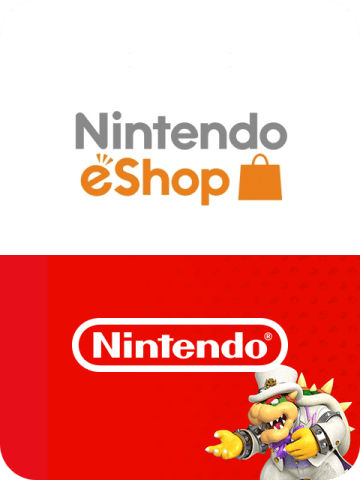


Nintendo eShop Gift Card (MX) Top Up: MXN Digital Codes Overview
A Nintendo eShop Gift Card (MX) is a prepaid digital voucher used to fund your Mexican Nintendo Account balance with Mexican Pesos (MXN). Once redeemed, these funds allow you to purchase full digital Nintendo Switch games, downloadable content (DLC), indie titles, season passes, and Nintendo Switch Online subscriptions directly from the Mexican Nintendo eShop.
Digital codes provide a direct, secure payment method that bypasses the need for Mexican bank cards or international credit card transaction fees. When you buy a digital card through BitTopup, you receive a direct 16-character alphanumeric code sent to your order dashboard and email, keeping your account credentials entirely private.
Mexico eShop Region Specifications
| Specification | Details |
|---|---|
| Currency | Mexican Peso (MXN) |
| Region Compatibility | Mexico-registered Nintendo Accounts only |
| Supported Platforms | Nintendo Switch family of systems, Web Browser |
| Delivery Format | 16-character digital alphanumeric voucher code |
| Account Sharing Required | None (Code delivery only) |
| Expiration Policy | No expiration date on unredeemed codes |
How to Check Your Nintendo Account Region & Find Account Details
Before redeeming your MXN code, verify that your Nintendo Account country/region setting is configured to Mexico. Nintendo digital codes are strictly region-locked, meaning an MXN code cannot be processed on accounts registered to the United States, Europe, Japan, or other Latin American regions.
How to Verify Your Account Country
- Visit accounts.nintendo.com in any web browser and log in with your Nintendo Account credentials.
- Select User Info from the side menu, then click on Profile.
- Check the Country/Region of residence field. It must state Mexico.
- If it displays a different country, click Edit, select Mexico from the country list, and save your changes.
Step-by-Step Guide: How to Redeem Nintendo eShop Codes on Switch and Browser
You can apply your 16-digit digital code directly on your Nintendo Switch console or through an official web browser redemption portal.
Method 1: Redeeming Directly on Nintendo Switch Console
- Turn on your Nintendo Switch and select the user profile linked to your Mexican Nintendo Account.
- Open the Nintendo eShop icon on the HOME Menu.
- Scroll down the left-hand navigation bar and select Enter Code (or Canjear código in Spanish).
- Type in your 16-character digital code. Note: Letters and characters such as O, I, Z, and hyphens are not used in Nintendo codes to prevent input confusion.
- Select Confirm / Add Funds (Canjear). The MXN balance will instantly reflect on your Nintendo eShop wallet.
Method 2: Redeeming via Web Browser (ec.nintendo.com)
- Open your browser and navigate to ec.nintendo.com/redeem.
- Sign in with your Mexican Nintendo Account.
- Paste or enter the 16-character code into the entry field.
- Click Next, verify the balance amount, and confirm the redemption.
- The balance will automatically sync to your Switch console the next time it connects to the internet.
Nintendo Account Region Settings: How to Change Your Country to Mexico
If your current Nintendo account is set to another country and you want to use a Mexican eShop code, you can update your country settings provided your account meets specific prerequisites.
[Log in at accounts.nintendo.com] ↓[Go to User Info → Profile → Edit] ↓[Change Country/Region to Mexico → Save Changes] ↓[Accept Updated Terms on Switch Console eShop]Requirements Before Changing Regions
- Zero Out Remaining Funds: You cannot change your country if you have an active currency balance in another region's wallet. You must spend the remaining funds first.
- Cancel Auto-Renewal: Active Nintendo Switch Online auto-renewal passes tied to certain regional payment methods may need to be toggled off.
- Nintendo Network ID: If an older Nintendo Network ID (NNID) is linked to your Nintendo Account, unlink it before updating your region.
Regional Limitations, Zero-Balance Rules, and Validity Policies
Understanding Nintendo's balance management rules ensures smooth transactions without locking your account settings unintentionally.
The Zero-Balance Rule
When you add MXN funds to your account, Nintendo locks the ability to switch your account's country to another region until the balance is reduced to zero. If you plan to switch back to another country later, ensure you purchase games or DLC that fully consume the loaded MXN balance.
Code Expiration and Validity
Nintendo eShop digital codes do not carry an expiration date prior to redemption. Once loaded into your eShop wallet, the balance remains valid until spent on eligible content.
Nintendo Switch Online & Game Purchases with MXN eShop Credit
Your loaded MXN eShop balance can be used across the entire digital catalog of the Mexican Nintendo eShop:
- Full Digital Releases: Purchase first-party and third-party Nintendo Switch titles on day one.
- Downloadable Content (DLC): Acquire expansion passes, bonus stages, character packs, and in-game currency.
- Nintendo Switch Online Memberships: Pay for 1-month, 3-month, or 12-month individual and family subscriptions directly with your wallet balance without linking a local Mexican credit card.
- Sale Discounts: Take full advantage of seasonal publisher sales and digital promotional events hosted on the Mexican eShop.
Troubleshooting Common Nintendo eShop Code Activation Errors
If you encounter an issue during code redemption, check these common error resolutions:
Error Code 2813-6561 (Region Mismatch)
- Cause: The code you are attempting to redeem does not match the country assigned to your Nintendo Account.
- Fix: Verify your region at
accounts.nintendo.com. Ensure the country is set to Mexico. The code cannot activate on US, Canadian, European, or Asian accounts.
Error Code 2813-0055 (Code Not Recognized / Typo)
- Cause: One or more characters were entered incorrectly.
- Fix: Re-check the 16 digits. Nintendo does not use letters that closely resemble numbers (such as I, O, or Z). Avoid entering spaces or hyphens.
Code Already Redeemed
- Cause: The digital code was already processed onto an account.
- Fix: Restart your Nintendo Switch and check your balance in the top-right corner of the eShop interface. If the balance has not updated, verify your transaction history under Account Information > Purchase History.
Why Choose BitTopup for Mexico Nintendo eShop Cards
- Instant Digital Code Delivery: Receive your unredeemed 16-character code directly in your order screen and email immediately after payment verification.
- No Account Sharing or Passwords: BitTopup never asks for your Nintendo password, login credentials, or account takeover access. You receive a clean voucher code to redeem yourself.
- Transparent Checkout: View all real-time prices and secure payment choices directly on the live checkout screen before completing your order.
- Reliable Customer Assistance: Access 24/7 support ready to help with code delivery confirmations and redemption guidance.
Frequently Asked Questions
Can I redeem a Mexico Nintendo eShop gift card on an account set to another region?
No. Nintendo eShop codes are strictly locked to the region matching the currency of the card. A Mexico (MXN) gift card can only be redeemed on a Nintendo Account whose country/region is set to Mexico.
How do I redeem my Nintendo eShop MX digital gift card code?
You can redeem the code directly on your Nintendo Switch via Nintendo eShop > Enter Code, or online by visiting ec.nintendo.com/redeem while logged into your Mexican Nintendo Account.
Do Nintendo eShop Gift Cards (MX) have an expiration date?
No. Unredeemed Nintendo eShop digital codes do not expire. Once redeemed, the funds remain in your Mexican Nintendo eShop balance until you spend them.
Can I use Mexican eShop cards to pay for a Nintendo Switch Online membership?
Yes. Your MXN balance can be used to purchase individual or family Nintendo Switch Online memberships directly through the Mexican Nintendo eShop without requiring a credit card.
What happens to my remaining MXN balance if I change my account region?
Nintendo does not permit changing your account country if you have an active currency balance remaining in your wallet. You must spend the balance down to zero before the system allows you to select a different country.
What should I do if my Nintendo eShop Mexico code shows an error during redemption?
First, confirm your account country is set to Mexico at accounts.nintendo.com. Next, verify that the 16-character code is typed accurately without extra spaces. If an error persists, reach out to BitTopup customer support with your order ID for quick verification.