

Predator: Hunting Grounds Steam Top Up Guide & Instant Activation
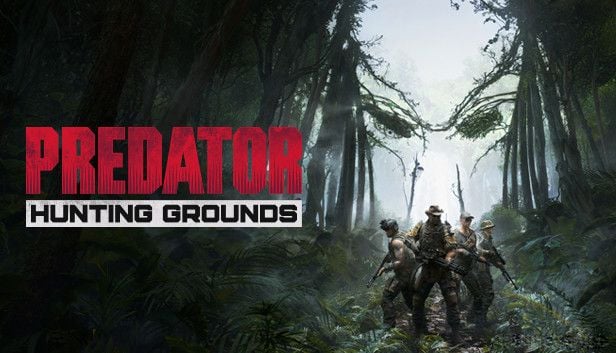
Predator: Hunting Grounds brings the classic sci-fi hunt to PC through Steam, putting four elite human Fireteam operators against a single player-controlled Yautja Predator in dense jungle battlegrounds. Getting your game key or DLC activation on Steam should be straightforward, fast, and completely secure.
BitTopup provides authentic digital Steam keys and wallet top up solutions that let you jump into the hunt without delay. All transactions process through direct code redemption, keeping your personal account information protected.
How to Recharge and Redeem Predator: Hunting Grounds on Steam
Activating your digital key on Steam takes under two minutes. Follow these direct steps to add Predator: Hunting Grounds to your library:
- Select your desired edition or DLC package on BitTopup.
- Review your regional selection and verify real-time pricing on the live checkout screen.
- Complete the checkout process using your preferred regional payment method.
- Copy the unique digital product code provided upon order completion.
- Launch the Steam desktop client on your PC and log in to your account.
- Click the Games tab in the top navigation bar, then select Activate a Product on Steam...
- Click through the agreement prompt and paste your digital code into the Product Code field.
- Confirm activation. Predator: Hunting Grounds will instantly appear in your Steam Library ready for download.
How to Locate Your Steam Account Details and Predator UID
When setting up multiplayer lobbies or linking accounts for crossplay sessions, you may need your SteamID64 or in-game profile credentials.
To find your core profile identifiers:- Open Steam and click your profile name in the top right corner.- Select View profile to display your custom URL or SteamID.- In Predator: Hunting Grounds, open the main menu and look at the bottom-right party interface to view your active display name, linked crossplay tag, and party ID.
Supported Countries and Regional Compatibility for Steam Keys
BitTopup distributes Predator: Hunting Grounds Steam codes tailored for Asian and Southeast Asian account regions. Ensure your Steam store country matches the product region prior to activating.
| Region / Country | Country Code | Steam Store Compatibility | Key Activation Type |
|---|---|---|---|
| Hong Kong | HK | Direct Activation | Digital Key / Asia Region |
| Taiwan | TW | Direct Activation | Digital Key / Asia Region |
| Philippines | PH | Direct Activation | Digital Key / SEA Region |
| Thailand | TH | Direct Activation | Digital Key / SEA Region |
| Vietnam | VN | Direct Activation | Digital Key / SEA Region |
| Indonesia | ID | Direct Activation | Digital Key / SEA Region |
| Malaysia | MY | Direct Activation | Digital Key / SEA Region |
| Singapore | SG | Direct Activation | Digital Key / SEA Region |
| Brunei | BN | Direct Activation | Digital Key / SEA Region |
| Myanmar | MM | Direct Activation | Digital Key / SEA Region |
| South Korea | KR | Direct Activation | Digital Key / Asia Region |
Check the live checkout screen on BitTopup to confirm exact regional currency conversions and supported checkout channels for your country.
Predator: Hunting Grounds 2026 Multiplayer Server Status & Player Base
In 2026, Predator: Hunting Grounds continues active live operations managed by IllFonic. Dedicated multiplayer servers remain online across North America, Europe, and Asia-Pacific, supporting quickplay matchmaking, private custom matches, and Clash mode.
Crossplay Performance and Matchmaking
Crossplay remains fully supported across PC (Steam and Epic Games Store) as well as modern console platforms. Fireteam queue times typically average 1 to 3 minutes, while solo Predator matchmaking queues range between 3 to 6 minutes depending on regional peak hours. If you want zero queue wait times, setting up private matches with friends allows full customization of match modifiers, gear allowances, and map selection.
In-Game Economy & Veritanium
Playing matches earns Veritanium, the primary in-game currency used to unlock Field Lockers, cosmetic tints, weapon shaders, and armor variants. Purchasing genuine Steam game packages ensures your account maintains full access to daily challenges, weekly reward tracks, and progression drops without restrictions.
Game Editions, DLCs, and In-Game Content Overview
Before completing your purchase, make sure you choose the product tier that fits your gameplay style:
- Standard Edition: Includes the full base game, access to all default Fireteam classes (Assault, Scout, Support, Recon), standard Predator classes (Hunter, Berserker, Scout), and standard weapon progression.
- Predator DLC Bundles: Unlocks specialized Predator predator variants including the Samurai Predator, City Hunter, Valkyrie, Viking, Cleopatra, Exiled, and Bionic Predator classes, each with distinct weapon loadouts like the Katana, Combistick variants, and Wrist Blade modifications.
- Fireteam Specialist Packs: Grants instant access to iconic human character skins, custom voice lines, and specialized weapons such as the Hammerhead Assault Rifle and OWLF Pitbull.
Troubleshooting Common Steam Code Activation Issues
If you experience an issue while redeeming your code on Steam, consult these quick resolution steps:
- "Duplicate Product Code": This error means the key was already activated. Confirm you are signed into the correct Steam account and verify your library list before contacting support.
- "Region Unavailable": Occurs if your Steam account's primary country setting does not match the regional classification of the key. Verify your account region in Steam Account Details.
- "Invalid Product Code": Double-check the exact characters. Copy and paste directly to avoid mistaking letters and numbers (such as 0 and O, or 8 and B).
- "Too Many Activation Attempts": Steam temporarily locks code entry after multiple incorrect submissions. Wait 60 minutes before entering the code again.
Safe and Secure Steam Top Up Experience with BitTopup
BitTopup offers a secure platform for PC gamers looking to buy Predator: Hunting Grounds:
- No Account Sharing: You never have to share your Steam password or grant account access to third parties. All items are delivered as direct digital activation keys.
- Clear Pricing: Prices, regional taxes, and payment processing totals are transparently displayed on the live checkout interface.
- Tailored Regional Support: Easy checkout support for Southeast Asian and East Asian payment preferences.
Frequently Asked Questions
Is Predator: Hunting Grounds still playable in 2026?
Yes. Predator: Hunting Grounds is fully playable in 2026 with active public matchmaking, custom lobbies, and full progression systems intact.
Are Predator: Hunting Grounds servers still active?
Yes. The official dedicated servers remain online and operational for PC and console players globally.
How do I redeem my Predator: Hunting Grounds key on Steam?
Open your Steam client, click Games in the top menu, select Activate a Product on Steam..., paste your code from BitTopup, and confirm.
Which regions can activate this Predator: Hunting Grounds Steam product?
Keys sold for this product are compatible with accounts set to supported Southeast Asian and East Asian regions, including HK, TW, PH, TH, VN, ID, MY, SG, BN, MM, and KR. Review the live product specifications before purchasing.
Do I need to provide my Steam password to recharge?
No. BitTopup delivers digital redeem codes directly to you. You never need to supply your Steam account password or login credentials.
Is Predator: Hunting Grounds crossplay supported on Steam?
Yes. Crossplay is supported across Steam, other PC platforms, and supported consoles, enabling combined matchmaking pools and cross-platform private matches.