




Amazon Gift Card UAE Top Up: Overview and AED Balance Basics
An Amazon Gift Card UAE provides a direct, prepaid method to add Arab Emirates Dirham (AED) funds to your Amazon.ae customer account. Operating exclusively on the United Arab Emirates marketplace (Amazon.ae), these digital vouchers convert into an internal wallet balance that can be applied at checkout for millions of items.
Funding your account through a gift card eliminates the need for international credit cards, bypasses foreign transaction fees, and helps manage your personal shopping budget. Whether you live in Dubai, Abu Dhabi, Sharjah, or send credit to family and friends in the Emirates from abroad, an Amazon.ae voucher code is the most direct way to shop.
How the Amazon.ae AED Wallet Works
When you redeem a digital claim code, the face value is credited directly to your Amazon.ae Gift Card Balance. This balance is stored securely in your account profile and automatically applies as the default payment method during future checkouts, unless you manually choose an alternative payment option. Your balance does not expire quickly, giving you complete freedom over when and how you spend your credit.
How to Buy and Recharge Amazon Gift Card UAE Online on BitTopup
Purchasing your digital voucher on BitTopup is straightforward and requires no sensitive account passwords. Follow these steps to secure your code:
- Select Denomination: Choose your desired AED gift card value on the BitTopup product catalog.
- Enter Contact Details: Provide the email address where your order confirmation and digital claim code should be sent.
- Complete Checkout: Choose from the available secure payment options shown at live checkout and finalize your transaction.
- Receive Your Code: Your 14- to 15-character digital claim code is generated immediately and displayed in your BitTopup order history as well as sent to your email inbox.
How to Find Your Claim Code and Redeem on Amazon.ae
To apply your new balance, locate the digital claim code delivered to your BitTopup account dashboard.
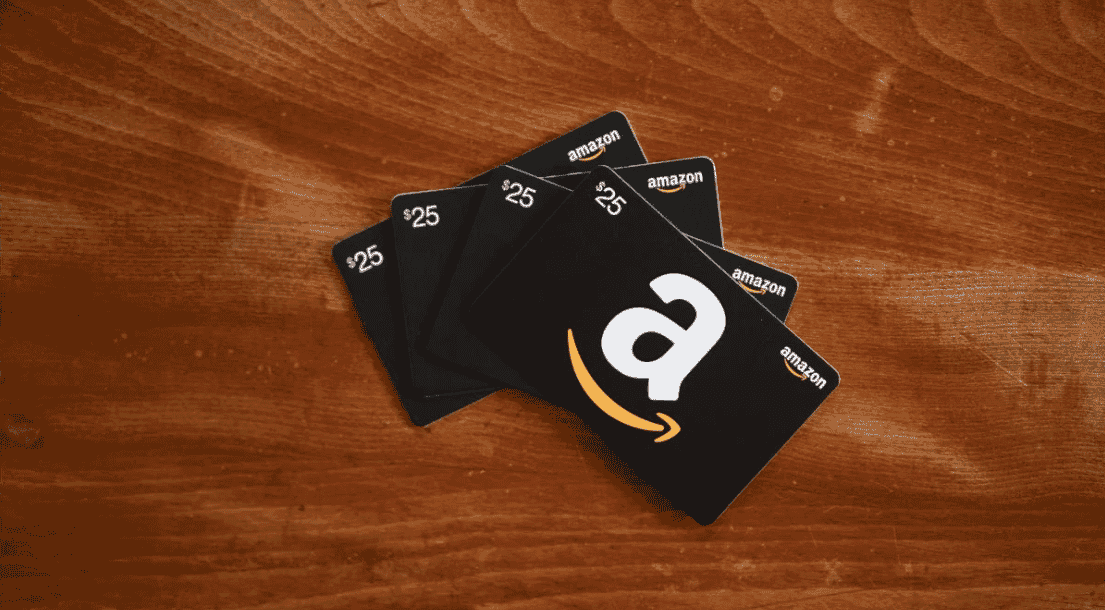
Method 1: Redeeming via Desktop Web Browser
- Go to Amazon.ae and log into your account.
- Hover over Account & Lists in the top navigation bar and click on Your Account.
- Select Gift Cards from the menu options.
- Click Redeem a Gift Card.
- Type or paste your digital claim code into the text field and click Apply to your balance.
Method 2: Redeeming via the Amazon Mobile App
- Open the Amazon Shopping app on your mobile device (ensure your region is set to UAE).
- Tap the Profile/User icon on the bottom menu bar.
- Scroll down to the Payments section and tap Manage gift card balance.
- Select Redeem another gift card.
- Enter your claim code manually or scan the code if prompted, then tap Apply to your balance.
Method 3: Applying Directly at Checkout
If you have active items in your shopping cart, proceed to checkout. On the final Payment Method selection screen, paste your code into the field labeled Enter a gift card, voucher or promotional code and select Apply. The total order cost will update to reflect your applied credit.
Eligible Items: What You Can and Cannot Buy with UAE Amazon Credit
Amazon.ae offers a massive product selection, but specific terms apply to gift card balance usage. Review the breakdown below before shopping:
| Category | Usage Status | Details |
|---|---|---|
| Physical Goods | Eligible | Electronics, home appliances, apparel, beauty, toys, and grocery items on Amazon.ae. |
| Amazon Fresh / Supermarket | Eligible | Daily essentials and grocery orders fulfilled across supported UAE delivery zones. |
| Kindle eBooks | Eligible | Digital Kindle books purchased directly through the UAE Kindle store. |
| Amazon Prime UAE | Eligible | Monthly or annual Amazon Prime UAE subscription fees can be deducted from balance. |
| Third-Party Gift Cards | Restricted | Cannot be used to buy other brand vouchers (e.g., gaming codes, store cards) on Amazon.ae. |
| Cross-Border Marketplaces | Restricted | Cannot be used on Amazon.com (US), Amazon.sa (Saudi Arabia), or Amazon.co.uk. |
| Cash Out / Bank Transfer | Restricted | Gift card balances cannot be withdrawn, refunded to cash, or transferred between accounts. |
Regional Restrictions and Account Security Tips for Amazon.ae
Country-Lock Guidelines
Amazon gift cards are strictly region-locked. A voucher issued in UAE Dirhams (AED) functions exclusively on Amazon.ae. You cannot transfer or spend this balance on Amazon.com, Amazon.sa, Amazon.de, or any other international Amazon regional storefront. Before redeeming your code, confirm that your account country settings and regional store are set to the United Arab Emirates.
Security Best Practices for New Amazon Accounts
If you recently created an Amazon.ae account, keep the following security practices in mind:
- Verify Contact Information: Ensure your mobile phone number and email address are verified on your Amazon account before applying large funds.
- Avoid Sudden High-Value Redemptions on Empty Profiles: Redeeming high-value vouchers on a brand-new account with zero order history may trigger automated fraud prevention checks. Make sure your profile contains an active, valid shipping address in the UAE.
- Keep Credentials Private: BitTopup will never ask for your Amazon password or login details. You receive a digital code that you redeem yourself directly on Amazon's official platform.
Troubleshooting Common Amazon UAE Gift Card Redemption Errors
If you encounter an issue when entering your claim code, review these common solutions:
- Code Shows as Invalid: Double-check for typographical errors. Gift card claim codes are typically 14 to 15 alphanumeric characters and do not contain dashes. Ensure you are not confusing the letter
Owith the number0, or the letterIwith the number1. - Code Already Redeemed: Check your current balance under Manage gift card balance. In many cases, the code was already submitted during a prior session. If you share an account with family members, confirm whether another household user applied the code.
- Region Mismatch Error: If the page says the voucher cannot be claimed, ensure you are logged into
Amazon.aeand notAmazon.com. Check the bottom flag icon on the Amazon homepage to verify your store region is UAE. - Account Verification Hold: If Amazon places a temporary hold on your balance redemption, check your email for a verification notice from Amazon Customer Support and confirm your account information.
Why Choose BitTopup for Amazon Gift Card UAE Digital Codes
- Instant Digital Delivery: Receive your claim code directly on your order screen and in your email right after payment confirmation.
- 100% Account Safety: We operate a password-free delivery model. You never share account logins or private credentials.
- Flexible Global & Local Payments: Choose from a wide selection of payment methods displayed at live checkout.
- Dedicated 24/7 Support: Our customer support team is available around the clock to assist you with order verification and redemption guidance.
Frequently Asked Questions
Can I use an Amazon UAE gift card on Amazon US or other regional stores?
No. Amazon gift cards are locked to their specific marketplace. An Amazon UAE (AED) gift card can only be redeemed and spent on Amazon.ae. It cannot be converted or transferred to Amazon.com, Amazon.sa, Amazon.co.uk, or other regional sites.
How do I redeem an Amazon UAE gift card code to my Amazon.ae account?
Log in to your account on Amazon.ae or open the Amazon mobile app. Navigate to Your Account > Gift Cards > Redeem a Gift Card. Enter your 14- or 15-digit digital claim code and click Apply to your balance.
Do Amazon UAE gift cards expire?
Amazon.ae gift cards maintain long validity periods in accordance with local UAE retail regulations. Once redeemed, the funds remain in your Amazon.ae wallet until fully spent on eligible purchases.
Can I buy an Amazon.ae gift card for someone living in Dubai while abroad?
Yes. You can purchase the Amazon Gift Card (UAE) code from anywhere in the world on BitTopup. Once the digital code is generated, send the claim code to the recipient in Dubai or anywhere across the UAE, and they can redeem it directly onto their personal Amazon.ae account.
Can I pay for Amazon Prime UAE membership using gift card balance?
Yes. Amazon.ae allows you to use your available gift card balance to cover recurring Amazon Prime UAE membership fees, provided you have enough balance to cover the subscription renewal.
Why is my Amazon UAE gift card code showing as invalid or already redeemed?
An invalid code error usually indicates a mistyped character. Ensure there are no spaces or hyphens when pasting. If the system reports the code as already redeemed, check your Gift Card Activity statement on Amazon.ae to see if the funds were credited in a previous attempt or applied by another user on a shared account.