



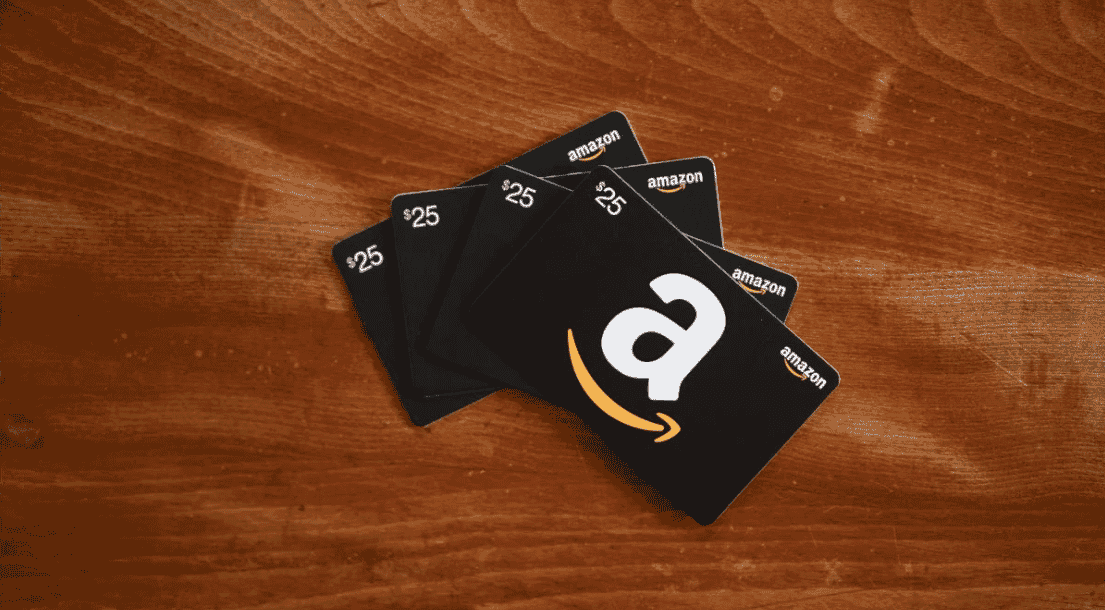
Amazon Gift Card DE Top Up: Instant Digital Codes for Amazon.de
An Amazon Gift Card DE top up is the most direct and secure way to add Euro (EUR) funds to your Amazon.de balance. Whether you want to shop for physical goods, purchase digital entertainment, or send shopping credit to family and friends in Germany and Austria, purchasing a digital gift card code gives you full spending control without linking a personal credit card or bank account directly to your retail profile.
BitTopup provides authentic, pre-funded Amazon.de digital claim codes. After completing your purchase, your code is generated instantly on-screen and delivered to your email address. You retain complete custody of your account credentials throughout the entire process.
Eligible Purchases on the Amazon Germany Marketplace
When you redeem an Amazon Germany gift card, the credited EUR balance becomes immediately available across the full spectrum of products sold on Amazon.de. Eligible purchase categories include:
- Physical Merchandise: Electronics, computer components, PC gaming hardware, home appliances, apparel, books, tools, and consumer goods fulfilled by Amazon or third-party marketplace sellers.
- Digital Content: Kindle e-books, audiobooks, digital video game codes, PC software licenses, and music downloads available through the German digital storefront.
- Amazon Prime & Streaming: Subscription fees, digital movie rentals, and on-demand purchases where account balance payment methods are supported in the DE marketplace.
- Hardware Devices: Amazon Echo, Fire TV sticks, Kindle Paperwhite e-readers, and smart home accessories.
Certain marketplace exclusions apply according to Amazon terms. You cannot use an existing gift card balance to purchase other third-party gift cards, prepaid financial cards, or currency vouchers.
Amazon.de Regional Restrictions and Currency Rules
Amazon gift cards are geographically locked to their specific national storefront. An Amazon Gift Card (DE) is denominated in Euros (€ / EUR) and is valid exclusively on Amazon.de.
Amazon accounts operate across regional platforms, but account balances do not transfer between distinct country domains. A balance added to Amazon.de cannot be spent on Amazon.com, Amazon.co.uk, or other regional sites.
| Marketplace Domain | Base Currency | Amazon Gift Card (DE) Compatibility |
|---|---|---|
| Amazon.de (Germany / Austria) | EUR (€) | Compatible (Full balance redemption) |
| Amazon.fr (France) | EUR (€) | Incompatible (Requires France-specific card) |
| Amazon.it (Italy) | EUR (€) | Incompatible (Requires Italy-specific card) |
| Amazon.es (Spain) | EUR (€) | Incompatible (Requires Spain-specific card) |
| Amazon.co.uk (United Kingdom) | GBP (£) | Incompatible (Requires UK-specific card) |
| Amazon.com (United States) | USD ($) | Incompatible (Requires US-specific card) |
Shoppers located in countries that default to Amazon.de for regional fulfillment (such as Austria, Switzerland, the Netherlands, and parts of Central Europe) can use DE gift cards as long as their checkout is finalized through the Amazon.de domain.
How to Find Your Claim Code and Redeem on Amazon.de
Redeeming your digital claim code takes less than two minutes on both desktop web browsers and the Amazon mobile app. Follow these detailed steps to complete your balance recharge.
Redeeming on a Desktop Web Browser
- Open your browser and go to Amazon.de. Sign in to your account.
- Hover over Konto und Listen (Account & Lists) at the top right and select Mein Konto (Your Account).
- Click on Geschenkgutscheine (Gift Cards & Top Up).
- Select Gutschein einlösen (Redeem a Gift Card).
- Enter your 14- or 15-character claim code retrieved from your BitTopup order confirmation.
- Click Meinem Konto gutschreiben (Apply to your balance). The EUR funds will instantly reflect in your total available balance.
Redeeming on the Amazon Shopping Mobile App
- Open the Amazon app and ensure your region is set to Germany (Amazon.de).
- Tap the Profile icon (the person silhouette) in the bottom navigation menu.
- Scroll to the Gift Card Balance (Gutscheinsaldo) section and tap Redeem Gift Card (Gutschein einlösen).
- Type or paste your claim code into the designated input box.
- Tap Apply to your balance. Your new total is ready to use immediately.
Digital Claim Codes vs. Credit Card Auto Top-Up
Choosing prepaid digital codes over direct credit card linking provides distinct security and budgeting advantages:
- Privacy Protection: You do not need to store international credit card numbers or banking information on retail servers.
- Strict Budget Control: Prepaid denominations eliminate accidental overspending or unwanted recurring subscription charges.
- Zero Currency Conversion Surprises: Buying the exact EUR denomination you need on BitTopup locks in your purchase cost upfront with transparent pricing.
- Gifting Flexibility: Digital codes can be forwarded to friends, family, or business partners for them to redeem on their own Amazon.de accounts.
Troubleshooting Amazon.de Claim Code Redemption Errors
If you experience an issue when applying your code, check these common causes and solutions:
- Typographical Characters: Amazon claim codes use alphanumeric characters. Check for easily confused letters and numbers (such as the number
0vs the letterO, the number1vs uppercaseI, or the number8vs uppercaseB). Copying and pasting the exact string from your BitTopup order history prevents manual typing errors. - Region Mismatch: Ensure you are logged into Amazon.de. If your browser redirects to another country storefront, the code will show as invalid.
- Code Already Redeemed: Check your Amazon transaction history under Gutschein-Aktivität (Gift Card Activity). The code may have already applied successfully to your balance during a previous attempt.
- Account Country Setting: Go to Content and Devices > Preferences > Country/Region Settings on Amazon to confirm that your primary shopping marketplace is configured for Germany.
Why Buy Amazon Gift Card (DE) on BitTopup
BitTopup offers a direct, secure shopping experience for gamers, international shoppers, and gift buyers needing fast access to Amazon.de funds:
- Zero Login Sharing: BitTopup will never ask for your Amazon password, OTP codes, or personal account access. You receive a clean, independent digital code to redeem yourself.
- Instant Digital Delivery: Claim codes are generated automatically upon completed payment, available on your screen and sent immediately to your verified email address.
- Transparent Checkout Pricing: Live prices and available denominations are clearly presented on the checkout page before payment confirmation with no hidden surcharges.
- Broad Payment Selection: BitTopup supports multiple secure payment methods catering to international buyers across different regions.
Frequently Asked Questions
Can I use an Amazon Gift Card (DE) on Amazon.com or other regional Amazon stores?
No. Amazon gift cards are strictly locked to the regional marketplace where they were issued. A DE gift card can only be redeemed and spent on Amazon.de. It cannot be applied to Amazon.com, Amazon.co.uk, Amazon.fr, Amazon.it, Amazon.es, or any other regional Amazon domain.
How do I recharge my Amazon account balance with a gift card code?
Log in to your Amazon.de account, navigate to Your Account > Gift Cards > Redeem a Gift Card, enter the claim code received from BitTopup, and select Apply to your balance. The amount is immediately credited to your account and automatically applied to your next eligible order.
Do Amazon Germany gift cards have an expiration date?
In accordance with German legal regulations and Amazon.de policies, Amazon Germany gift card balances remain valid for ten years from the date of issuance, giving you ample time to use your funds.
Can I convert my Amazon gift card balance into cash or transfer it to another account?
No. Once a gift card claim code is redeemed to an Amazon.de account, the balance is non-transferable to other accounts and cannot be withdrawn as cash, refunded, or used to purchase other gift cards.
What should I do if my Amazon Gift Card DE claim code is invalid or already redeemed?
First, verify that you are redeeming on Amazon.de and check for typing errors. If the error persists, check your Gift Card Activity log to see if the funds were already credited. If you still encounter an error, contact BitTopup customer support with your order number for verification.
Do I need to provide my Amazon password to buy a gift card on BitTopup?
No. BitTopup does not require your Amazon account login, password, or security answers. You only receive a digital alphanumeric claim code that you enter into your own Amazon account directly.