




noon Gift Card (AE) Top Up and Credits Overview
A noon Gift Card (AE) provides a direct, digital prepaid balance that recharges your personal noon credits account in United Arab Emirates Dirhams (AED). Instead of linking debit or credit cards directly to your retail profile, redeeming a digital gift card loads credit straight into your noon wallet. This balance functions identically to cash across noon's digital storefronts in the UAE.
Whether you are shopping for consumer electronics, household appliances, fashion, beauty items, or daily groceries, noon credits allow for fast checkout without recurring banking authorizations. Digital gift cards provide a secure way to manage your personal shopping budget or send digital spending credit to friends and family residing in the UAE.
Eligible Platforms for UAE noon Gift Cards
When you redeem a noon Gift Card (AE), the credit attaches to your central noon account balance. This unified balance is valid across multiple platforms within the noon consumer ecosystem in the UAE.
| Platform | Supported with noon Credits (AE) | Usage Details |
|---|---|---|
| noon.com (UAE) | Yes | Full catalog access across tech, home, beauty, and retail items. |
| noon Food (UAE) | Yes | Deducts directly from noon credits during restaurant checkout. |
| noon Minutes (UAE) | Yes | Valid for fast-delivery groceries and everyday essentials. |
| noon Grocery (UAE) | Yes | Applicable for supermarket orders and household pantry supplies. |
| SIVVI (UAE) | Yes | Usable on fashion and apparel orders with linked noon credentials. |
| noon KSA / Egypt | No | Ineligible due to currency lock and territorial restrictions. |
All platforms sharing your verified noon UAE login can draw from your noon credits at the final payment step. If an order exceeds your available balance, noon allows you to split the payment between noon credits and a secondary payment method.
Regional Restrictions, Terms, and Validity Rules
Before purchasing or redeeming a noon Gift Card (AE), understand the platform terms and geographic requirements:
- Country and Currency Lock: noon gift cards issued for the United Arab Emirates are denominated in AED. They can only be redeemed on accounts registered in the UAE store. They will not work on noon Saudi Arabia (SAR) or noon Egypt (EGP).
- Validity Period: Digital codes must be redeemed into your noon account within 6 months from the date of purchase. Once the code is credited to your noon wallet, your noon credits remain valid according to noon account terms.
- Non-Transferable Balance: Once added to a specific noon account, credits cannot be transferred to another user profile or withdrawn as cash to an external bank account.
- Account Standing: The receiving account must be in good standing and verified with a valid mobile number.
How to Redeem noon Gift Card on Mobile App and Desktop
Redeeming your 16-digit voucher code takes less than a minute. You can apply the card using either the noon mobile application or a desktop web browser.
Redeeming via the noon Mobile App (iOS / Android)
- Open the noon application on your mobile device and log in to your UAE account.
- Tap the My Account icon located at the bottom-right corner of the home screen.
- Scroll down and select noon credits or Gift Card from the menu options.
- Tap Redeem Gift Card.
- Type or paste your 16-digit gift card code and 4-digit PIN (if provided).
- Tap the Redeem button. The AED balance will instantly reflect in your available noon credits.
Redeeming via Desktop Browser
- Visit the official noon UAE website (noon.com) and sign in.
- Hover over My Account at the top-right corner of the page.
- Click on noon credits from the dropdown list.
- Enter the digital code in the Redeem Gift Card box.
- Click Submit. Your wallet updates immediately, and you can apply the funds on your next purchase.
Retrieving Your Gift Card Code and Digital Delivery
When buying digital vouchers on BitTopup, you never need to share your noon login credentials or passwords. The system issues a standalone alphanumeric code delivered directly to your BitTopup order history screen and registered email.
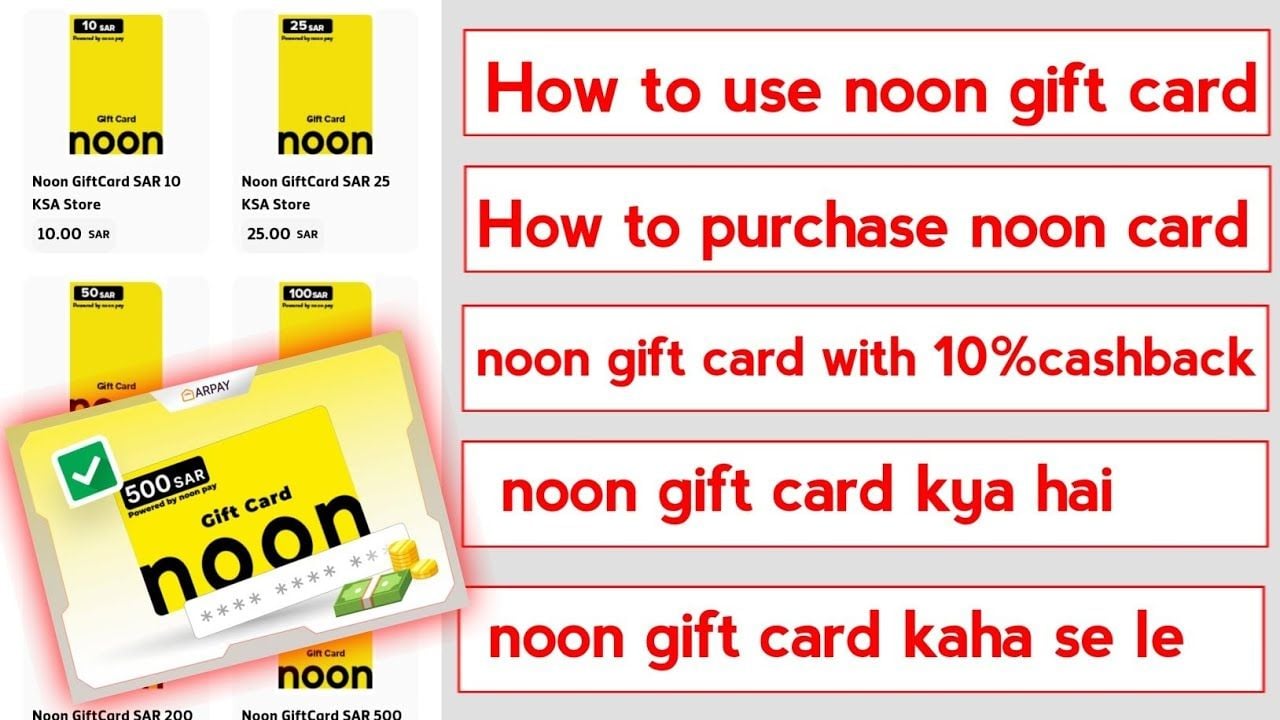
To access your purchased code:
- Log in to your BitTopup account.
- Open your Order History dashboard.
- Click on your completed noon Gift Card order to view the full digital redemption code.
- Copy the code directly to avoid manual typing errors when redeeming on noon.
How to Buy and Recharge noon Gift Card (AE) on BitTopup
BitTopup simplifies purchasing digital shopping vouchers with quick code distribution:
- Select the desired denomination for your noon Gift Card (AE) on this page.
- Check your order summary to ensure you selected the UAE (AED) edition.
- Proceed to the secure checkout interface.
- Choose your preferred payment method from the available options shown on the live checkout screen.
- Complete the payment. Your 16-digit voucher code will generate immediately in your order management page.
Troubleshooting Common noon Gift Card Errors and Balance Inquiries
If you experience issues while redeeming your digital code, review these standard troubleshooting steps:
- "Invalid Code" Error: Check for confusing characters (such as the number 0 vs. the letter O, or the number 1 vs. the capital letter I). Copying and pasting directly from your BitTopup order dashboard prevents transcription mistakes.
- "Country or Region Mismatch": Ensure your noon app or browser location is set to the United Arab Emirates. If your account was originally created in Saudi Arabia or Egypt, switch the country settings or create a UAE profile.
- "Code Already Redeemed": Refresh your app and inspect your noon credits statement history. In many cases, the balance applied on a previous attempt without refreshing the front-end user interface.
- Checking Available Balance: To check your remaining noon credits at any time, go to My Account > noon credits inside the noon app. The overview displays your current spendable balance and recent deduction history.
Why Choose BitTopup for noon Gift Card Purchases
BitTopup provides a direct, friction-free way to buy digital retail vouchers:
- Fast Digital Delivery: Codes process automatically upon completed payment, allowing you to load your noon wallet without waiting.
- Account Security: BitTopup operates without asking for your personal noon passwords or account access tokens.
- Transparent Pricing: Check all card values and live transaction options directly on the product checkout page.
- Dedicated Support: BitTopup customer support is available 24/7 to assist with order tracking, code retrieval, or checkout questions.
Frequently Asked Questions
How do I redeem my noon Gift Card (AE) for noon credits?
Log in to your noon account on the app or website, navigate to My Account, select noon credits, tap Redeem Gift Card, enter your 16-digit code, and confirm.
Can I use a noon UAE gift card in Saudi Arabia or Egypt?
No. UAE gift cards are strictly locked to the AED currency and valid only on UAE noon accounts. They cannot be converted or redeemed on noon KSA or noon Egypt.
Can noon gift card credits be used for noon Food and noon Minutes?
Yes. Once redeemed into your noon wallet, your noon credits can be used across noon.com, noon Food, noon Minutes, noon Grocery, and SIVVI within the UAE.
How long is a noon Gift Card (AE) valid after purchase?
The gift card code must be redeemed within 6 months from the issuance date. Ensure you apply the voucher to your noon account balance before this validity window closes.
What should I do if my noon gift card code displays an error?
Verify that the 16 characters match your order details precisely and confirm that your noon account region is set to the UAE. If the code still fails, contact BitTopup support with your order number for rapid verification.
Can I turn my noon gift card balance into cash or transfer it?
No. noon credits are non-refundable, cannot be withdrawn to a bank account or credit card, and cannot be transferred between separate noon user accounts.