



How to Complete an OSN+ Subscription (JO) Recharge Online
An OSN+ Subscription (JO) recharge provides direct digital access to premier streaming entertainment across Jordan. OSN+ hosts exclusive content from HBO, Warner Bros., Paramount+, OSN Originals, and leading Arabic studios. Recharging your account with a digital voucher code allows you to renew or start a subscription without linking an international credit card or committing to automated bank renewals.
Digital vouchers provide prepaid access for specific periods, such as monthly or annual access plans. Once you purchase your code on BitTopup, the subscription voucher is generated immediately, ready to be redeemed directly into your OSN+ account profile.
Step-by-Step Purchase Process
- Select the OSN+ Jordan (JO) subscription duration or tier matching your streaming preferences.
- Verify the selected product region matches your OSN+ account registered location (Jordan).
- Enter your contact email to receive transaction updates and access your order history.
- Complete the payment using your preferred digital checkout method.
- Retrieve your unique digital recharge code directly from your BitTopup order confirmation screen or email.
How to Find Your OSN+ Account Details and Redeem Codes
OSN+ does not require a numeric player UID for vouchers. Instead, subscription vouchers are applied directly to the email address or mobile phone number linked to your OSN+ profile.
Accessing Your Account Credentials
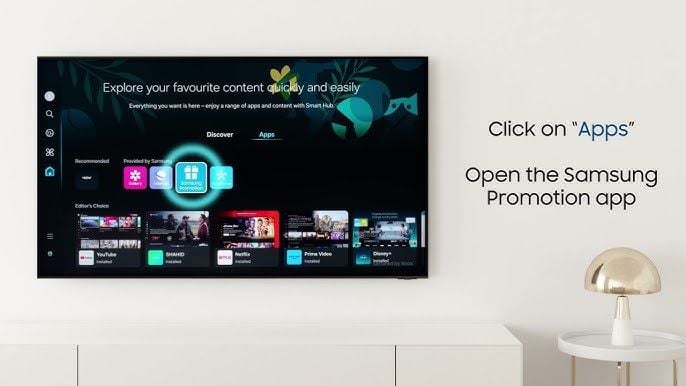
- Open the OSN+ app on your smartphone, tablet, smart TV, or visit the official OSN+ website in your browser.
- Log in using your registered email address or mobile phone number.
- Navigate to the Settings or Account tab in the top right profile menu.
- Confirm that your registered country is set to Jordan (JO). Voucher codes designated for Jordan will only activate on profiles registered within the Jordanian store region.
Step-by-Step Guide: Redeeming Your OSN+ Voucher Code
Applying your prepaid digital code to your streaming account takes under two minutes. Follow these steps to activate your access:
- Open your web browser and go to the official redemption page at
osnplus.com/redeem(or navigate to Subscription & Billing within your OSN+ web account settings). - Log in to your existing OSN+ account, or create a new profile if you are a first-time subscriber.
- Enter the digital voucher code received from your BitTopup order into the promo/voucher redemption box.
- Click Apply or Redeem to validate the code.
- Confirm the activation prompt. Your account balance and access tier will update immediately, granting full access to the streaming library across all supported devices.
OSN+ Subscription Plans and Pricing Breakdown for 2026
OSN+ offers different plan configurations depending on streaming quality, concurrent screens, and billing length. The table below outlines standard tier parameters available for users in Jordan:
| Plan Type | Concurrent Streams | Max Video Quality | Audio Support | Offline Downloads |
|---|---|---|---|---|
| Standard Monthly | 2 Screens | Full HD (1080p) | Standard Stereo / 5.1 | Supported on Mobile/Tablet |
| Standard 3-Month | 2 Screens | Full HD (1080p) | Standard Stereo / 5.1 | Supported on Mobile/Tablet |
| Standard 12-Month | 2 Screens | Full HD (1080p) | Standard Stereo / 5.1 | Supported on Mobile/Tablet |
| Premium Tier | 4 Screens | 4K UHD & HDR | Dolby Atmos | Supported on Mobile/Tablet |
Note: Exact plan pricing, bundle options, and promotional rates are updated live on the BitTopup checkout catalog based on real-time exchange rates and regional catalog availability.
Regional Compatibility: Account Guidelines for Jordan (JO)
Digital subscription codes for OSN+ are region-locked. A voucher designated as Jordan (JO) must be redeemed on an account created and registered in Jordan.
Key Regional Considerations
- Geographical IP Match: When redeeming your code on the OSN+ redemption portal, ensure you are connected to a Jordanian internet connection or have your account country permanently set to Jordan.
- Cross-Region Incompatibility: An OSN+ Jordan voucher code cannot be redeemed on accounts registered to other MENA regions (such as Saudi Arabia, UAE, or Egypt) or international regions.
- Existing Third-Party Billing: If your current OSN+ account is actively billed through the Apple App Store, Google Play Store, or a local telecom operator, you must let that billing cycle expire before applying a standalone digital voucher code.
Troubleshooting Common OSN+ Voucher and Payment Errors
If you encounter an issue when activating your voucher code, use these troubleshooting steps to resolve the problem quickly:
Error: "Invalid Voucher Code"
- Check for typographical errors. Copy and paste the code directly from your BitTopup receipt to avoid confusing letters with numbers (such as
0andOor1andI). - Ensure there are no accidental spaces before or after the code sequence.
Error: "Code Not Valid in Your Country"
- Verify your account's country settings under profile management.
- Disable any active VPN or proxy software that routes your connection outside Jordan during redemption.
Error: "Account Already Has an Active Subscription"
- OSN+ vouchers cannot stack directly on top of active mobile-store subscriptions (Apple In-App Purchase or Google Play Billing). Cancel the auto-renewal in your app store, wait for the remaining days to conclude, and apply your prepaid voucher code to renew access.
Code Activation Latency
- If the page displays a successful activation but content remains locked, log out of the OSN+ application on your device and log back in to refresh your account entitlements.
Benefits of Recharging OSN+ via BitTopup
BitTopup provides a fast, reliable path to buy digital entertainment codes and manage your streaming subscriptions without friction.
- Zero Account Password Sharing: You never need to provide your OSN+ login password or private credentials. BitTopup issues a clean digital code that you redeem yourself directly on the official OSN+ platform.
- Flexible Payment Options: Pay using local and digital payment methods without requiring credit cards capable of recurring international merchant charges.
- Instant Digital Delivery: Digital codes are generated and delivered immediately after payment confirmation, allowing you to start streaming without delay.
- Live Price Transparency: View exact costs and package options upfront at checkout with no hidden platform processing surcharges.
- 24/7 Dedicated Support: Access responsive customer service ready to assist with order status checks, redemption guidance, or code verification.
Frequently Asked Questions
How do I redeem a voucher or promo code for OSN+?
Log in to your OSN+ profile on a web browser, visit osnplus.com/redeem, enter the digital code from your BitTopup order, and click apply. The subscription period attaches immediately to your account.
How much does an OSN+ subscription cost in 2026?
Subscription costs vary based on tier duration (1-month, 3-month, or annual) and video quality (Standard or Premium 4K). Check the live BitTopup product catalog selection above to see current prices in your local currency.
Can I recharge an OSN+ Jordan subscription for an account in another region?
No. OSN+ codes purchased for Jordan (JO) are region-locked and will only work on accounts set to the Jordan region. Ensure your account country matches the voucher region before buying.
Do I need to share my OSN+ account password during checkout?
No. BitTopup operates on a secure voucher code system. You only receive the digital redemption key and do not need to share your password or personal account access.
How quickly will I receive my OSN+ subscription code after purchase?
Codes are delivered digitally right after payment verification. You will see the code on your order confirmation page and receive a copy at your specified email address.
What should I do if my OSN+ subscription recharge code fails to activate?
First, verify that your account region is set to Jordan and that you do not have an active subscription billed through Apple or Google. If issues persist, reach out to BitTopup customer support with your order number for rapid verification.