

How to Recharge Spotify US Premium Online with a Spotify US Top Up
A Spotify US top up is the most reliable way to activate or renew Spotify Premium on a United States account without needing a US-issued credit card or domestic US billing address. By purchasing a digital redemption code, you convert prepaid credit directly into uninterrupted ad-free streaming, unlimited skips, offline playlist downloads, and high-fidelity audio playback.
Prepaid vouchers are ideal for music lovers living outside the United States who maintain a US Spotify profile to access exclusive music libraries, region-specific podcasts, and early release tracks. Because Spotify enforces strict geographic payment rules, standard international debit and credit cards are routinely declined on US accounts. Digital voucher codes resolve this issue by applying prepaid months directly to your balance.
BitTopup provides official Spotify US digital vouchers directly upon checkout completion. You receive a unique 16-character alphanumeric code that can be applied to your Spotify account in seconds through any standard web browser.
Spotify US Plans and Pricing in 2026
Spotify offers several subscription tiers tailored to single listeners, couples, families, and verified students. Understanding which tier fits your setup helps you purchase the correct balance amount for your account.
| Plan Type | Account Capacity | Key Features | Voucher Compatibility |
|---|---|---|---|
| Individual Premium | 1 Account | Ad-free listening, offline downloads, unlimited skips | Full direct compatibility |
| Premium Duo | 2 Accounts | Two separate profiles under one address, shared Duo Mix | Balance credit compatibility |
| Premium Family | Up to 6 Accounts | Explicit content filter, separate profiles, Family Mix | Balance credit compatibility |
| Premium Student | 1 Account | Discounted rate, includes verified student perks | Requires SheerID verification |
Note: Live pricing and available voucher denominations are displayed directly on the BitTopup checkout selection screen. Exact duration applied per code depends on your active plan tier and current Spotify US service terms.
Spotify Account Region Settings and US Country Lock Requirements
Spotify digital codes are region-locked. A US digital code can only be redeemed on a Spotify account configured with United States (USA) as its registered country.
Verifying or Changing Your Spotify Account Country
- Open a web browser on your desktop or mobile device and log in at
spotify.com. - Click on your profile icon in the top right corner and select Account.
- Under the Account overview tab, select Edit profile.
- Scroll down to the Country or region field.
- If your account is set to Free, select United States from the dropdown menu (ensure your connection reflects a US IP if required by browser location checks).
- Click Save profile to confirm your changes.
If you have an active recurring subscription through another region's payment provider (such as Apple App Store, Google Play, or a local bank card), you must cancel the recurring subscription first. Once the remaining billing cycle expires and the account returns to the Free tier, update the region to the United States and apply your Spotify US top up code.
Step-by-Step Guide to Redeeming Spotify US Gift Cards
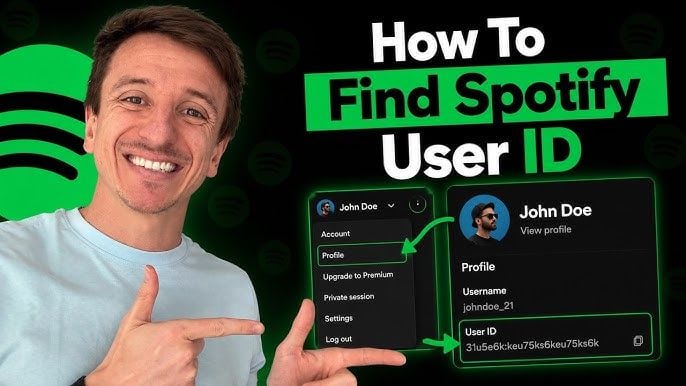
Redeeming your digital code does not require sharing your account credentials. Follow these instructions to apply the voucher directly through Spotify's secure redemption portal.
Redemption Steps
- Obtain Your Code: Complete your purchase on BitTopup and copy your 16-character digital redemption code from your order confirmation screen or email.
- Visit the Redemption Page: Go to
spotify.com/redeemin your web browser. - Log In: Sign in with the Spotify US account credentials you want to recharge.
- Enter Code: Type or paste your digital voucher code into the input field.
- Complete Verification: Complete the standard CAPTCHA verification prompt.
- Confirm: Click Continue. Your prepaid Premium time is instantly applied to your account.
Once redeemed, your Spotify client (desktop, mobile, or smart TV) immediately updates to Premium status. If your app still displays ads, log out and log back in to sync account permissions.
Accepted Payment Methods and Alternative Digital Top-Up Options
Funding a US Spotify account directly on Spotify's website typically requires a US-issued credit card, a US PayPal account, or a domestic debit card. For international users or buyers who prefer not to link sensitive banking credentials to recurring subscriptions, prepaid digital vouchers offer the best alternative.
On BitTopup, you can purchase Spotify US digital codes using a wide selection of globally accepted payment options. This allows you to recharge your US streaming library from anywhere in the world without currency conversion barriers or local banking rejections. Digital vouchers also eliminate unexpected recurring charges, giving you full control over how many months you choose to prepay.
Why Buy Spotify US Top Up on BitTopup
- Zero Account Sharing: BitTopup sends you a digital code directly. You never have to share your Spotify username, password, or profile access with anyone.
- Instant Digital Delivery: Codes are generated and delivered immediately after payment confirmation, allowing you to top up your account without delay.
- Transparent Pricing: All voucher face values and final checkout totals are clearly displayed before purchase, with no hidden activation fees.
- 24/7 Customer Support: If you encounter any issues during code retrieval or redemption, BitTopup's support team is available around the clock to assist you.
Troubleshooting Spotify US Code Redemption and Account Issues
1. Country Mismatch Error ("Code Does Not Match Your Account Region")
This error occurs when attempting to apply a US voucher to an account registered in another country. Go to your Spotify Account settings page, verify that the country is set to United States, and update it if necessary. If the region dropdown is locked, cancel any active foreign billing, wait for the current cycle to expire, and update the country.
2. "Already Subscribed to Premium via Third Party"
If your account is billed through Apple, Google Play, or a mobile telecom provider, Spotify's system will not allow prepaid codes to stack on top of the third-party billing stream. Cancel the third-party subscription, let the remaining days run out until the account switches to Free, then redeem your code on spotify.com/redeem.
3. Invalid Code or Typo Issues
Spotify codes consist of numbers and letters. Certain characters look similar and can cause entry errors. Check for common character confusions:* Number 0 vs uppercase letter O* Number 1 vs uppercase letter I or lowercase letter l* Number 8 vs uppercase letter B
Copy and paste the code directly from your BitTopup order details to eliminate manual typing mistakes.
Frequently Asked Questions
How do I top up my Spotify subscription using a US digital code?
Purchase a Spotify US top up voucher from BitTopup, log in to your account at spotify.com/redeem, enter the 16-character code, complete the security prompt, and click Continue. The prepaid Premium duration will apply immediately.
How can I switch my Spotify account region to USA?
Log in to your Spotify account in a web browser, go to Account overview, select Edit profile, change the Country or region dropdown to United States, and click Save profile. Your account must be on the Free tier with no active third-party recurring billing to change regions.
Why am I getting a region mismatch error when redeeming my Spotify US code?
Spotify digital codes are region-specific. A US code requires your Spotify account country setting to be configured to the United States. Check your profile settings to ensure your account country matches the voucher region.
Can I use a US Spotify gift card to recharge an existing Premium subscription?
Yes, provided your existing Premium subscription is billed directly in US Dollars through Spotify. If your subscription is managed by a third party (such as Apple or a telecom carrier), you must cancel that billing setup first, wait for the current cycle to finish, and then redeem the voucher code.
What is the cheapest way to buy and recharge Spotify US Premium in 2026?
Buying digital top up codes through BitTopup allows you to pay exact balance values using your preferred payment method without foreign transaction penalties or unwanted recurring credit card subscriptions. Check the live product listings on BitTopup for current pricing and pack options.
Do Spotify US top up codes expire?
Standard Spotify US retail voucher codes do not have short-term expiration dates. However, we recommend redeeming your digital code on your Spotify account shortly after purchase to ensure immediate activation of your Premium benefits.