



What is StarzPlay Subscription (JO) Top Up and Digital Voucher?
A StarzPlay Subscription (JO) digital voucher is a prepaid activation code designed specifically for viewers based in Jordan. Purchasing a digital voucher allows you to activate or renew premium access to the STARZPLAY streaming platform without tying your personal credit card to an ongoing monthly direct debit.
Prepaid digital codes offer complete financial control over your entertainment spending. Instead of worrying about unexpected recurring renewals, you buy the exact duration you want. Once applied to your StarzPlay account, your subscription instantly unlocks the full Jordanian catalog, including blockbuster Hollywood movies, exclusive STARZ original productions, same-time-as-the-US TV series, Arabic drama releases, kids' entertainment, and premium live sports broadcasts.
Benefits of Prepaid Vouchers vs. Credit Card Billing in Jordan
- Zero Recurring Fees: Pay once for your chosen subscription period without automatic bank deductions.
- No Bank Card Required: Top up your account using localized payment solutions supported on BitTopup.
- Instant Account Upgrades: Digital codes arrive immediately upon checkout, allowing quick renewal.
- Gifting Made Simple: Share voucher codes directly with friends or family residing in Jordan.
StarzPlay Jordan Subscription Plans, Content Library & Supported Devices
STARZPLAY provides high-definition and 4K Ultra HD entertainment customized for viewers across the Middle East and North Africa. By activating a Jordan prepaid subscription, you gain access to dedicated content libraries with both Arabic and English audio and subtitle options.
| Plan Feature | Specifications & Standards |
|---|---|
| Supported Region | Jordan (JO IP & Jordan Account Profiles) |
| Video Streaming Quality | Full HD (1080p) & 4K Ultra HD (on select titles) |
| Audio Formats | Dolby Atmos / 5.1 Surround Sound & Stereo |
| Concurrent Streams | Up to 2 to 4 screens at the same time (plan dependent) |
| Registered Devices | Up to 5 registered devices per profile |
| Download Feature | Offline viewing supported on iOS and Android |
Content Library Overview
- Hollywood Blockbusters & Franchises: Major theatrical movies added shortly after their global box office run.
- STARZ Originals: Global hit series streaming simultaneously with their US release schedules.
- Live Sports & Add-ons: Select sporting events, international cricket, and combat sports according to regional broadcast rights.
- Arabic & Turkish Series: High-budget regional dramas with full localized dubbing and subtitling.
Supported Devices
- Smart TVs: Samsung (Tizen OS), LG (webOS), Sony, TCL, and Hisense.
- Streaming Boxes & Consoles: Apple TV 4K, Android TV boxes, Chromecast, PlayStation, and Xbox.
- Mobile Devices: Apple iPhones, iPads (iOS 12+), and Android smartphones/tablets.
- Web Browsers: Google Chrome, Mozilla Firefox, Apple Safari, and Microsoft Edge.
How to Locate Your Account Details and Prepare for Voucher Redemption
Unlike direct player ID top-ups used in mobile gaming, StarzPlay uses an account-based voucher system. You do not need to submit your password or account credentials during purchase on BitTopup. You only need your registered StarzPlay email or phone number when redeeming the code on the official platform.
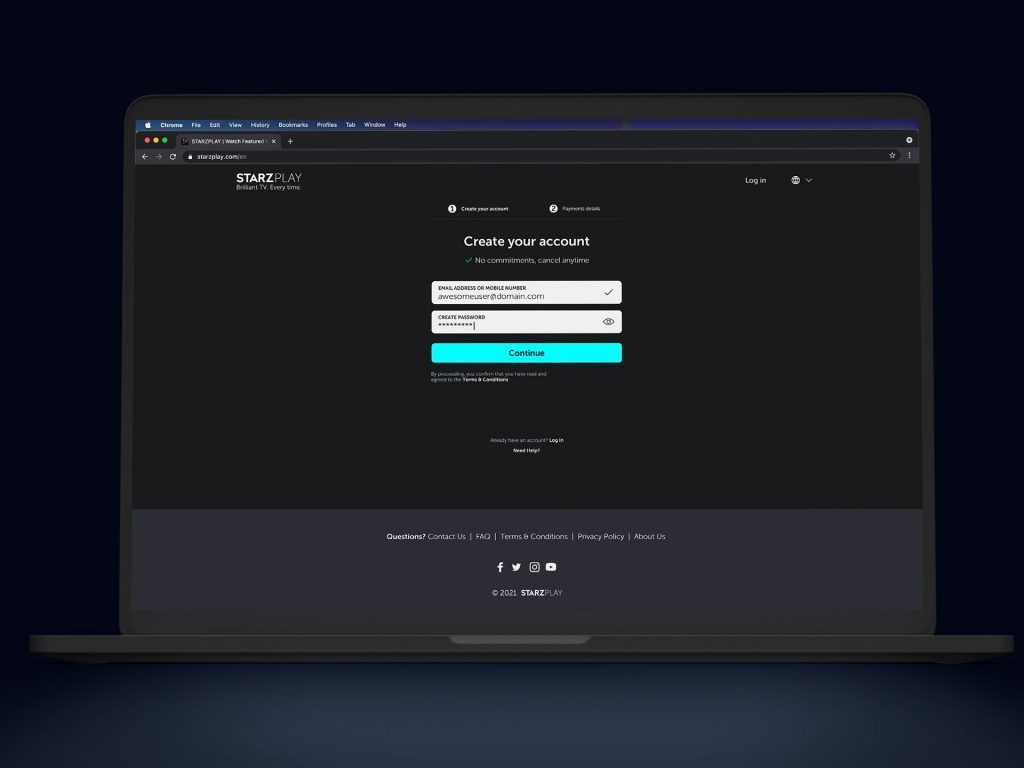
To verify that your account is ready for a Jordan voucher redemption:1. Open the StarzPlay app or visit the official website.2. Log in using your email address or mobile number.3. Navigate to Account Settings and confirm that your registered country or region is set to Jordan.4. Ensure you do not have an active direct carrier billing (telecom provider billing) or third-party store subscription (such as Apple App Store or Google Play) active on that specific profile, as active subscriptions must expire before a voucher code can be applied.
How to Recharge StarzPlay Subscription (JO) Online via BitTopup
Getting your StarzPlay subscription voucher on BitTopup takes only a few simple steps:
- Select the Voucher: Choose the StarzPlay Subscription (JO) duration that fits your viewing needs.
- Check Current Pricing: View the live checkout price displayed directly on the product card.
- Provide Contact Details: Enter a valid email address to receive your voucher code and transaction receipt.
- Complete Payment: Select your preferred secure payment method and finalize the order.
- Receive Your Code: Your prepaid digital code will be displayed immediately on your order confirmation screen and delivered to your email inbox.
How to Redeem Your StarzPlay Jordan Voucher Code
You can redeem your prepaid code using either a web browser or the official mobile application.
Method 1: Redeeming via Web Browser (Recommended)
- Open your browser and go to the official StarzPlay website (
starzplay.com). - Log in to your existing account, or click Sign Up to create a new profile.
- Go to the Account Settings or visit the dedicated redemption portal (
starzplay.com/redeem). - Select Voucher / Promo Code as your payment method.
- Carefully type or paste the digital code you received from BitTopup.
- Click Apply or Redeem. Your subscription status will update immediately to active.
Method 2: Redeeming via the Mobile App (Android / iOS)
- Open the StarzPlay app on your device.
- Tap the More or Settings tab in the bottom navigation bar.
- Select Subscription & Payments.
- Choose Redeem Voucher.
- Paste the code into the text field and confirm the submission.
Jordan Region Lock (JO) Terms & Account Compatibility
StarzPlay digital vouchers are strictly geo-restricted by region. A Jordan (JO) voucher will only work on accounts originating from Jordan and connected through a Jordanian IP address.
Important Region Guidelines:
- Strict Country Lock: StarzPlay Subscription (JO) vouchers cannot be redeemed on accounts registered in the UAE, Saudi Arabia, Egypt, or international regions.
- VPN & Proxy Restrictions: Do not use active VPNs, proxies, or IP-masking tools during the redemption process. If your IP address indicates a country outside Jordan, the redemption system will flag an error.
- Account Currency: The voucher requires an account profile that operates under Jordanian Dinar (JOD) or Jordan platform terms.
Troubleshooting Common StarzPlay Voucher Redemption Issues
If you run into an error while activating your code, review the common scenarios below:
1. "Invalid Voucher Code" or "Code Not Found"
- Typographical Errors: Digital codes are case-sensitive and must not include leading or trailing spaces. Copy and paste the code directly from your BitTopup receipt instead of typing it manually.
- Character Confusion: Watch out for easily confused characters, such as the numeral
0versus the letterO, or1versus uppercaseI.
2. "Voucher Not Valid in Your Region"
- Ensure your device is connected to a local Jordanian internet provider without an active VPN.
- Check your StarzPlay account settings to verify that your account location is set to Jordan.
3. "Existing Active Subscription Detected"
- If your account is currently subscribed through Apple App Store, Google Play Store, or a mobile telecom partner, the StarzPlay system will not stack a voucher on top of an active recurring cycle.
- Wait until the current billing cycle ends, cancel the recurring billing option, and apply your prepaid voucher once the status changes to inactive.
4. Code Already Redeemed
- Refresh your account page or log out and log back in. In many cases, the voucher successfully activates on the backend before the browser page updates.
Why Buy StarzPlay Subscription (JO) on BitTopup?
BitTopup provides a safe, simple, and fast platform for digital entertainment vouchers:
- Guaranteed Code Authenticity: Every StarzPlay voucher code is directly sourced and guaranteed to be valid for Jordan accounts.
- Zero Password Requirements: We will never ask for your streaming account password or login credentials. Your private details remain secure.
- Instant Digital Delivery: Codes are generated automatically upon successful payment, eliminating waiting periods.
- Clear Localized Checkout: View actual prices directly on the checkout screen without hidden platform fees.
- Dedicated 24/7 Support: Our customer support team is available around the clock to assist you with order inquiries and voucher guidance.
Frequently Asked Questions
How much does a STARZPLAY subscription cost in Jordan?
Prepaid voucher pricing depends on the selected duration (such as monthly, multi-month, or annual access). You can check the live rates and available package options directly on the BitTopup checkout page before completing your order.
Can I use a StarzPlay Jordan (JO) voucher outside of Jordan?
No. StarzPlay vouchers are region-locked. A Jordan (JO) code requires a Jordanian IP address and an account set to the Jordan region. Attempting to redeem the code while connected from another country will result in a region mismatch error.
How do I redeem my StarzPlay voucher code?
Visit the official StarzPlay website, log in to your account, navigate to Account Settings > Redeem Voucher, paste the code received from BitTopup, and click Apply. You can also redeem directly through the mobile app settings.
Do I need to share my StarzPlay password to recharge?
No. BitTopup sends you an independent digital activation code. You never need to share your StarzPlay account password, email login, or private personal credentials with anyone.
What devices can I stream StarzPlay on in Jordan?
You can stream on Samsung and LG Smart TVs, Apple TV, Android TV boxes, PlayStation, Xbox, Windows/Mac web browsers, and iOS/Android mobile phones and tablets. Up to 5 devices can be registered per account.
What should I do if my StarzPlay voucher code is not working?
First, confirm that your VPN is disabled and that you are redeeming on a Jordan-based account. Check the code for extra spaces or typing errors. If the issue persists, contact the BitTopup 24/7 customer support team with your order number for fast verification.