




KXZ Gift Card Top Up: Overview and Supported Platforms
A KXZ Gift Card is a prepaid digital voucher used to reload your balance across KXZ partner networks, Amberlight gaming hubs, and affiliated digital entertainment services. Instead of binding your personal credit card or bank details directly to gaming portals, you redeem a unique digital alphanumeric code to instantly credit KXZ Points to your account balance.
Once credited, KXZ Points serve as universal platform currency. You can spend them on in-game cosmetics, battle passes, monthly membership plans, server transfers, character expansions, and exclusive promotional items across all supported web portals and mobile applications. Purchasing your digital code from BitTopup gives you immediate access to your PIN with zero direct account-access risks.
What is a KXZ Gift Card and Supported Games or Services
KXZ Gift Cards act as secure digital credits for a wide range of partner gaming studios, indie publishers, and digital media platforms. The card removes the barrier of international payment processing by allowing players worldwide to top up their account balance in their preferred local currency.
Supported platforms and services include:
- Amberlight Engine & Publishing Hub: Purchase game licenses, downloadable expansions (DLCs), and premium starter bundles.
- Partner Online RPGs & MOBAs: Convert your KXZ Points directly into premium currencies (gems, diamonds, gold coins, or tokens) for instant in-game item store purchases.
- Cross-Platform Mobile Titles: Top up accounts linked through KXZ ID on iOS, Android, and PC client versions without regional store restrictions.
- Community & VIP Memberships: Pay for priority server access, premium monthly passes, and profile customization badges.
How to Recharge KXZ Points Using a Gift Card Code
Redeeming your digital code is straightforward. Follow these steps to complete your KXZ Gift Card recharge:
- Retrieve Your Digital PIN: After completing your order on BitTopup, open your account dashboard and copy your unique digital redemption code from your order history.
- Access the Redemption Portal: Open your web browser and navigate to the official KXZ User Center or launch your supported game launcher.
- Log In to Your User Account: Sign in with your registered KXZ credentials (email, phone, or linked social ID).
- Select the Top-Up / Voucher Option: Navigate to the Billing, Wallet, or Recharge tab in your user profile and choose KXZ Gift Card / Prepaid Voucher as your payment method.
- Enter Your Code: Paste your alphanumeric code into the input field. Double-check for any extra spaces before or after the code.
- Confirm Redemption: Click Submit or Redeem. Your KXZ Points balance will update immediately, and the transaction will log in your wallet ledger.
How to Find Your KXZ Account UID and Balance
To ensure your points arrive in the right account, confirm your User ID (UID) before applying any digital voucher.
- Log in to your KXZ account or the game client using your main credentials.
- Click your user avatar or profile icon located in the top-right corner of the interface.
- Open the User Center or Account Overview screen.
- Your KXZ UID is displayed directly beneath your display name as an 8-to-12 digit numeric identifier.
- Copy or write down this number if you are redeeming through third-party partner portals that ask for direct account binding.
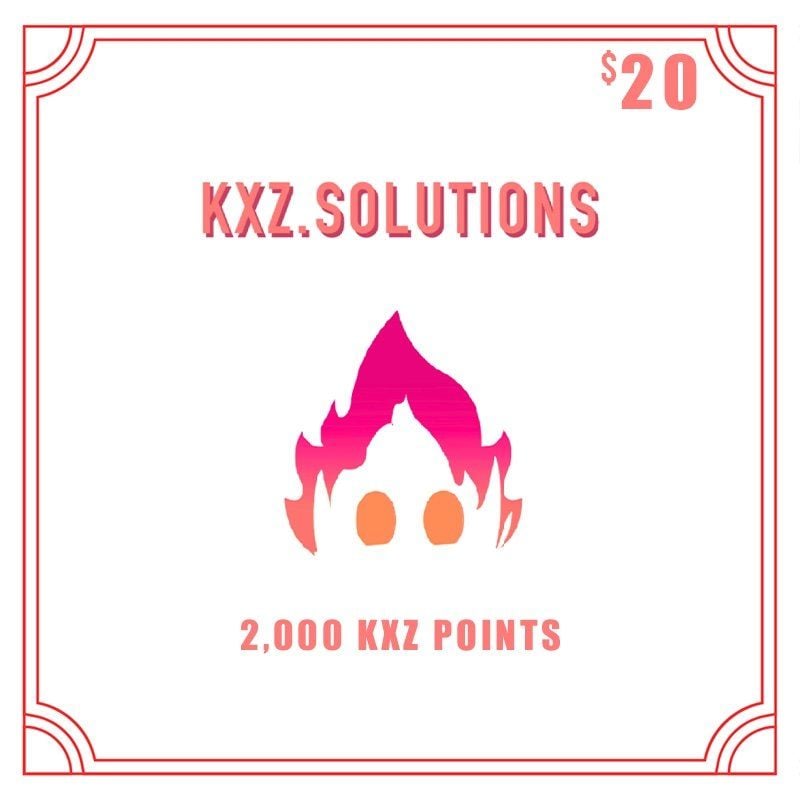
To check your current point balance, open the Wallet or Balance tab inside the same User Center. Your available points, recent voucher redemptions, and past in-game point spend history are listed chronologically.
Available KXZ Gift Card Denominations and Rates in 2026
BitTopup provides multiple card denominations to match your specific gaming budget. Live checkout rates adjust in real time according to selected currency and regional payment methods. Check the live product selector above for exact checkout pricing.
| Denomination Tier | Estimated KXZ Points | Ideal Use Case | Delivery Method |
|---|---|---|---|
| Basic Tier | 500 – 1,000 Points | Microtransactions, daily energy packs, basic consumables | Instant Digital PIN |
| Standard Tier | 2,000 – 5,000 Points | Monthly cards, season battle passes, standard character skins | Instant Digital PIN |
| Premium Tier | 10,000 Points | Exclusive bundles, gacha currency packs, collector sets | Instant Digital PIN |
| Elite / Bulk Tier | 20,000+ Points | Studio-wide passes, high-tier weapon skins, alliance resources | Instant Digital PIN |
Regional Policies, Expiration, and Currency Conversion Rules
Understanding account policies ensures your balance applies without complications:
- Regional Compatibility: Most global KXZ Gift Cards can be redeemed across international accounts. Certain region-locked denominations require your registered KXZ account country to match the card region. Always check the region tag on your product selection.
- Currency Conversion: When redeeming a global voucher on an account set to a different local currency, the KXZ platform automatically converts the card value into points based on the daily official platform exchange rate.
- No Balance Expiration: Once KXZ Points are successfully credited to your account balance, they do not expire. You can hold points in your wallet and spend them during seasonal promotional events at your convenience.
- PIN Validity: Unused digital codes remain valid until redeemed, but we recommend applying your code to your wallet immediately upon purchase to secure your funds.
Safety Guidelines: Avoiding Account Sharing with Digital Codes
Digital gift cards provide one of the safest methods to top up gaming platforms because they completely remove the need to share private account credentials.
- Never Share Your Password: Legitimate top-up services do not require your account password or login verification codes. With KXZ digital codes, you receive the raw PIN and redeem it yourself.
- Direct Control Over Redemption: You choose exactly when and on which sub-account to apply your balance.
- Protection from Account Lockouts: Direct credential-sharing can trigger automated security flags, temporary account locks, or suspicious-login bans from game publishers. Using digital redemption codes avoids these security triggers entirely.
- Keep Your Transaction Receipts: Save your BitTopup order ID and receipt until your code has been successfully credited to your balance.
Why Buy KXZ Gift Cards on BitTopup
BitTopup is built to deliver a reliable, secure top-up experience for gamers around the world:
- Instant Code Delivery: Your digital KXZ Gift Card PIN is generated directly in your BitTopup dashboard and sent via order confirmation immediately after payment approval.
- Transparent Pricing: What you see at checkout is what you pay. There are no hidden processing fees or unlisted surcharges.
- Global & Local Payment Options: Pay using your preferred credit card, debit card, e-wallet, or local payment provider with complete data encryption.
- 24/7 Dedicated Support: Our multilingual support team is available around the clock to help you verify codes, clarify redemption steps, or answer payment questions.
Troubleshooting Common KXZ Gift Card Redemption Issues
If you experience an error while redeeming your code, use these solutions to resolve the issue quickly:
- Error: "Invalid Code" or "Code Not Found":
- Check for character confusion: '0' (zero) vs. 'O' (letter), '1' (one) vs. 'I' (capital i) or 'l' (lowercase L).
- Ensure there are no accidental spaces before or after the code when pasting.
- Verify that you selected "KXZ Prepaid Code" instead of another voucher type on the redemption menu.
- Error: "Code Already Redeemed":
- Refresh your browser or restart the game client. In many cases, the points have already been added to your balance.
- Check your KXZ User Center Transaction History to verify if a recent balance update occurred.
- If the history shows no record, contact BitTopup customer support with your order number for code verification.
- Error: "Region Not Supported":
- Check if your registered KXZ account country matches the region tag of the voucher purchased.
- Ensure you are not using a proxy or VPN that routes your connection through an unsupported territory during the redemption step.
- Wallet Balance Delay:
- During major game updates or high-traffic sales events, server synchronization can take 1 to 5 minutes. Log out of your account, log back in, and check your balance again.
Frequently Asked Questions
How do I redeem my KXZ Gift Card code?
Log in to the official KXZ User Center or open your supported game client. Navigate to the Wallet or Recharge menu, select KXZ Gift Card / Voucher, enter the digital PIN obtained from your BitTopup order, and click Confirm. Your points will appear in your account balance immediately.
What platforms and games can I recharge with a KXZ Gift Card?
You can use KXZ Gift Cards across all games and digital services integrated with the KXZ network, including the Amberlight game hub, participating online RPGs, mobile strategy games, and digital community membership portals.
How do I check my KXZ Points balance after recharging?
Log in to your KXZ account, click on your profile icon in the upper-right corner, and open the User Center. Your total active KXZ Points balance and itemized spending history will be displayed on the Wallet tab.
Can you add money directly to an existing KXZ Gift Card?
No. KXZ Gift Cards are single-use prepaid digital vouchers. Once a code is redeemed, its value is transferred to your account balance and the PIN becomes inactive. To add more funds, purchase a new KXZ Gift Card code on BitTopup.
Do KXZ Gift Cards have regional restrictions or expiration dates?
Global KXZ cards can be redeemed across standard international accounts, while specific regional cards require matching account residency. Once redeemed to your account, KXZ Points do not expire. Unredeemed codes should be used promptly to keep your balance secure.
What should I do if my KXZ Gift Card code shows as invalid or already redeemed?
First, re-type the code carefully to rule out typographical errors and check your wallet transaction history to confirm if points were applied in the background. If the error persists, contact BitTopup 24/7 customer support with your order ID and a screenshot of the error message for swift verification.