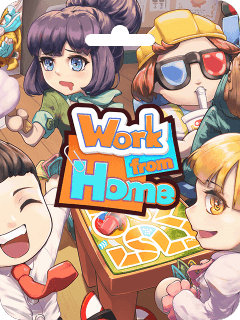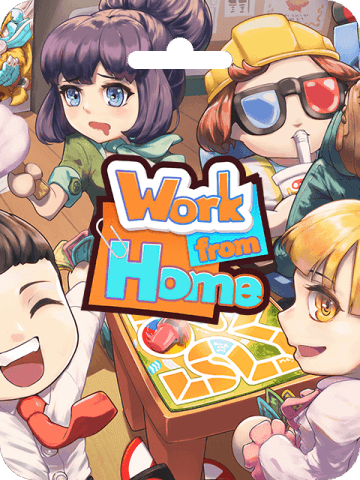



Work from Home CdKey (HK) Recharge: Instant Key Access and Overview
Getting a Work from Home CdKey (HK) recharge gives you immediate access to one of the most entertaining cooperative party games on PC. When you purchase this Hong Kong regional digital key on BitTopup, you receive a genuine product activation code that links the complete base game directly to your personal gaming account. There is no need to wait for physical shipments or share sensitive account credentials.
Work from Home delivers frantic, cooperative workplace comedy designed for up to four players. By purchasing a digital key tailored specifically for Hong Kong accounts, you ensure full compatibility with local servers, localized language options, and regional store features. BitTopup provides direct code delivery so you can activate the license, download the installation files, and start playing with friends immediately.
What is Work from Home: Party Game Overview and Features
Work from Home is a comedic co-op party game set inside a modern corporate office environment. Players assume the roles of remote or in-office workers tasked with pretending to work while actually engaging in chaotic slacking activities. Success requires balancing your actual assignments against covert fun while avoiding the watchful eye of the office boss.
Key gameplay features include:
- Cooperative and Versus Multiplayer: Team up with up to three other players in local couch co-op or online multiplayer matches, or compete head-to-head in workplace mini-games.
- Stealth and Timing Mechanics: Execute slacking activities such as playing games, browsing the web, or making coffee while staying alert for passing supervisors.
- Chaotic Office Scenarios: Work through dynamic stages featuring malfunctioning equipment, office politics, sudden meetings, and strict deadlines.
- Character Customization: Personalize your corporate avatars with distinct outfits, accessories, and humorous workplace animations.
Work from Home CdKey (HK) Key Details
| Feature | Specification Details |
|---|---|
| Product Name | Work from Home CdKey (HK) |
| Product Type | Digital License Key (CdKey) |
| Applicable Region | Hong Kong (HK) Account Stores |
| Platform | PC (Digital Activation) |
| Delivery Format | Alphanumeric Digital Key |
| Multiplayer Modes | Local Co-op, Online Co-op, Shared Screen |
| Account Sharing | None required (Redeem code directly) |
Hong Kong Region Account Eligibility and Compatibility Rules
Before completing your transaction, verify that your active gaming platform profile is registered in Hong Kong. Digital CD keys are region-locked to prevent activation conflicts across different currency zones.
- Region Matching: Your store country setting must be set to Hong Kong (HKD currency). If your account profile is registered in another country or region, the platform will display an error message during key redemption.
- IP & Location Settings: Ensure your platform client connects without conflicting proxy settings that could disguise your primary account country.
- One-Time Activation: Once redeemed, the game remains permanently attached to your game library and can be re-downloaded at any time on compatible PC hardware.
How to Recharge and Redeem Work from Home CdKey (HK)
Activating your Work from Home CdKey (HK) takes only a few minutes. Follow these direct steps to complete your purchase and claim your game.
Step 1: Complete Your Order on BitTopup
- Select the Work from Home CdKey (HK) product listing on BitTopup.
- Review the live product specifications and real-time pricing displayed on the live checkout screen.
- Enter your contact email to receive transaction confirmations and order tracking details.
- Complete the secure payment process.
Step 2: Locate Your Account Details and Account Region
Make sure your active user profile is confirmed as Hong Kong before opening the redemption prompt.
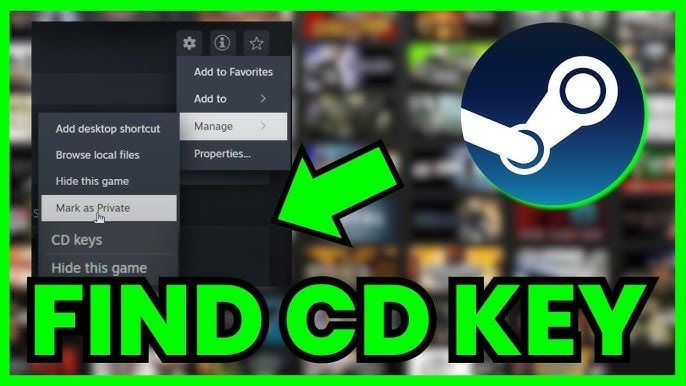
Step 3: Redeem Your Digital Code on the Platform Client
- Launch your PC game platform client and sign in to your Hong Kong account.
- Navigate to the top menu bar and select Games, then click Activate a Product.
- Agree to the standard subscriber agreement terms when prompted.
- Copy the digital activation code from your BitTopup order screen and paste it into the Product Code field.
- Click Next to confirm. Work from Home will be added permanently to your digital library.
- Select the game in your library and click Install to download.
Instant Digital Code Delivery and Order Status on BitTopup
BitTopup processes digital product orders through an automated fulfillment system. As soon as your payment clears, your digital serial code is generated and made visible in your BitTopup account dashboard.
You can track and retrieve your code using the following methods:
- On-Screen Display: The activation key appears directly on your order confirmation screen once checkout is completed.
- Order Center: Log in to BitTopup and access your User Center to view purchase history, key serial numbers, and invoice details.
- Email Dispatch: A backup copy containing your code and transaction summary is sent directly to your provided email address.
If you experience any delay in code generation, BitTopup provides live customer support to verify payment statuses and resolve order inquiries.
Safe and Secure Payment Methods for Work from Home Key Purchase
Safety is a primary requirement when purchasing digital game keys online. BitTopup protects your information through verified checkout practices:
- No Account Credentials Needed: BitTopup never asks for your personal gaming passwords, security questions, or private account access. You receive an independent activation code to redeem yourself.
- Encrypted Checkout: All payment transactions are protected with advanced SSL encryption to safeguard financial data.
- Direct Authorization: Every digital key distributed is sourced legitimately to prevent platform revocations or account restrictions.
- Transparent Pricing: The final price you pay is clearly shown at live checkout with no hidden service surcharges.
Troubleshooting Common Code Redemption Issues in 2026
If you run into an error while entering your key, use the following troubleshooting guide to resolve the issue:
- Invalid Product Code: Double-check the alphanumeric characters. Letters and numbers like '0' (zero) and 'O' (letter), or '1', 'I', and 'l' can be easily mistyped. We recommend copying and pasting the key directly from your BitTopup order page.
- Region Mismatch Error: If the client states that the code is unavailable in your territory, check your account's primary country setting. The Work from Home CdKey (HK) can only be registered on accounts set to Hong Kong.
- Duplicate Code / Already Activated: Verify that the game is not already in your library or hidden under your library filters. If the issue persists, capture a full-screen screenshot of the error message and contact BitTopup customer support with your order ID.
- Network Timeouts: If the redemption client freezes during activation, restart your platform client and check your library before trying to enter the code a second time.
Frequently Asked Questions
Can I redeem the Work from Home CdKey (HK) on a non-Hong Kong account?
No. This specific digital code is region-locked to accounts registered in Hong Kong. If your account region is set to another country or territory, the activation client will reject the key. Check your platform account settings before purchasing.
How will I receive my Work from Home CdKey after recharge?
Your digital activation key is delivered electronically. Immediately after your payment is processed, the code appears on your BitTopup checkout confirmation screen and is stored in your BitTopup User Center. A confirmation email containing your key is also sent automatically.
How do I activate the Work from Home CdKey on my account?
Open your PC platform client, log in to your Hong Kong account, and select Activate a Product from the top menu. Enter the digital code you received from BitTopup into the product key box, confirm the activation, and download the game from your library.
What should I do if my Work from Home CdKey shows as already redeemed or invalid?
First, verify that you entered the code accurately without extra spaces or swapped characters. Check your library to confirm the game was not already installed. If the client still reports the key as used, take a screenshot of the error with your account name visible and contact BitTopup customer support for rapid verification.
Is it safe to purchase and recharge Work from Home CdKey on BitTopup in 2026?
Yes, purchasing on BitTopup is completely safe. You never share your account password or login credentials. You are provided with a verified, standalone digital key that you activate personally through official platform interfaces.
Can I play Work from Home in multiplayer co-op after redeeming the HK key?
Yes. Once you activate the game on your Hong Kong account, you have full access to all standard game modes, including local couch co-op, shared screen play, and online multiplayer matches with friends across supported regions.