

Naver Pay Top Up: What It Is and How Digital Vouchers Work
Naver Pay is South Korea's premier digital payment service and e-wallet, integrated directly into the Naver ecosystem. Operating primarily in South Korean Won (KRW), Naver Pay allows users to pay for goods across thousands of online merchants, purchase digital content, subscribe to services, and complete checkouts on Naver Shopping with a single click.
A Naver Pay top up using digital gift vouchers gives you direct access to Naver Pay Points without requiring a domestic Korean bank account or local credit card. When you buy a digital voucher, you receive an authentic numeric redemption code or claim link. Once loaded into your Naver account, the balance is credited as spendable points that you can use across supported merchants immediately.
Digital vouchers provide the safest and most flexible method for international shoppers, digital content readers, and gamers to maintain a balance on South Korean platforms.
How to Locate Your Naver Account Details and Member Info
Before redeeming your digital voucher, ensure you are signed into the correct Naver account where you want your points deposited. Digital vouchers add points directly to whichever profile is active during the redemption process.
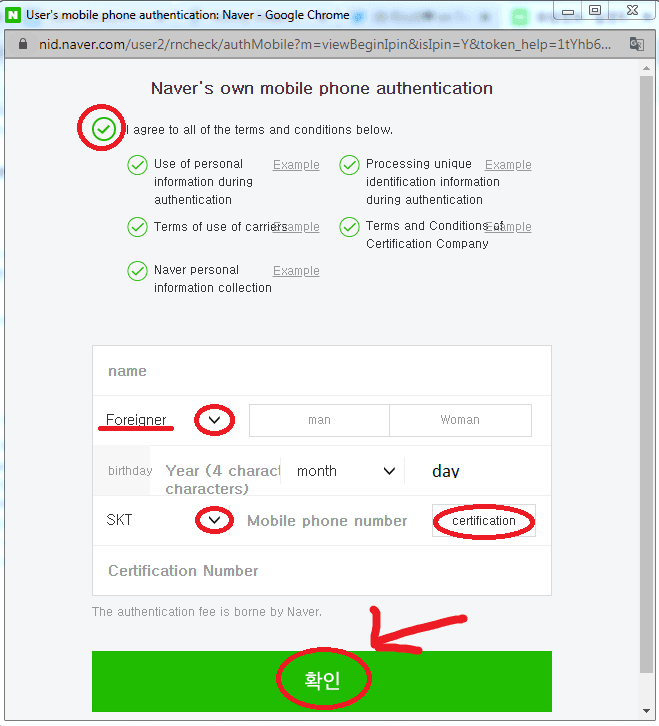
To check your account details:1. Log in to your Naver account at naver.com or open the official Naver mobile app.2. Navigate to your profile dashboard by clicking your username or avatar in the top corner.3. Verify that your registered Naver ID matches the account you intend to fund.4. Click on the Naver Pay (네이버페이) icon to open your personal wallet dashboard.
BitTopup will never ask for your Naver password, secondary PIN, or personal verification documents. You receive an independent voucher code to redeem inside your own account settings.
Step-by-Step Guide: How to Recharge Naver Pay Balance with a Voucher
Recharging your Naver Pay points using a digital code takes less than two minutes on both desktop browsers and mobile devices.
Mobile App Redemption Walkthrough
- Complete your purchase on BitTopup and retrieve your digital voucher code from your order history.
- Open the Naver Pay app or the Naver app and tap the Pay icon.
- Tap the Points (포인트) tab in your wallet overview.
- Scroll down and select Register Coupon/Gift Voucher (쿠폰/상품권 등록) or Gift Card Conversion (기프트카드 등록).
- Paste or type your digital voucher PIN code accurately.
- Tap Register (등록하기) to instantly convert the voucher into your KRW point balance.
Desktop Browser Redemption Walkthrough
- Open your browser and go to
pay.naver.com. - Log in with your Naver credentials.
- Click on Point (포인트) in the top navigation bar.
- Look for the Register Gift Certificate / Points (상품권/포인트 전환) button on the right side of your balance display.
- Enter the numeric voucher PIN provided by BitTopup.
- Confirm the entry. Your balance will update in real time.
Account Requirements and KRW Currency Compatibility
Naver Pay operates exclusively in South Korean Won (KRW). Understanding account region rules and voucher specifications helps prevent redemption errors.
| Parameter | Specification | Details |
|---|---|---|
| Supported Currency | KRW (South Korean Won) | Vouchers credit points in KRW value |
| Account Requirement | Registered Naver Profile | Overseas or domestic verified accounts |
| Delivery Method | Digital PIN / Claim Code | Accessible immediately in your BitTopup dashboard |
| Credential Requirements | None | No passwords or account sharing required |
| Usage Scope | Online E-Commerce & Digital Services | Naver Shopping, Webtoons, Series, and partners |
| Refund Status | Final upon code revelation | Digital codes cannot be reversed once viewed |
All pricing for digital vouchers is clearly displayed at the live checkout on BitTopup, reflecting current exchange rates and processing options.
Can Foreigners and International Shoppers Use Naver Pay in 2026?
Yes, foreigners and overseas buyers can use Naver Pay by funding their accounts with digital vouchers. Standard international credit cards frequently fail on South Korean e-commerce platforms due to strict domestic payment gateway regulations (such as KCP or KG Inicis) that require Korean identity verification (Real-Name Verification via Korean telecom networks).
Digital Naver Pay vouchers bypass this payment barrier. By loading pre-funded voucher points into your Naver wallet, you can:* Purchase merchandise, K-pop albums, and official merchandise on Naver Shopping.* Read exclusive chapters and episodes on Naver Webtoon and Naver Series.* Pay for digital downloads, gaming currencies, and web services that support Naver Pay balance checkouts.* Complete purchases without holding a South Korean Alien Registration Card (ARC) or Korean bank account.
Supported Online Stores and Services Accepting Naver Pay Points
Naver Pay is one of the most widely accepted payment methods across the South Korean web. Your redeemed point balance can be spent across multiple categories:
- Digital Content & Media: Naver Webtoon (네이버 웹툰), Naver Series (네이버 시리즈), VIBE music streaming, and digital novel platforms.
- Fashion & E-Commerce: Naver SmartStore merchants, Musinsa, Brand Ave, and specialized Korean retail boutiques.
- Digital Gaming & Subscriptions: Korean game top-ups, cloud storage expansions, and digital software stores accepting Naver Pay.
- Booking & Services: Naver Reservation for events, exhibitions, and selected digital services.
When checking out at any participating store, simply select Naver Pay as your payment method, choose Pay with Points (포인트 결제), and confirm the transaction.
Payment and Security: Why BitTopup Protects Your Account
Using BitTopup for your Naver Pay recharge ensures total control over your personal data and account safety:
- Zero Credential Sharing: You never disclose your Naver username, password, or security answers. You purchase a self-redeemable digital voucher code.
- Immediate Digital Delivery: As soon as your checkout transaction completes, your digital code appears directly in your BitTopup order center.
- Global Checkout Support: Choose from international payment methods suited for global shoppers, without the need for Korean domestic payment apps.
- Transparent Checkout: What you see at the checkout screen is what you pay, with real-time conversion rates displayed clearly.
Troubleshooting Common Naver Pay Top-Up and Code Redemption Errors
If you experience an issue while redeeming your code, review these standard fixes:
1. Invalid PIN or Format Error
Ensure you enter only the alphanumeric characters of your voucher PIN. Avoid accidental spaces before or after the code. If copying and pasting, verify that no extra punctuation was highlighted.
2. Account Voucher Registration Limit Reached
Naver accounts have monthly point accumulation caps depending on identity verification status. Unverified overseas accounts may have lower monthly voucher registration ceilings. If you receive a quota error, wait until the first day of the following calendar month to redeem the remaining balance.
3. Session Timeout During Redemption
If your browser or app hangs during submission, check your Point History (포인트 내역) before re-entering the code. Often, the transaction completes successfully on the backend even if the confirmation screen fails to refresh.
4. Code Already Used
If the system indicates the code has already been redeemed, verify your point balance history to confirm the credit date. All codes generated on BitTopup are authentic and unused upon issuance.
Frequently Asked Questions
Can foreigners and overseas shoppers use Naver Pay?
Yes. Foreigners and international users can create a Naver account and use Naver Pay by loading points through digital recharge vouchers. This provides a direct method to purchase digital media and physical goods without a Korean bank card or domestic phone verification.
How do I redeem my Naver Pay digital voucher or gift link?
Log in to your Naver account, open the Naver Pay section, go to the Points tab, and select Coupon/Voucher Registration. Enter the digital PIN code you received from your BitTopup order page and confirm to add the points immediately.
Do I need a Korean phone number or resident registration number to use Naver Pay points?
No. While linking a domestic bank account requires Korean identity verification (such as an ARC or Korean phone number), redeeming and spending voucher points on most digital platforms and Naver SmartStores does not require domestic Korean resident registration.
Can I get a refund after purchasing a Naver Pay recharge voucher?
Due to the nature of digital PIN distribution, vouchers are non-refundable once the digital code has been delivered and viewed in your BitTopup dashboard. Please ensure you have an active Naver account before purchasing.
What can I buy using my Naver Pay point balance in 2026?
You can spend your Naver Pay points on Naver Shopping merchants, Naver Webtoon, Naver Series, digital subscriptions, and thousands of partner online storefronts across South Korea.
How quickly will I receive my Naver Pay recharge code after payment?
Digital vouchers are delivered immediately to your BitTopup order history once payment verification is confirmed. You can access your code and redeem it right away.