


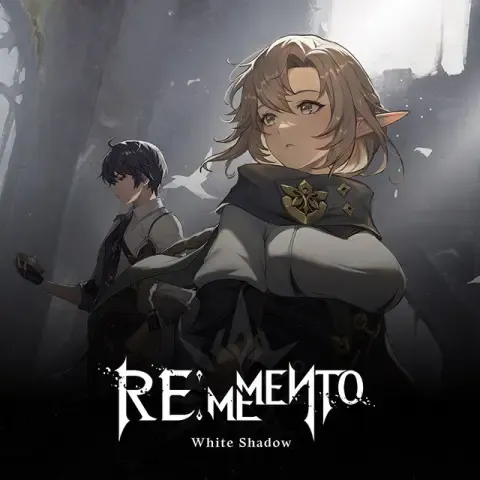


Rememento: White Shadow Top Up Guide: Glowing Memory Packages
Rememento: White Shadow delivers deep tactical squad combat paired with strategic team building. Success in high-tier dungeons, seasonal boss battles, and competitive trials requires strong characters and well-upgraded gear. Glowing Memory is the premium currency that powers your progress, enabling summons on limited banners, stamina refills for gear farming, and access to exclusive resource packs.
BitTopup provides a direct recharge service for Rememento: White Shadow. Using only your in-game Character ID, your purchased Glowing Memory is delivered straight to your account without requiring login credentials or password sharing.
What is Rememento: White Shadow Glowing Memory and What is It Used For?
Glowing Memory serves as the primary premium medium of exchange in Rememento: White Shadow. Managing your Glowing Memory efficiently ensures your roster stays competitive across all PvE and PvP game modes.
Key uses for Glowing Memory include:
- Character & Weapon Summons: Convert Glowing Memory into summoning items to pull for rate-up heroes and signature equipment on active 2026 banner rotations.
- Stamina & Energy Refills: Restore your operational stamina to continuously farm character awakening materials, skill upgrade scrolls, and artifact domains.
- Growth & Level Bundles: Purchase limited progression packs containing high-density EXP materials, gold, and rare breakthrough items.
- Store Item Exchanges: Acquire daily, weekly, and monthly specialty items from the premium in-game shop to accelerate squad optimization.
How to Find Your Rememento: White Shadow Character ID
Your Character ID is a unique numeric identifier tied directly to your game profile. To complete a recharge on BitTopup, you only need this ID.
Follow these steps to locate your Character ID:
- Launch Rememento: White Shadow on your mobile device or PC client.
- Complete the initial login and stay on the main lobby screen.
- Tap your Player Profile / Avatar icon in the upper-left corner of the interface.
- In the profile overview window, locate the numeric string labeled Character ID (or User ID).
- Tap the Copy icon next to the number to copy your Character ID to your clipboard.

How to Recharge Rememento: White Shadow on BitTopup
To buy Rememento: White Shadow Glowing Memory, follow this simple order process:
- Select Your Package: Choose the Glowing Memory denomination that matches your in-game requirements.
- Enter Account Details: Paste your copied Character ID into the player ID field on the page.
- Review Your Selection: Double-check your Character ID to confirm your account receives the delivery.
- Proceed to Checkout: Select your preferred secure payment method from the available local and global options.
- Receive Your Currency: Once the payment completes, your order processes automatically and credits Glowing Memory directly to your in-game balance.
Glowing Memory Packages and In-Game Value Guide
Selecting the right package depends on your current progression targets. The table below outlines standard package tiers and their primary tactical purpose:
| Package Tier | Currency Amount | Recommended In-Game Focus |
|---|---|---|
| Minor Pack | 60 – 300 Glowing Memory | Daily stamina top-ups, daily shop resets, and emergency material purchases |
| Standard Pack | 680 – 1,980 Glowing Memory | Single and multi-pull summons on active rate-up character banners |
| Advanced Pack | 3,280 – 6,480 Glowing Memory | Milestone banner pushes, premium progression boxes, and character awakening packs |
| Master Vault | 12,800+ Glowing Memory | Full banner completion, guaranteed pity target acquisition, and high-tier competitive gearing |
Note: Exact live pricing, local currency conversions, and available package sizes are displayed directly on the BitTopup checkout menu.
Safe & Secure Top-Up: Why Character ID-Only Delivery Matters
Account safety is a top priority when purchasing digital game currency. BitTopup uses direct ID-based delivery to ensure a completely safe transaction experience.
- Zero Password Requirements: You will never be asked for your game account login, password, social account binds, or verification codes. Your private credentials stay entirely in your hands.
- No Account Sharing Risks: Because no third party accesses your client or session data, your account remains secure against unauthorized changes or security flags.
- Direct Server Injection: Transactions are routed directly to your Character ID through standard game delivery pathways, ensuring clean and verified currency credits.
- Encrypted Payment Gateways: All financial transactions on BitTopup are processed through secure, encrypted payment systems to protect your billing information.
Troubleshooting Common Rememento: White Shadow Recharge Issues
If you encounter any delay or discrepancy after completing your order, check the following troubleshooting steps:
- Restart Your Game Client: If your balance does not update immediately upon transaction completion, fully close Rememento: White Shadow and relaunch the app to force a fresh server sync.
- Verify In-Game Mailbox: While most Glowing Memory credits directly to your on-screen balance, bonus items, tickets, or package extras may be routed to your in-game mailbox. Check your inbox and claim any pending system messages.
- Confirm Character ID Accuracy: Verify the Character ID submitted in your BitTopup order receipt against your profile screen. If you suspect an input typo, reach out to BitTopup support immediately with your order reference number.
- Check Network Stability: Ensure your device has a stable internet connection. Weak mobile data or intermittent Wi-Fi can delay visual currency updates until a stable connection is re-established.
- Contact 24/7 Support: If your order status indicates successful processing but currency is not reflected after a client restart, BitTopup customer support is available around the clock to investigate and assist.
Rememento: White Shadow Top-Up FAQs
What details do I need to recharge Rememento: White Shadow?
To top up, you only need to provide your in-game Character ID. You do not need to provide passwords, email addresses, or account recovery information.
Where can I find my Rememento: White Shadow Character ID?
Open the game, tap your player avatar in the top-left corner of the lobby screen, and locate the numeric ID displayed on your profile card. You can use the copy button right beside it.
Do I need to share my game account login or password?
No. BitTopup processes your order exclusively via your Character ID. Never share your password or security verification codes with anyone.
How long does it take to receive Glowing Memory after completing payment?
Orders are processed through an automated delivery system. In most cases, Glowing Memory is credited directly to your account immediately after payment confirmation. High server traffic during major 2026 game updates can occasionally cause a short delay.
Can I buy Rememento: White Shadow Glowing Memory for a friend?
Yes. You can send Glowing Memory to any player by entering their specific Character ID in the order field before completing checkout.
What should I do if my purchased Glowing Memory does not show up in-game?
First, close and reopen your Rememento: White Shadow game client to refresh account data. Check both your direct currency counter and your in-game mailbox. If the balance remains unchanged, contact BitTopup customer service with your order ID for prompt assistance.









































































































































