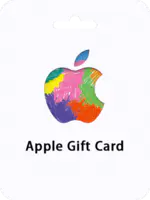
how to recharge Apple Gift Card (NL)

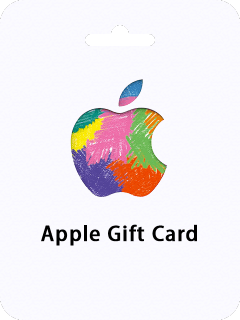
Apple Gift Card (NL)

Excellent
Trustpilot
NETHERLANDSNETHERLANDS
Instant DeliveryInstant Delivery
Instant DeliverySafe & Secure payment

Important Note: Apple Gift Card (NL) sold by bittopup is region locked. ONLY for Apple Account registered in the Netherlands and it is Non-Returnable and Non-Refundable.

Select Denomination
how to recharge Apple Gift Card (NL) Apple Gift Card 250 EURO NL

Apple Gift Card 250 EURO NL

Apple Gift Card (NL)

USD 314.14

USD 294.42

Total

USD 314.14

Discount: 10.0% off

Apple Gift Card (NL) Recharge Guide

The Apple Gift Card (NL) is a versatile prepaid card that can be used to purchase a wide range of Apple products and services, such as laptops, music, apps, e-books, and more. It has replaced the former Apple Store Gift Cards, iTunes Gift Cards, and App Store Gift Cards, offering greater flexibility and convenience when shopping for Apple products. You can simply use the card code as payment at checkout in any NL Apple Store or redeem it to refill your ID balance online. Looking for a quick and secure way to refill your Apple ID balance? Purchase an Apple Gift Card online now! With this prepaid credit, you can easily make purchases on the iTunes store without having to link a credit card or share your bank details. Plus, no surprise charges! Redeem your code right away for more store credit, app downloads, music, TV shows, movies, and more! Overall, the Apple Gift Card offers a convenient and secure way to make purchases on the iTunes store and other Apple products and services. It's also a great gift option, as you can personalize it with a message and choose from a variety of design templates. How to redeem your Apple Gift Card (NL) with your iPhone, iPad, or iPod touch? 1. Retrieve the 16-digit code from your BitTopup account 2. On your iPhone, iPad, or iPod touch, open the App Store app. 3. At the top of the screen, tap the sign-in button or your photo. 4. Tap Redeem Gift Card or Code. If you don’t see Redeem Gift Card or Code, sign in with your Apple ID. 5. Tap Use Camera and follow the instructions on the screen. If you have trouble redeeming the card, tap "You can also enter your code manually," then follow the instructions on the screen. 6. Tap Done. How to redeem your Apple Gift Card (NL) on your Mac? 1. Retrieve the 16-digit code from your BITTOPUP account 2. On your iPhone, iPad, or iPod touch, open the App Store app. 3. On your Mac, open the App Store. 4. Click your name or the sign-in button in the sidebar. 5. Click Redeem Gift Card. 6. Click Use Camera and follow the instructions on the screen. If you have trouble redeeming the card, click "You can also enter your code manually," then follow the instructions on the screen. How to redeem your Apple Gift Card (NL) on a Windows PC? 1. Retrieve the 16-digit code from your BITTOPUP account 2. Open iTunes. 3. From the menu bar at the top of the iTunes window, choose Account. 4. Choose Redeem. 5. Sign in and follow the instructions on the screen.

Apple Gift Card (NL) Recharge Customer Reviews

Total Reviews: 997

Avg Ratings

how to top-up in bittopup

5.0

customer avatar
Earl Wunsch2025/12/09
Reliable site with fast service, never any issues.
customer avatar
Cindy Little2025/12/09
The top-up process was super smooth and fast.
customer avatar
Bernard Dare2025/12/12
Payment options are abundant, so it’s easy to choose what works for me.
customer avatar
Gertrude Ortiz-Lockman2025/12/09
My favorite site for recharging game credits, always reliable.
customer avatar
Tabitha Stoltenberg2025/12/09
Top-up process is simple and quick, very happy.
customer avatar
Glenn Heidenreich2025/12/09
Always a smooth process, very happy with the service.
customer avatar
Steve Raynor2025/12/09
Multiple payment methods allowed me to choose what was most convenient for me.
customer avatar
Dixie Hauck2025/12/12
I like how you can easily track the status of your transaction. It’s very transparent.
Apple Gift Card (NL) All Reviews

Apple Gift Card (NL) Recommended News

Recommend Goods

Apple Gift Card (NL) Recharge Frequently Asked Questions

How long does it take for the order to be completed?

Typically, order will be completed within a few minutes. If there is any delay, please contact our customer support.

What is BitTopup?

BitTopup is an online platform for securely topping up games and services quickly.

Customer Service Hours?

BitTopup's customer service is available 24/7.

KAMAGEN LIMITED

Room 1508, 15/F, Grand Plaza Office Tower II,625 Nathan Road, Mong Kok, Kowloon, Hong Kong

BUSINESS COOPERATION: ibittopup@gmail.com

customer service