



AstroPay AU Top Up: Instant Digital Vouchers for Australian Accounts
AstroPay is a widely recognized digital wallet and prepaid payment solution that enables users to make secure online payments across international platforms, gaming hubs, and e-commerce merchants. An AstroPay Australia (AUD) voucher provides a simple, direct way to fund your AstroPay balance or make direct prepaid checkouts without linking a personal bank card to individual vendor websites.
When you purchase an AstroPay AU digital code on BitTopup, you receive a complete 16-digit card number along with a security CVV and an expiration date. This digital prepaid credential functions immediately upon delivery, allowing you to top up your personal wallet or spend the AUD balance directly wherever AstroPay is accepted.
Important Eligibility Rules: Australia Address and Region Lock
AstroPay enforces strict geographic policy controls. Vouchers issued in Australian Dollars (AUD) operate under precise country parameters:
- Country Verification: AstroPay AUD vouchers can only be redeemed on AstroPay accounts registered and verified with an Australian residential address and phone number (+61 country code).
- Currency Lock: AUD codes convert directly into Australian Dollar wallet balances or direct merchant transactions denominated in AUD. They cannot be used on accounts registered in regions where AUD redemption is restricted.
- IP & Location Consistency: Attempting to redeem an Australian voucher while connected to an incompatible foreign proxy or VPN can trigger temporary security holds on the AstroPay platform. Ensure your network location matches your account registration region during redemption.
Supported AUD Denominations and Package Options
BitTopup provides a range of AUD denominations tailored to different spending requirements. Current retail pricing, conversion calculations, and live stock availability are displayed directly on the selection panel above.
| Package Denomination | Target Use Case | Region Compatibility |
|---|---|---|
| 10 AUD – 25 AUD | Small merchant payments, mobile micro-transactions | Australia (AUD accounts only) |
| 50 AUD – 100 AUD | Standard gaming recharges, recurring entertainment bills | Australia (AUD accounts only) |
| 150 AUD – 300 AUD | General e-commerce checkouts, primary wallet top-ups | Australia (AUD accounts only) |
| 500 AUD+ | High-volume merchant spending, consolidated balances | Australia (AUD accounts only) |
Note: Exact available values and live checkout rates are shown in real time on BitTopup prior to payment confirmation.
How to Find Your AstroPay Account Details and Eligibility
Before purchasing an AstroPay AU voucher, verify that your account profile matches the required Australian region settings:
- Open the AstroPay app on your iOS or Android device, or log in via the official AstroPay web portal.
- Tap the Profile or Account Settings icon located in the navigation menu.
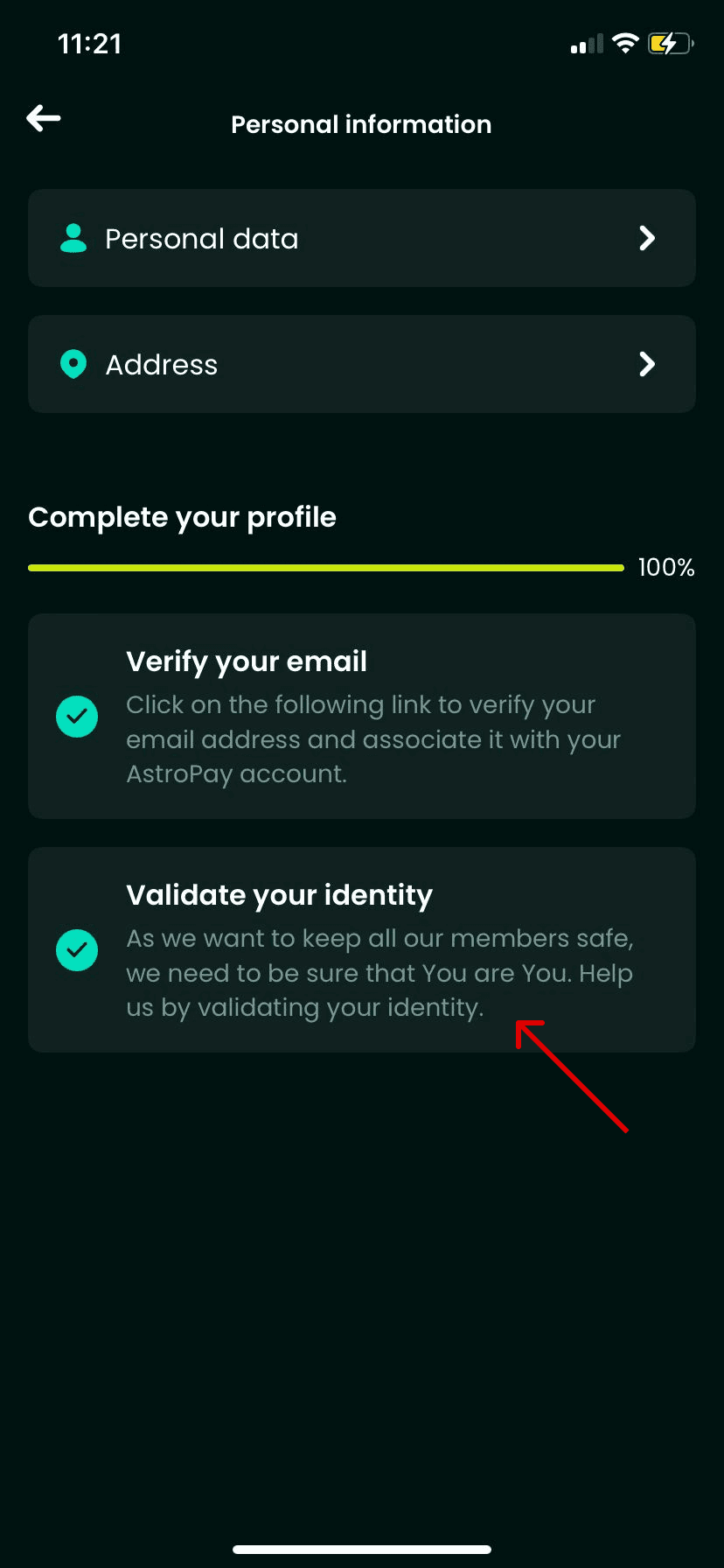
- Check your registered country, phone number, and identity verification level. Confirm that your country is listed as Australia.
- Ensure your account is in good standing without outstanding verification requests.
How to Recharge AstroPay AU Online on BitTopup
Buying an AstroPay voucher on BitTopup is quick, transparent, and secure:
- Select the required AUD denomination on the BitTopup AstroPay (AU) product page.
- Check the quantity you wish to order and review the final price shown on the checkout screen.
- Enter your contact email address carefully. Your digital code details will be sent directly to this address and stored in your BitTopup order history.
- Choose your preferred secure payment method from the available checkout options and complete the transaction.
- Once payment is processed, your 16-digit voucher code, expiration date, and CVV code appear instantly in your order dashboard.
Step-by-Step Redemption Guide for AstroPay Australia Codes
You can use your digital code in two ways: by loading funds directly into your AstroPay app wallet, or by using the code directly on partner merchant sites.
Method 1: Adding Funds to the AstroPay Wallet App
- Open the AstroPay app and sign in to your Australia-registered account.
- Navigate to the Money or Cards section.
- Select Add Funds or Redeem Voucher / Gift Card.
- Enter the 16-digit voucher number, the expiration date (MM/YY), and the 3-digit CVV code received from BitTopup.
- Confirm the submission. The AUD balance will be credited to your available wallet funds immediately.
Method 2: Direct Payment at Supported Merchant Sites
- At the checkout page of a supported merchant or gaming site, select AstroPay as your payment method.
- When prompted, enter the 16-digit card code, expiration date, and CVV.
- Complete the payment prompt. The merchant debits the voucher balance directly without requiring a separate app login.
Safety Guidelines, Anti-Phishing, and Digital Delivery
Protecting your funds requires strict personal security hygiene:
- Zero Credential Sharing: BitTopup never asks for your AstroPay account password, PIN, or SMS one-time codes. You only purchase a digital voucher code to redeem independently.
- Phishing Awareness: Only enter your 16-digit code inside the official AstroPay application or on verified checkout gateways featuring secure SSL encryption.
- One-Time Code Handling: Treat your voucher details like cash. Do not share screenshots of the CVV or card number with third parties or unverified customer support agents on social media.
- Digital Delivery Security: All codes distributed by BitTopup are generated digitally and stored securely in your encrypted order dashboard to prevent interception.
Frequently Asked Questions
Can I use an AstroPay AU voucher outside of Australia?
No. AstroPay AU vouchers are region-locked to accounts verified in Australia. They will not redeem on accounts registered in other territories or currencies. Attempting to redeem an AUD code in an unsupported country may result in an error or balance lock.
How do I redeem my AstroPay voucher code in the app?
Open your AstroPay application, go to the Cards or Wallet tab, select Add Funds, choose the voucher option, and type in the 16-digit code, expiration date, and CVV provided in your BitTopup order confirmation.
Do AstroPay Australia vouchers expire after purchase?
Yes. AstroPay vouchers have an expiration date printed alongside the code (typically valid for up to 12 months from the date of issue). Always check the MM/YY expiration date provided in your BitTopup receipt and redeem your balance before that date.
Why is an Australian address required for AstroPay AU top up?
AstroPay complies with local financial regulations and Anti-Money Laundering (AML) standards. To use AUD-denominated cards and wallets, users must have a verified Australian profile to prevent cross-border payment irregularities.
What payment methods are supported for AstroPay recharges on BitTopup?
BitTopup supports a wide selection of secure payment methods, including major credit/debit cards, e-wallets, and regional payment solutions. Check the live checkout panel to view all payment options currently active for your region.
What should I do if my AstroPay code does not work?
First, double-check that every digit of the 16-digit number, expiration date, and CVV was entered correctly without extra spaces. Next, confirm that your AstroPay account is registered to Australia. If the error persists, copy the error code and reach out to BitTopup 24/7 customer support with your order ID for fast verification.