

Bilibili Premium Membership (PH) Top Up and Key Benefits
Bilibili is one of Southeast Asia's premier streaming platforms for licensed anime, popular Asian dramas, donghua, and user-generated creator content. While free accounts provide basic access to select shows in standard definition, a Bilibili Premium Membership (PH) unlocks the full entertainment catalog with maximum playback quality and zero interruptions.
Key benefits of activating Bilibili Premium in the Philippines include:
- Ad-Free Video Playback: Stream entire seasons, simulcasts, and clips without pre-roll or mid-roll video advertisements.
- Ultra High Definition: Watch your favorite shows in crisp 1080p Full HD and 4K Ultra HD resolution.
- Simulcast & Exclusive Access: Enjoy newly broadcast anime episodes on the same day they air in Japan, alongside exclusive VIP-only series and movies.
- Enhanced Audio Experience: Access Dolby Atmos and high-bitrate audio tracks for immersive sound design.
- Offline Viewing: Download episodes in high resolution directly to your mobile device for on-the-go viewing without mobile data.
- Custom Profile Perks: Display exclusive VIP avatar frames, dynamic badges, and customized comment styling in the community feed.
BitTopup provides digital voucher codes for flexible durations, including 1-month, 3-month, and 12-month options. Check the live checkout options above to select the duration that fits your streaming schedule.
Bilibili Free vs. Premium Subscription Comparison
| Feature | Bilibili Free User | Bilibili Premium Member |
|---|---|---|
| Max Video Resolution | 720p HD | 1080p FHD / 4K UHD |
| Ad Interruption | Standard video ads enabled | 100% Ad-Free streaming |
| Simulcast Access | Delayed release / Selected episodes | Immediate broadcast access |
| VIP Exclusive Anime | Limited previews only | Complete unlimited access |
| Offline Downloads | Standard definition only | High-definition downloads |
| Audio Quality | Standard stereo | Dolby Audio / High-bitrate |
| VIP Badges & Frames | Not available | Exclusive VIP profile styling |
Philippines Account Region Requirement and Compatibility Checks
Bilibili Premium digital codes purchased under the Philippines (PH) catalog are strictly region-locked. These digital codes can only be redeemed on Bilibili accounts registered and set to the Philippines region.
Before completing your order on BitTopup, verify your account settings:
- Open the Bilibili app on your mobile device or visit the official Bilibili website.
- Confirm that your registered region or IP location reflects the Philippines.
- Make sure you are using the international version of Bilibili (bilibili.tv or the standard Bilibili app available on the Philippine App Store and Google Play Store), not the Mainland China version (bilibili.com).
- Digital voucher codes cannot be transferred across regions or applied to accounts registered in other territories such as Indonesia, Thailand, or Vietnam.
How to Recharge and Activate Bilibili Premium Voucher Codes in the Philippines
Activating your membership via a digital voucher code is quick and direct. Follow these steps to redeem your subscription:
Web Browser Activation (bilibili.tv)
- Go to the official Bilibili website (
bilibili.tv) and log in to your account. - Click your profile avatar in the upper right corner of the screen.
- Select VIP or Premium from the dropdown menu.
- Click on Redeem Code / Voucher Redemption.
- Paste the digital voucher code received from your BitTopup order.
- Click Confirm to apply the subscription to your account balance.
Mobile App Activation (Android / iOS)
- Launch the Bilibili app on your smartphone or tablet.
- Tap the Me tab located at the bottom right corner.
- Tap on the VIP / Premium banner.
- Locate and select the Redeem option.
- Enter your digital redemption code carefully without spaces.
- Tap Redeem Now to instantly activate your VIP status.
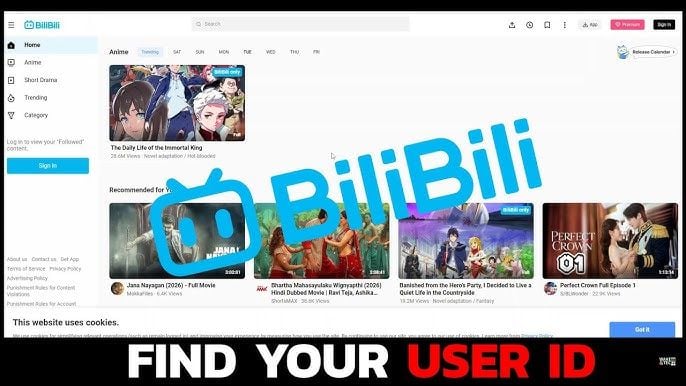
How to Find Your Bilibili UID
Your Bilibili User ID (UID) is a unique numeric identifier tied to your personal account profile. You may need this ID to confirm account details or check account eligibility.
- Open the Bilibili app.
- Tap the Me icon in the bottom navigation bar.
- Your numeric UID is displayed directly beneath your username and avatar.
Supported Local Philippines Payment Methods
BitTopup offers a wide variety of localized Philippine payment channels to make buying your subscription fast and convenient. When purchasing Bilibili Premium on BitTopup, you can pay using:
- E-Wallets: GCash, Maya (formerly PayMaya).
- Credit / Debit Cards: Visa, Mastercard, and JCB.
- Online Banking & Over-the-Counter Channels: Available via supported Philippine payment gateways.
Real-time exchange rates, processing fees, and exact local currency (PHP) pricing are clearly displayed on the checkout page before payment confirmation.
Troubleshooting Common Bilibili Voucher Redemption Issues
If you run into issues while redeeming your Bilibili digital voucher code, check the following troubleshooting steps:
- Code Input Errors: Digital voucher codes are case-sensitive. Copy and paste the code directly from your BitTopup order details to avoid mistyping letters like
Ovs0orIvs1. - Whitespace Errors: Ensure no leading or trailing space is copied into the redemption box.
- Region Mismatch Error: If the app displays an error stating that the voucher is invalid in your region, confirm that your Bilibili account is set to the Philippines and that you are not connected to a foreign VPN.
- Already Redeemed Status: Refresh your account page or log out and back in to see if the VIP badge has already been applied to your profile.
- Code Expiration: Digital codes should be redeemed promptly after purchase. Check your order delivery information for code validity windows.
Why Recharge Bilibili Premium on BitTopup
- Zero Password Sharing: We only provide official digital redemption codes. You never need to share your Bilibili password, social logins, or personal credentials.
- Instant Code Delivery: Your voucher code is generated and delivered to your order page immediately upon successful payment.
- Flexible Philippines Payments: Pay directly using your favorite local Philippine payment methods like GCash and Maya without needing an international credit card.
- 24/7 Customer Support: Our support team is standing by around the clock to assist you with order inquiries, delivery updates, and redemption questions.
Frequently Asked Questions
How much is Bilibili premium in the Philippines per month?
Subscription prices depend on the package duration (1-month, 3-month, or 12-month access) and active promotions. You can view the live, updated pricing in Philippine Pesos (PHP) directly on the BitTopup checkout selection above.
How do I redeem my Bilibili Premium Membership voucher code?
Log in to your Bilibili account on the app or bilibili.tv, navigate to the VIP/Premium section in your user profile, select "Redeem Code", enter the digital code from your BitTopup order, and click confirm. Your account upgrades immediately.
Is Bilibili Premium (PH) valid for accounts registered in other countries?
No. Bilibili Premium (PH) voucher codes are strictly intended for accounts registered within the Philippines region. They cannot be activated on accounts registered in other countries or on the Mainland China bilibili.com portal.
How to get Bilibili premium using GCash or Maya?
Select your preferred Bilibili Premium package duration on BitTopup, click "Buy Now", choose GCash or Maya at checkout, authorize the payment through your wallet app, and copy your delivered voucher code to redeem inside Bilibili.
What benefits are included with a Bilibili Premium subscription?
A Premium subscription includes full ad-free viewing, access to 1080p and 4K video resolution, early simulcast access for ongoing anime series, offline episode downloads, Dolby audio options, and exclusive VIP profile frames.
What should I do if my Bilibili voucher code does not work?
First, confirm there are no extra spaces in the redemption box and verify that your Bilibili account is set to the Philippines region. If the issue persists, contact the BitTopup 24/7 customer support team with your order ID for immediate assistance.