




Celcom XPax Airtime Reload Top Up: Instant Prepaid Mobile Credit
Celcom XPax is one of Malaysia's leading prepaid mobile networks, providing extensive 4G and 5G coverage across Peninsular and East Malaysia. Keeping your prepaid line active ensures uninterrupted access to high-speed mobile data, voice calls, SMS, and digital roaming services. A Celcom XPax airtime reload adds direct ringgit credit to your main account balance, allowing you to renew your active status or purchase specific internet passes whenever needed.
BitTopup provides official Celcom XPax prepaid reload PIN vouchers with instant digital delivery. Whether you are topping up your own personal phone or sending credit to family members in Malaysia, you can buy genuine digital reload codes securely and redeem them immediately on your mobile device.
Celcom XPax Airtime Reload Denominations and Validity Periods
Every Celcom XPax reload voucher adds a designated credit amount and extends your SIM card's active validity window. Maintaining an active line prevents your number from entering a grace period or facing termination.
| Reload Denomination | Airtime Credit Added | Active Validity Period | Recommended Usage |
|---|---|---|---|
| RM5 | RM5.00 | 5 Days | Quick top up for emergency calls and short SMS |
| RM10 | RM10.00 | 10 Days | Short-term line extension and daily data passes |
| RM20 | RM20.00 | 20 Days | Bi-weekly usage and booster data packages |
| RM30 | RM30.00 | 30 Days | Standard monthly line maintenance and 30-day internet passes |
| RM50 | RM50.00 | 50 Days | Heavy mobile usage and high-tier 5G monthly bundles |
| RM100 | RM100.00 | 60 - 100 Days | Maximum credit security and international roaming balance |
Note: Live pricing and available denominations are displayed directly on the BitTopup checkout screen.
Step-by-Step Guide: How to Recharge Celcom XPax on BitTopup
Getting your reload voucher on BitTopup is quick and straightforward:
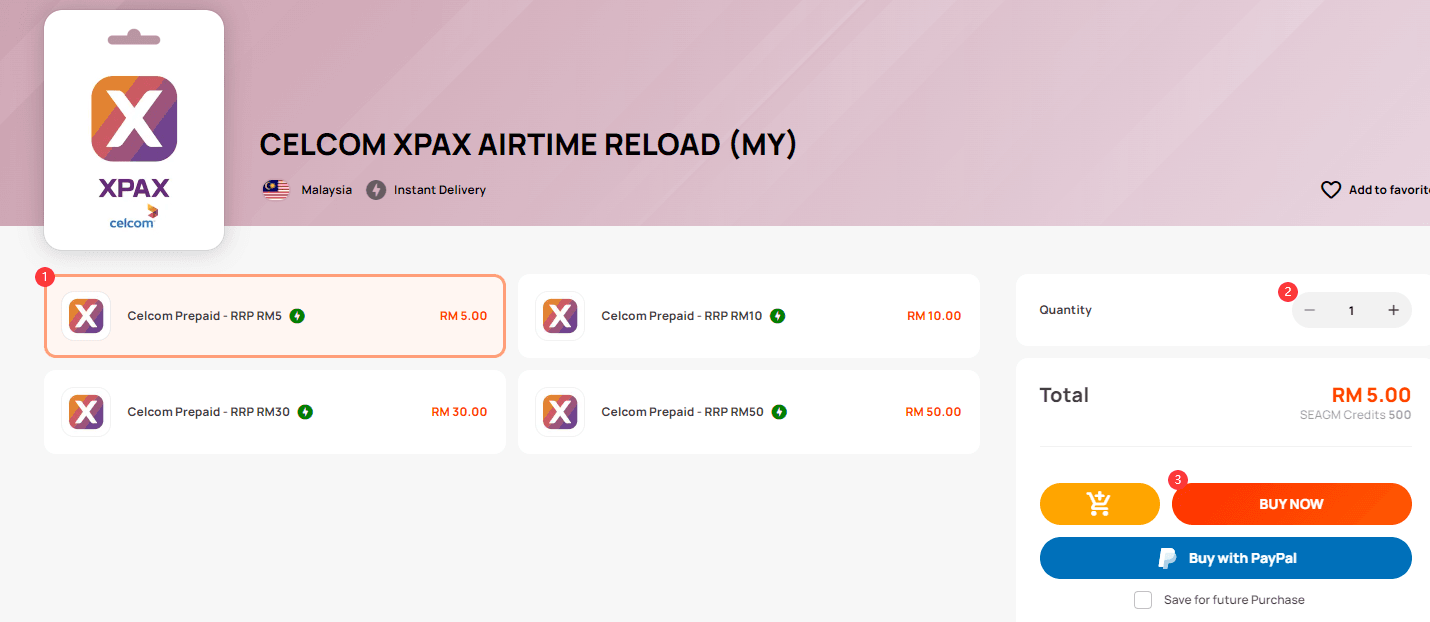
- Select your required Celcom XPax reload denomination (RM5, RM10, RM20, RM30, RM50, or RM100).
- Provide your email address to receive your order confirmation and digital invoice.
- Choose your preferred payment option at checkout.
- Complete the secure payment step.
- View your 16-digit Celcom XPax reload PIN directly on your order confirmation screen and access it anytime in your BitTopup account history.
How to Redeem Your Celcom XPax Reload PIN via USSD Code (122)
Once you receive your 16-digit digital code from BitTopup, you can load the credit onto any active Celcom prepaid number using your phone dialer or the mobile app.
Method 1: USSD Code Dialing (Direct from Phone)
- Open the Phone or Dialer app on your mobile device.
- Dial
*122*<16-digit Reload PIN>#(for example:*122*1234567890123456#). - Press the Call button.
- An on-screen pop-up will confirm the successful reload, showing your updated credit balance and new expiry date. You will also receive an SMS confirmation from Celcom.
Method 2: Celcom Life App Redemption
- Launch the Celcom Life app on your phone.
- Tap the Reload or Top Up button on your account dashboard.
- Select Reload PIN / Voucher Code.
- Enter the 16-digit reload PIN code received from BitTopup.
- Tap Submit to instantly credit your prepaid wallet.
How to Check Celcom XPax Credit Balance and Expiry Date
Checking your prepaid balance helps you monitor airtime usage, track data subscriptions, and ensure your line does not expire unexpectedly.
Checking Balance via USSD Quick Codes
- Quick Balance Check: Dial
*124#and press Call to receive an instant on-screen flash message displaying your current airtime balance and active expiration date. - Main Account Menu: Dial
*118#and press Call to view available internet passes, add-on bundles, roaming options, and account management tools.
Checking Balance via the Celcom Life App
Open the Celcom Life app while connected to mobile data or Wi-Fi. The main home screen displays your active mobile number, current ringgit credit balance, validity end date, and remaining internet quota in real time.
Airtime Credit Balance vs Direct Internet Data Packages
Understanding how Celcom airtime credit works ensures you get the most out of your mobile top-up:
- Airtime Credit Balance: This represents the main cash reserve on your prepaid SIM card. It keeps your mobile line active, pays for standard voice calls and SMS, and acts as the currency used to buy mobile data passes.
- Internet Data Packages: Data passes (such as Celcom Mix & Match, Unlimited 5G passes, or daily boosters) are standalone internet subscriptions purchased using your available airtime credit. To activate a data pass, reload sufficient airtime onto your account first, then dial
*118#or use the Celcom Life app to purchase your chosen plan.
Accepted Payment Methods for Celcom XPax Reload in 2026
BitTopup supports a wide selection of regional and global payment methods to accommodate customers inside Malaysia as well as overseas users:
- Online Banking & e-Wallets: Local bank transfers and major digital wallet systems.
- Credit and Debit Cards: Visa, Mastercard, and major international card schemes.
- Global Payment Gateways: Secure cross-border processing options for international buyers managing Malaysian mobile lines.
All available payment options, processing details, and real-time prices are clearly listed during the checkout process on BitTopup.
Safe Transactions: No Passwords or Account Sharing Required
Protecting your personal and mobile security is a priority on BitTopup:
- Zero Passwords Required: You never have to share your Celcom Life account passwords, SIM security codes, or SMS OTPs.
- Independent PIN Vouchers: You receive an unredeemed 16-digit digital code directly on your screen and apply it yourself to your own number.
- Encrypted Checkout: All payment transactions are processed through encrypted financial security channels.
- 24/7 Customer Support: The BitTopup support team is on standby around the clock to assist you with order processing or code delivery questions.
Troubleshooting Common Celcom XPax Reload and Activation Issues
If you experience an issue when loading your PIN, check these common causes and resolutions:
- Invalid PIN Error: Make sure you typed all 16 digits correctly without spaces, dashes, or accidental typos.
- Connection Error or Invalid MMI Code: Ensure you have an active cellular signal on the Celcom network. Turn Airplane Mode on for 5 seconds and turn it off, then dial
*122*<16-digit PIN>#again. - Expired Line (Grace Period): If your active validity expires, your Celcom line enters a 50-day grace period where you can receive calls but cannot make outgoing calls. Redeeming a reload PIN instantly restores full active service. If your SIM card remains uncharged past the 50-day grace period, the telco deactivates the number permanently.
- Reloading from Overseas: If you are redeeming a voucher outside Malaysia, ensure international roaming is active on your device to send USSD dial codes, or connect your phone to Wi-Fi and redeem the 16-digit PIN directly through the Celcom Life app.
Frequently Asked Questions
How do I topup my Celcom XPax airtime using a reload PIN?
To top up using your reload PIN, open your phone's dialer, type *122*<16-digit Reload PIN>#, and press Call. You can also redeem the voucher inside the Reload section of the Celcom Life mobile app.
What is the USSD code to redeem a Celcom prepaid reload?
The official USSD redemption code for Celcom XPax is *122*<16-digit Reload PIN>#. Dialing this code instantly credits the airtime amount to your phone.
How can I check my remaining Celcom XPax credit balance?
Dial *124# and press Call on your mobile device to view your credit balance and validity expiry date. You can also check your balance anytime via the Celcom Life mobile app.
How long does Celcom XPax airtime credit remain valid after reloading?
Validity depends on the denomination purchased. An RM5 reload provides 5 days of validity, RM10 provides 10 days, RM30 provides 30 days, RM50 provides 50 days, and RM100 provides up to 100 days of active service.
Why is my Celcom XPax reload code failing to activate?
Redemption failures generally occur due to mistyped digits, low cellular network reception, or attempting to reload a SIM card that has exceeded its 50-day grace period and been terminated. Verify your 16-digit code and check your mobile network connection before retrying.
Can I recharge a Malaysian Celcom XPax number from overseas?
Yes. You can purchase a Celcom XPax reload PIN on BitTopup from anywhere in the world. After checkout, redeem your 16-digit PIN via the Celcom Life app over Wi-Fi, or dial *122*<16-digit PIN># if your device has active roaming on a supported network.